
CS-Cart Auto-Assign User Group on Registration
The Auto Assign User Group Addon for CS-Cart helps store owners automatically assign predefined user groups to Admins, Vendors, and Customers at the time of registration. With simple settings, you can ensure the right roles and permissions are applied instantly, reduce manual work, and maintain consistent access control. The addon also supports email notifications for each registration type and allows you to disable auto-assignment for users created via API or Import, giving you full flexibility and control over user management.
Features:
- Automatic Admin User Group Assign: Automatically assigns selected admin roles (such as Administrator, Content Manager, or Sales Manager) when a new admin account is created.
- Admin Registration Email Notification: Sends an email notification when an admin is auto-assigned to a user group after registration.
- Automatic Vendor User Group Assignment: Automatically assigns predefined vendor user groups when a vendor registers on the store.
- Vendor Registration Email Notification: Notifies via email when a vendor is automatically assigned to a user group.
- Automatic Customer User Group Assignment: Automatically assigns selected customer user groups (like Tester or Wholesale) during customer registration.
- Customer Registration Email Notification: Sends an email alert when a customer is auto-assigned to a user group.
- Pre-Activated User Groups: Ensures that all assigned user groups are already active in the user profile immediately after account creation.
- Disable Auto Assignment for API Users: Allows the admin to disable auto user group assignment for users created through API.
- Disable Auto Assignment for Imported Users: Provides an option to disable auto assignment for users added via import.
- Easy Configuration & Time Saving: Simple settings help reduce manual work and maintain consistent user role management across the store.
- CS-Cart Support Information: The addon is well-integrated with CS-Cart Multi-Vendor and can be used with its Standard, Plus, and Ultimate versions.
Installation:
How to install Addon
https://store.ecarter.co/blogs/how-to-install-addon/
Workflow
Admin Settings Configuration
These settings allow the admin to automatically assign user groups when a new Admin, Vendor, or Customer registers on the store.
- Admin Registration: Automatically assigns selected admin roles (like Administrator, Content Manager, Sales Manager) when a new admin account is created.
- Send notification via email for admin registration: Sends an email notification when an admin is auto-assigned to a group.
- Vendor Registration: Automatically assigns selected vendor user groups when a vendor registers.
- Send notification via email for vendor registration: Sends an email alert when a vendor is auto-assigned to a group.
- Customer Registration: Automatically assigns customer groups (such as Tester or Wholesale) when a customer registers.
- Send a notification via email for customer registration. Send an email notification when a customer is auto-assigned to a group.
- Disable Auto Assign For
- Created by API: Disables auto-assignment when users are created via API.
- Created by Import: Disables auto-assignment when users are added through import.

How to work for Admin
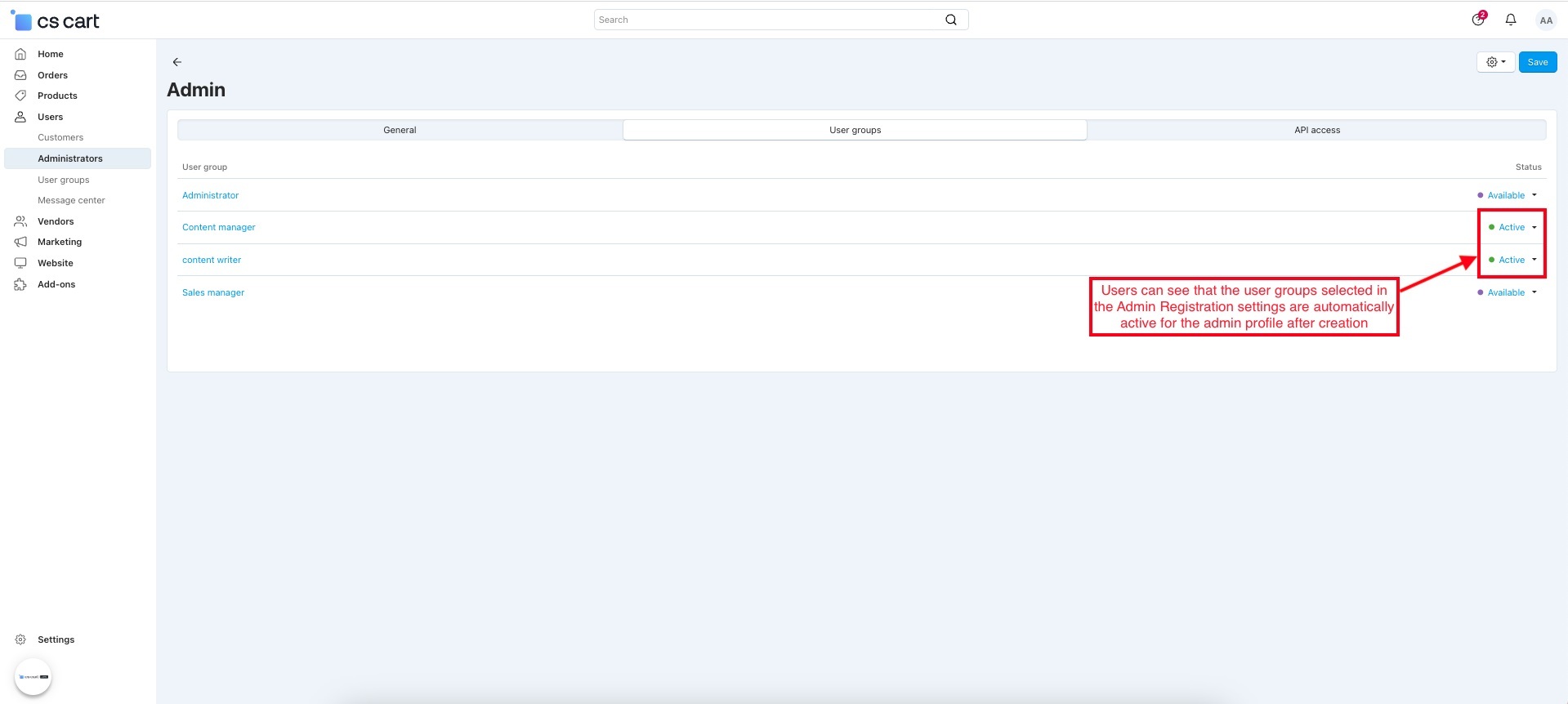
Admin Registration automatically assigns predefined user groups when a new admin account is created with the Admin role selected. After making the profile, the selected user groups are already active in the User Groups tab.
- Admin Registration: Select the admin role to automatically assign user groups when a new admin account is created.

- Open the newly created administrator profile.
- Switch on the User group tab.
- Users can see that the user groups selected in the Admin Registration settings are automatically active for the admin profile after creation.
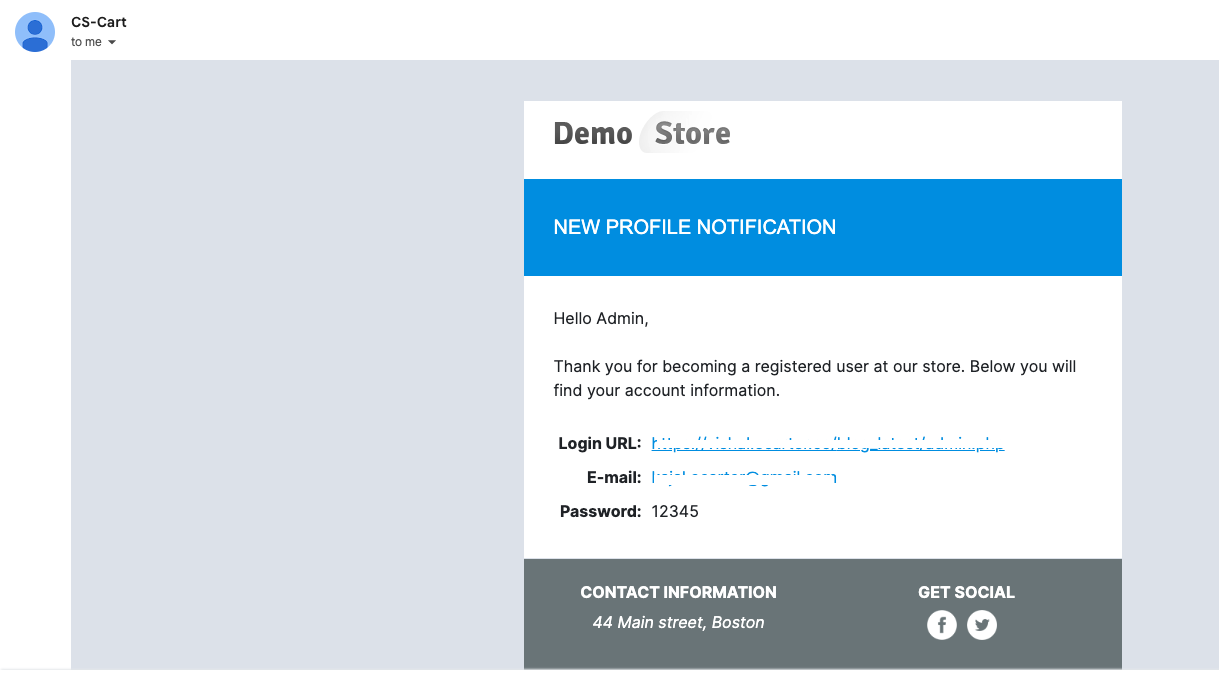
- Enable the “Send notification via email for admin registration” setting to receive an email notification whenever a new admin account is created, and user groups are automatically assigned.

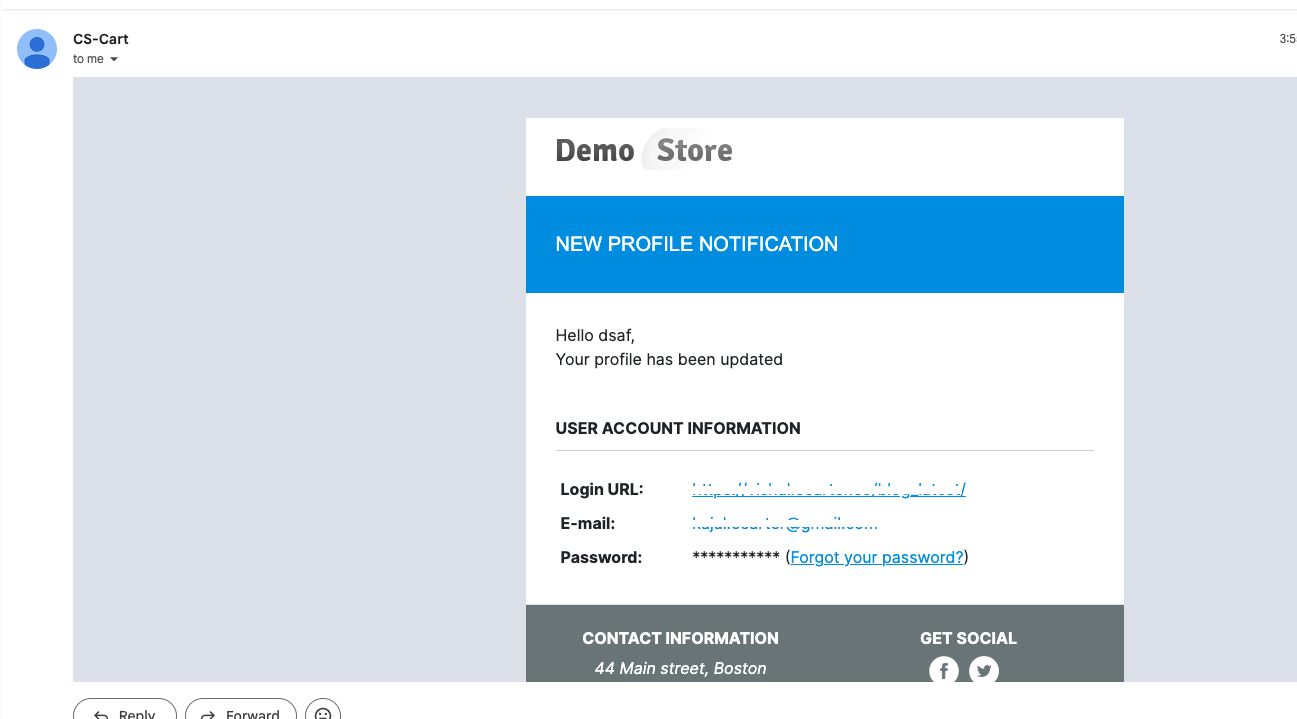
- Admin receives a New Profile Notification email.
How to work for a vendor
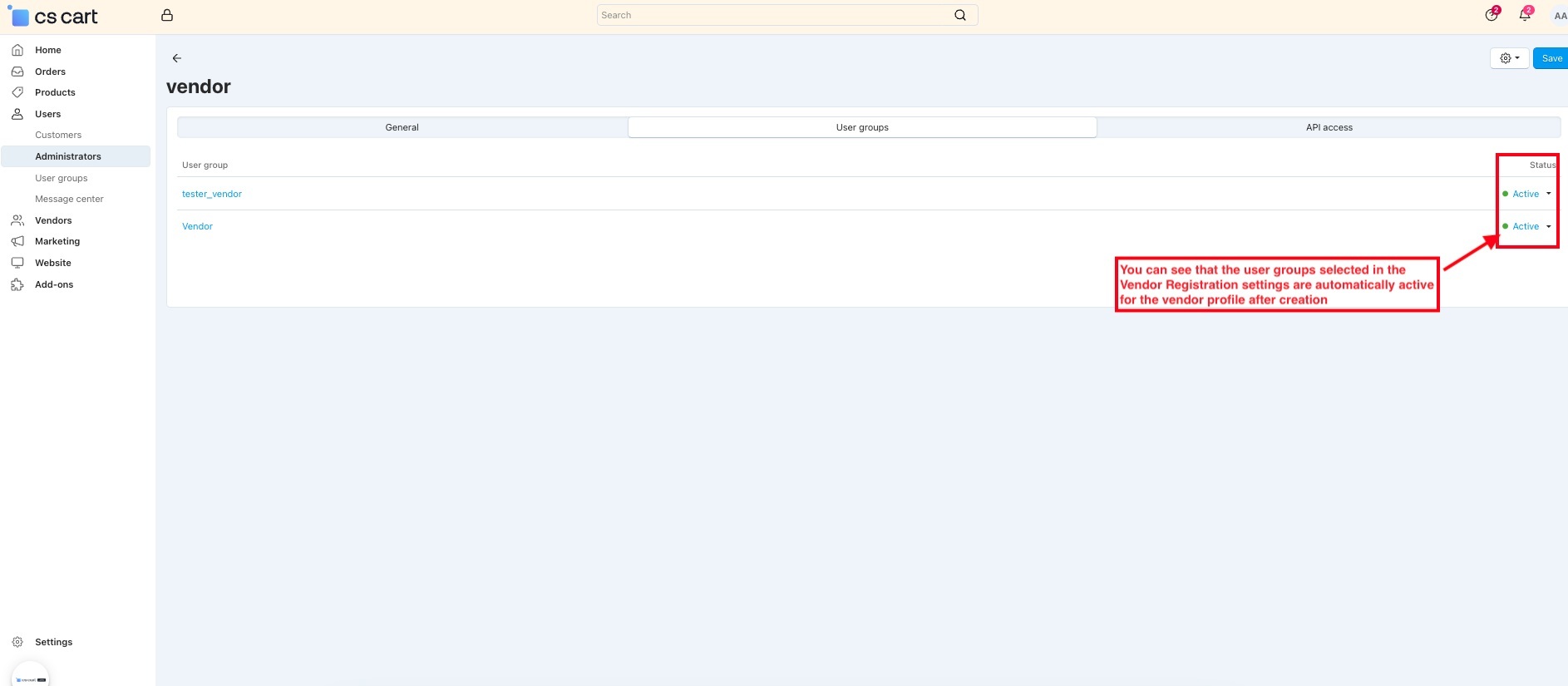
Vendor Registration automatically assigns the selected vendor user group when a new vendor registers. After the vendor profile is created, the predefined user groups are already active based on the Vendor Registration settings.
- Vendor Registration: Select the vendor user group to assign it when a vendor registers automatically in settings.

- Open the newly created vendor profile.
- Switch on the User groups tab.
- You can see that the user groups selected in the Vendor Registration settings are automatically active for the vendor profile after creation.
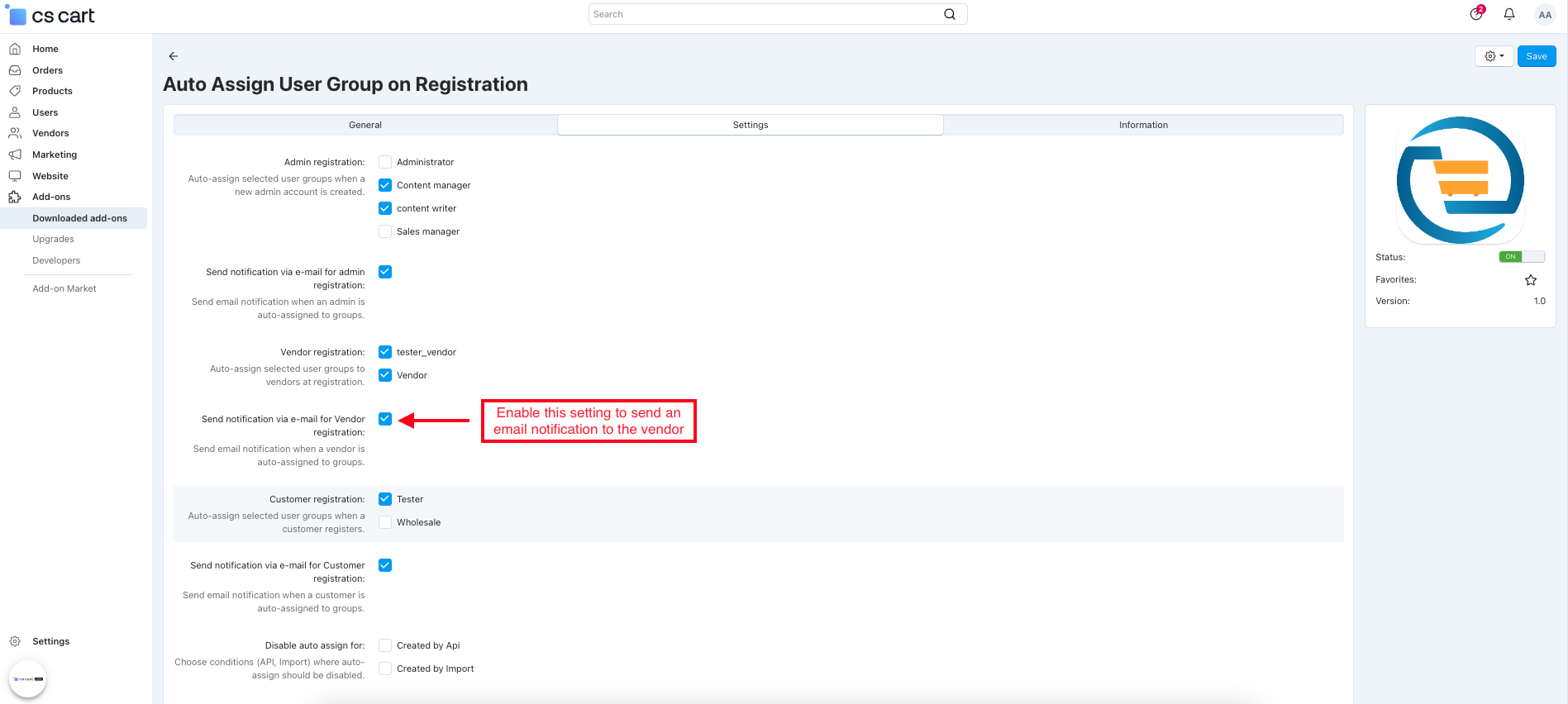
- Enable the "Send notification via email for vendor registration" setting to send an email notification to the vendor.
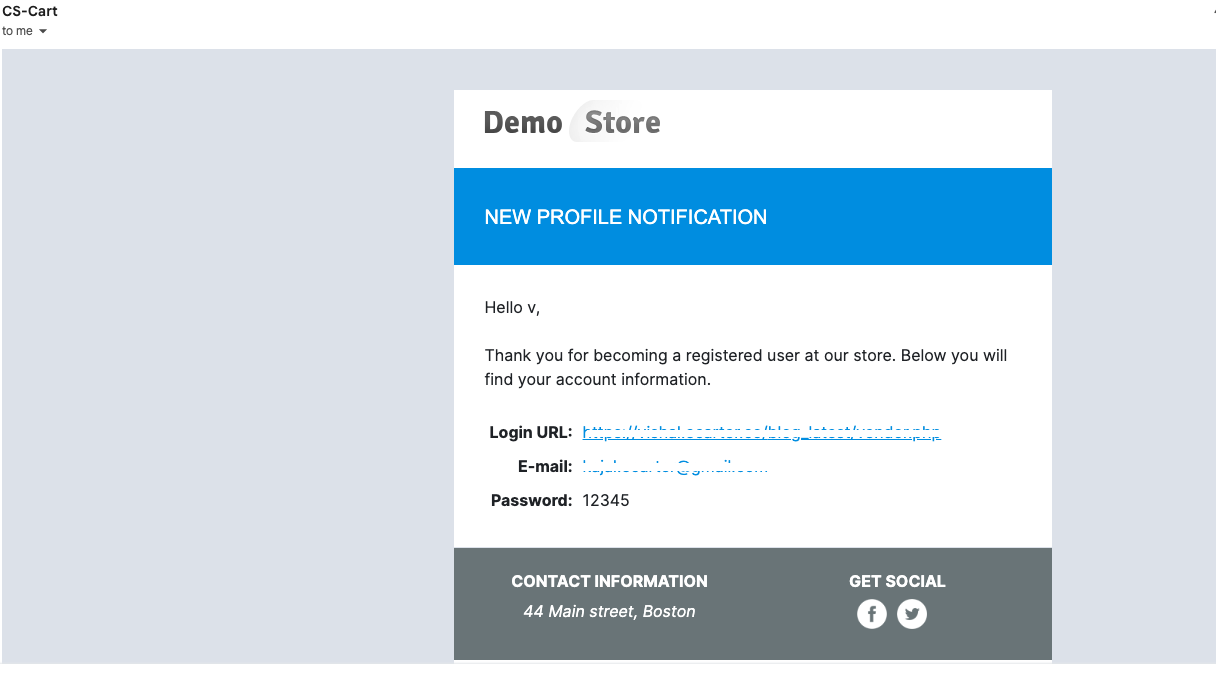
- The vendor receives a New Profile Notification email.
How to work for the Customer
Customer Registration automatically assigns the selected customer user group when a new account is created. After registration, the predefined user groups are active in the customer profile based on the Customer Registration settings.
- Customer Registration: Select the customer usergroup to be automatically assigned when a customer registers.

- Open the newly created customer profile.
- Switch on the user group tab.
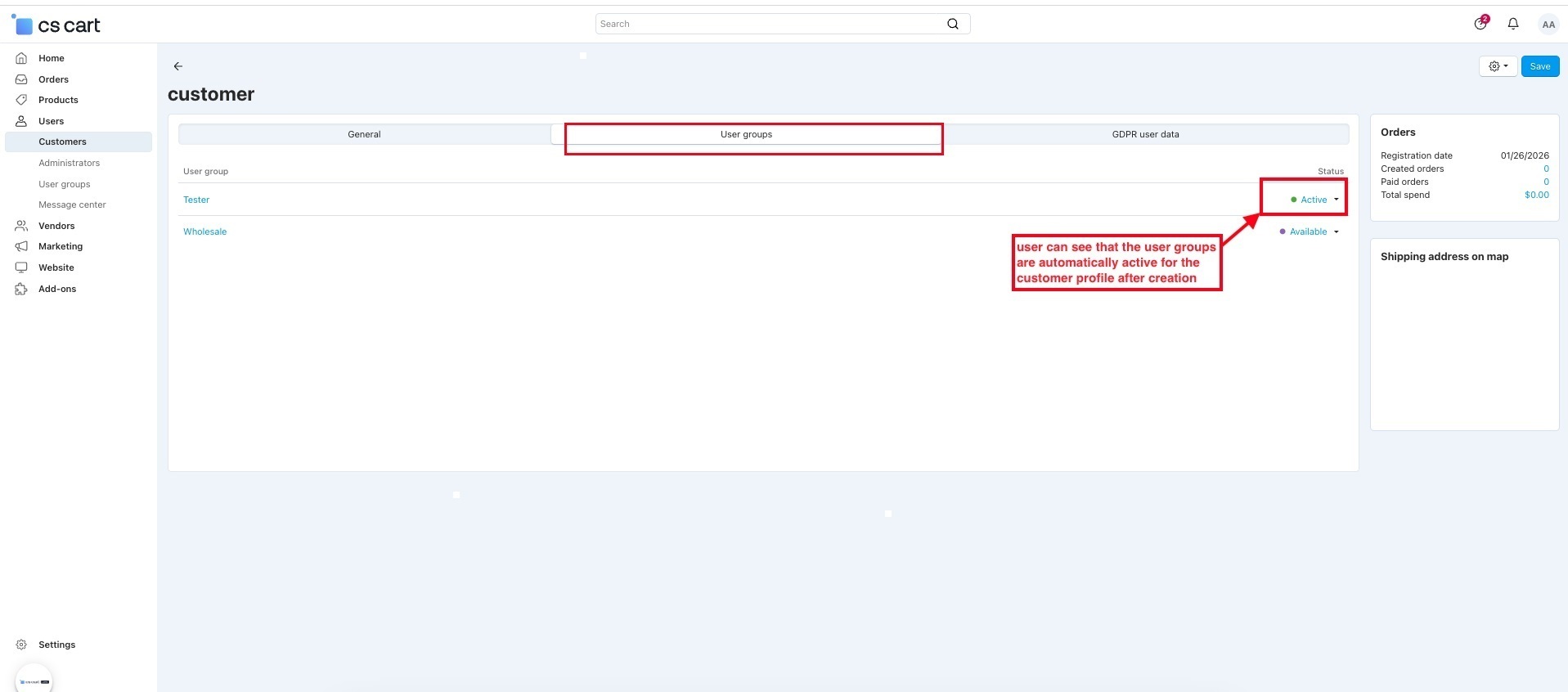
- The user can see that the user groups are automatically active for the customer profile after creation.
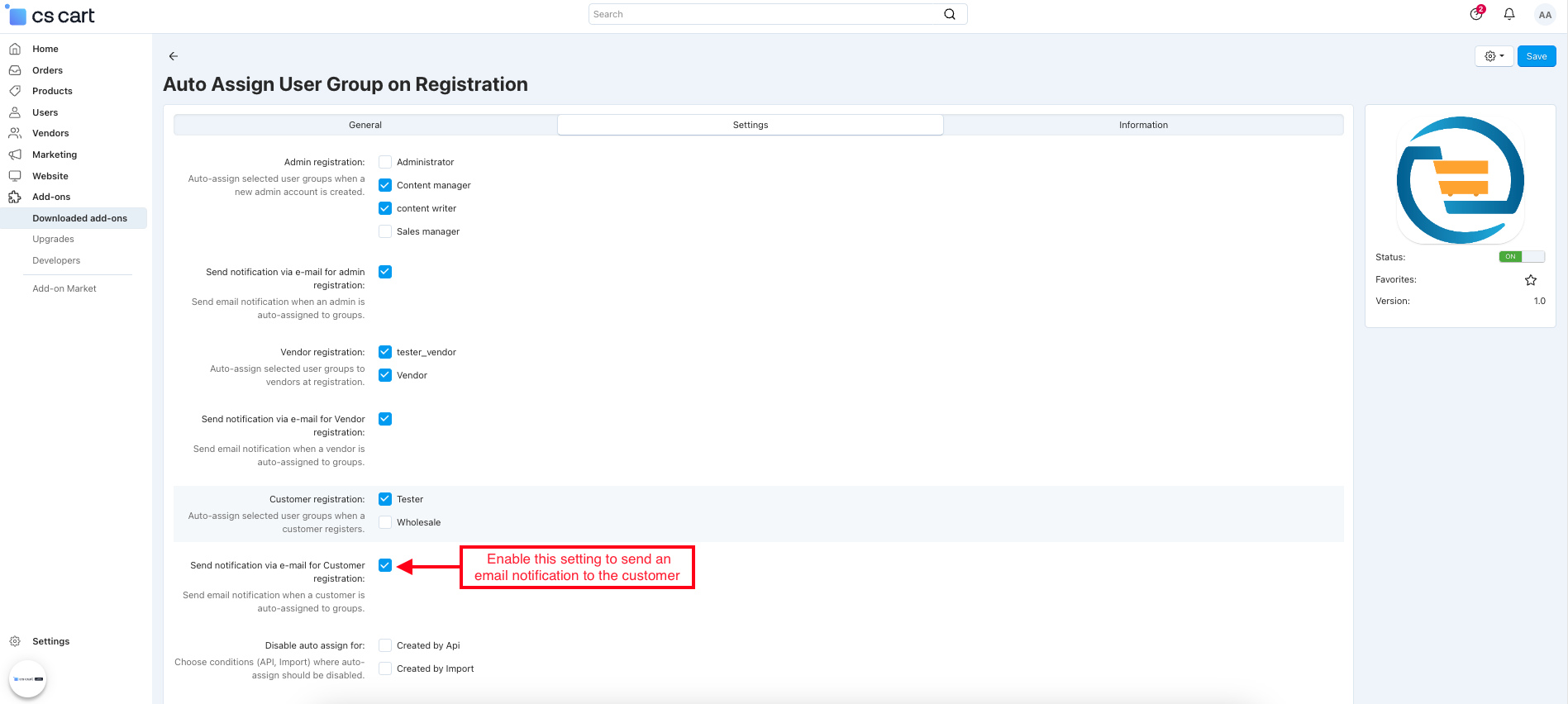
- Enable Send notification via email for customer registration setting to send an email notification to the customer.
- The customer receives a New Profile Notification email.
Final Thought:
This Addon simplifies user role management by automatically assigning the right user groups during registration. It saves time, reduces manual effort, and ensures consistent access control across admins, vendors, and customers.
Addon-Version
Version-1.0.3
Supported Versions:
CS-Cart, CS-Cart Multivendor 4.8.x, 4.9.x,4.10x,4.11x,4.12,4.13x, 4.14x, 4.15x, 4.16x, 4.17x, 4.18x
Support:
This add-on is developed and published by Ecarter Technologies Pvt.Ltd., a CS-Cart developer. You are guaranteed a quality add-on supported by future versions. If you need help, please contact us via email at support@ecarter.co.




Ecarter Support
Typically replies within a minute

© 2020 - 2026 Ecarter Technologies Pvt Ltd.