
CS-Cart Buy Now with One Click

The Buy Now with One Click Addon for CS-Cart helps store owners speed up the purchasing process by allowing customers to skip the cart and move directly to checkout. With this addon, you can fully control how the Buy Now button looks and behaves across your store, creating a smoother and faster shopping experience.
Admins can easily customize the button text, font color, and background color to match the store theme. You can also decide who can see the button by enabling the Customer Login option-show it to all users or restrict it to logged-in customers only. For better conversion, the addon lets you replace the default Add to Cart button with Buy Now on the product page.
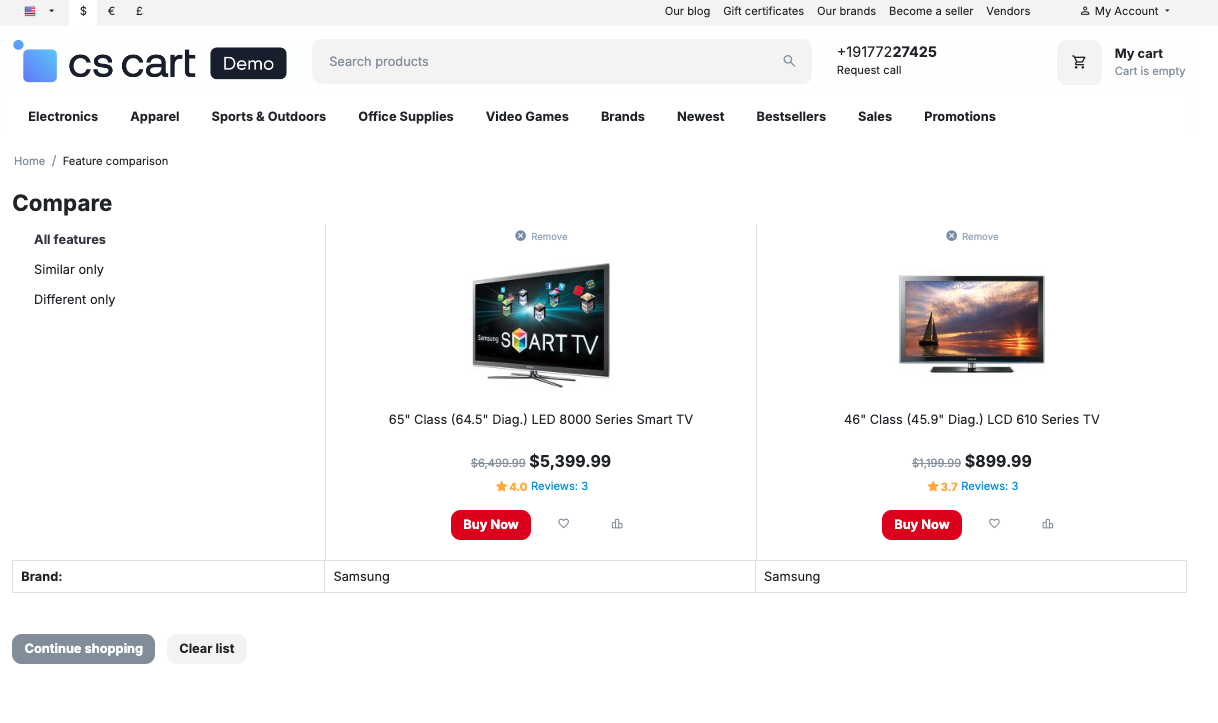
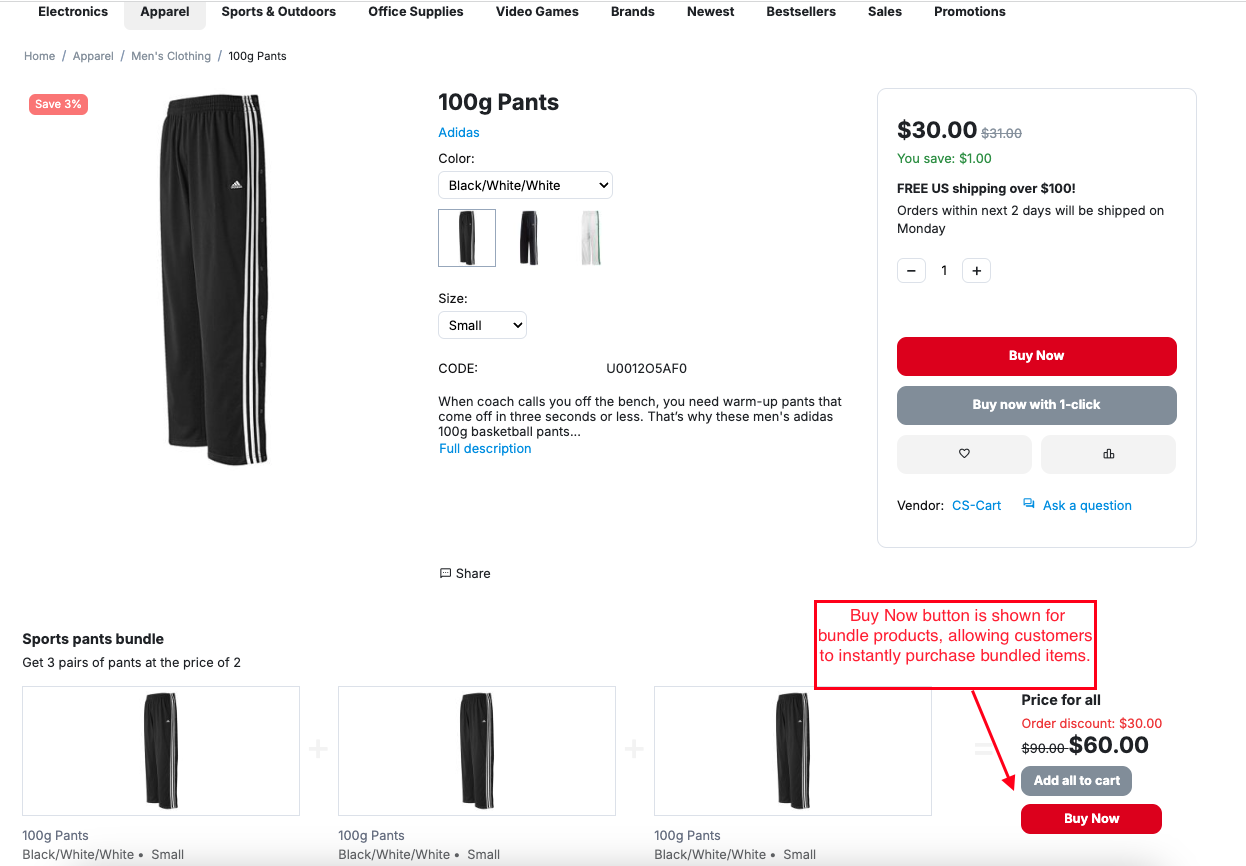
To increase visibility, the Buy Now button can be displayed not only on the product detail page but also on other pages such as category pages, product listings, and the comparison list. The addon also supports bundle products, allowing customers to instantly purchase bundled items with a single click.
Features:
- Instant Purchase Product by Buy Now Button: Customers can skip the cart page and directly proceed to checkout, making the buying process fast and simple.
- Custom Button Text: Set your preferred text on the Buy Now button, such as “Buy Now,” to match your store’s style.
- Button Color Customization: Change the font color and background color of the Buy Now button to make it more attractive and noticeable.
- Customer Login-Based Visibility: Choose whether the Buy Now button is visible to all users or only to logged-in customers.
- Replace the Add to Cart Button: Replace the default “Add to Cart” button with the Buy Now button on the product page.
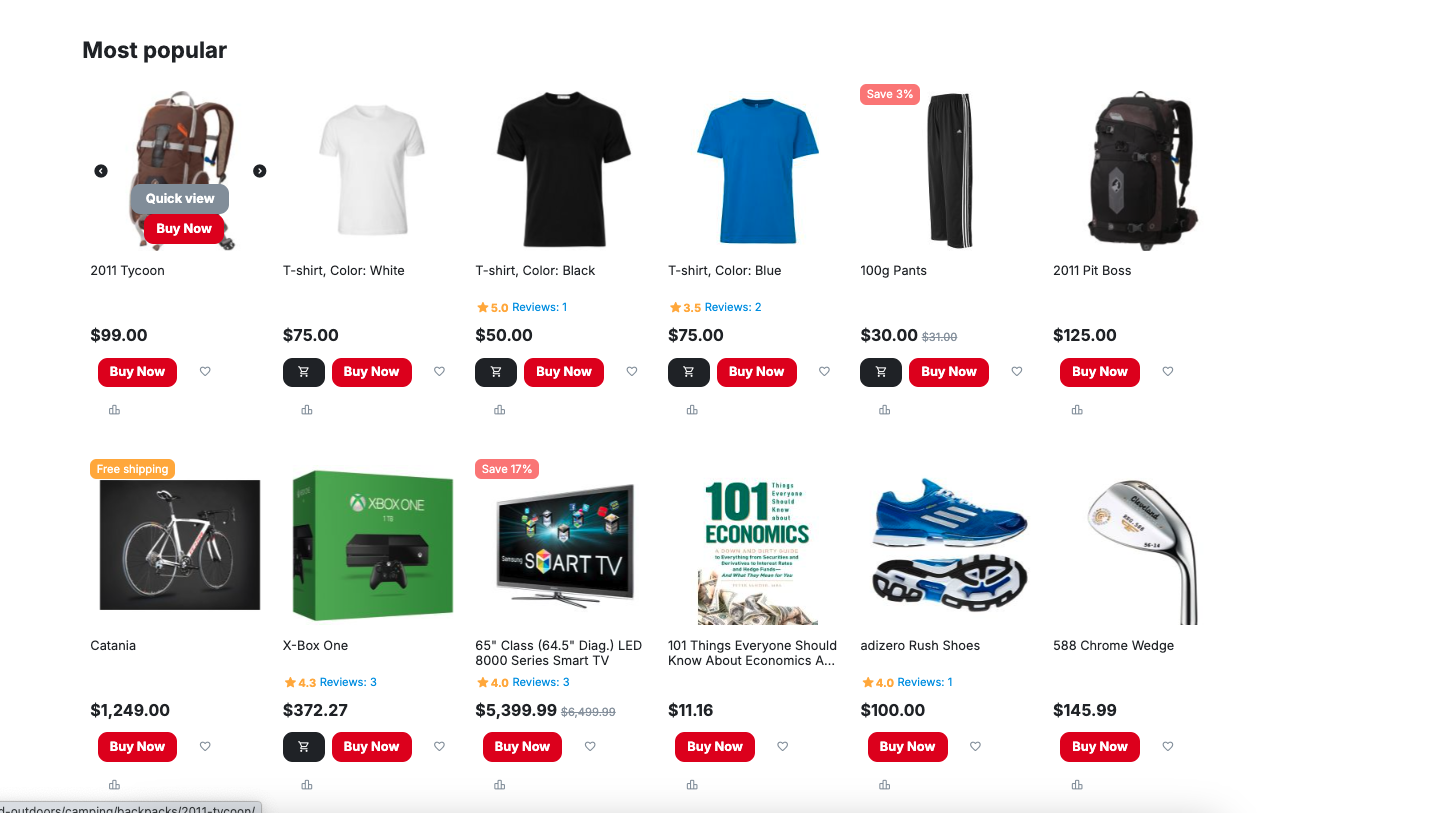
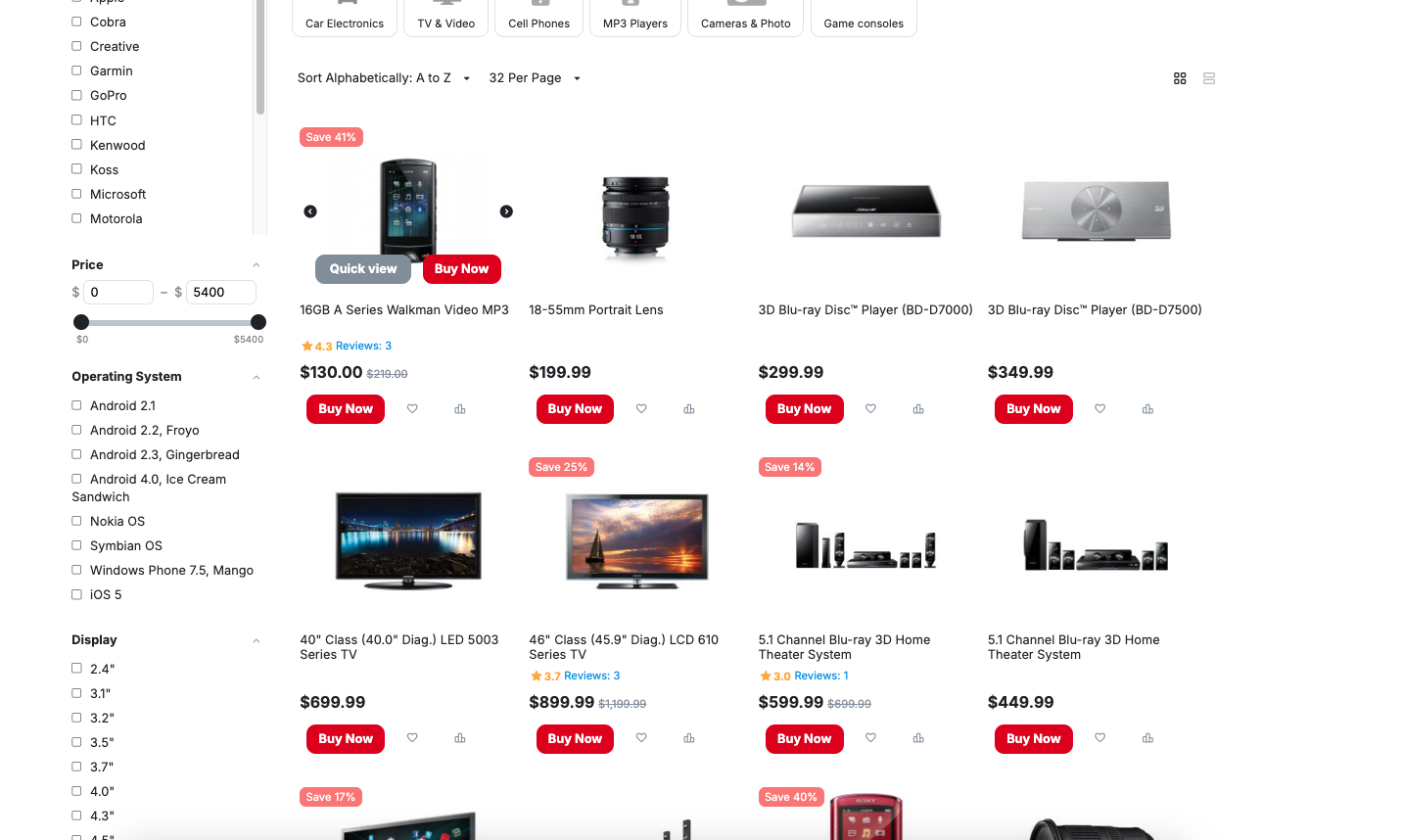
- Visible on Multiple Pages: Show the Buy Now button on category pages, product listing pages, and comparison list pages.
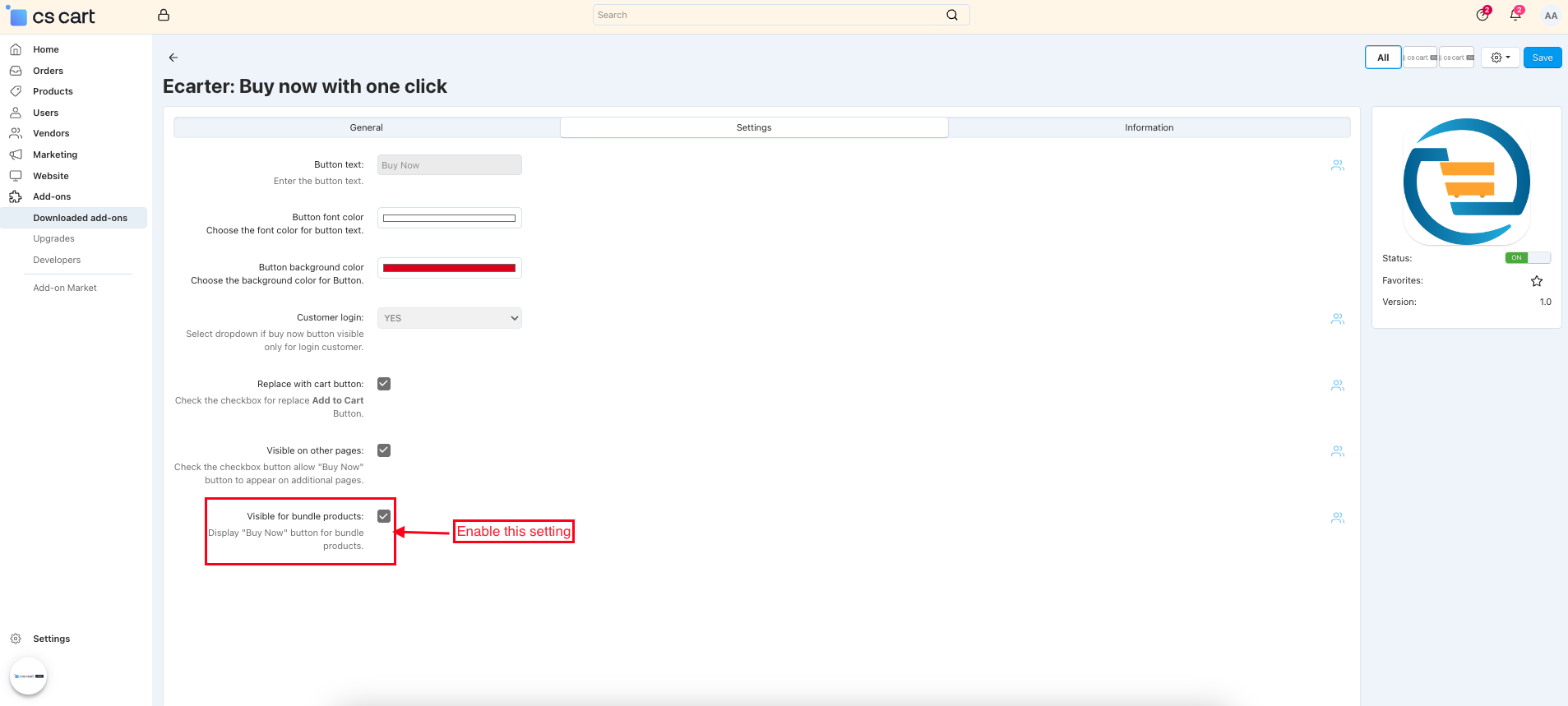
- Buy Now for Bundle Products: Enable the Buy Now button for bundle products so customers can instantly purchase bundled items.
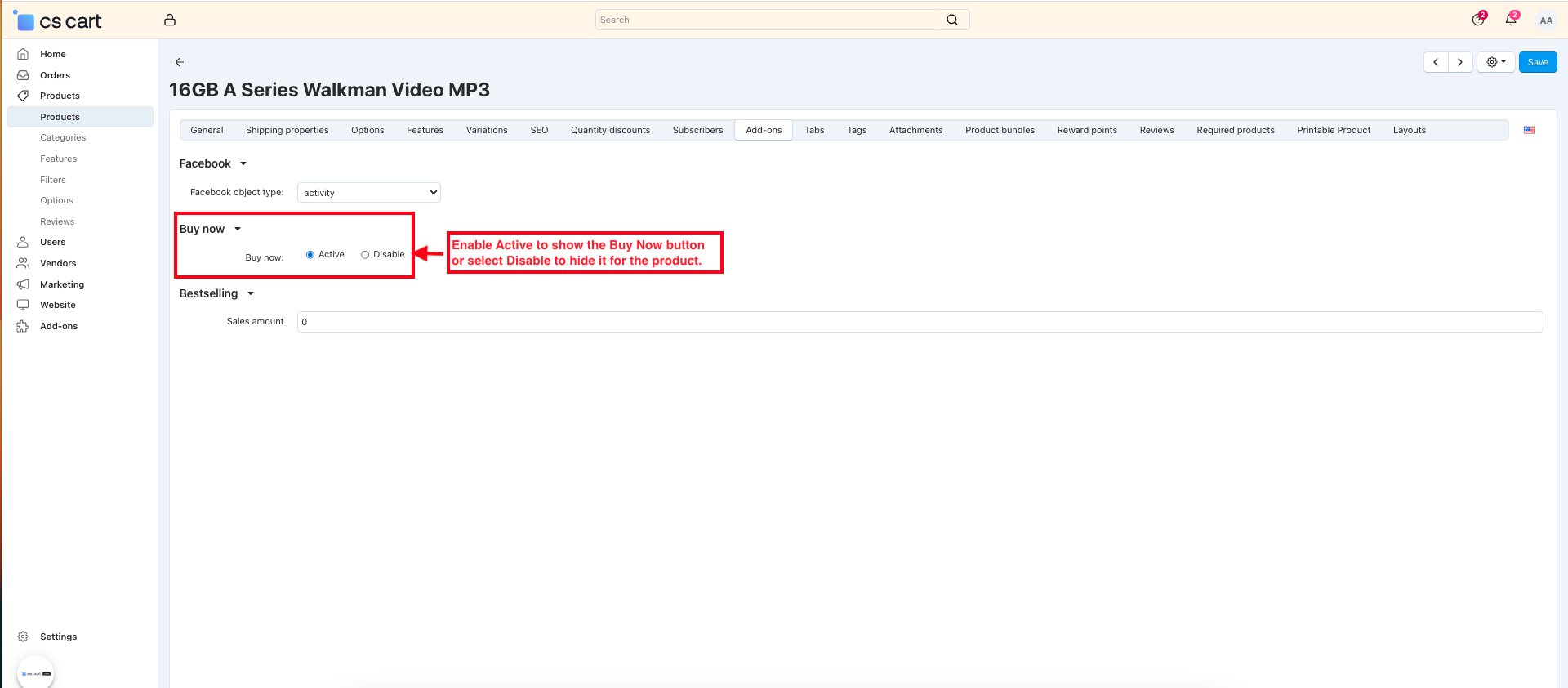
- Product-Level Control: Enable or disable the Buy Now button for individual products from the product Add-on tab.
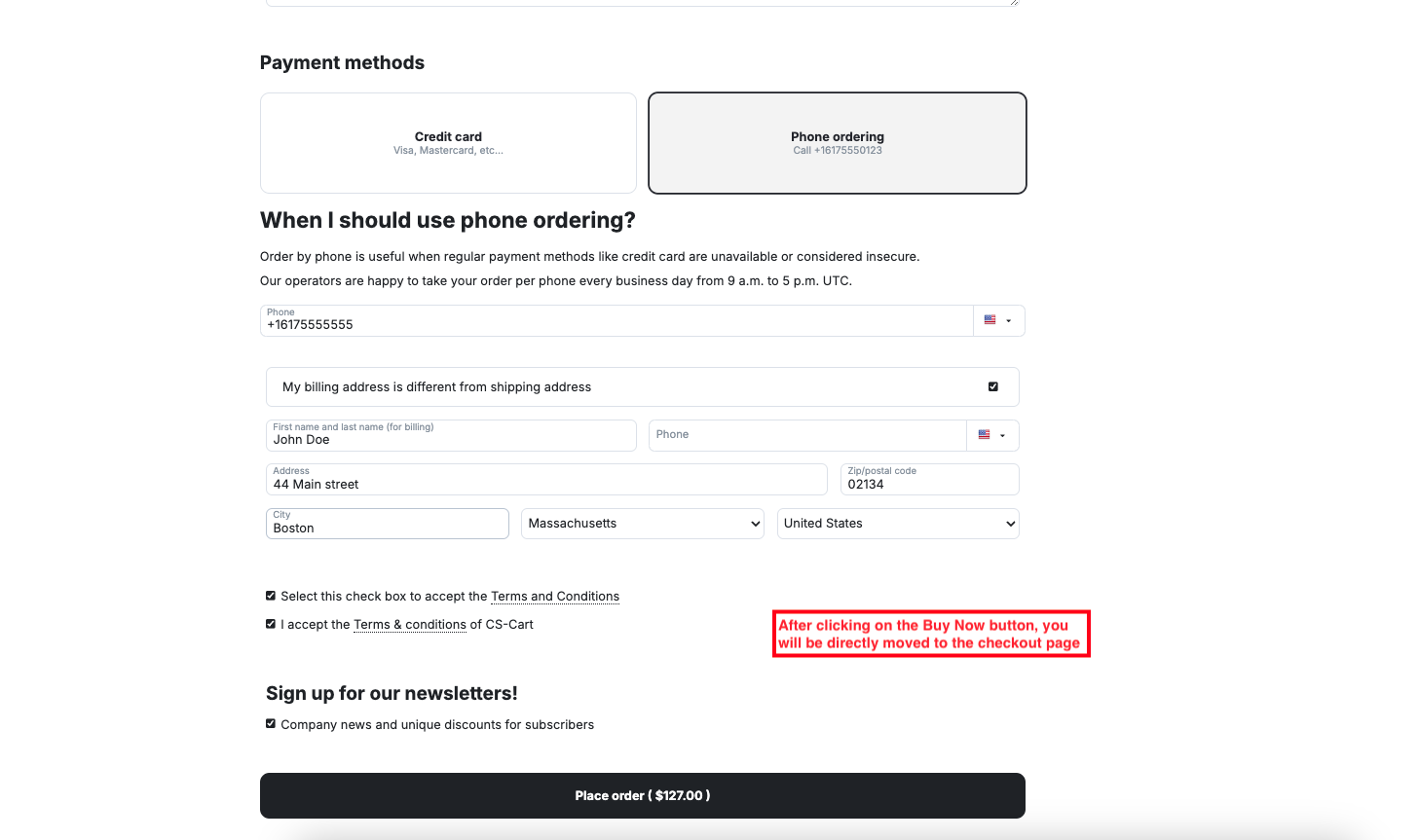
- Direct Checkout Redirection: After clicking the Buy Now button, customers are taken straight to the checkout page.
- Faster Checkout & Better Conversions: Reduces purchase steps, helping improve user experience and increase conversion rates.
Installation:
How to install Addon
https://store.ecarter.co/blogs/how-to-install-addon/
Workflow
Admin Settings Configuration
Users can manage the addon settings to customize the Buy Now button’s appearance and behavior. Simply adjust the options below to control visibility, access, and quick checkout functionality.
- Button Text: This option lets you set the text that appears on the button, such as “Buy Now”.
- Button font color: Use this setting to choose the text color of the Buy Now button.
- Button background color: This option allows you to select the background color of the Buy Now button to make it more attractive or noticeable.
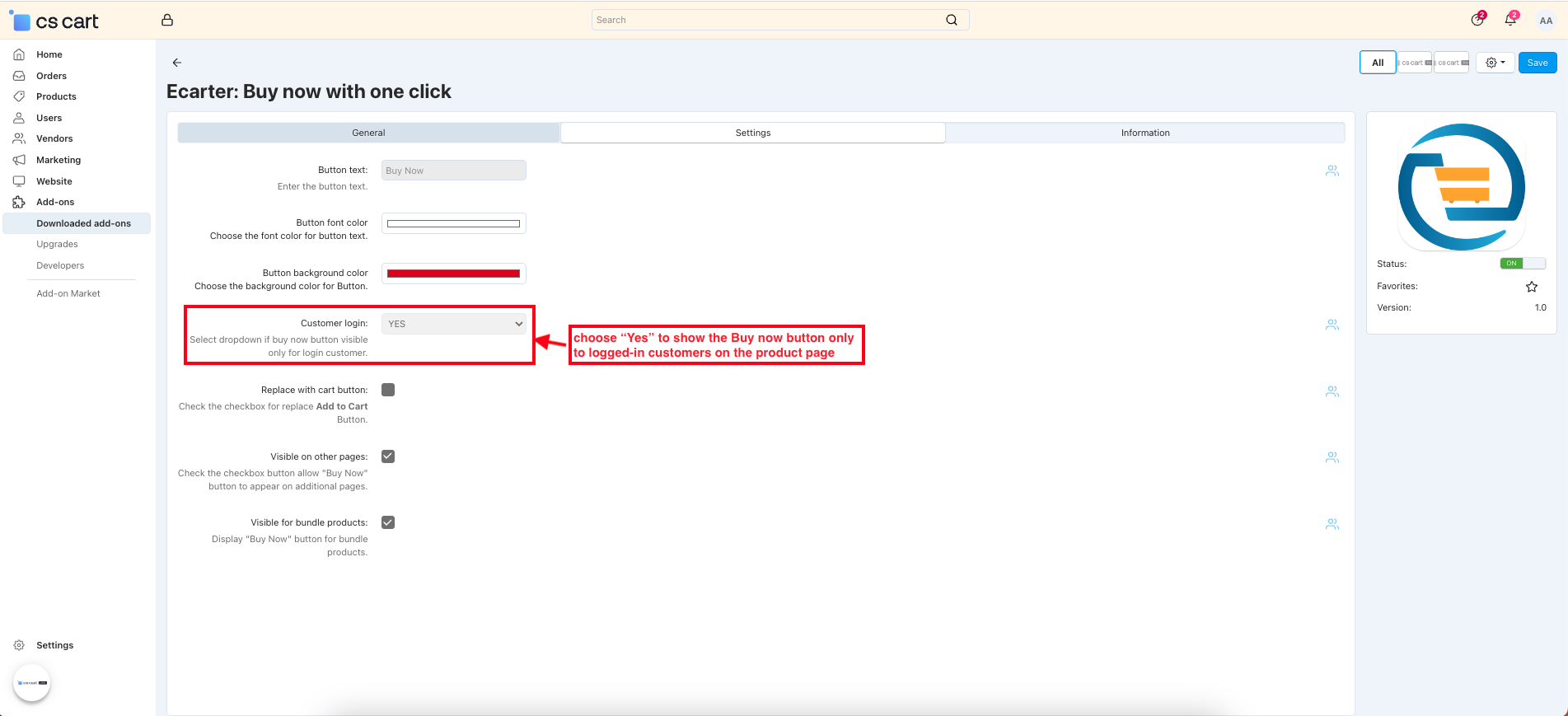
- Customer login: Choose whether the Buy Now button should be visible only to logged-in customers.
- NO: Button is visible to all users
- YES: Button is visible only after login
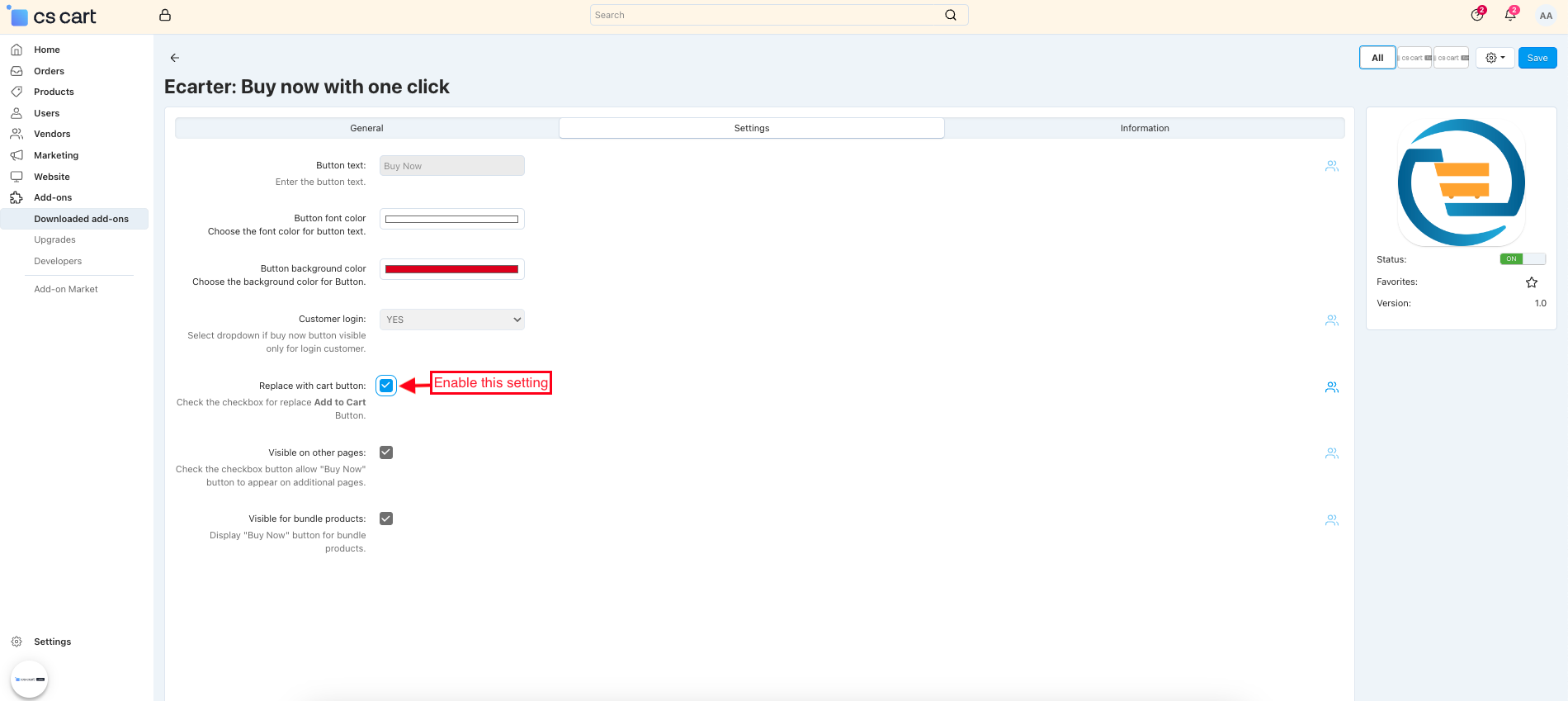
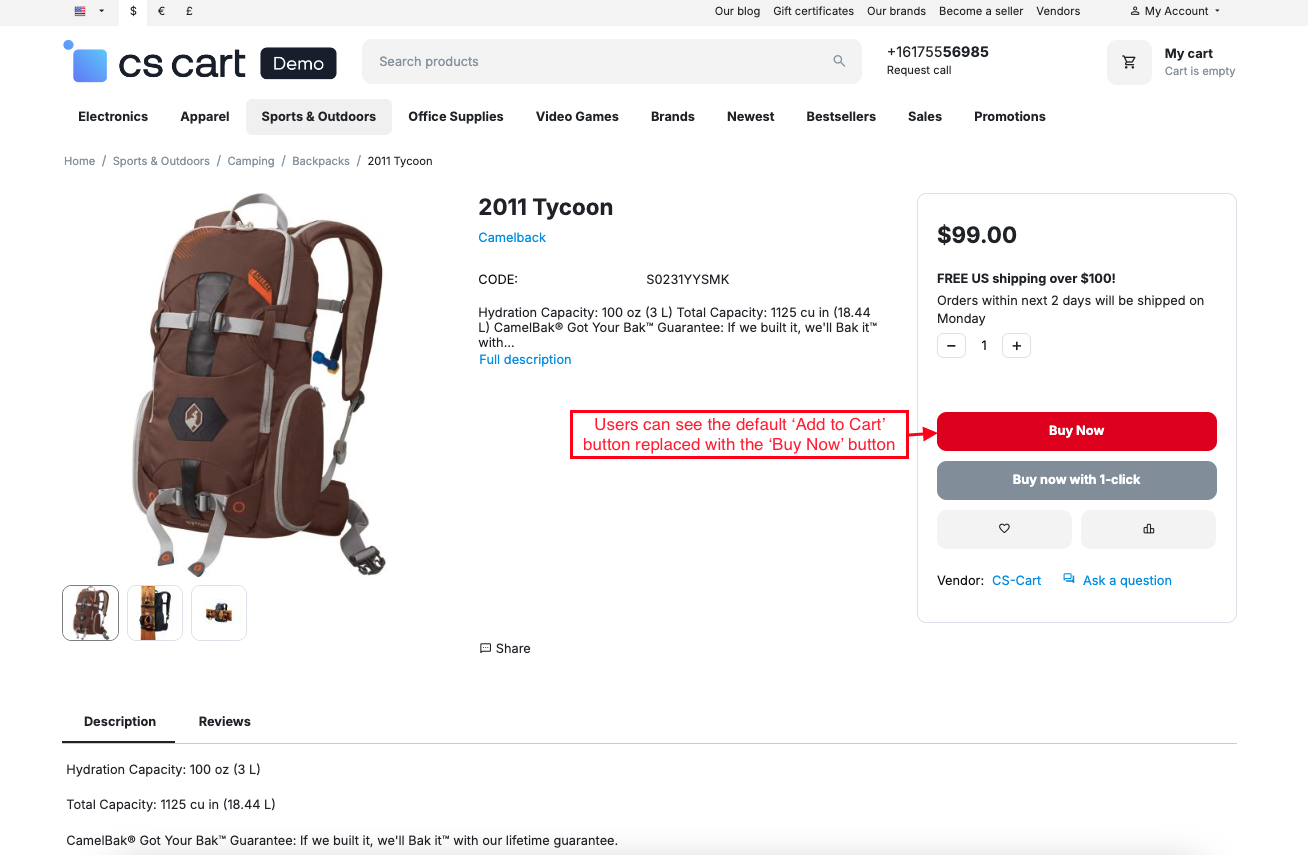
- Replace with cart button: Enable this option to replace the default “Add to Cart” button with the “Buy Now” button on the product page.
- Visible on other page: When enabled, the Buy Now button will appear on additional pages like category or listing pages, not just the product detail page.
- Visible for product bundles: Turn this on to display the Buy Now button for bundle products, allowing customers to purchase bundled items instantly.
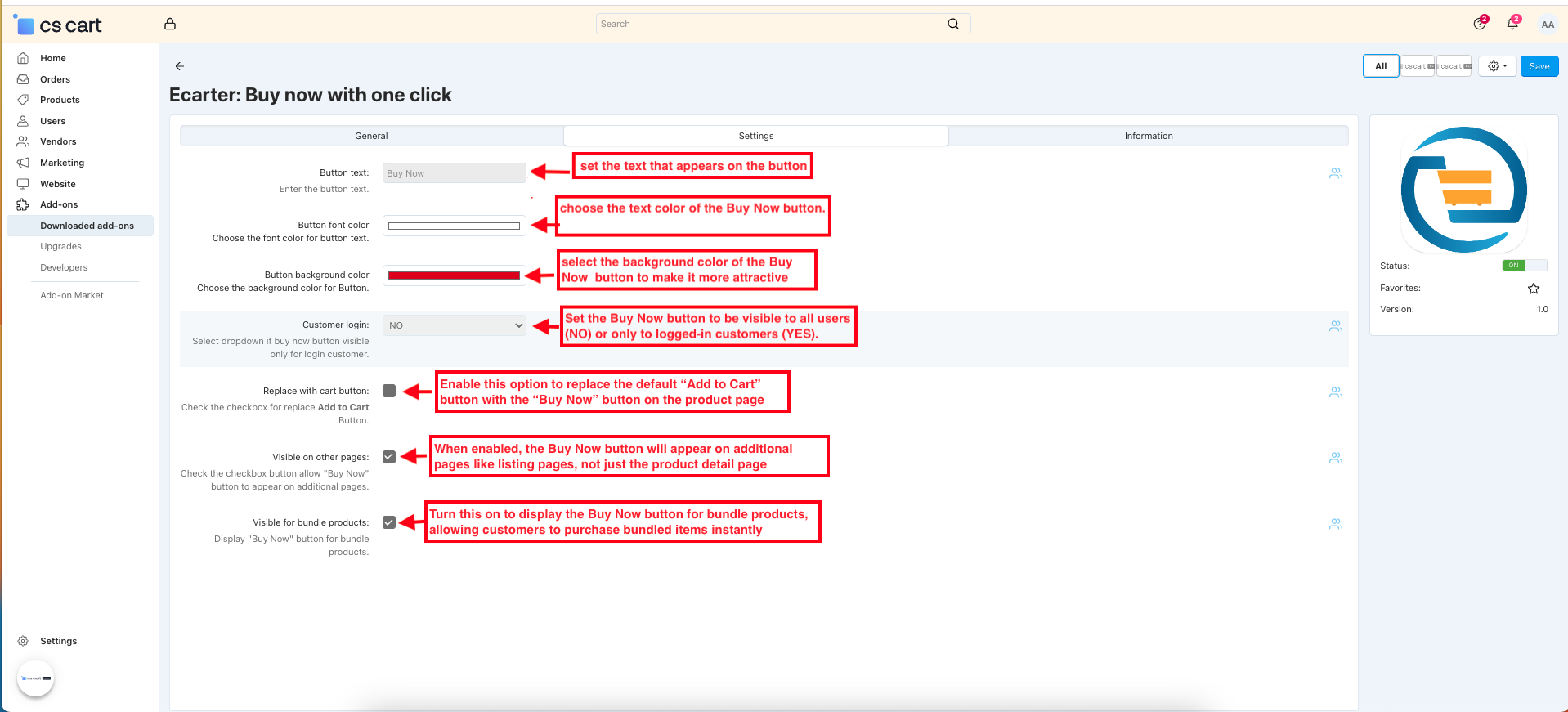
Admin-Controlled Product Page Settings
- Choose the product, navigate to the Add-on tab, and enable Active to show the Buy Now button or select Disable to hide it for the product.
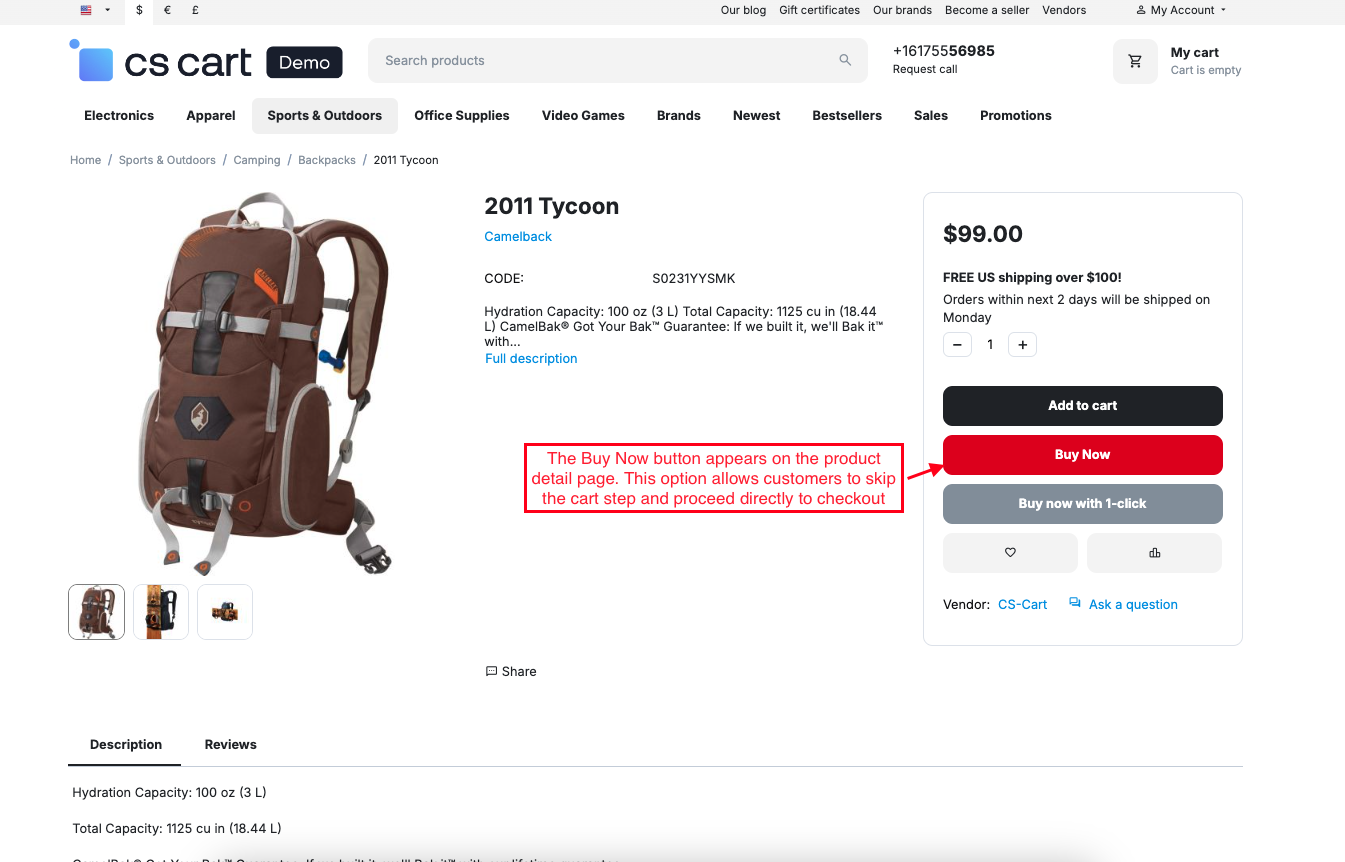
Buy Now Button on the Product page at the Front End
- The Buy Now button appears on the product detail page. This option allows customers to skip the cart step and proceed directly to checkout, making the purchase faster and easier.
- After clicking on the Buy Now button, you will be directly moved to the checkout page.
- Customer login setting: choose “Yes” to show the Buy now button only to logged-in customers on the product page.
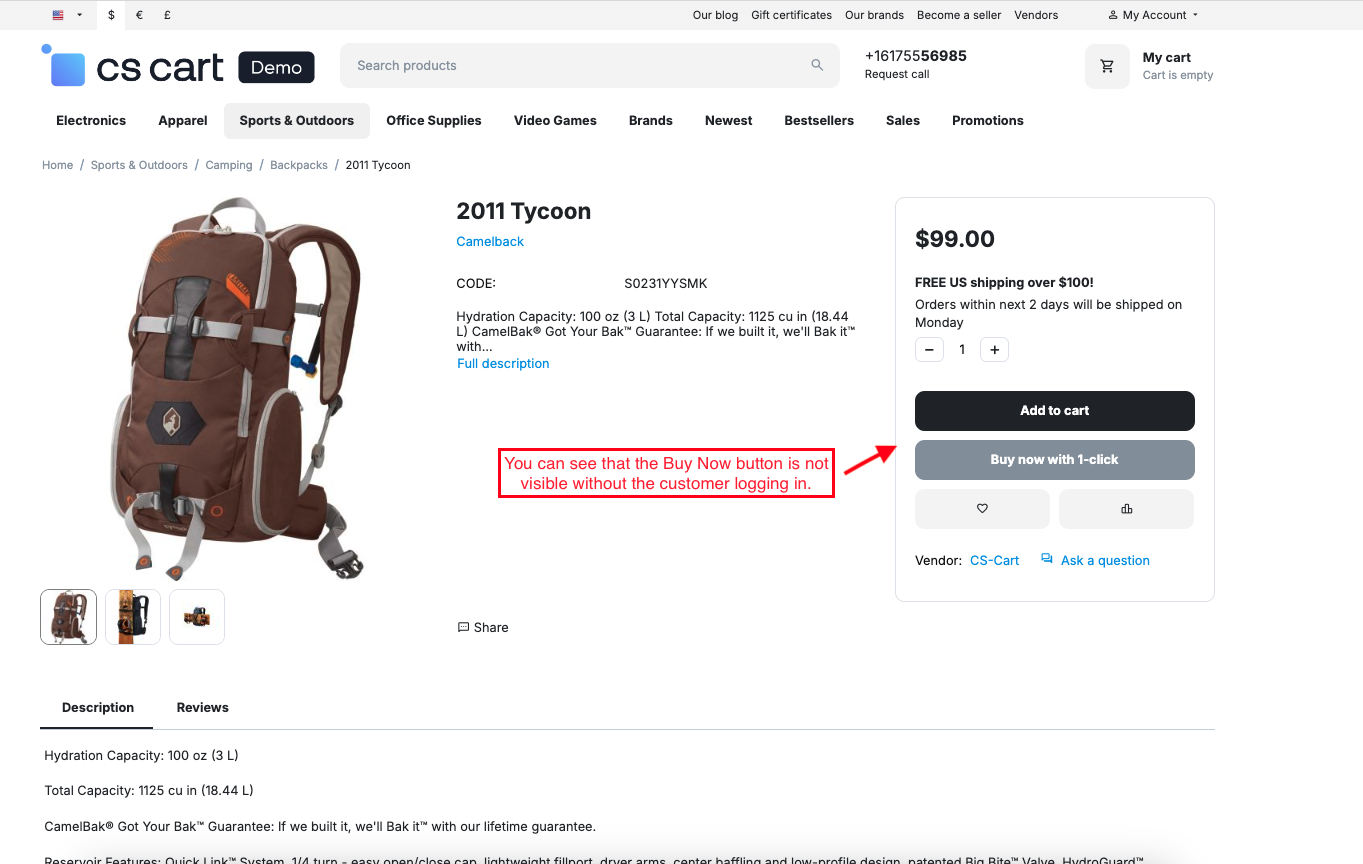
- You can see that the Buy Now button is not visible without the customer logging in.
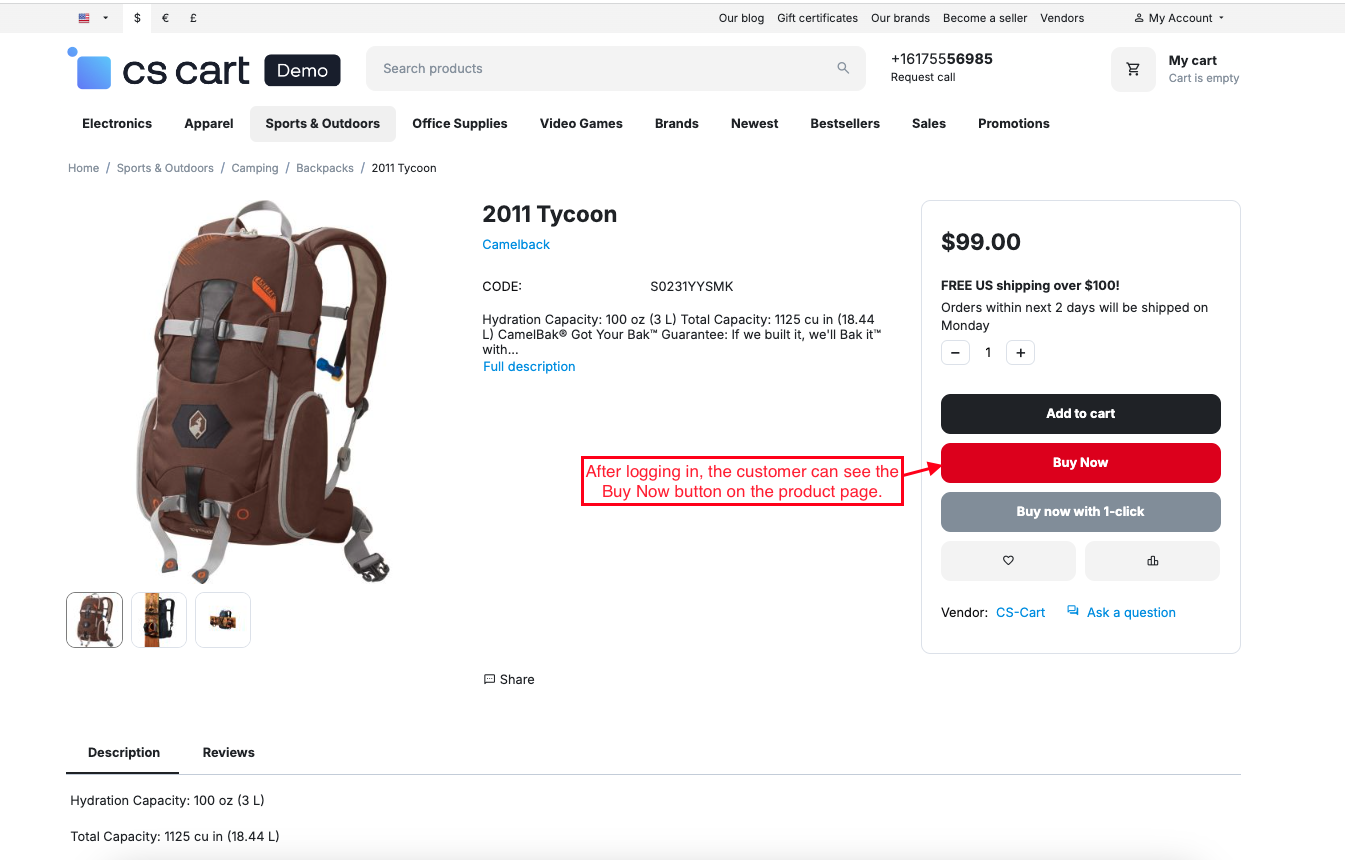
- After logging in, customers can see the Buy Now button on the product page.
- Enable the Replace with cart button setting.
- Users can see the default ‘Add to Cart’ button replaced with the ‘Buy Now’ button.
- Enable the "Visible on other pages" setting.
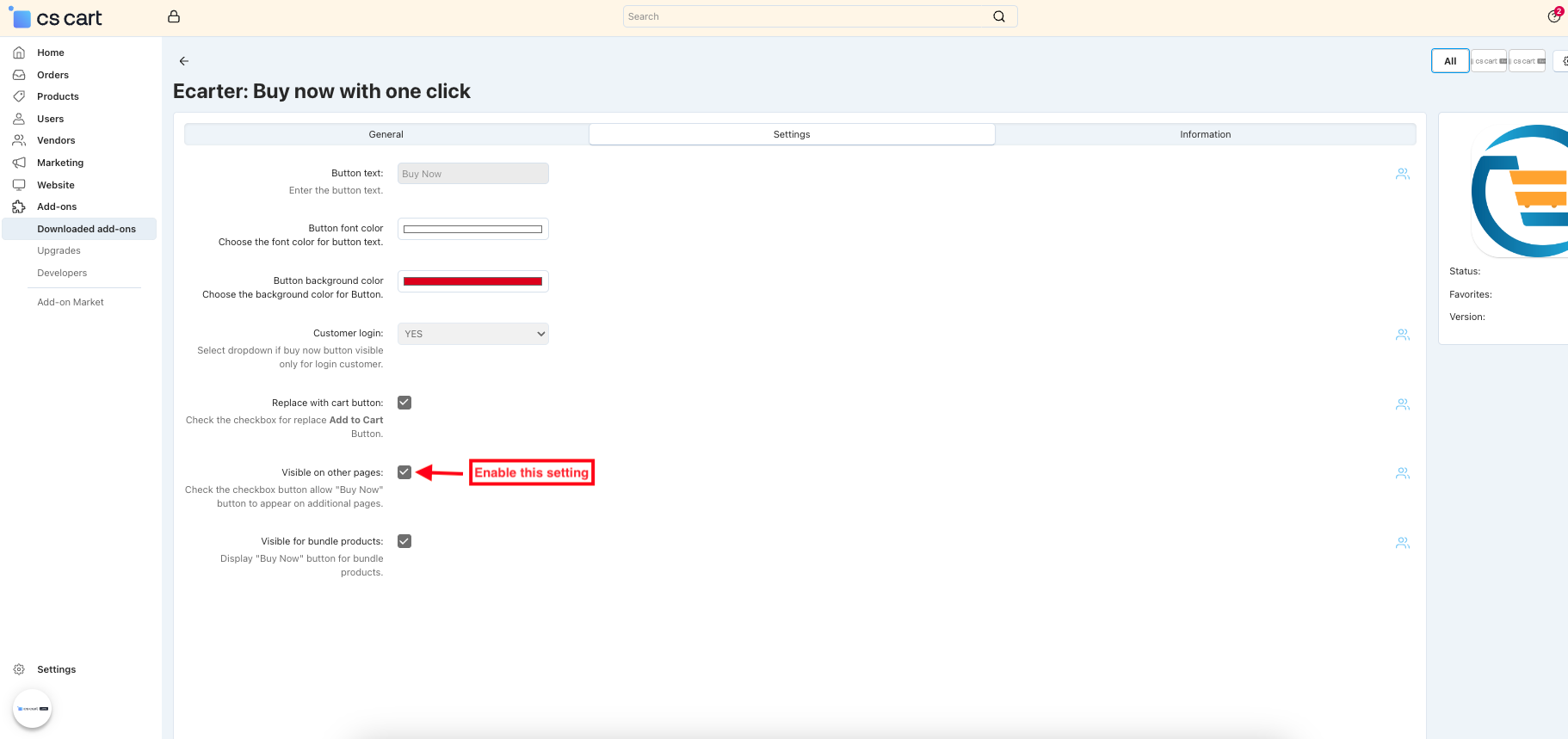
- After enabling the visible on other pages setting, the Buy Now button will also appear on additional pages, such as category, comparison list, and product listing pages.
- Enable the visible for bundle product setting.
- After enabling the visible for bundle product setting, the Buy Now button is shown for bundle products, allowing customers to instantly purchase bundled items.
Final Thought:
The Buy Now Addon simplifies the shopping experience by enabling instant purchases, improving checkout speed, and boosting conversions, making it a must-have tool for any online store.Addon-
Addon-Version
Version-1.0.3
Supported Versions:
CS-Cart, CS-Cart Multivendor 4.8.x, 4.9.x,4.10x,4.11x,4.12,4.13x, 4.14x, 4.15x, 4.16x, 4.17x, 4.18x
Support:
This add-on is developed and published by Ecarter Technologies Pvt.Ltd., a CS-Cart developer. You are guaranteed a quality add-on supported by future versions. If you need help, please contact us via email at support@ecarter.co.




Ecarter Support
Typically replies within a minute

© 2020 - 2026 Ecarter Technologies Pvt Ltd.