
Category Filters
Category Filters: This addon provides functionality to Create Categories Filters By Categories Level.
Category Filters is a CS-Cart add-on that lets you build product filters based on your store's category hierarchy. It works across three category levels: Category Level One (parent or main categories), Category Level Two (sub-categories), and Category Level Three (child categories). When creating a filter, you choose which level to filter by, and you can apply it to one specific category or to all categories in the store. It is aimed at store owners who want to help shoppers narrow down products by category and improve navigation and product discovery.
The addon provides functionality to Create Categories Filters By Categories Level. There are three levels that are defined to set categories filter those are-
Category Level One, Category Level Two, Category Level Three
In Category Level One all those categories of your store come which are the parent/main category. In Category Level Two all those categories of your store come which are the sub-category of the parent category. In Category Level Three all those categories come which are the child category of those sub-categories.
You can select any one of those category levels in the filter by Section at the time of making the filters. you can also apply these filters to any particular category of product or you can apply this for all categories. After adding one of these filters your store is now able to show the product by categories filters by Category level.
Features:
- Category-Based Filtering – Enables filtering products based on category levels, improving navigation and product discovery.
- Three Category Levels – Supports filtering by Category Level One (Main Category), Category Level Two (Sub-Category), and Category Level Three (Child Category).
- Flexible Filter Application – Allows you to apply filters to a specific category or all categories in the store.
- User-Friendly Selection – Easily select the desired category level in the filter settings while creating filters.
- Enhanced Store Organization – Displays products according to category hierarchy, ensuring a structured and efficient browsing experience.
- Easily integrate with CS-Cart, CS-Cart Multivendor, CS-Cart Multivendor Ultimate.
How to install Addon
https://store.ecarter.co/blogs...
How add-on works
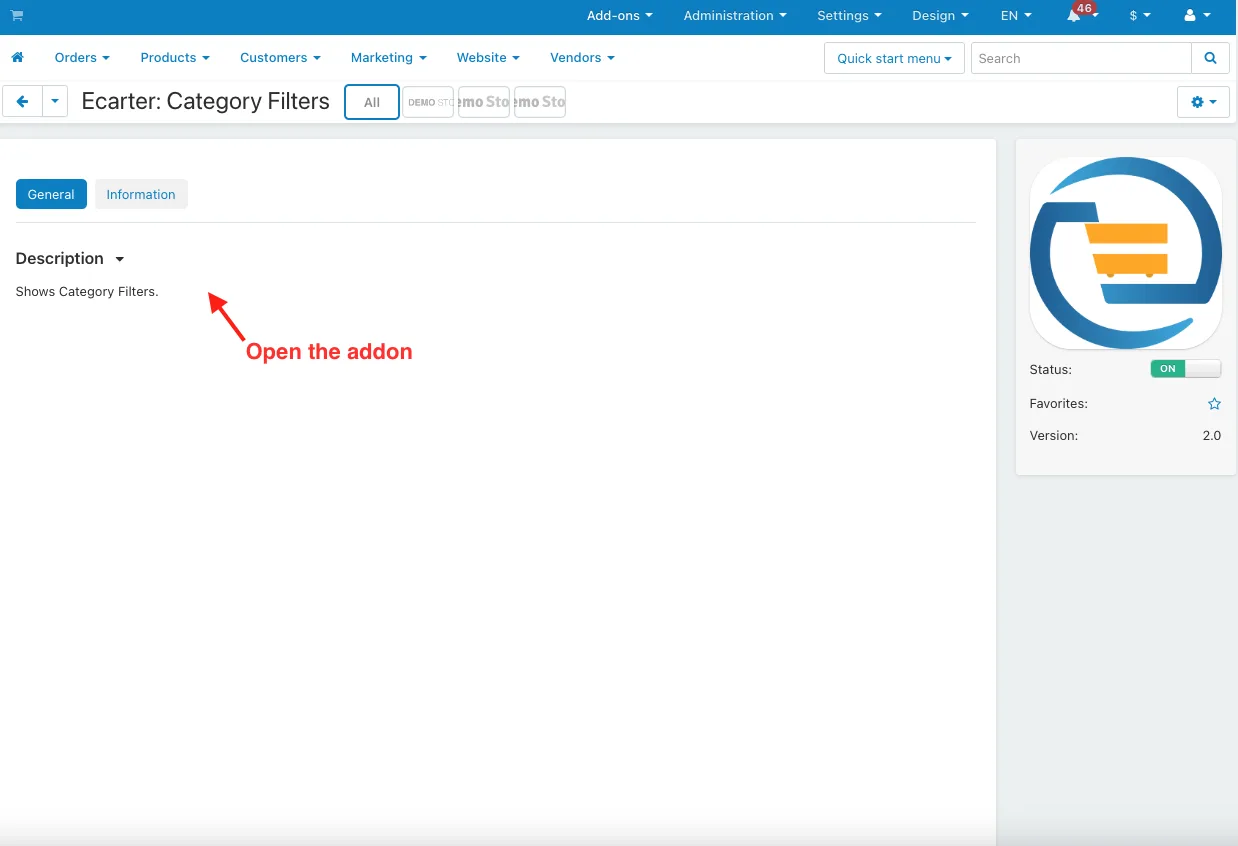
- Open the addon.
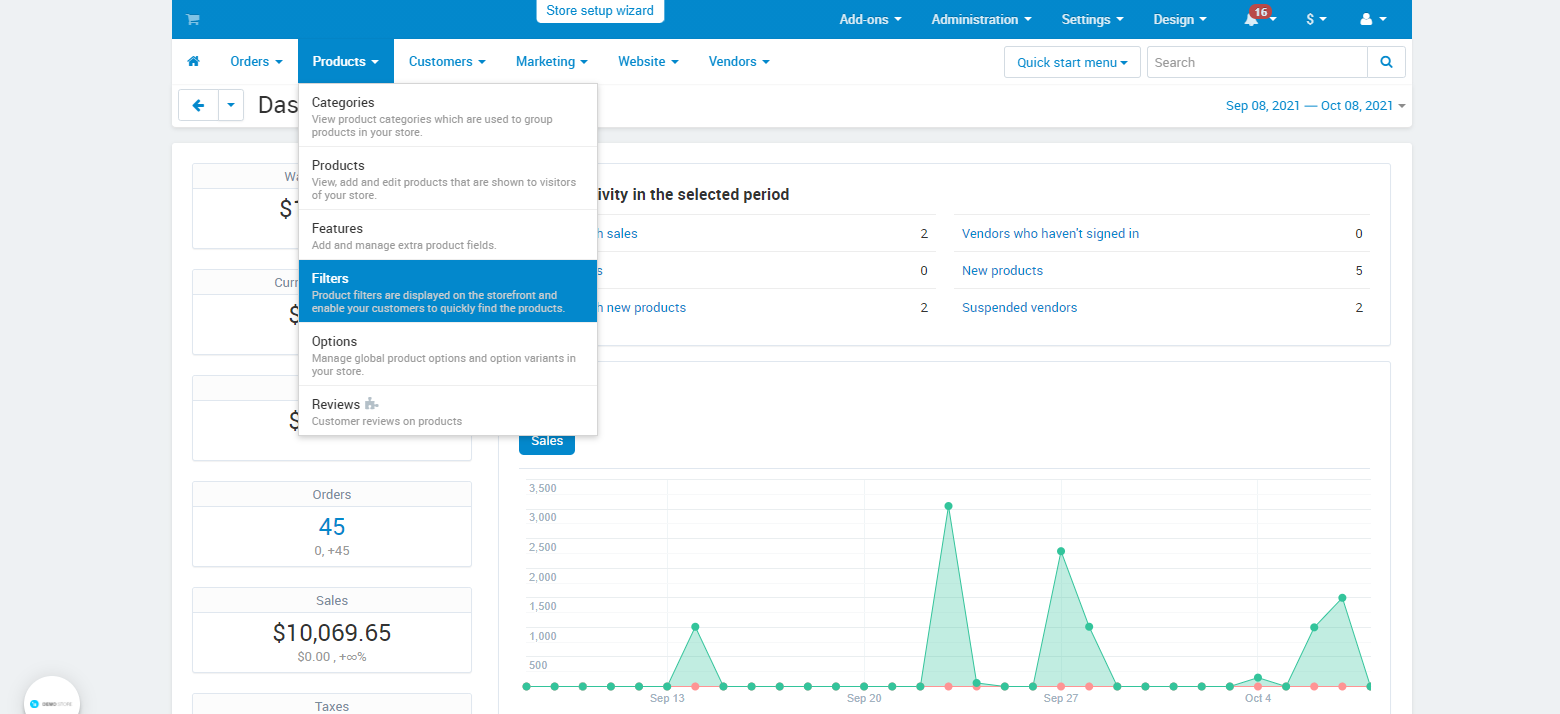
- Go to the Products>>Filter.
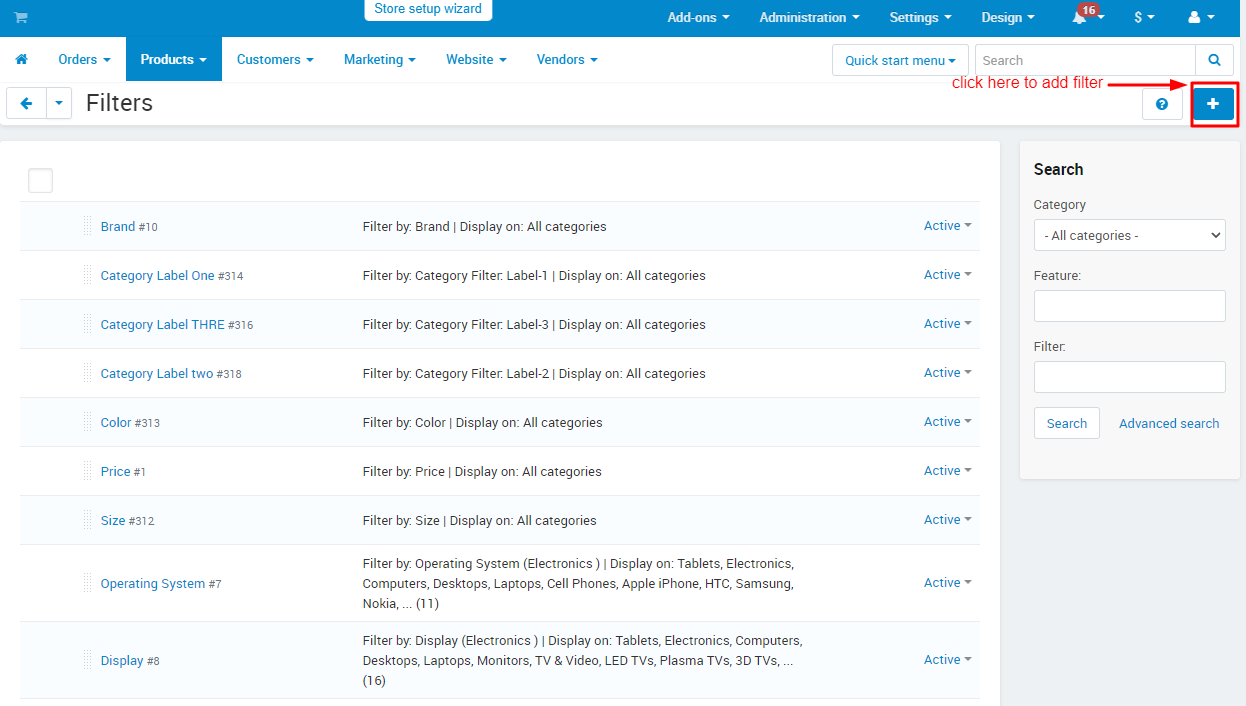
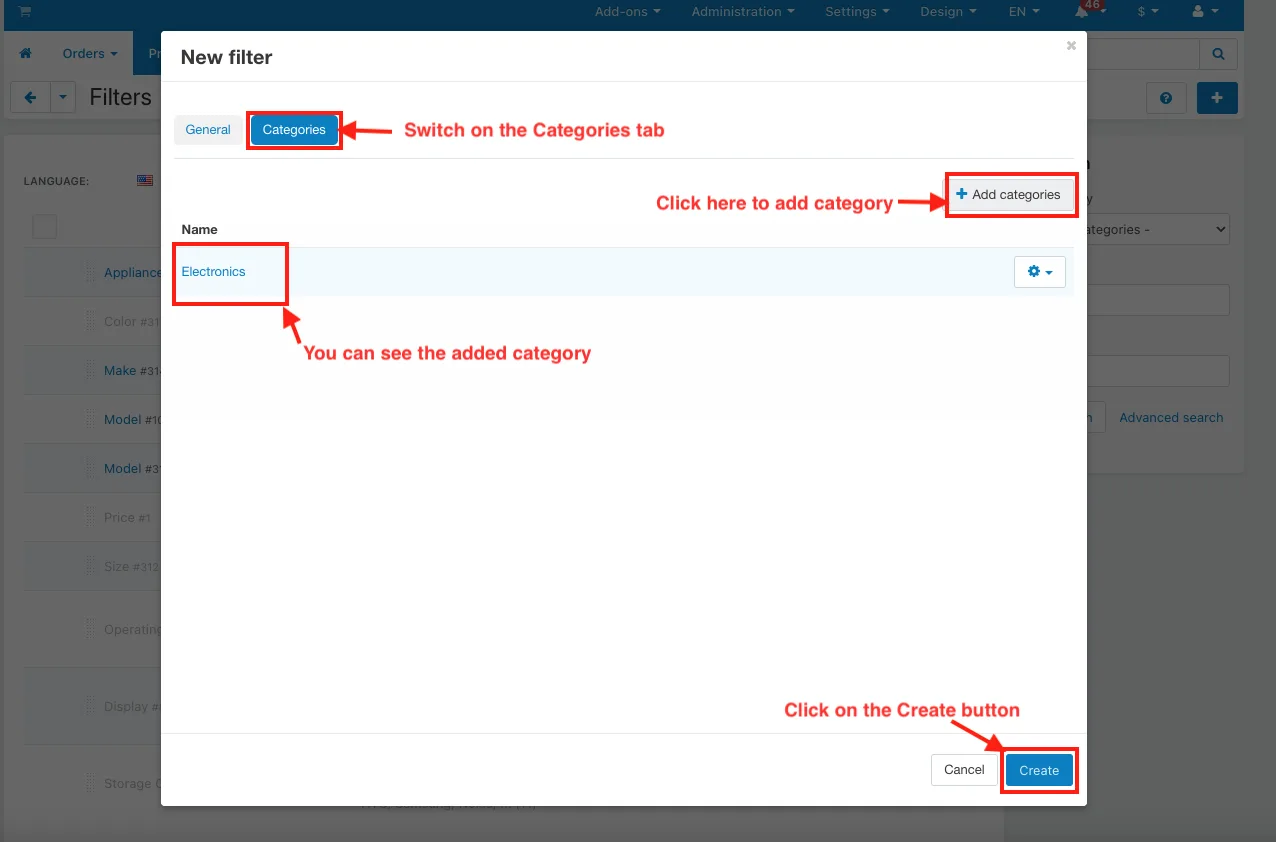
- Click on the (+) icon to add filter.
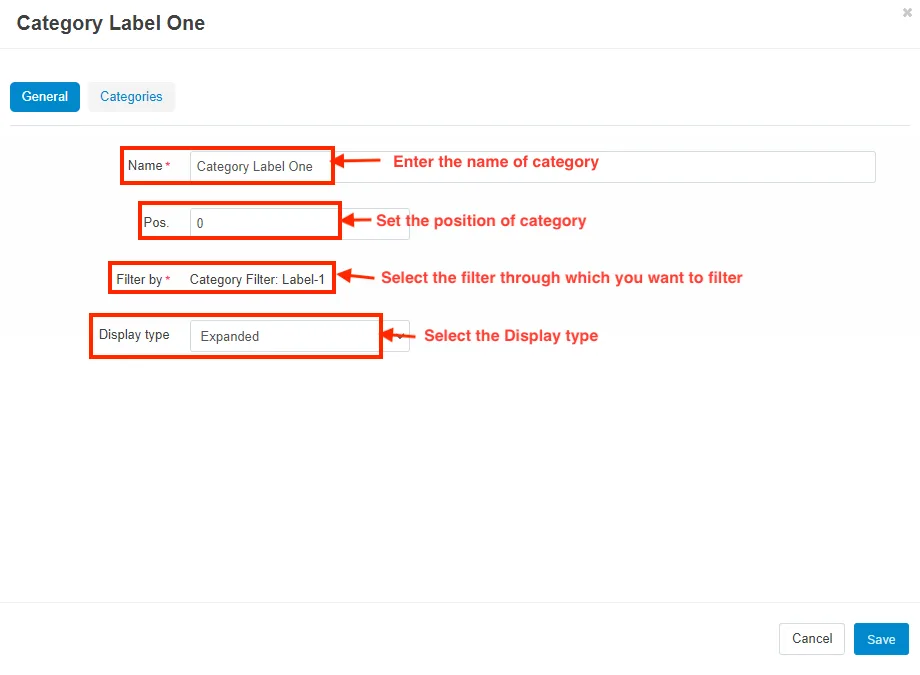
- Name: Enter the name of the category.
- Pos: Set the position of category.
- Filter by: Select the filter through which you want to filter
- Display type: Select the Display type.
- Switch on the Categories tab.
- Add Categories: Click here to add category.
- you can see the added category in name section
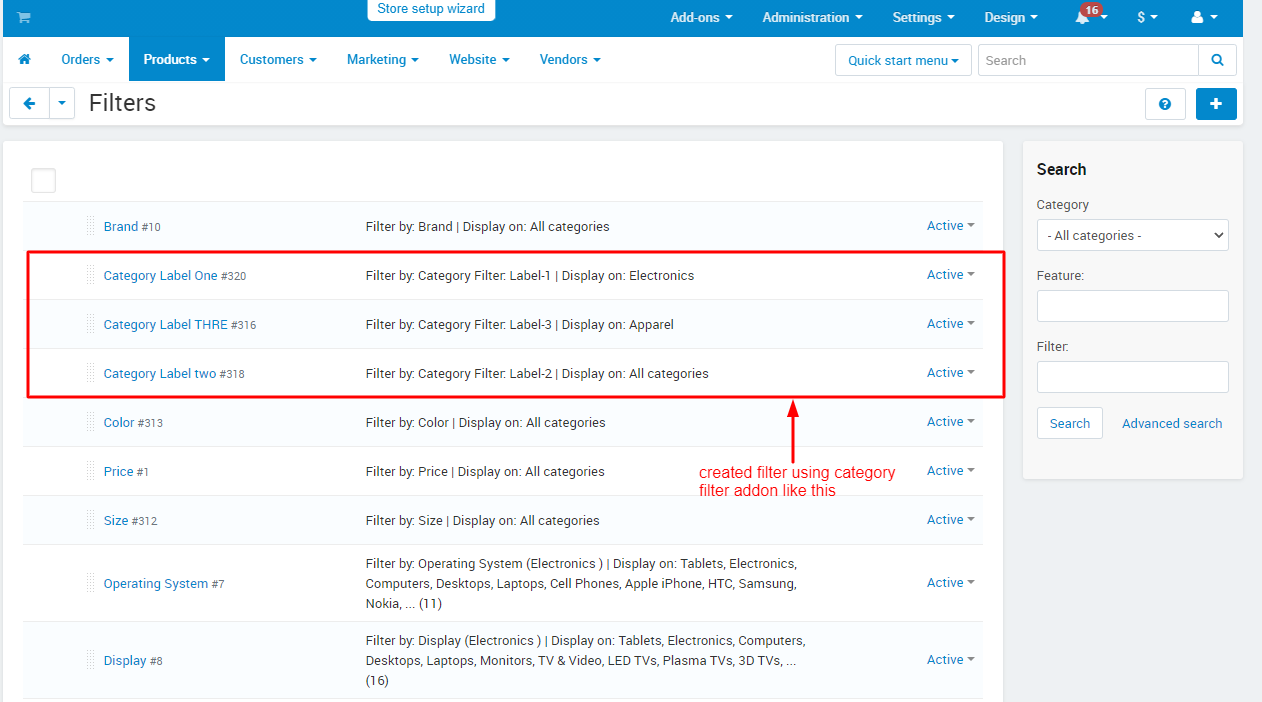
- Here you see the created filter
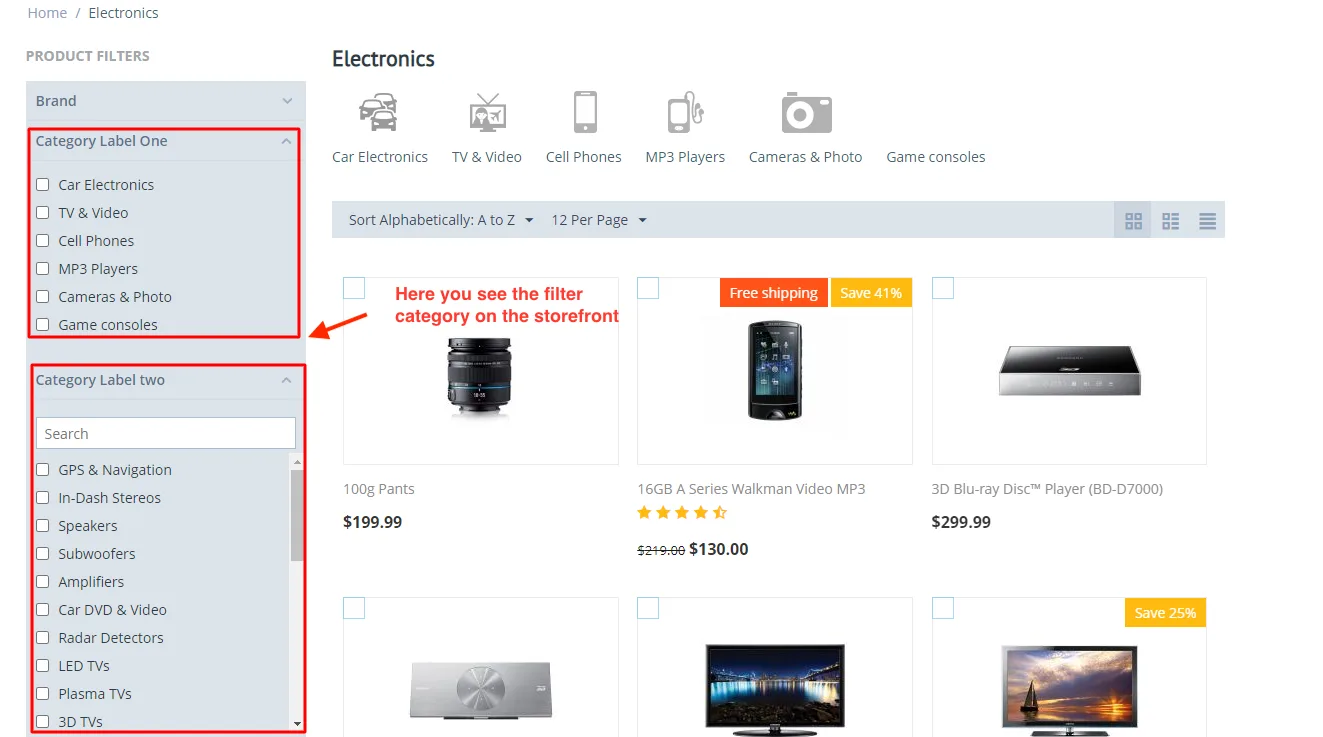
How to Show Filter Category in Storefront
- Here you see the filter category on the storefront.
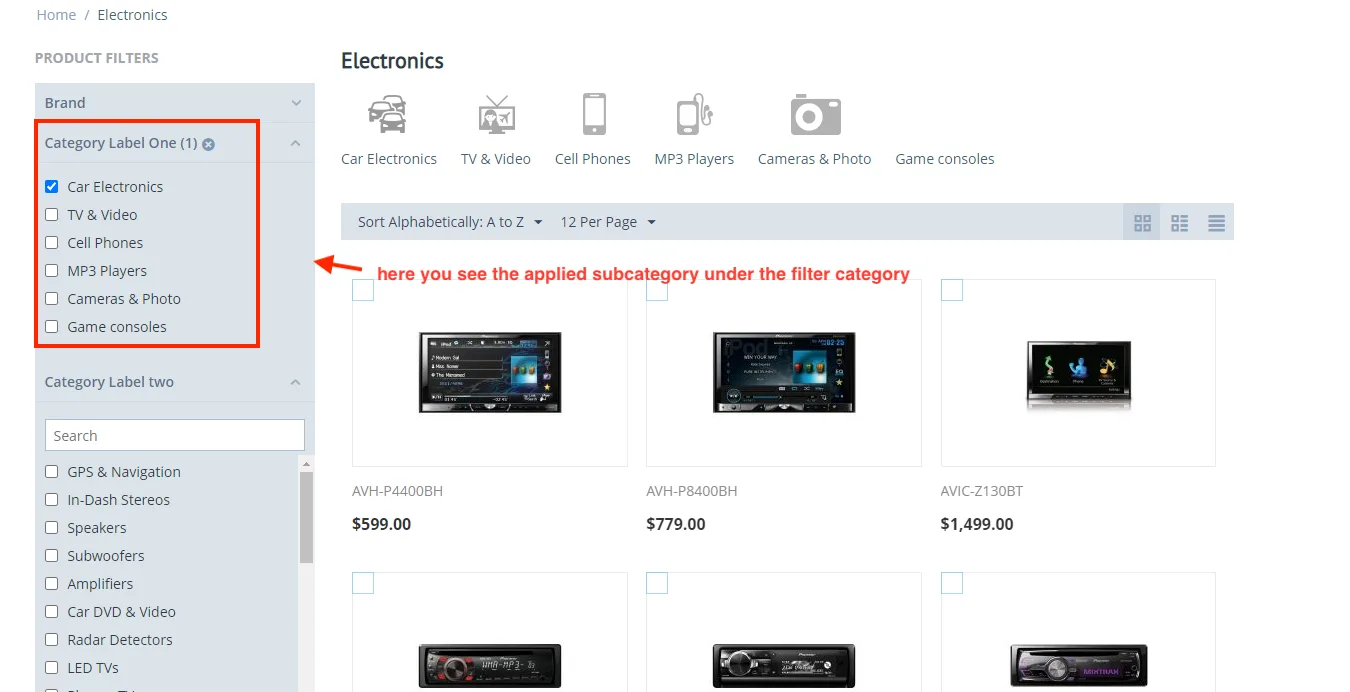
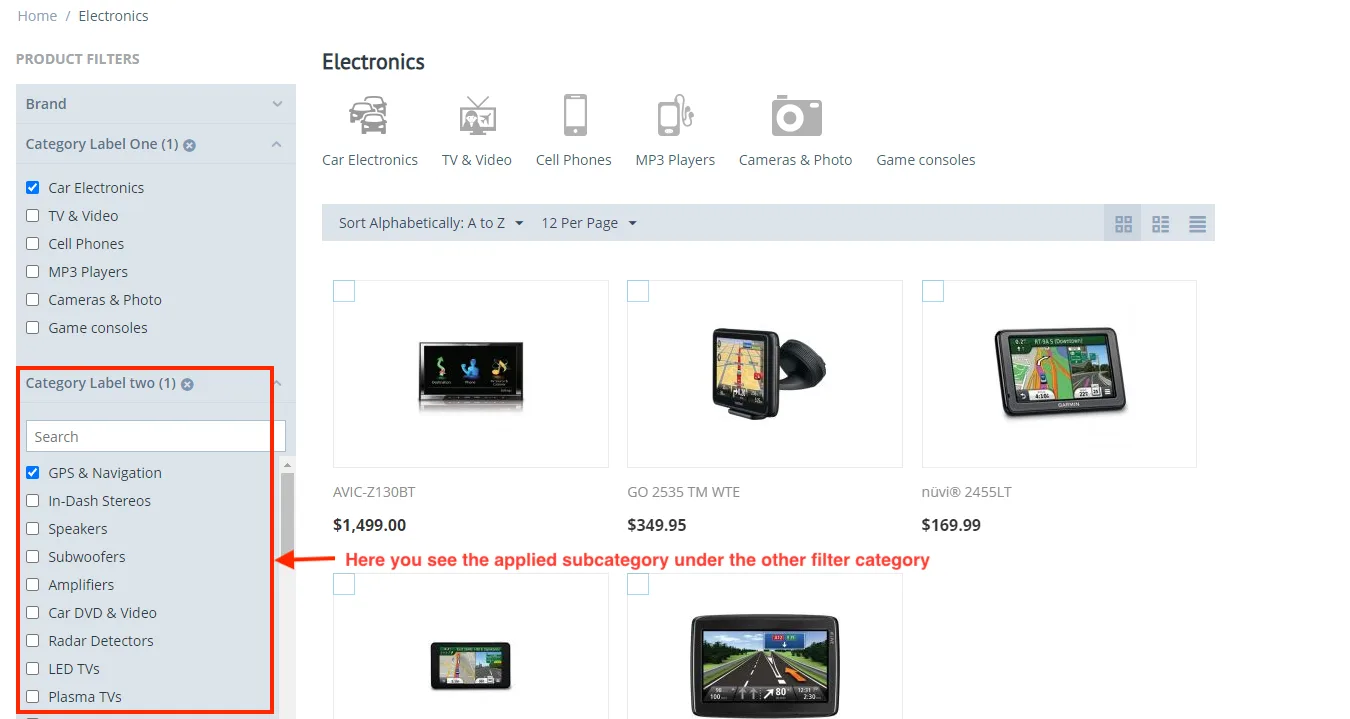
- Here you see the applied subcategory under the filter category.
- Here you see the applied subcategory under the other filter category.
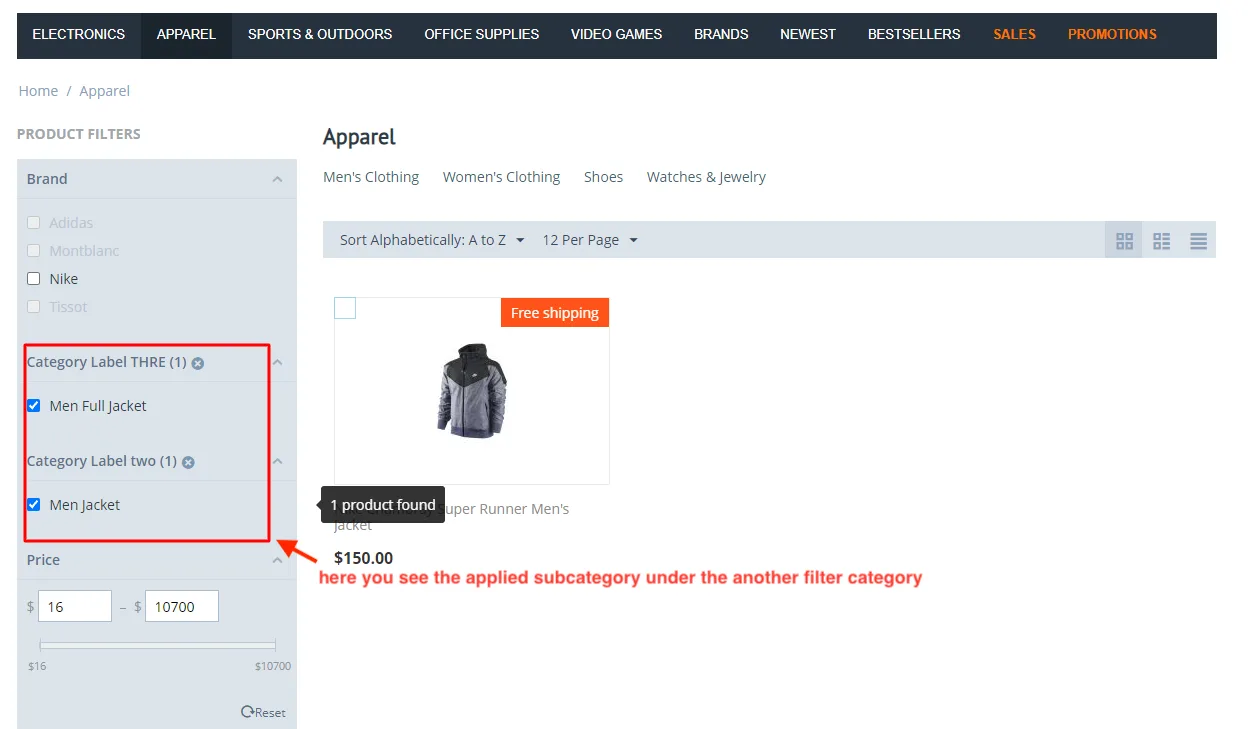
- Here you see the applied subcategory under the another filter category.
Tutorial Link:
Addon-Version:
Version-1.0
Supported Versions:
CS-Cart, CS-Cart Multivendor 4.8.x, 4.9.x,4.10x,4.11x,4.12,4.13x, 4.14x, 4.15x, 4.16x, 4.17x, 4.18x
Support:
This add-on is developed and published by Ecarter Technologies Pvt.Ltd., a CS-Cart developer. You are guaranteed a quality add-on supported by future versions.
If you need help, please contact us via email support@ecarter.co.
Frequently asked questions
What are the three category levels this add-on supports?
It supports Category Level One for parent or main categories, Category Level Two for sub-categories under a parent, and Category Level Three for child categories under those sub-categories. You select the level you want when you set up the filter.
Can I apply a category filter to just one category or to the whole store?
Both. You can apply a filter to a specific category of products, or apply it to all categories in the store, depending on how you configure it when creating the filter.
How does this add-on help shoppers find products?
By enabling filtering based on category levels, it lets customers narrow the product list by main category, sub-category, or child category. This improves navigation and makes products easier to discover on your storefront.
Which CS-Cart versions and editions is it compatible with?
It is built as a CS-Cart add-on and works with recent versions. Share the exact CS-Cart version and edition (including Multi-Vendor) you are running and we will confirm compatibility for your setup.
Kajal is a Technical Content Writer at Ecarter Technologies. She writes technical documentation and in-depth guides on eCommerce platforms, mobile commerce and AI in online retail.