
CS-Cart Coupon Bar Add-on: Promote Discounts
Create and display coupon bars in CS-Cart to promote products and offers. Customers can use coupon codes at checkout for discounts, free products, or free shipping.
The Coupon Bar and Product Promotions Add-on for CS-Cart lets store owners create coupons and promote products through a dedicated coupon bar on the storefront. Customers enter coupon codes at checkout to receive bonuses such as discounts, free products, or free shipping, while admins highlight offers in a visible bar to draw more attention to active promotions. The coupon bar supports customizable text size and color, plus an optional icon or image, and works with CS-Cart Multi-Vendor. It is aimed at CS-Cart merchants who want a simple way to advertise discounts and run coupon-based promotions directly on their store.

Coupon Bar and Product Promotions Add-on for CS-Cart provides the functionality to create a coupon bar and product promotions for the store. This add-on supports creating coupons for customers. Customers enter coupon codes at checkout to receive various bonuses such as discounts, free products, or free shipping.
The add-on provides the functionality to create a coupon bar and product promotions for the store. This add-on supports creating coupons for customers. Customers enter coupon codes at checkout to receive various bonuses such as discounts, free products, or free shipping.
Features:
- CS-Cart Integration: Fully compatible with CS-Cart Multivendor.
- Product Promotion: Admin can easily promote products in the store.
- Enhanced Visibility: Displays promotions via a coupon bar, attracting more customers.
- Dedicated Coupon Block: Provides a unique block specifically for coupons.
- Customizable Text: Admin can change coupon text size and color multiple times.
- Icon or Image Support: Option to use an icon or image on the coupon bar.
Installation
How to install Addon
https://store.ecarter.co/blogs...
How the Addon Works
First, open the addon
Go to >> Marketing menu click on >> Coupon bar.
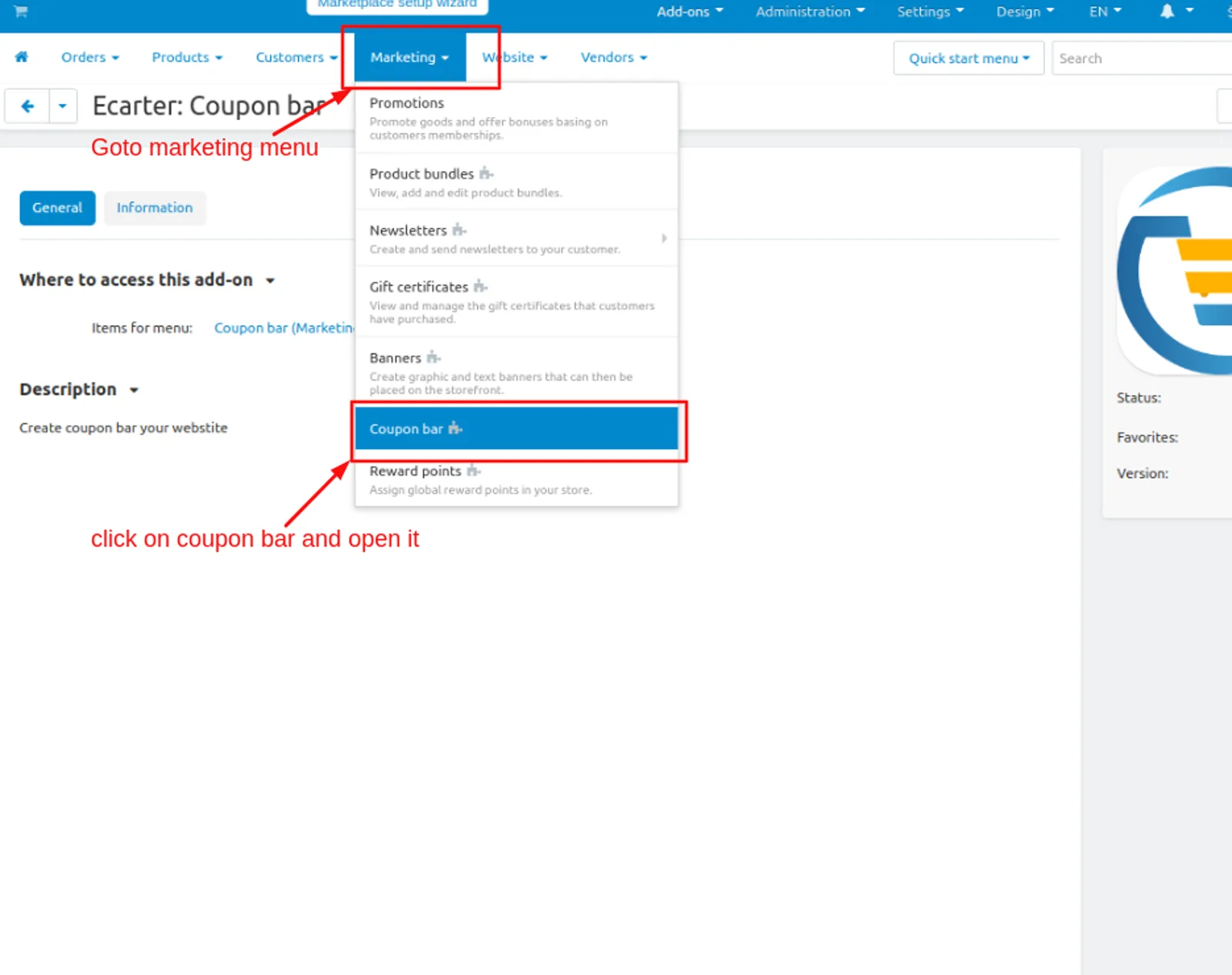
Coupon bar page will be open.
Addon Settings:
Addon properties
- Text:- Admin can give coupon promotion text that attracts the user to avail of the code.
- Code:- Give the coupon code that the user can use it.
- Media:-From the media setting you can select an icon or image that the admin can be displayed on the coupon bar.
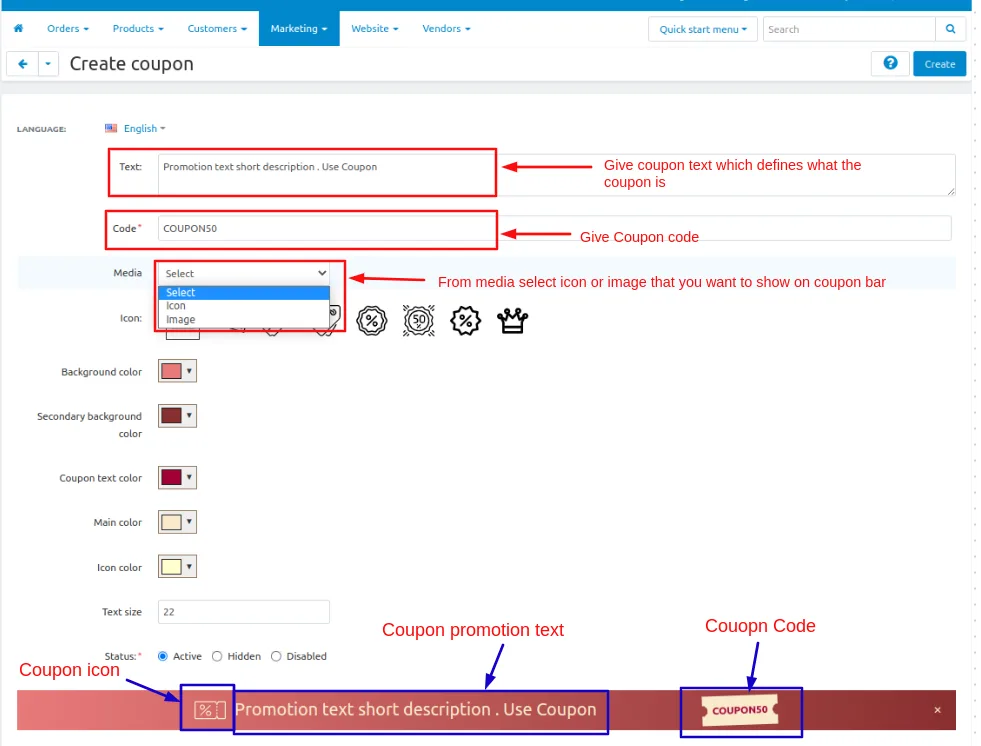
- Icon:-If the admin can select an icon from the media then there are some icons available that the admin can use on coupon.
- Background color:-admin can set the background color of the coupon so the coupon looks more attractive.
- Secondary background color:-admin can set the secondary background color of the coupon so the coupon looks more attractive.
- Coupon text color:-admin can set the coupon text color of the coupon so the coupon looks more attractive.
- Main color:-admin can set the main color of the coupon so the coupon looks more attractive.
- Icon Color:-admin can set the icon color of the coupon so the coupon looks more attractive.
- Text size:-admin can set or change the text size of the coupon promotion text so the user can see it properly.
- Status:-the coupon bar status must be active so the coupon is visible on the storefronts.
After giving the setting Click on >> Create button
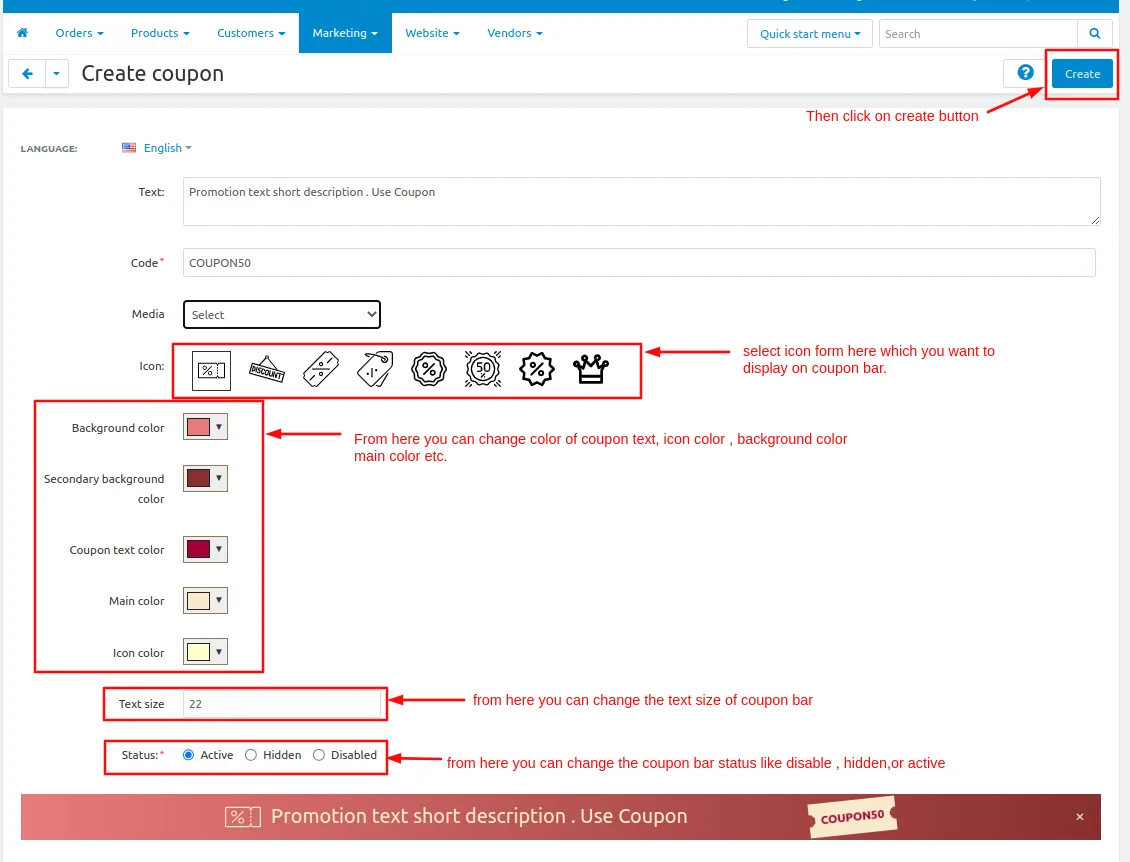
Here you see the coupon is created
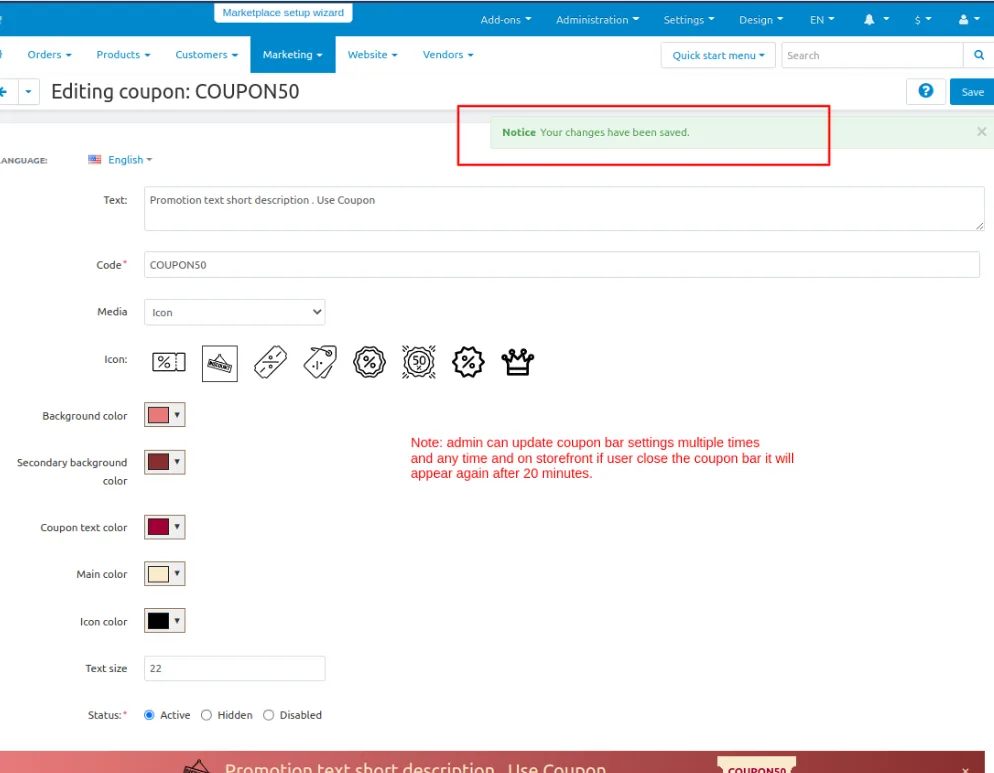
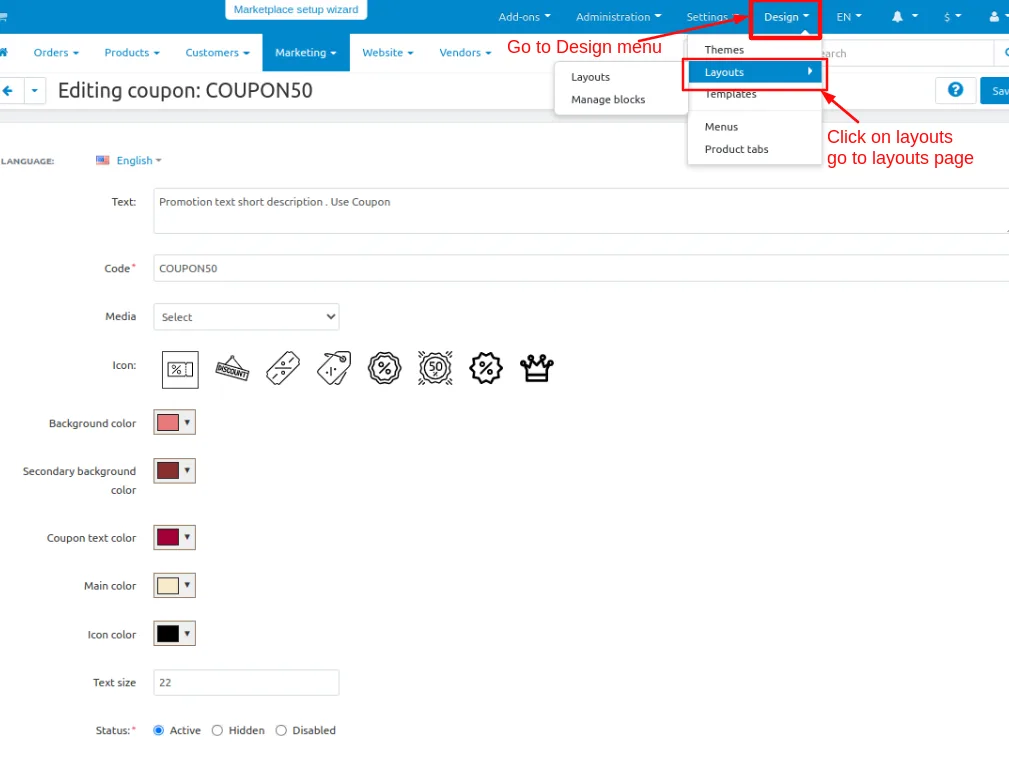
Now set up the Layout for the Coupon bar
Go to >> Design Penal and click on >> Layouts.
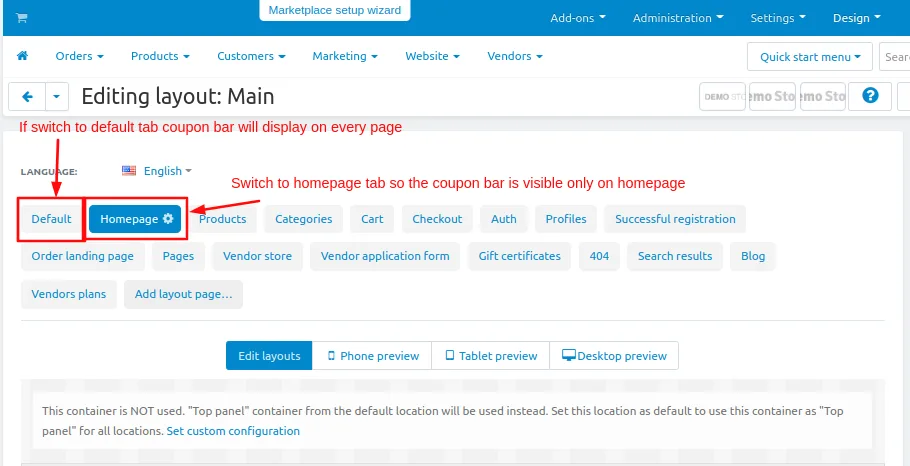
- Switch to the Homepage tab
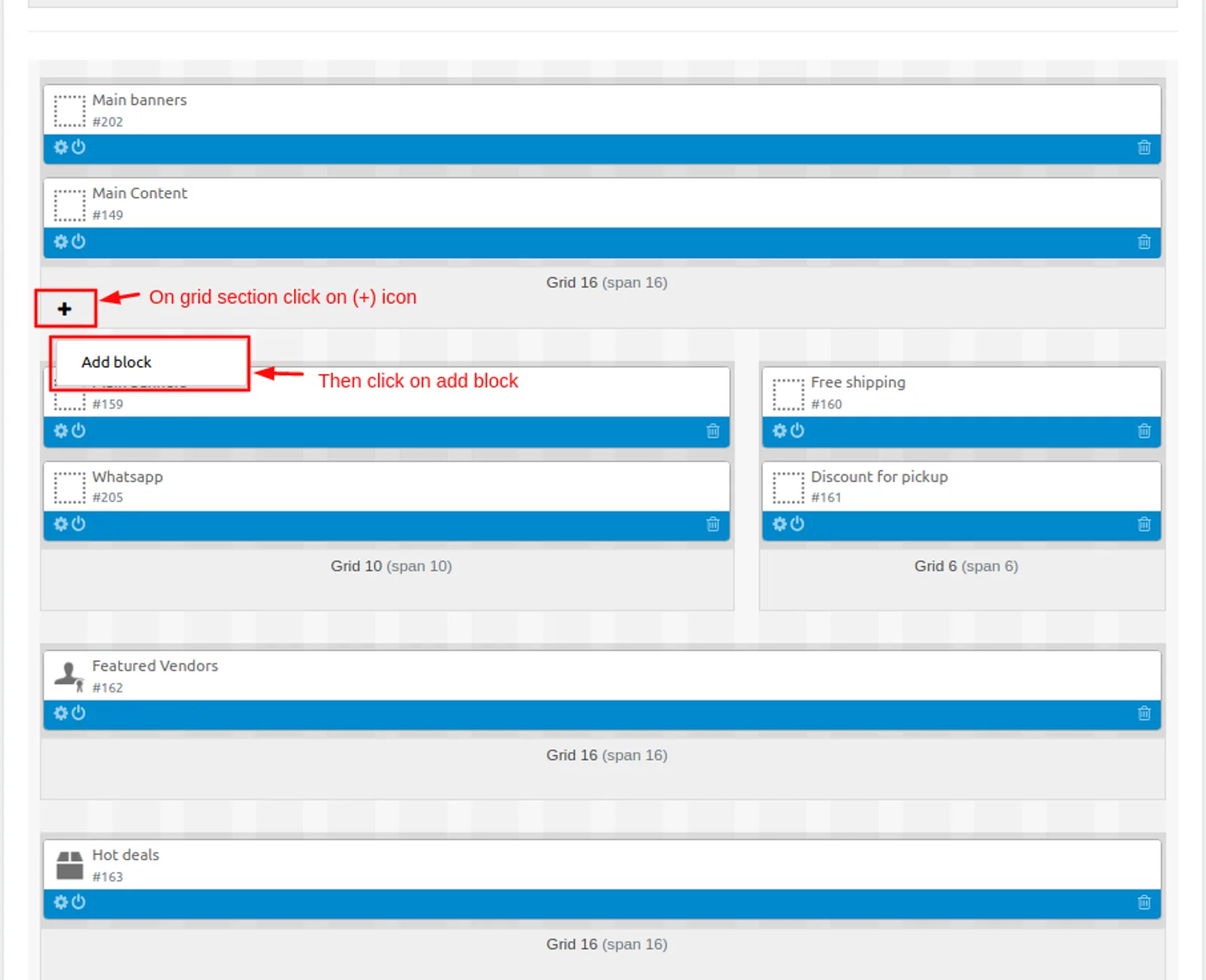
- Now add the block
- Click on>> plus(+) button
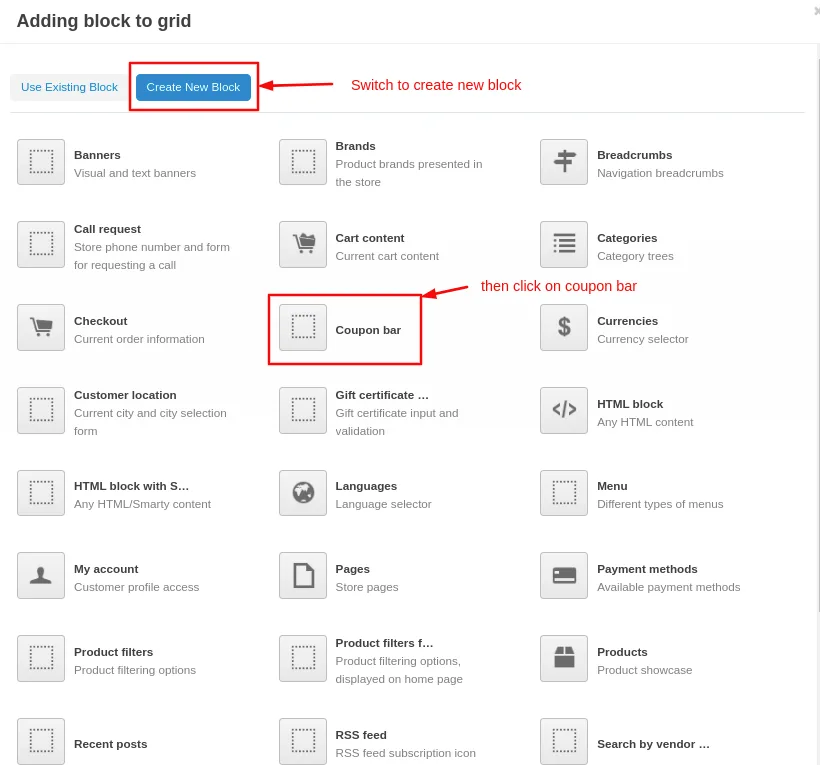
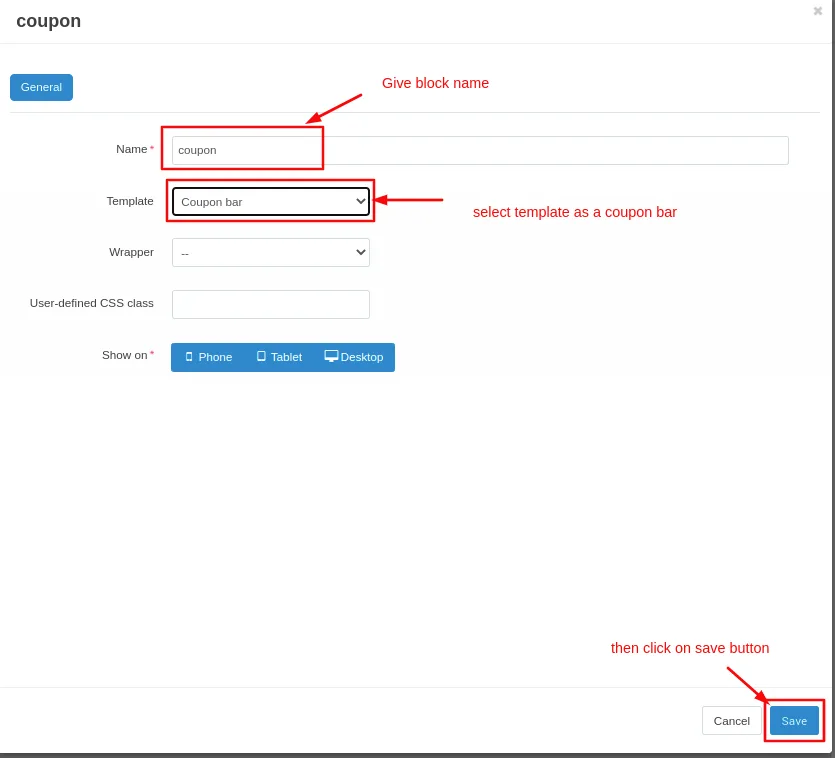
- Add block>> Switch to create a new block
- Choose >> Template
- Give Name >> Coupon bar
- Select >> Coupon bar
- Click on >> Create button
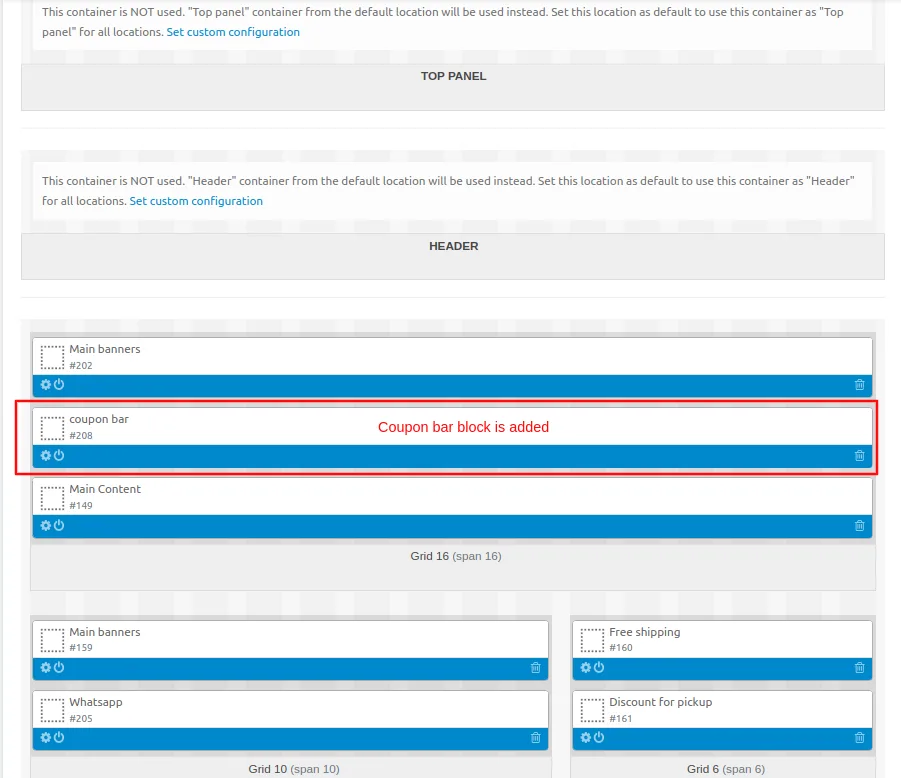
Here you see the coupon bar block is added
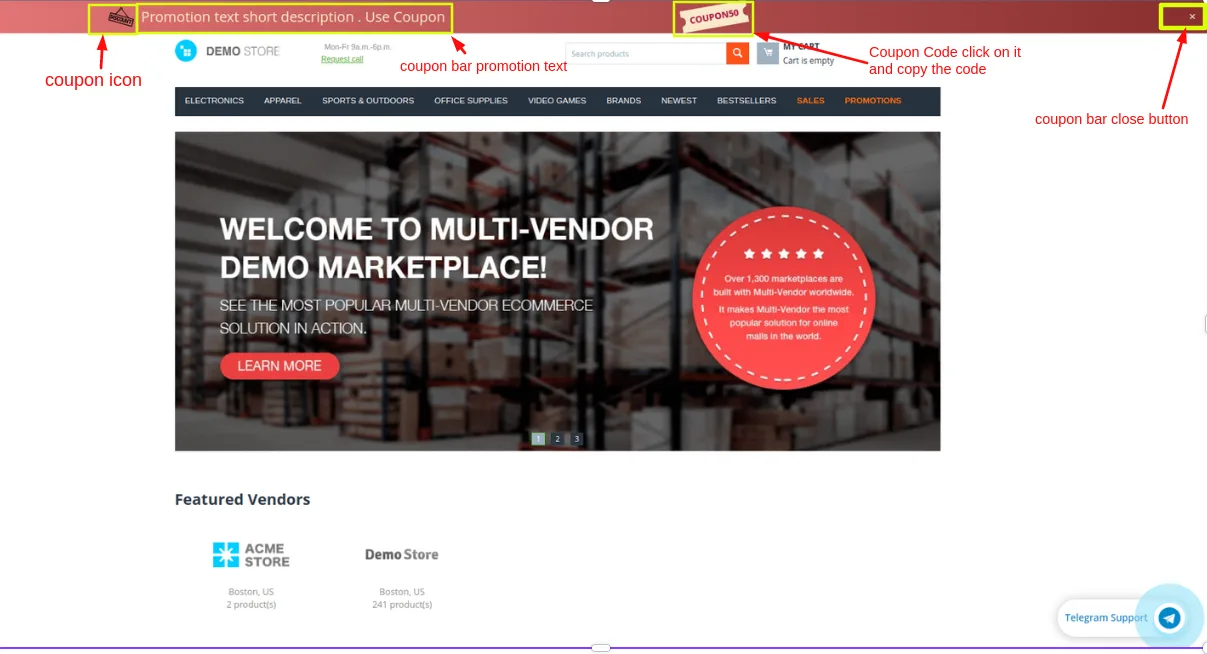
At Storefront
Here you see the Coupon bar chat button
Note: if the user closes the coupon bar by clicking on the cross button it will appear after 20 minutes and the coupon can be created only one time.
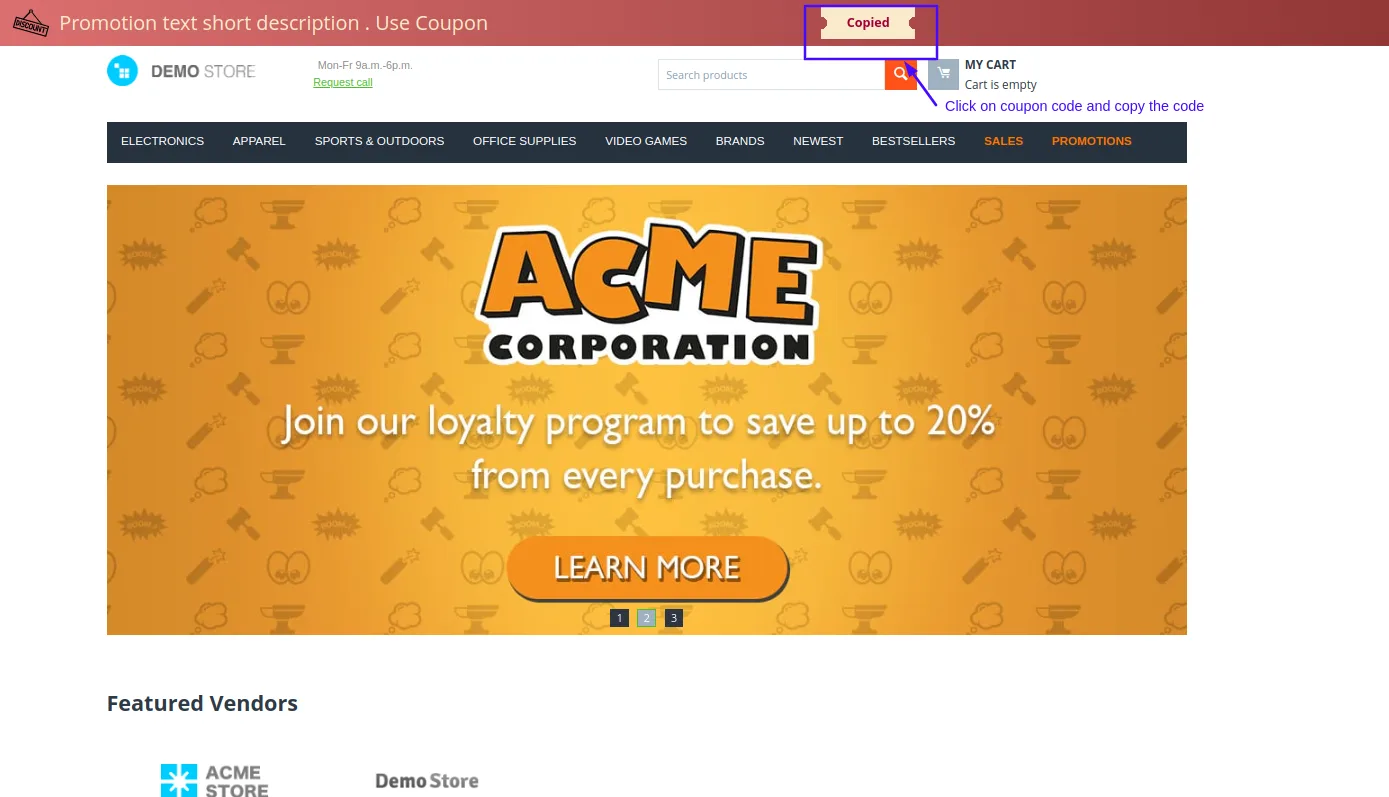
By clicking on the coupon code user can copy the code and use the coupon.
Addon-Version
Version-1.0
Supported Versions:
CS-Cart, CS-Cart Multivendor 4.8.x, 4.9.x,4.10x,4.11x,4.12,4.13x, 4.14x, 4.15x, 4.16x, 4.17x, 4.18x
Support:
This add-on is developed and published by Ecarter Technologies Pvt.Ltd., a CS-Cart developer. You are guaranteed a quality add-on supported by future versions. If you need help, please contact us via email at support@ecarter.co
Frequently asked questions
What does the CS-Cart Coupon Bar and Product Promotions add-on do?
It lets admins create coupons and promote products through a dedicated coupon bar displayed on the store. Customers enter the coupon code at checkout to receive bonuses like discounts, free products, or free shipping.
Is the add-on compatible with CS-Cart Multi-Vendor?
Yes. The add-on is fully compatible with CS-Cart Multi-Vendor, so multi-vendor store owners can use the coupon bar and product promotion features.
Can I customize how the coupon bar looks?
Yes. Admins can change the coupon text size and color as many times as needed, and can choose to display an icon or image on the coupon bar. It also provides a dedicated block specifically for coupons.
How do I set up a coupon after installing the add-on?
Go to the Marketing menu and click Coupon bar to open the coupon bar page. In the settings you enter the promotion text that encourages users to use the offer, along with the coupon code that customers can apply.
Kajal is a Technical Content Writer at Ecarter Technologies. She writes technical documentation and in-depth guides on eCommerce platforms, mobile commerce and AI in online retail.