
Extended Quantity Discount
The Extended Quantity Discount addon for CS-Cart allows admins to set discounts based on the quantity of similar products a customer buys.
The Extended Quantity Discount add-on for CS-Cart lets store admins offer discounts based on how many units of the same product a customer buys. Discounts can be set as a percentage or an absolute amount, and the storefront displays the exact per-item price with the discount applied for each quantity tier. This encourages customers to buy in larger quantities, which can help increase order sizes and sales. It is intended for CS-Cart store owners who want quantity-based pricing, and it works with CS-Cart Multi-Vendor stores as well.
The Extended Quantity Discount Addon for CS-Cart allows admins to set discounts based on the quantity of the same product that the customer buys. The storefront will show the exact price per item with the discount applied. This also gives the option to choose Percentage or Absolute discounts.
This addon gives customers better prices when they buy more products. It encourages them to purchase in larger quantities, which can increase sales.
Features
- Set Discounts by Quantity: Admin can set up discounts based on the quantity of products. The more the customers buy, the more they save.
- Choose Discount Type: Allows to select a type of discount "Percentage or Absolute".
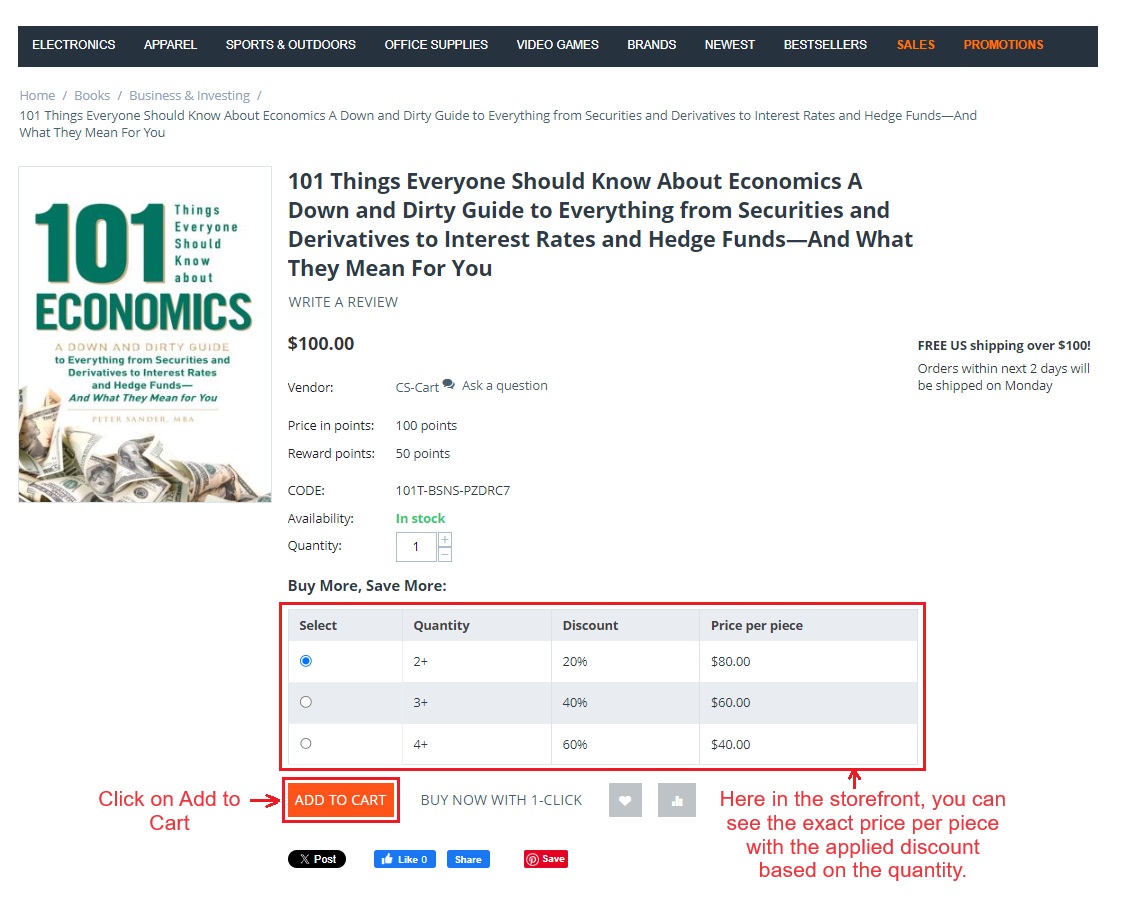
- Show Discounted Prices: The storefront shows the list of exact product prices per piece with the applied discount based on the quantity.
- CS-Cart Multi-Vendor Integration: Well integrated with CS-Cart multi-vendor.
Installation:
How to install Addon
https://store.ecarter.co/blogs/how-to-install-addon/
How Addon Works
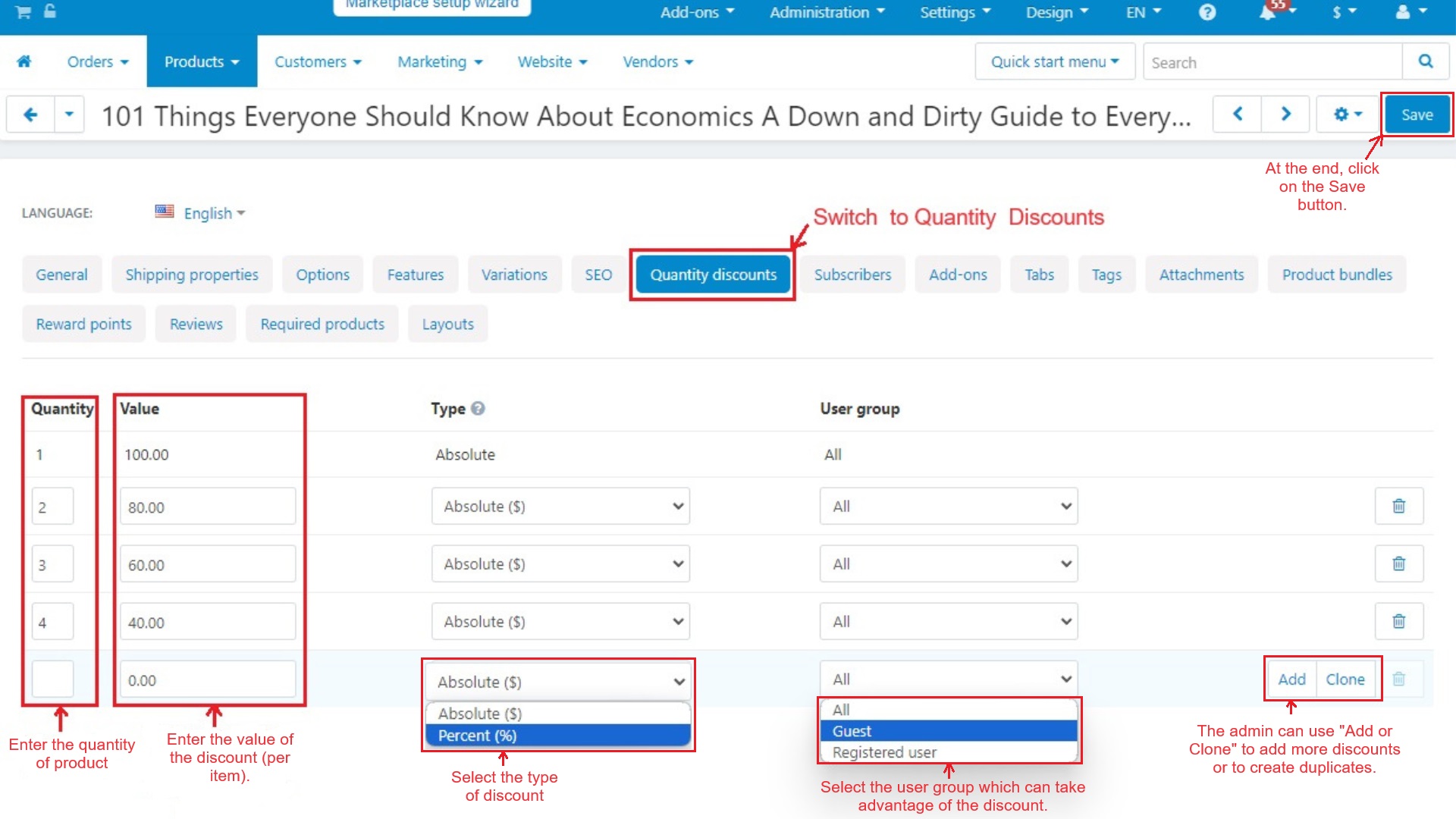
- Open the addon.
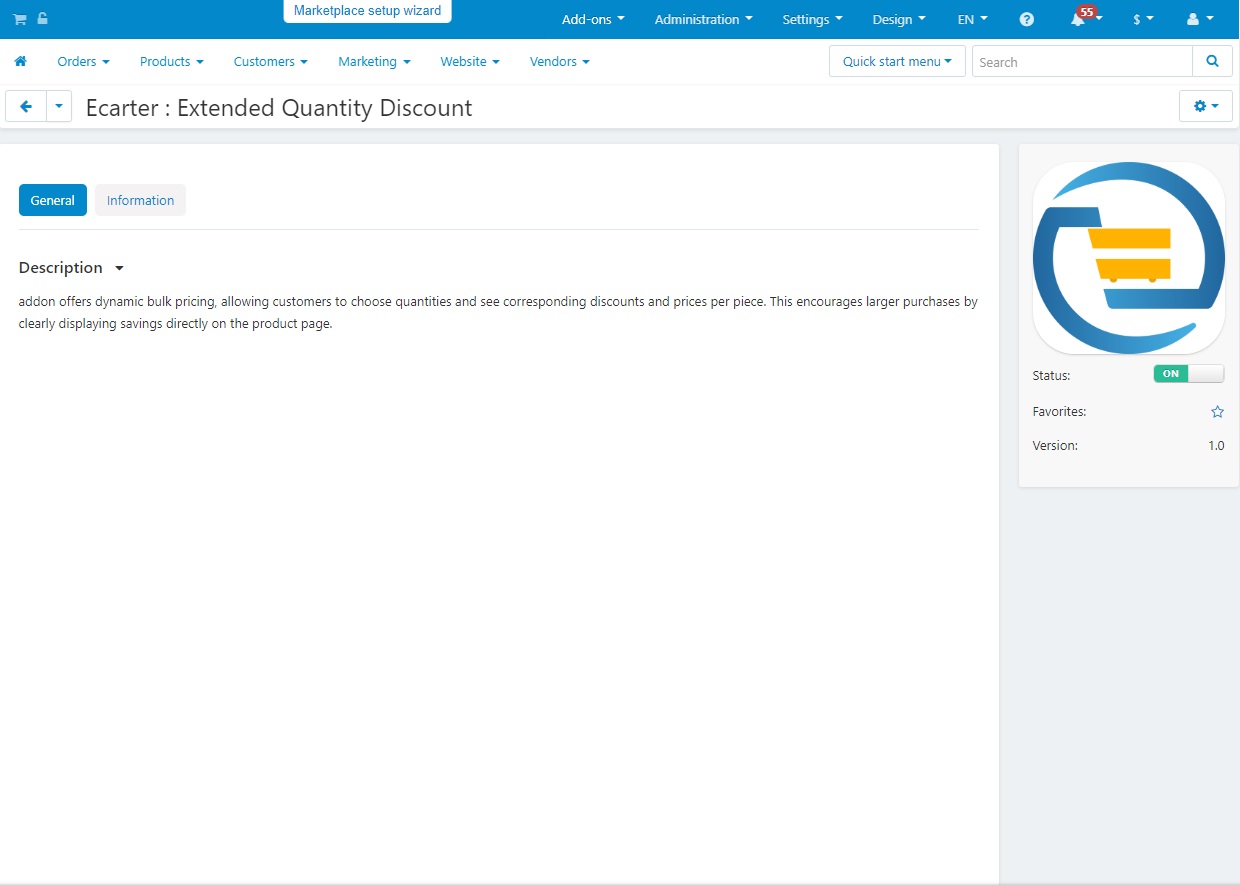
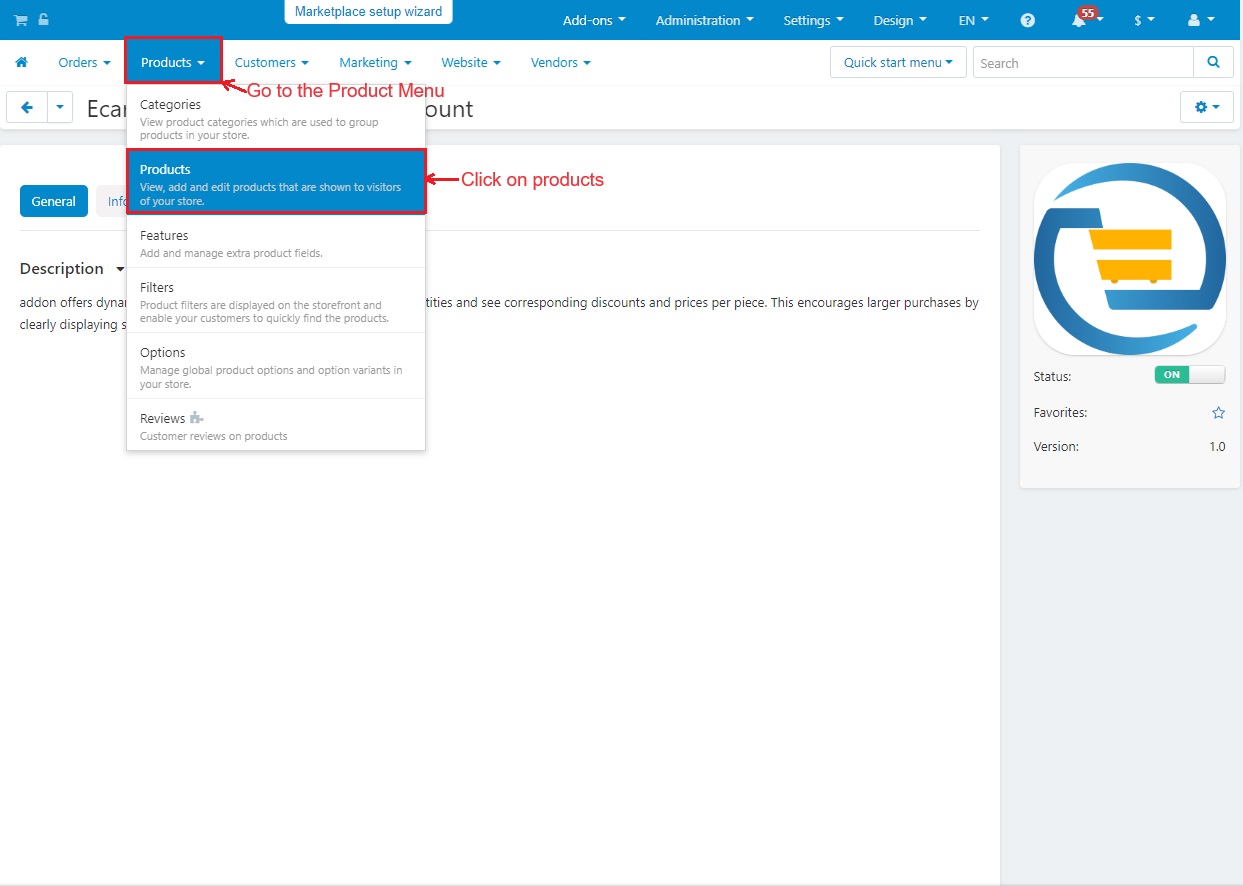
- Now, go to the >> Products menu.
- Click on >> Products.
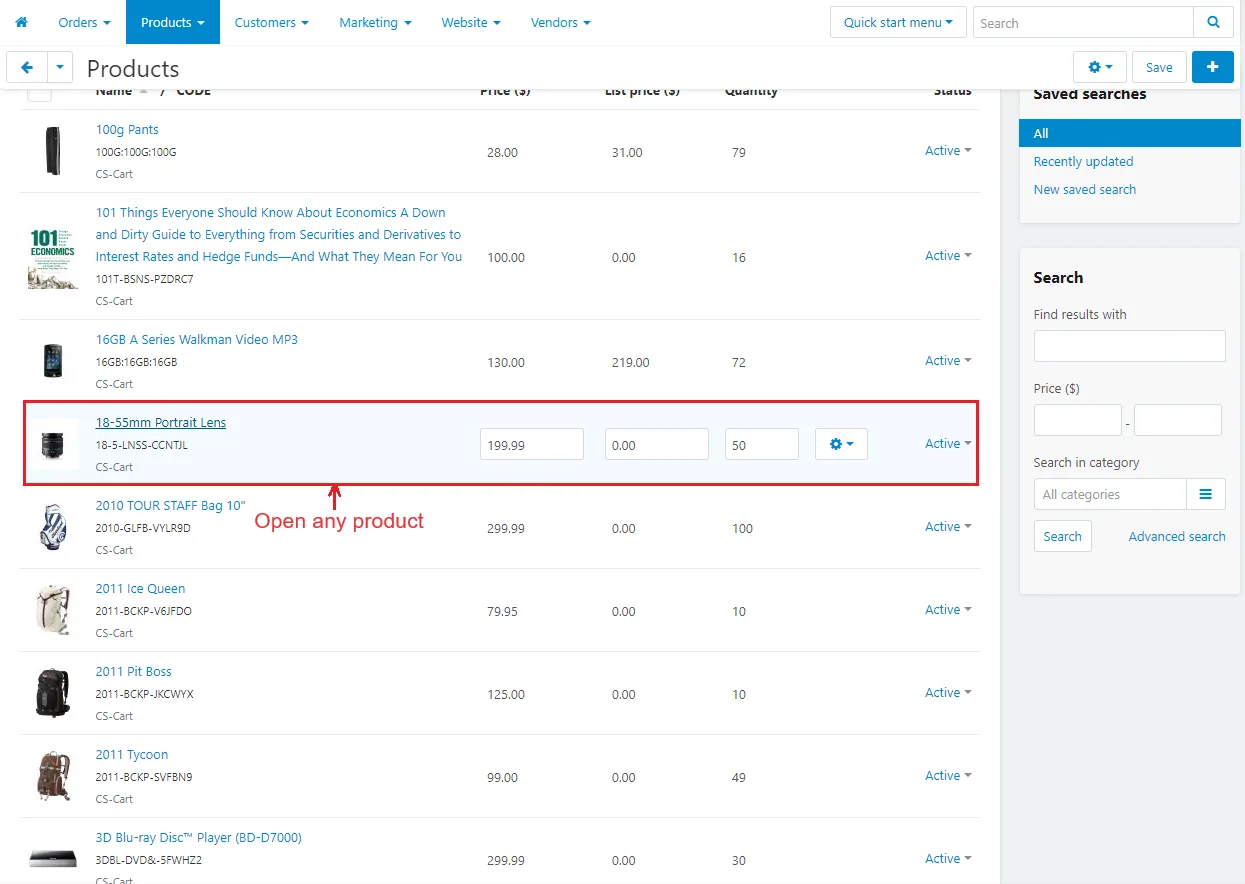
- Open any Product.
Switch to >> Quantity Discounts
- Quantity: Enter the quantity of the product.
- Value: Enter the value of the discount (Per unit).
- Type: Select the type of discount (Absolute or Percent).
- User group: Select the user group that can take advantage of the discount.
- Add/Clone: The admin can use "Add or Clone" to add more discounts or to create duplicates.
- At the end, click on the Save button.
- Here in the storefront, you can see the exact price per piece with the applied discount based on the quantity.
- Click on "Add to Cart".
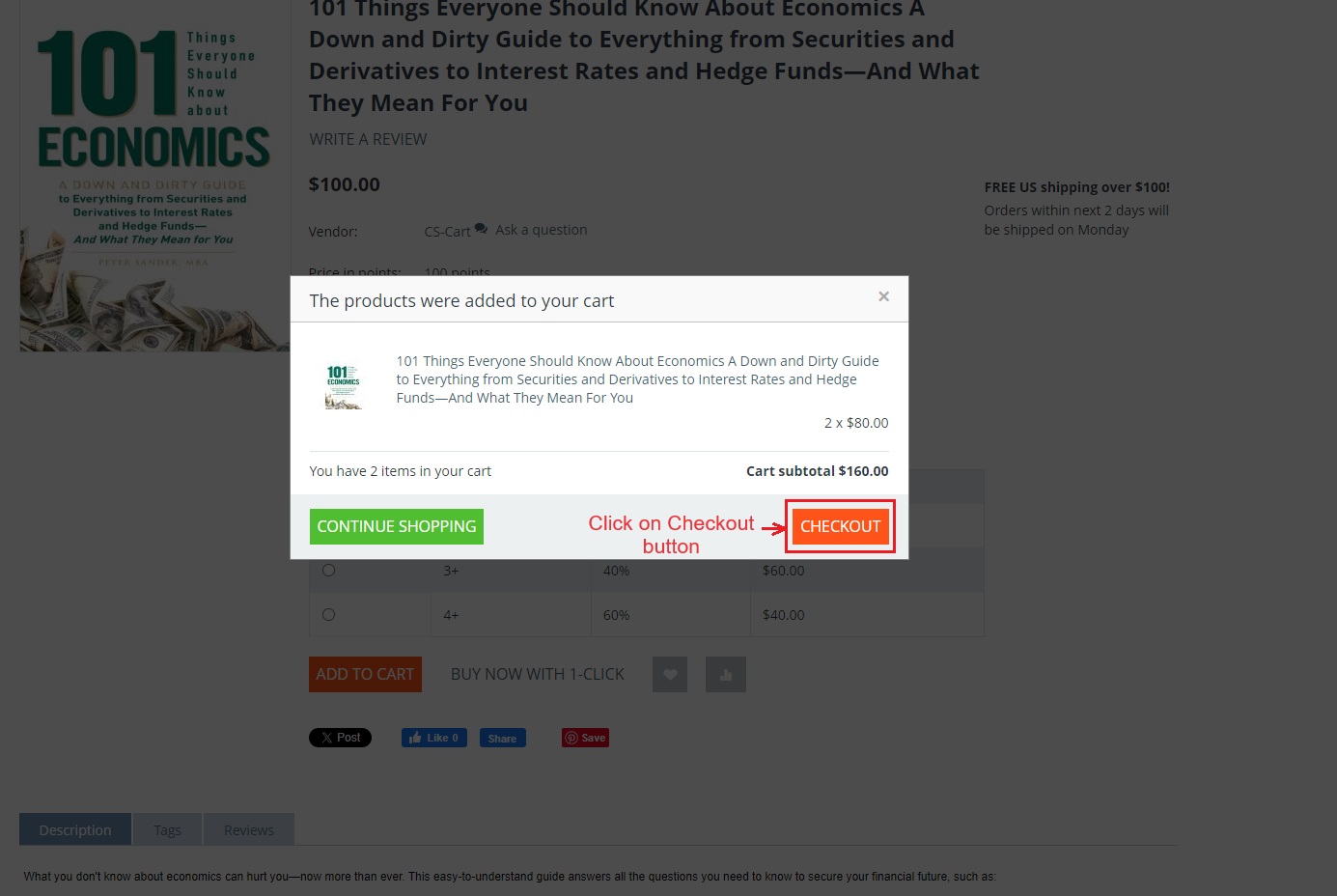
- Click on >> Checkout button.
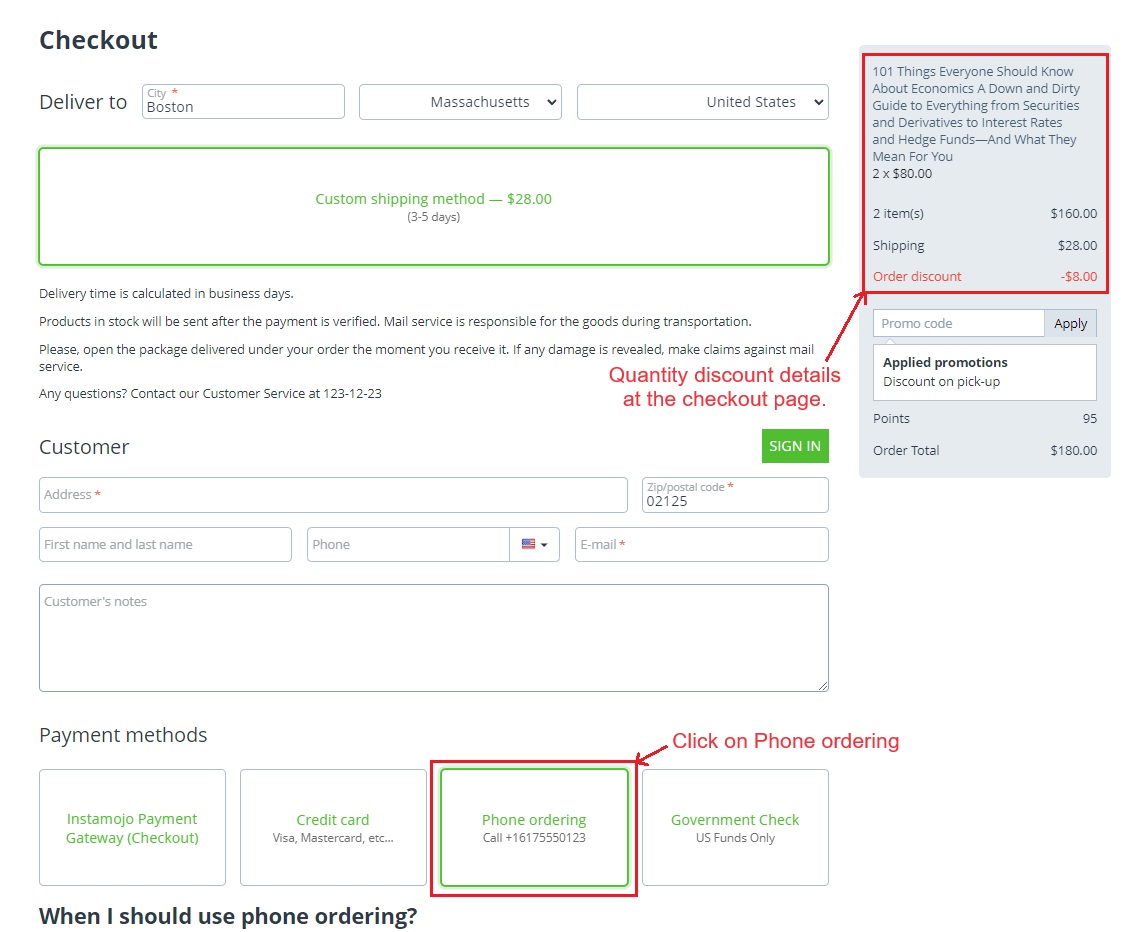
- The checkout page shows you the Quantity discount details.
- Select the Phone Ordering payment method.
- Click on Place Order.
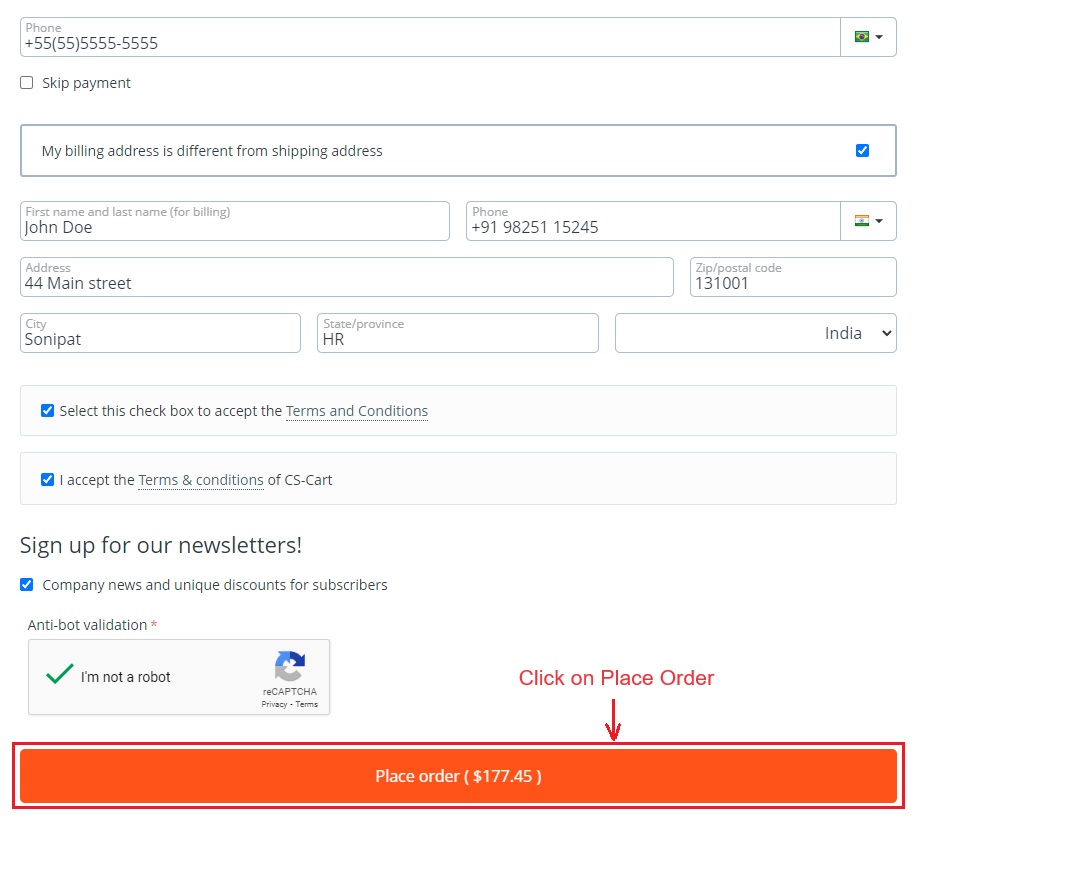
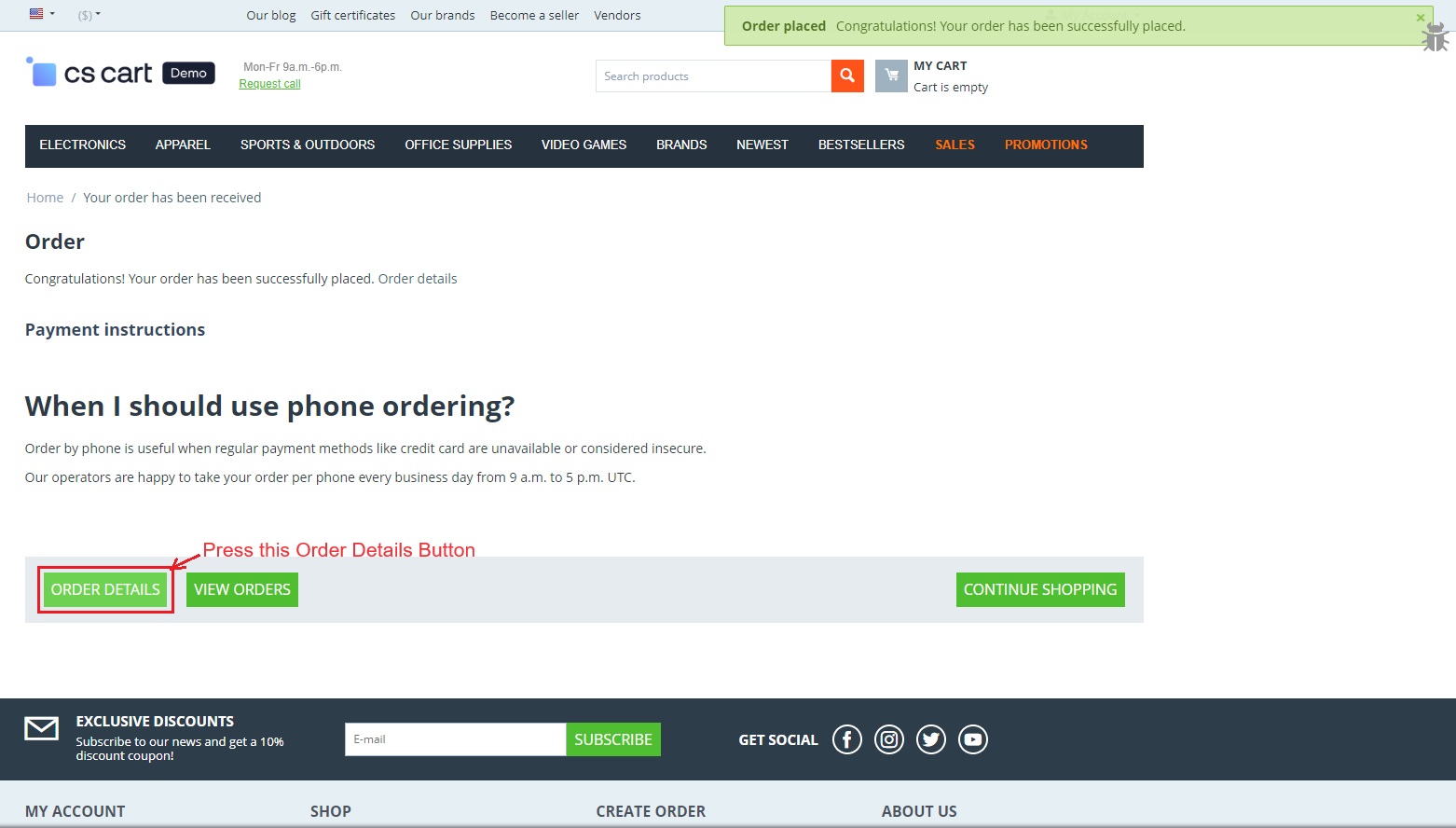
- Now you can see the notification of the order placed successfully.
- Press the >> Order Details button
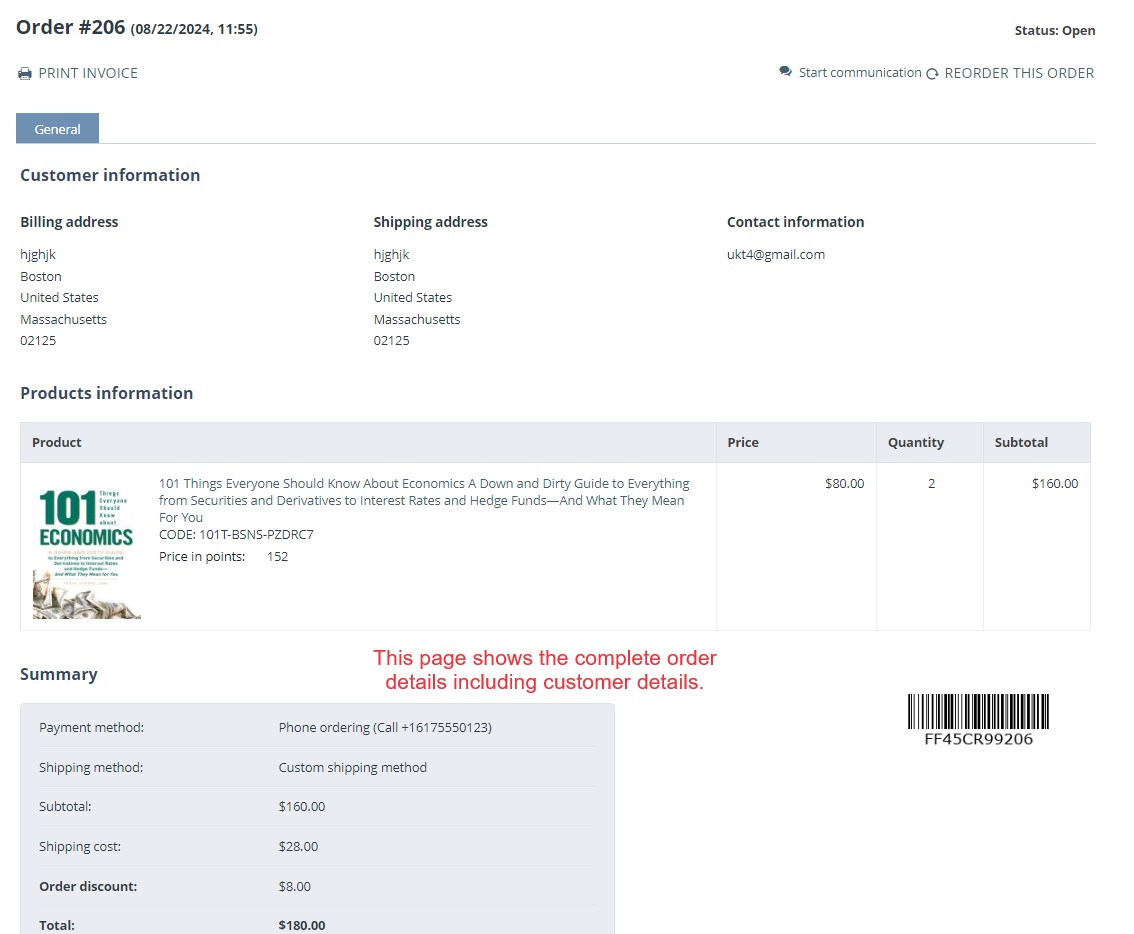
- The below page shows the complete order details including customer details, order discounts, etc.
Addon-Version:
Version-1.0
Supported Versions:
CS-Cart, CS-Cart Multivendor 4.8.x, 4.9.x,4.10x,4.11x,4.12,4.13x, 4.14x, 4.15x, 4.16x, 4.17x 4.18x
Support:
This app is developed and published by Ecarter Technologies Pvt. Ltd., a CS-Cart developer. You are guaranteed quality add-ons.
Frequently asked questions
How does the Extended Quantity Discount add-on set prices?
The admin defines quantity-based discount tiers on a product using the Quantity Discounts tab. For each tier you enter the quantity, the discount value per unit, and the discount type (Absolute or Percent), and the storefront then shows the exact per-piece price with the discount applied.
Can I choose between percentage and fixed-amount discounts?
Yes. Each discount tier can be set as either a Percentage or an Absolute (fixed-amount) discount, so you can choose whichever pricing model fits the product.
Does it work with CS-Cart Multi-Vendor?
Yes. The add-on is integrated with CS-Cart Multi-Vendor, so quantity-based discounts can be used in a multi-vendor store.
Can discounts be limited to specific customer groups?
Yes. When adding a discount tier you can select the user group that is eligible for it, and you can use the Add or Clone option to create additional discount rows for a product.
Nisha Gaur is a Technical Content Writer at Ecarter Technologies. She writes technical documentation, tutorials and buying guides covering CS-Cart, Magento, Shopify and eCommerce development.