
Gokada Shipping Method
CS-Cart Gokada Shipping Method: This addon with CS-Cart and calculate shipping rates in real-time with this magnificent add-on.
The Gokada Shipping Method add-on integrates Gokada, a Nigerian logistics and delivery provider, into your CS-Cart store so you can offer real-time shipping rates at checkout and dispatch orders through Gokada's delivery service. Both store admins and vendors can create shipments, and the add-on supports automatic shipment creation based on order status, so orders can be booked with Gokada without manual steps. Customers can also view tracking details for their orders from the CS-Cart storefront. It is built for CS-Cart and CS-Cart Multi-Vendor stores that deliver in Nigeria and want to connect their store directly to Gokada's express delivery network.
Easily integrate Gokada shipping for CS-Cart and get real-time shipping rates with this add-on. The add-on also allows store Admin/vendor to use Gokada shipment service to deliver products to customer's addresses.
Gokada is a leading technology startup in Africa's largest economy, Nigeria, provider of comprehensive logistics and transportation solutions are known for their express delivery and logistics services. The add-on comes with the feature of auto shipment creation.
Features:
- Well integrated with CS-Cart Multi-Vendor.
- Functionality to calculate real-time shipping rates.
- Both admin and vendor can create a shipment through Gokada.
- Easy to configure and manage at the admin end.
- Features of auto shipment creation based on order status.
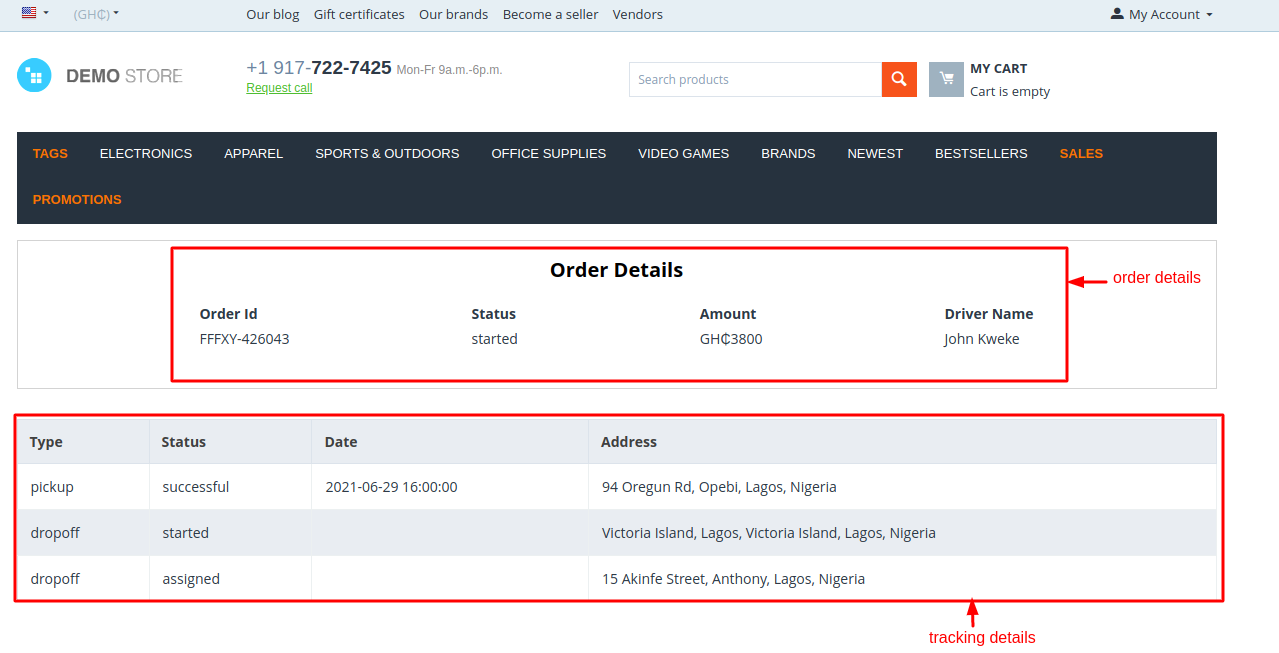
- Features to see tracking details of orders at CS-Cart Storefront.
Note:
- To Configure Gokada Shipping Method you need to require these APIs:
- Google Places API: to collect customer latitude and longitude from the address.
- which is generated from here: https://developers.google.com/maps/documentation/places/web-service
- Gokada Business Api: to configure Gokada shipping method.
- To generate Gokada business API you need to create an account from here: https://business.gokada.ng/#/login and then generate API from the business dashboard.
- Auto Shipment Creation: At the time of checkout in the address field City, State/Province, and Country field is required for the auto shipment creation.
Installation:
How to install Addon
https://store.ecarter.co/blogs/how-to-install-addon/
How Addon Works
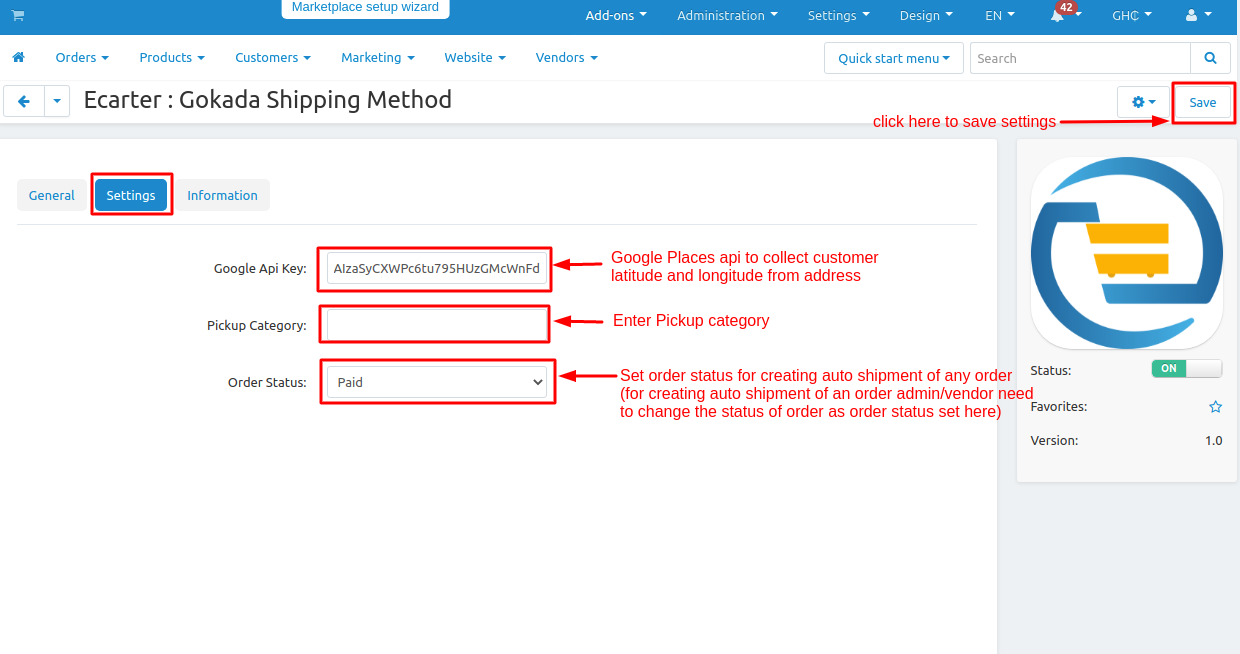
Addon Settings:
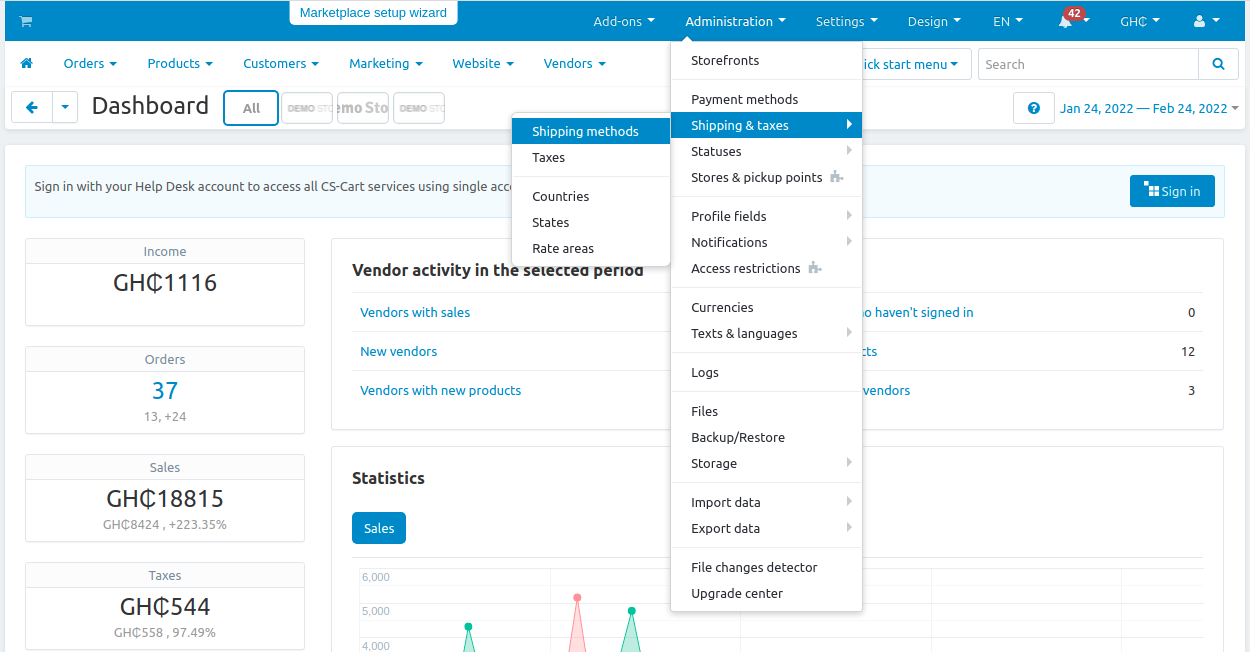
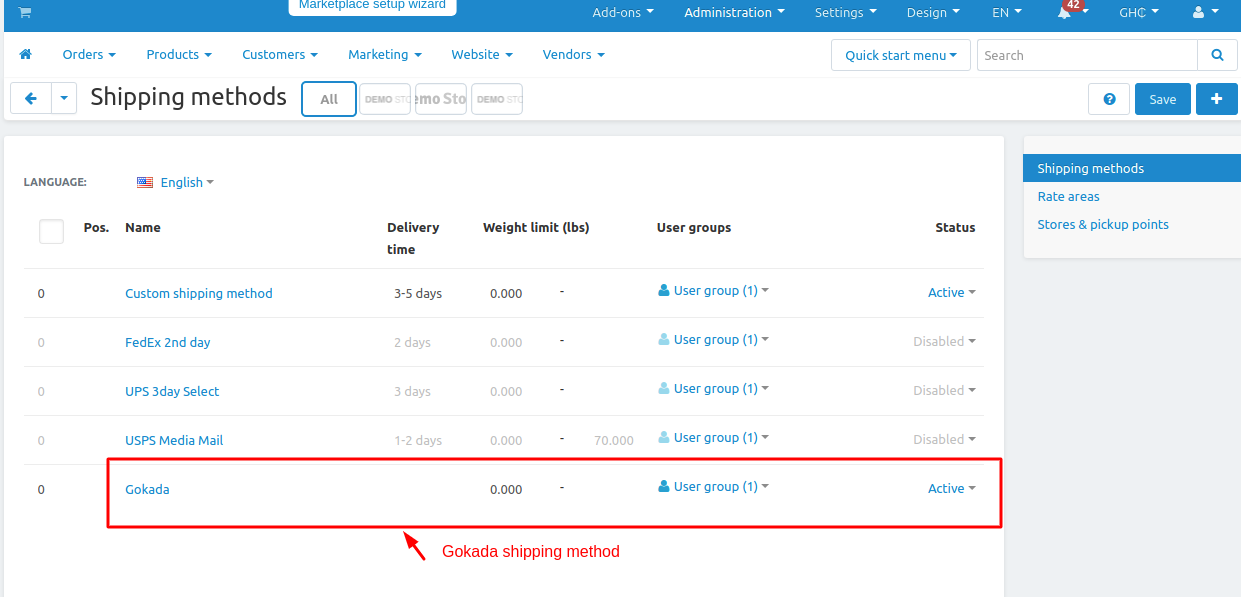
How and where to create Gokada shipping method :
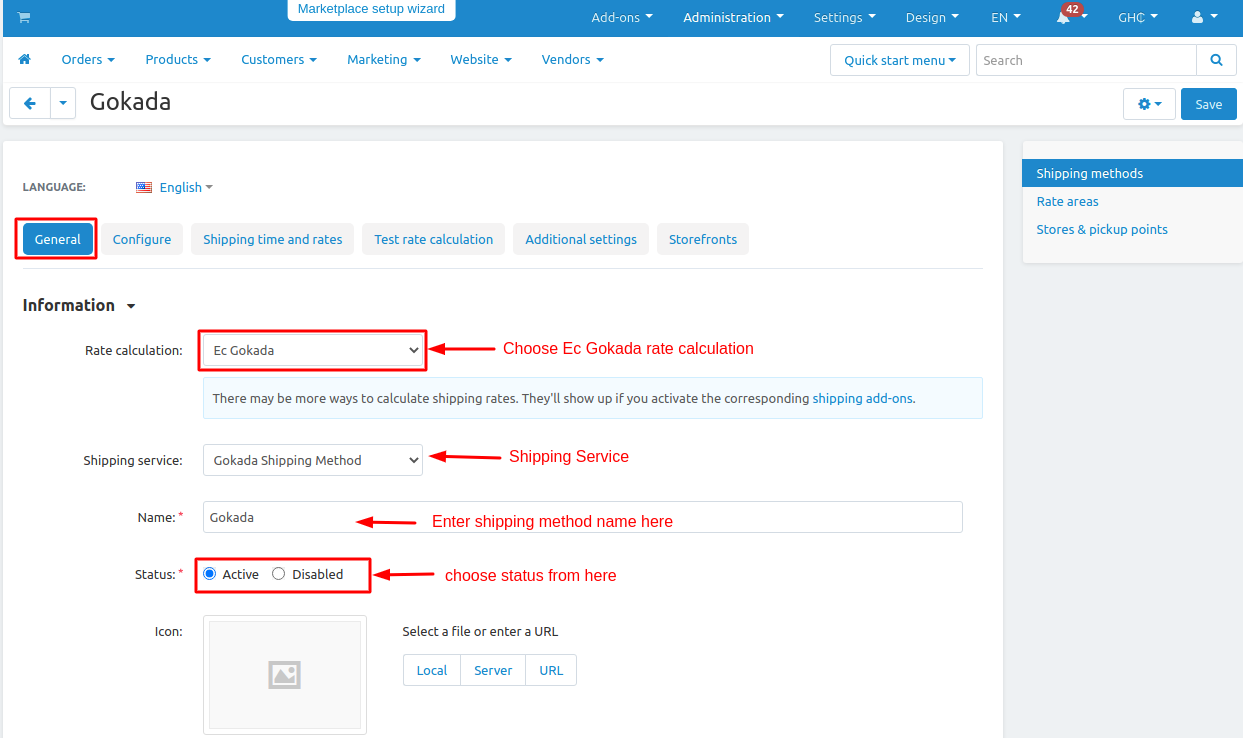
General Tab:
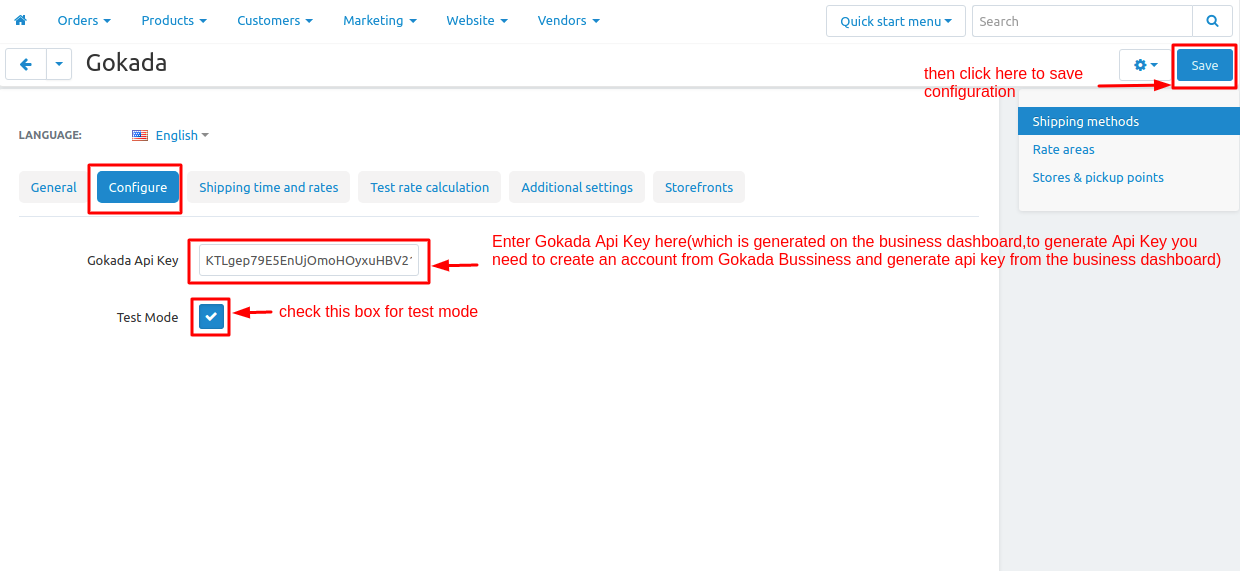
Configure Tab:
Gokada API Key: In Configure tab enter the Gokada API key which is generated on the business dashboard, to generate Gokada API Key, you need to create an account from Gokada Business then Generate API Key from the dashboard.
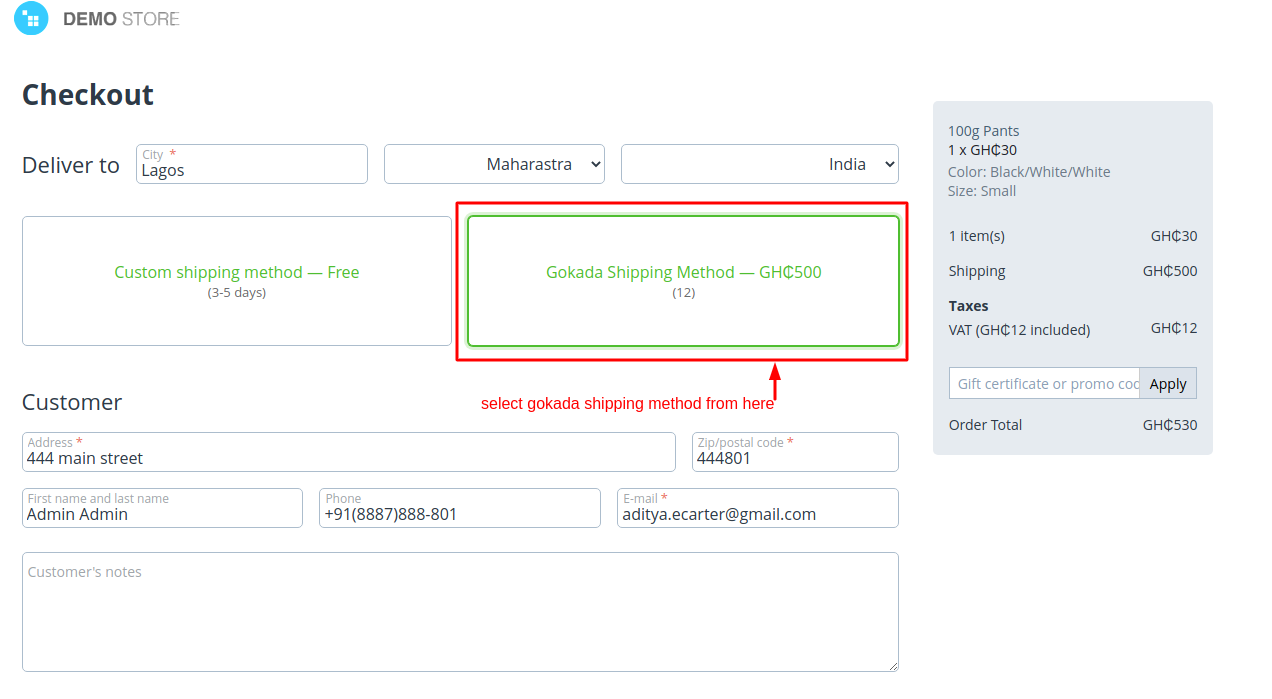
Checkout:
In Address City, State/Province, and Country field is required filled otherwise auto shipment is not created.
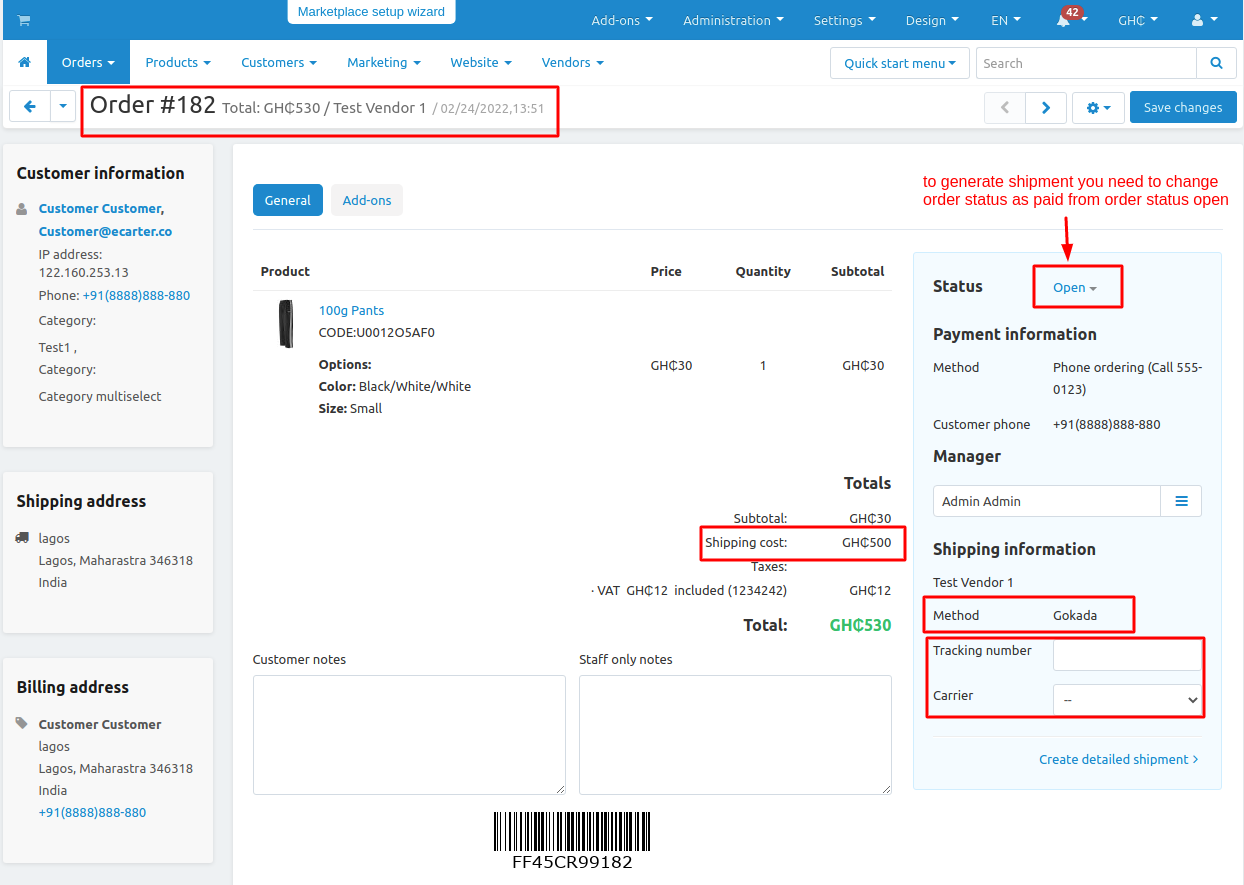
Before Changing Order Status: To Generate auto shipment for the order you need to change order status as set order status in the Gokada addon setting.
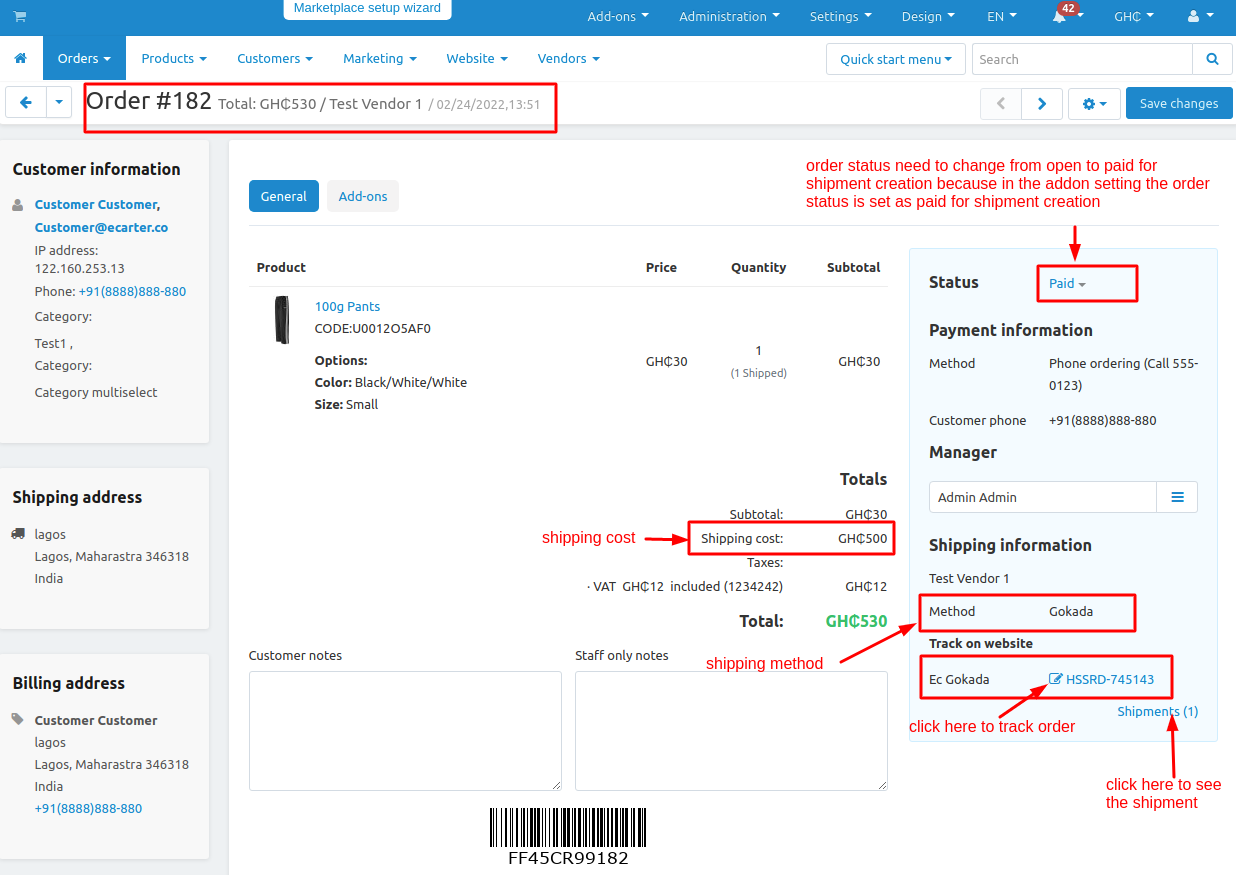
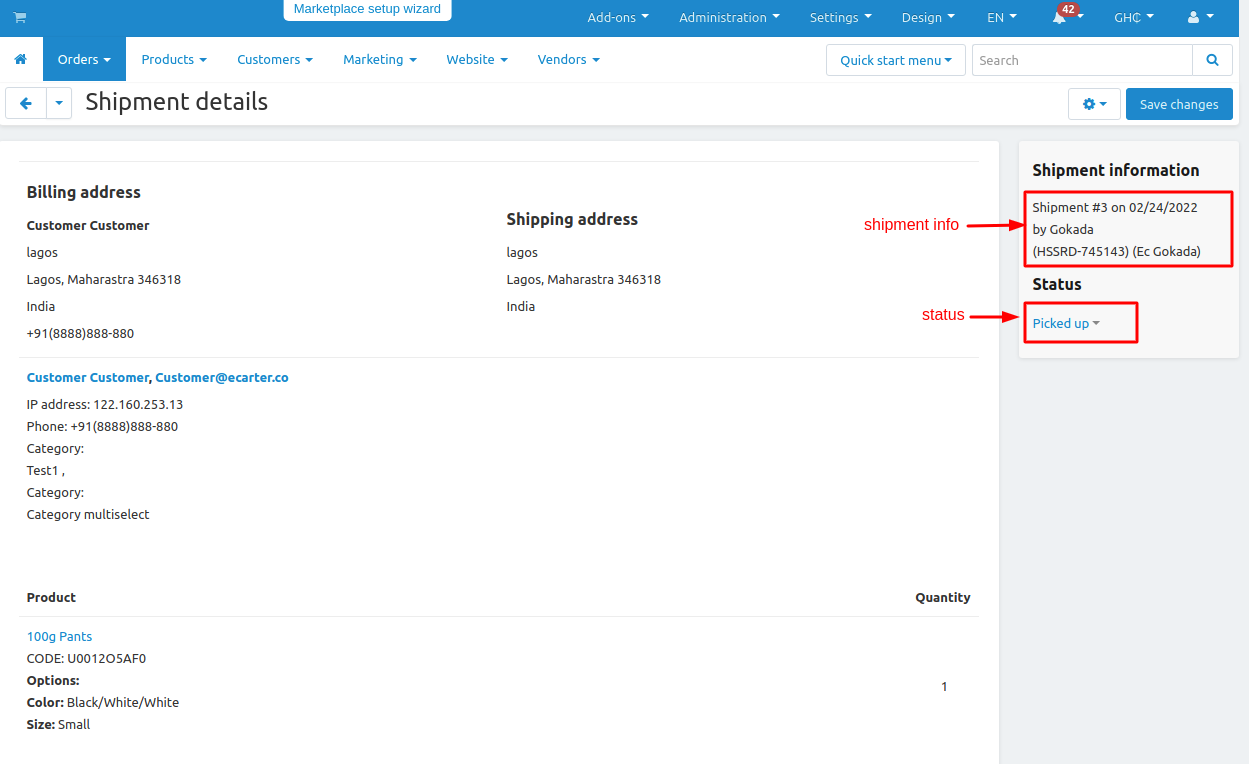
After Changing Order Status: The shipment is generated and you can see the details shipment and track the order.
Shipment Details:
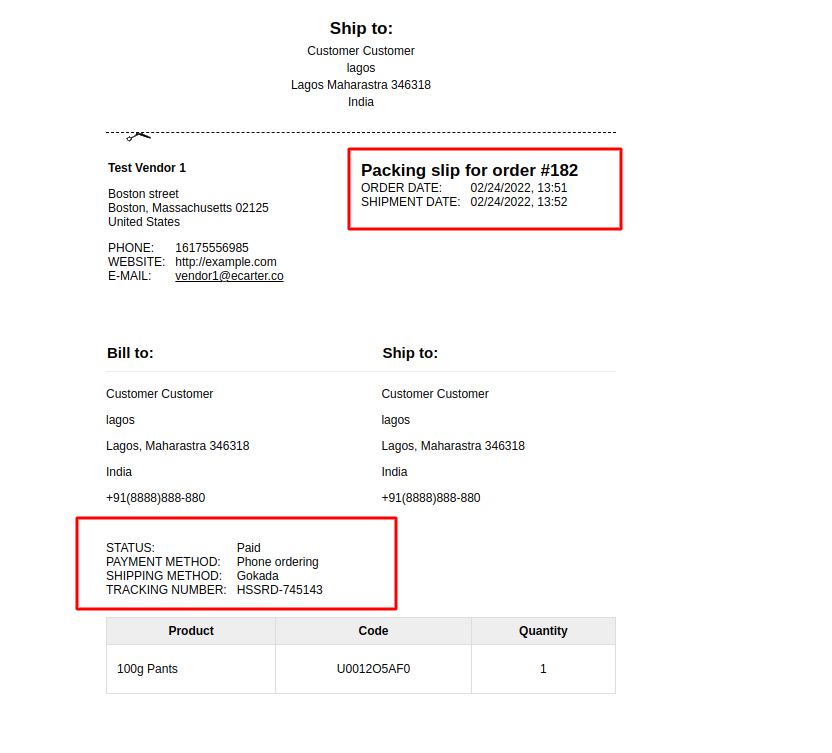
Packaging Slip:
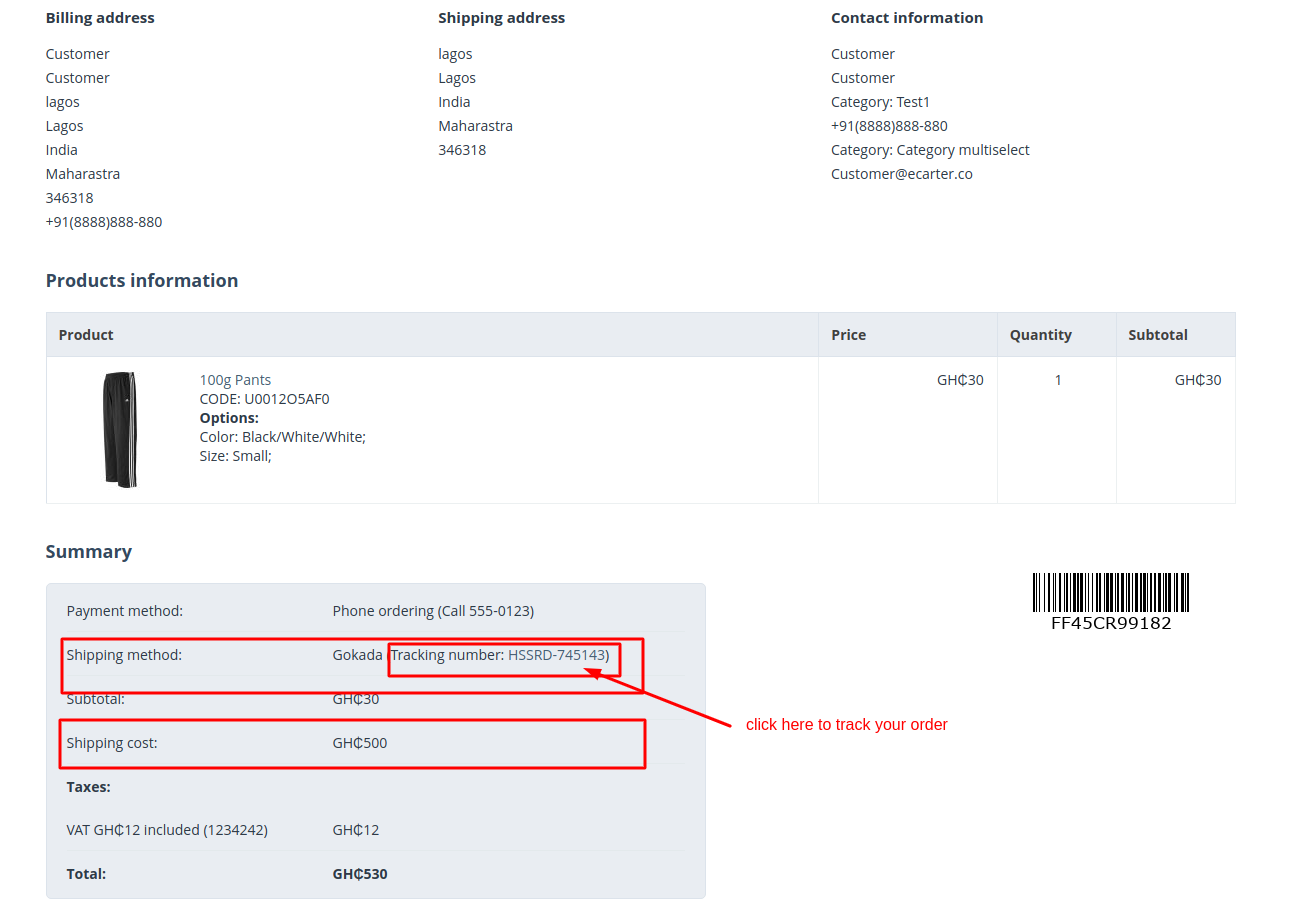
How a customer can track their order:
Tracking Details:
Tutorial Link:
Addon-Version:
Version-1.0
Supported Versions:
CS-Cart, CS-Cart Multivendor 4.8.x, 4.9.x,4.10x,4.11x,4.12,4.13x, 4.14x, 4.15x, 4.16x, 4.17x
Support:
This add-on is developed and published by Ecarter Technologies Pvt.Ltd., a CS-Cart developer. You are guaranteed a quality add-on supported by future versions. If you need help, please contact us via email at support@ecarter.co.
Frequently asked questions
Does the Gokada Shipping Method add-on work with CS-Cart Multi-Vendor?
Yes. The add-on is integrated with CS-Cart Multi-Vendor, and both the store admin and individual vendors can create shipments through Gokada from their own accounts.
What APIs do I need to configure the Gokada shipping method?
You need two APIs. The Google Places API collects the customer's latitude and longitude from their address, and the Gokada Business API configures the shipping method itself. You generate the Gokada Business API by creating an account on the Gokada business dashboard (business.gokada.ng) and then generating the key there.
How does automatic shipment creation work?
The add-on can create a Gokada shipment automatically based on the order status, so shipments are booked without manual entry. For this to work, the customer's checkout address must include the City, State/Province, and Country fields.
Can customers track their Gokada orders, and does the add-on calculate live rates?
Yes to both. Customers can see tracking details for their orders directly on the CS-Cart storefront, and the add-on calculates real-time Gokada shipping rates during checkout.
Kajal is a Technical Content Writer at Ecarter Technologies. She writes technical documentation and in-depth guides on eCommerce platforms, mobile commerce and AI in online retail.