
Incomplete Product
Incomplete Product : An attractive product page with detailed info is one of the key issues for your online store.
The Incomplete Product Search Addon for CS-Cart helps store owners find products that are missing key details. It can locate products with no main image, no additional images, empty descriptions, or missing quantity discounts, and it flags products with duplicate names or codes. Instead of checking each product by hand, you run an advanced search and get a list of incomplete products to fix. It is aimed at CS-Cart store owners and admins who manage large catalogs, and it also works with CS-Cart Multi-Vendor.

The Incomplete Product Search Addon for CS-Cart helps you quickly find products in your store that are missing product details. It can search for products that don’t have images, no additional images, Empty descriptions, and quantity discounts. It also finds products with duplicate names or codes etc.
With this addon a list of incomplete products appears, helping you identify items. This makes managing your store’s inventory easier and more efficient.
Features:
- Quick Product Search: Easily find missing details for products like no image, empty description, empty quantity discount, etc.
- Filter by Missing Information: You can filter products based on specific missing details.
- User-Friendly: Simple interface that’s easy to use, even for beginners.
- Save Time: No need to manually check each product—find incomplete ones instantly.
- Well integrated with CS-Cart multi-vendor.
Installation:
How to install Addon
https://store.ecarter.co/blogs/how-to-install-addon/
How the addon works
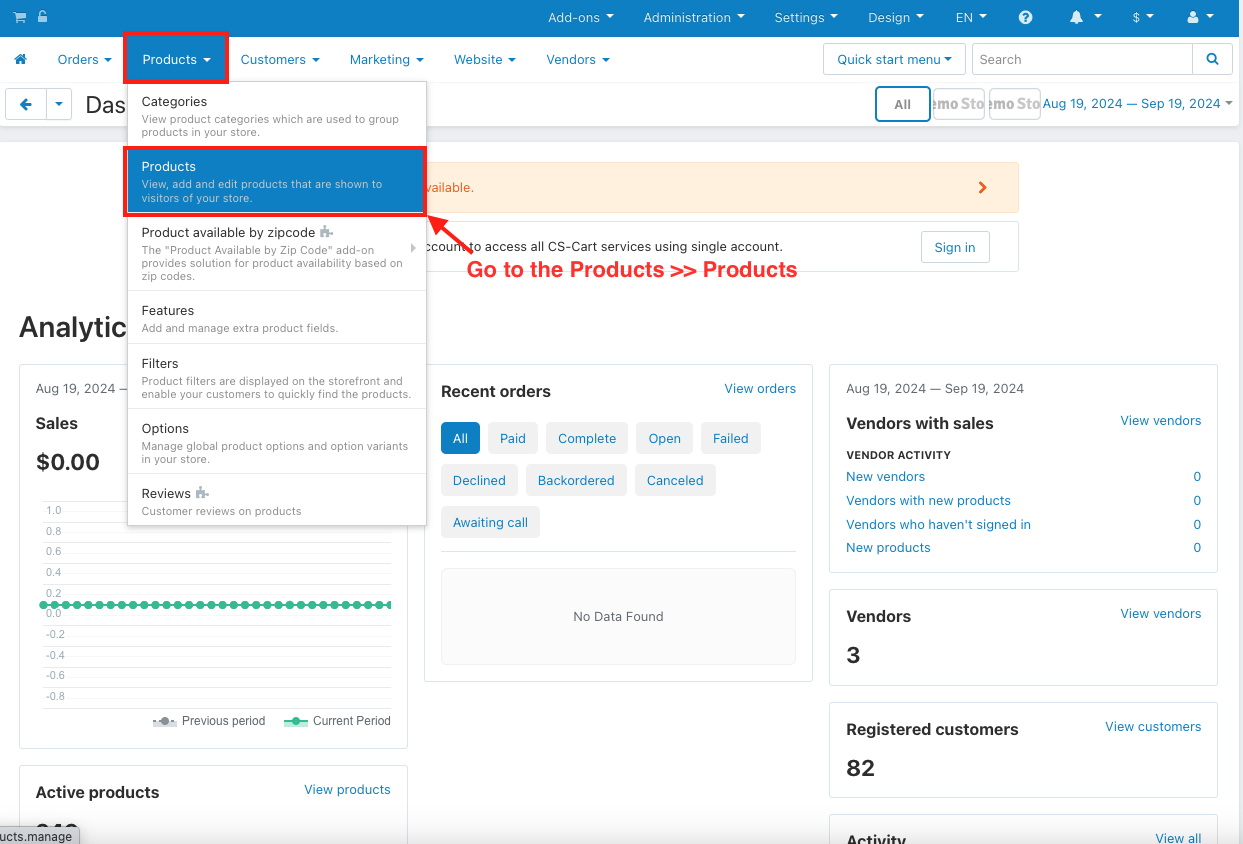
- Go to the Products >> Products.
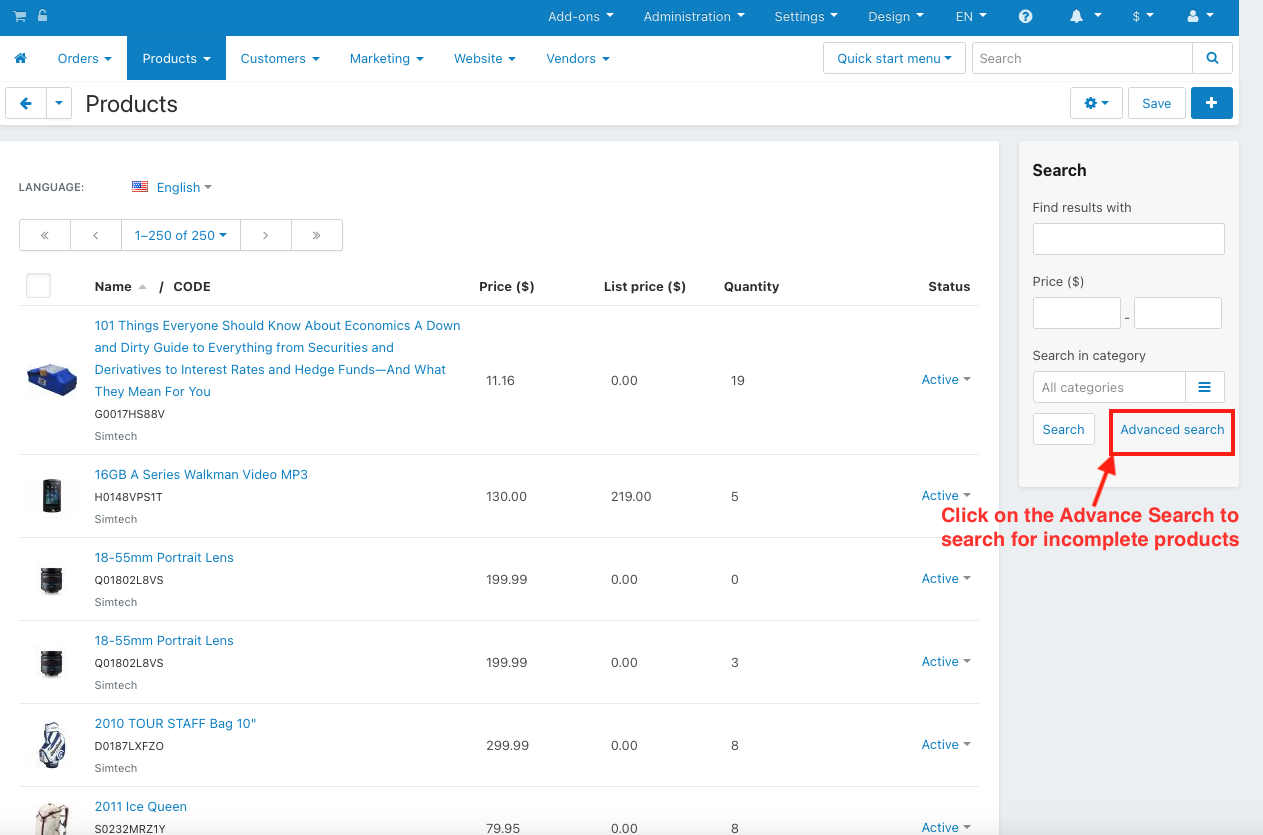
- Click on the Advance Search to search for incomplete products.
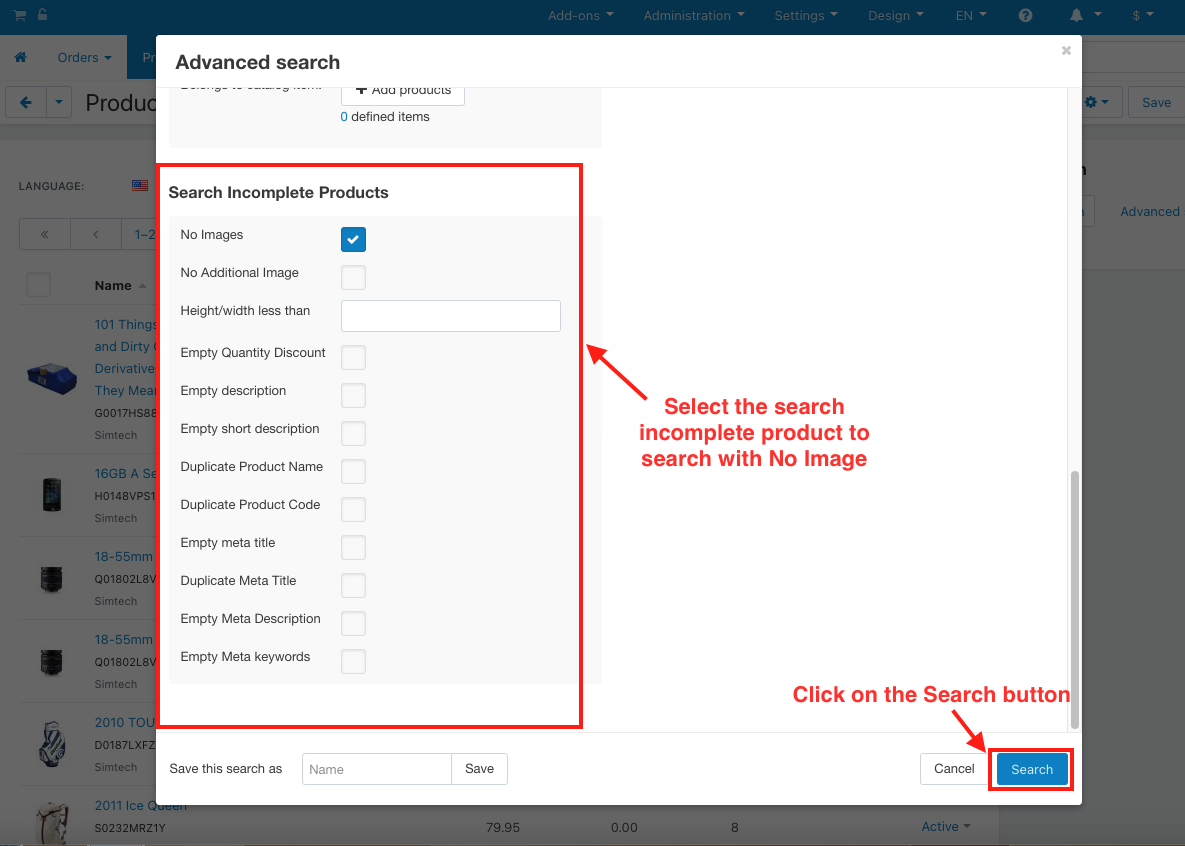
- Select the search incomplete product to search with No Image and No Additional Image.
- Click on the Search button.
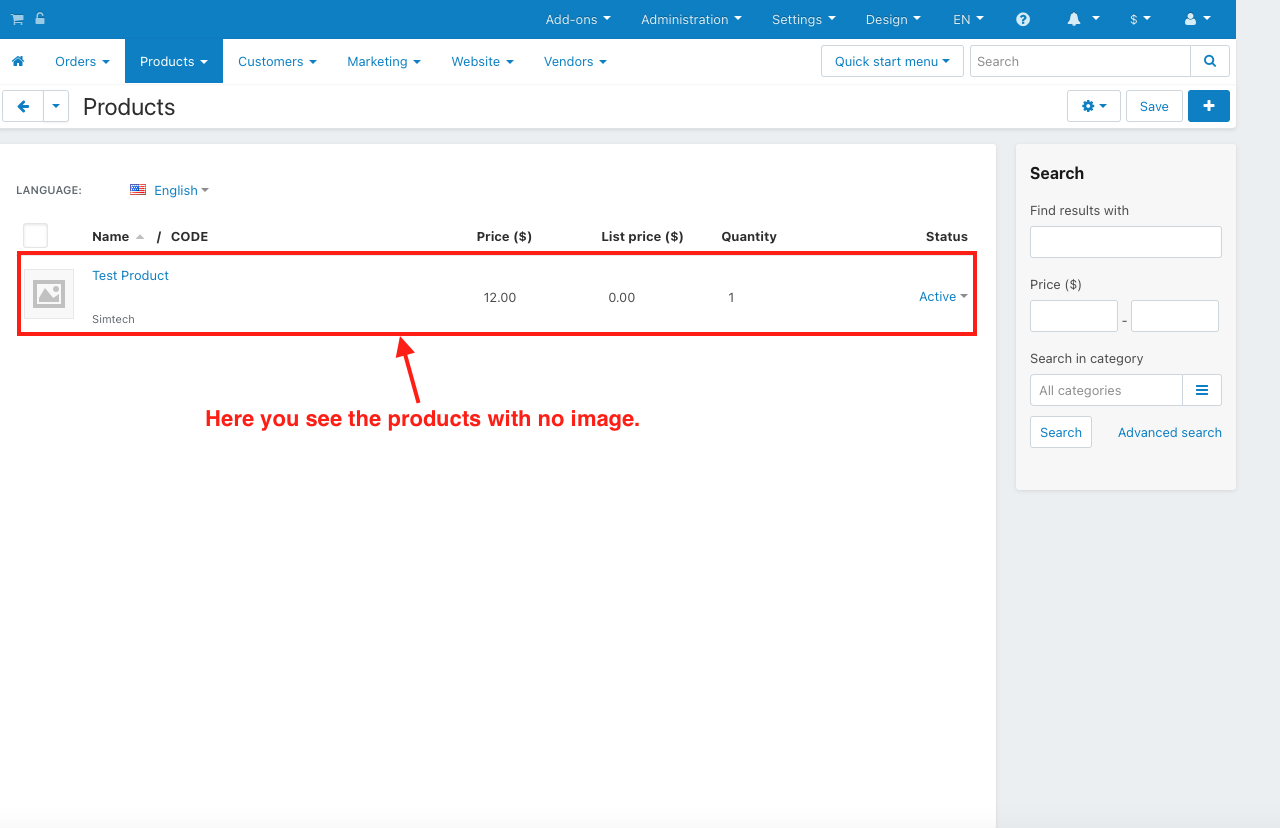
- Here you see the products with no image.
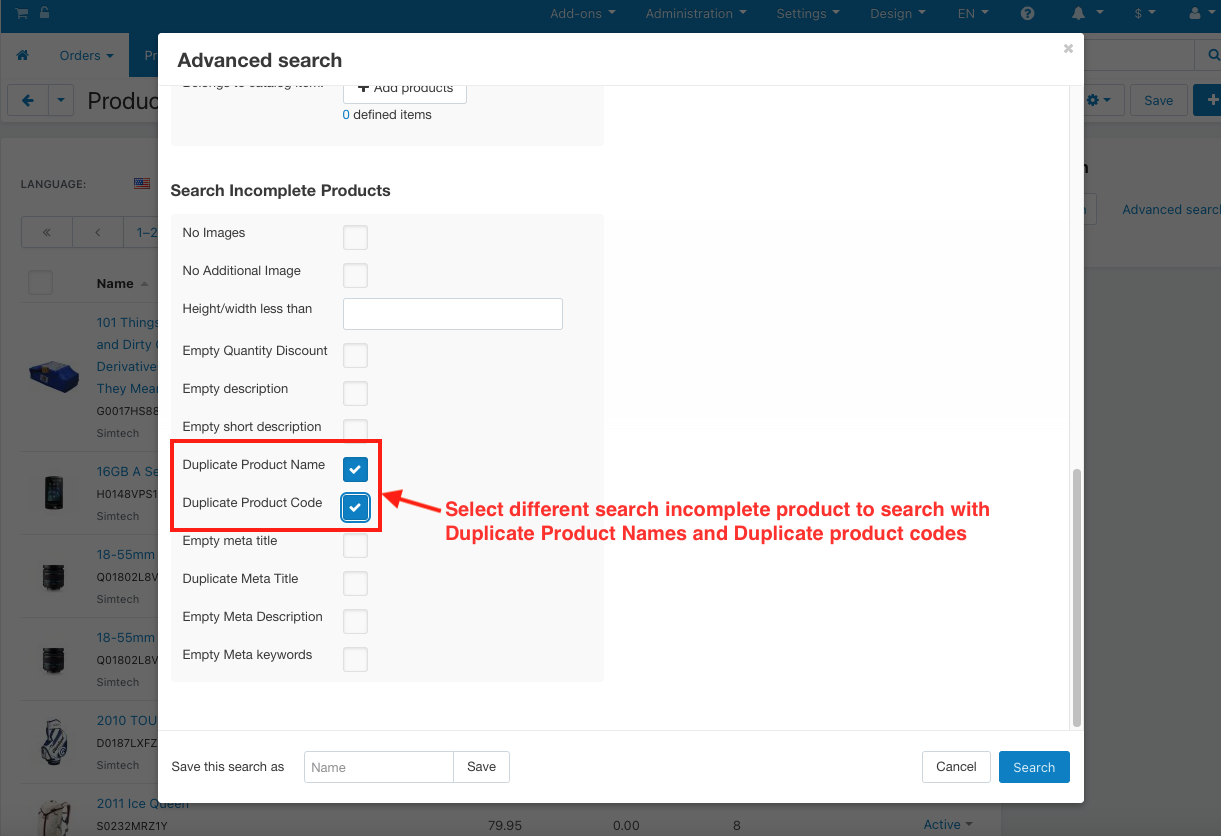
- Select different search incomplete product to search with Duplicate Product Names and Duplicate product codes.
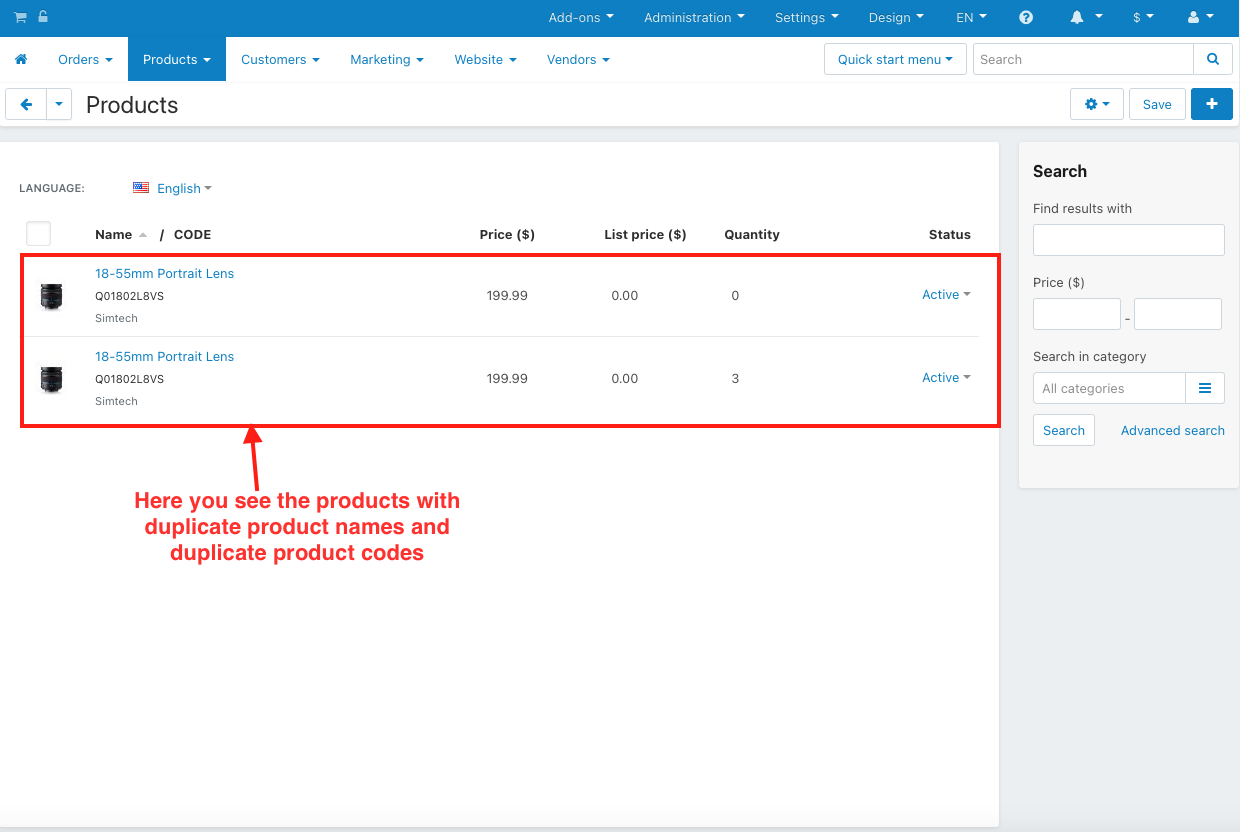
- Here you see the products with duplicate product names and duplicate product codes.
Tutorial Link:
https://www.loom.com/share/9e0e360692484f758c037ad538d59878
Addon-Version:
Version-1.0
Supported Versions:
CS-Cart, CS-Cart Multivendor 4.8.x, 4.9.x,4.10x,4.11x,4.12,4.13x, 4.14x, 4.15x, 4.16x, 4.17x, 4.18x
Support:
This add-on is developed and published by Ecarter Technologies Pvt.Ltd., a CS-Cart developer. You are guaranteed a quality add-on supported by future versions.
If you need help, please contact us via email at support@ecarter.co.
Frequently asked questions
What kinds of missing product details can this add-on find?
It finds products with no image, no additional images, empty descriptions, and missing quantity discounts. It also detects products with duplicate names or duplicate product codes.
Does the Incomplete Product Search Addon work with CS-Cart Multi-Vendor?
Yes. The add-on is integrated with CS-Cart Multi-Vendor, so it works in multi-vendor stores as well as standard CS-Cart installations.
How do I search for incomplete products after installing it?
Go to Products, open the Advanced Search, and choose the type of incomplete-product check you want, such as No Image and No Additional Image, or Duplicate Product Names and Duplicate Product Codes. Click Search to see the matching products.
Which CS-Cart versions does it support, and how do I install it?
Installation follows the standard add-on process described in the ecarter install guide at store.ecarter.co/blogs/how-to-install-addon. For version compatibility, share the CS-Cart version you are running and we will confirm it works for you.
Kajal is a Technical Content Writer at Ecarter Technologies. She writes technical documentation and in-depth guides on eCommerce platforms, mobile commerce and AI in online retail.