
QPay Payment Gateway
QPay Payment Gateway : QPay provides Card payment features so users can easily order their product by using this addon.
QPay Payment Gateway is a CS-Cart add-on that connects your store to QPay so customers can pay by card at checkout. It is built to accept Qatar debit cards for online payments, along with major credit cards, and uses two-way authentication with OTP and PIN for each transaction. Once installed, the admin adds QPay as a payment method under Administration > Payment methods and configures it, letting the store receive card payments through QPay's infrastructure. It suits CS-Cart merchants in Qatar who need a secure, mobile-friendly way to collect card payments online.
TL;DR: QPay Payment Gateway : QPay provides Card payment features so users can easily order their product by using this addon.
This guide covers: Installation: · How to install Addon
QPay Payment Gateway addon for CS-Cart allows admin to easily integrate QPay on their site. It provides card payment features so customers can checkout products smoothly using QPay. The gateway offers secure, fast, and reliable transactions. Admin can connect easily to QPay’s infrastructure with built-in security for safe payments.
Features:
- Accepts Qatar Debit Cards: The only gateway that supports online payments using Qatar debit cards.
- Highly Secure Transactions: Uses two-way authentication with OTP and PIN for safe payments.
- Mobile-Friendly: It easily integrates with websites and mobile apps.
- Simple Selling Solution: This makes it easy and affordable to sell products online.
- 24/7 Support Helpdesk is available all year round.
- Supports Major Cards: Accepts all major credit cards for seamless payments.
- Fast & Reliable Processing: Ensures quick and secure transactions.
- Quick Setup & Assistance: Customer support helps you start receiving payments smoothly.
Installation:
How to install Addon
https://store.ecarter.co/blogs/how-to-install-addon/
How to Addon Works
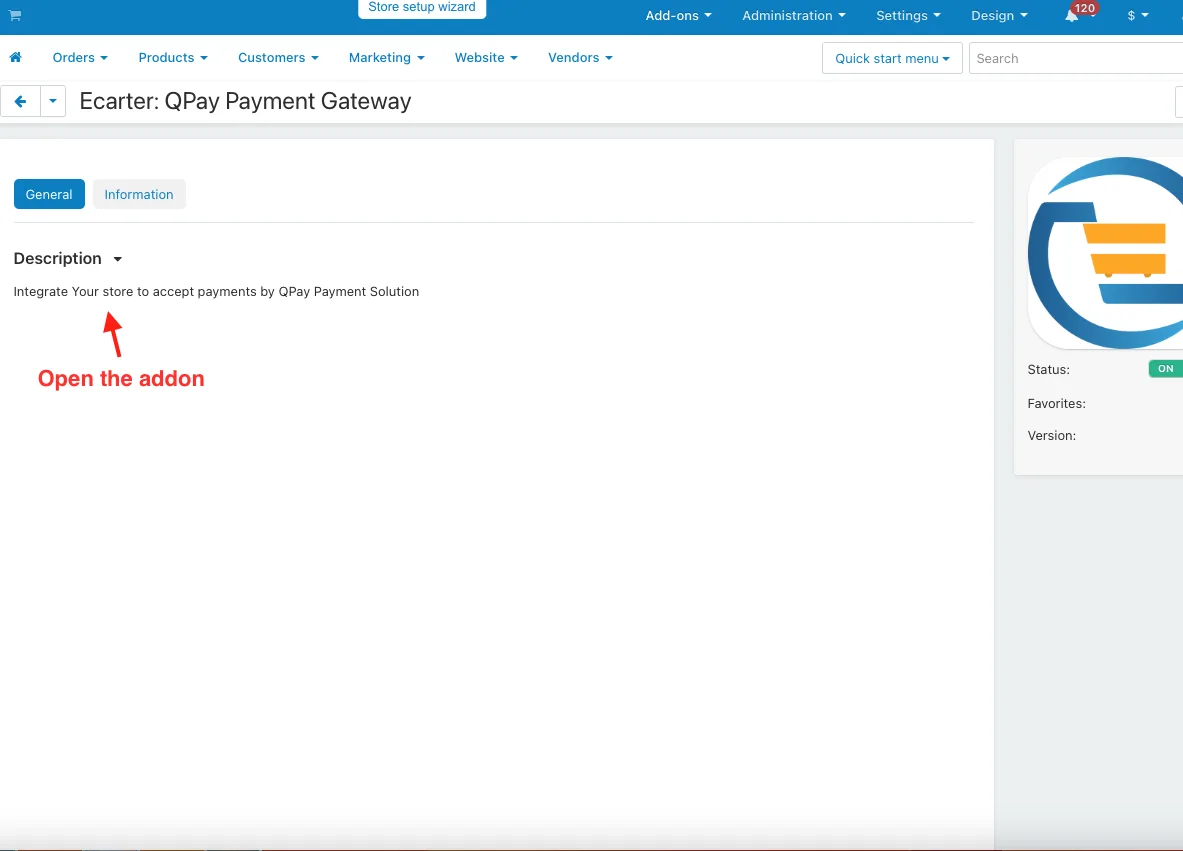
- Open the add-on.
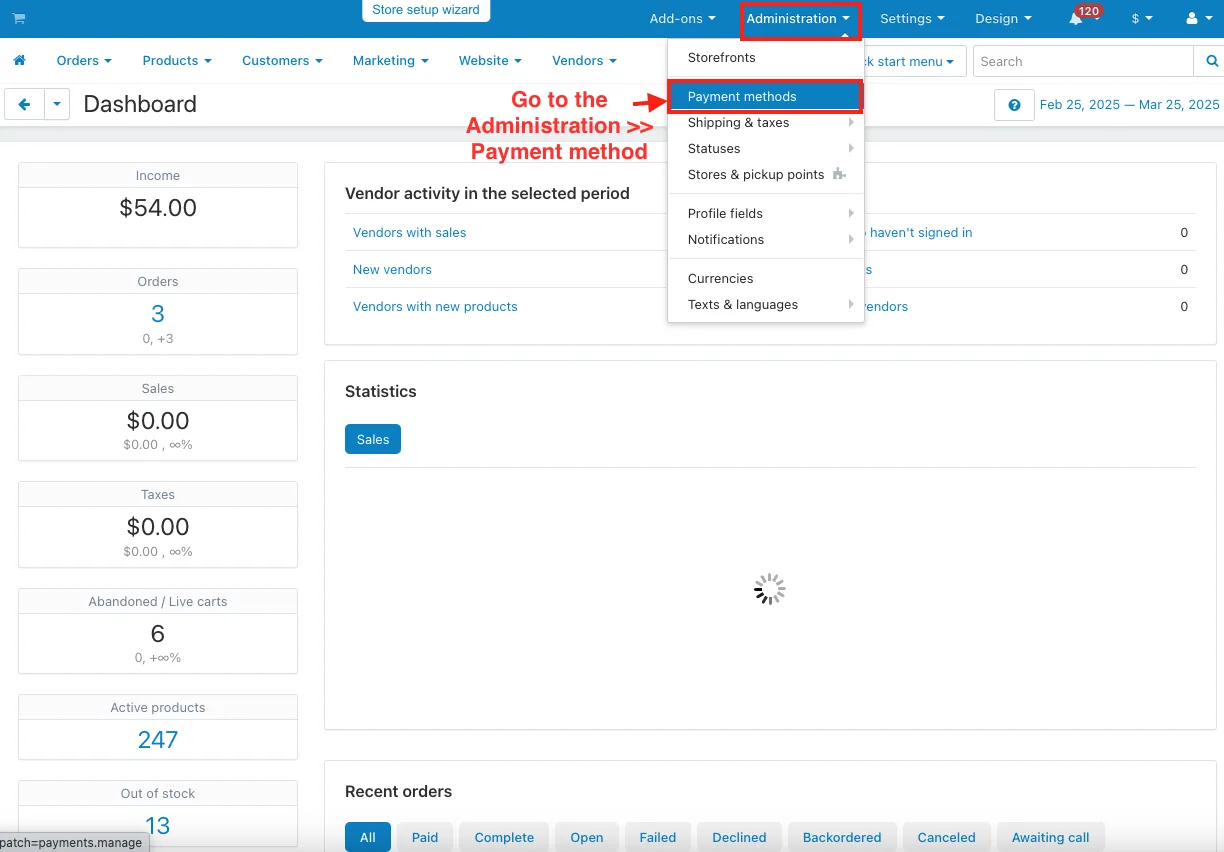
- Go to the Administration >> Payment method.
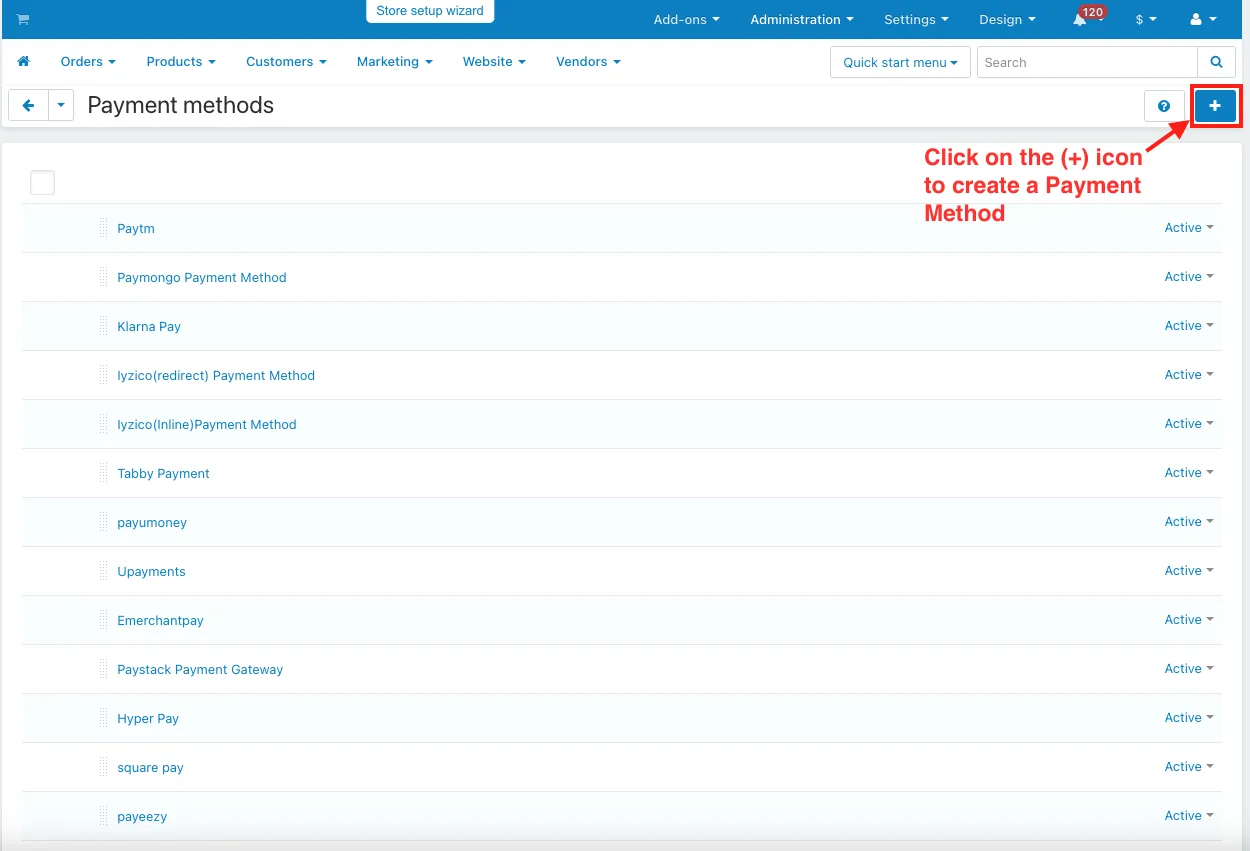
- Click on the (+) icon to create a Payment Method.
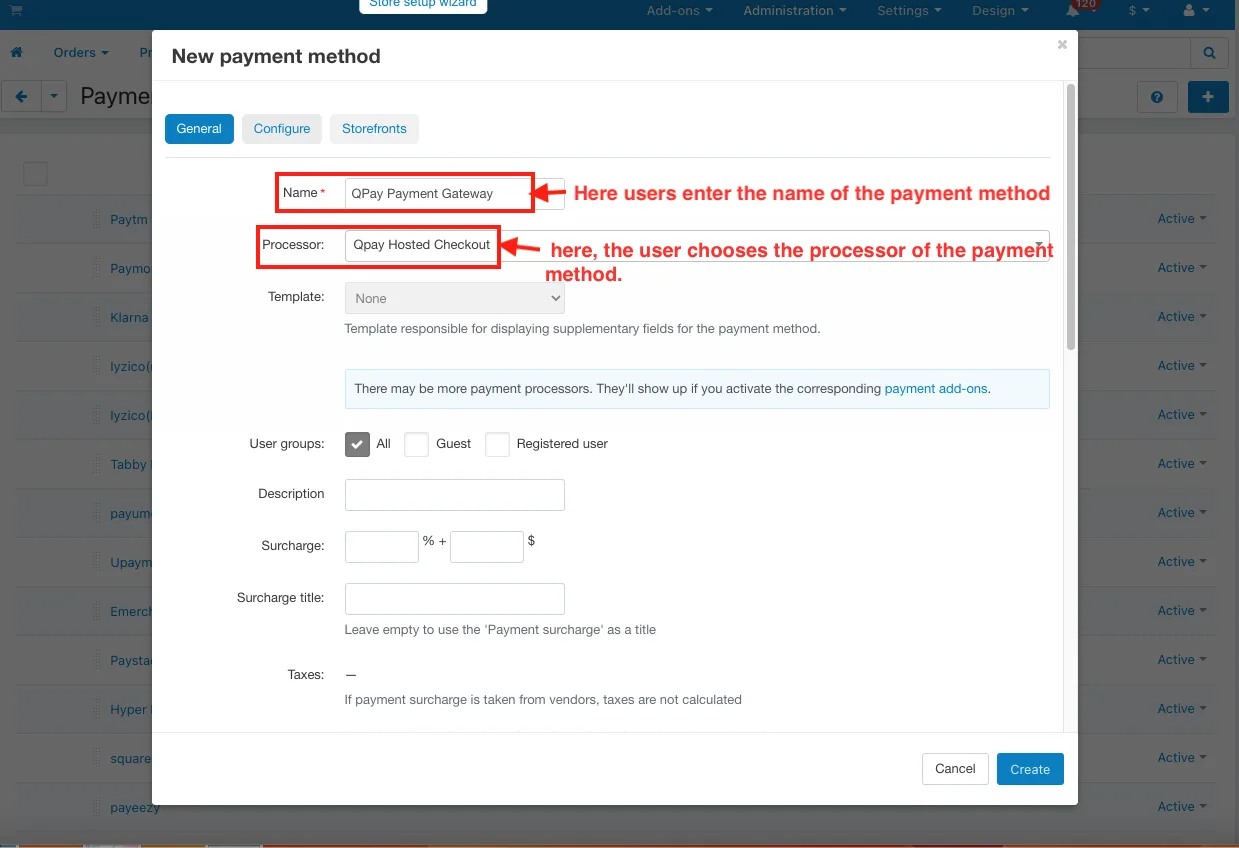
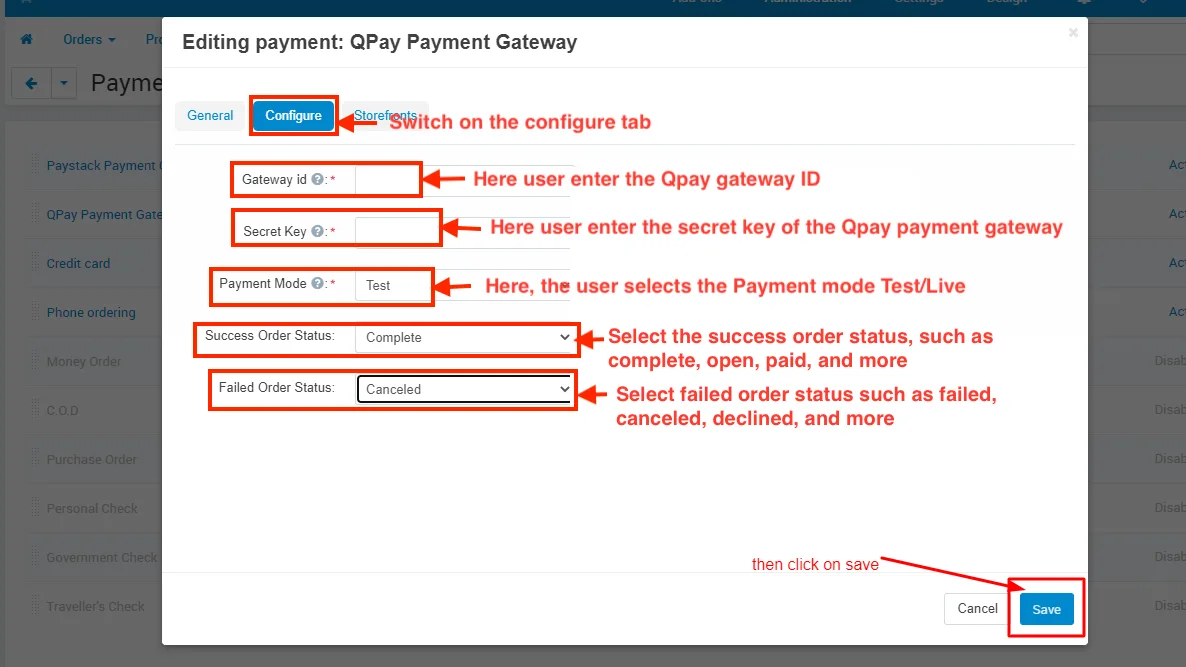
- In the General tab.
- Name: Here, users enter the name of the payment method.
- Processor: Here, the user chooses the processor of the payment method.
- Switch on the configure tab.
- Gateway ID: Here user enter the Qpay gateway ID.
- Secret Key: Here user enter the secret key of the Qpay payment gateway.
- Payment Mode: Here the user selects the Payment mode Test/Live.
- Success Order Status: Select the success order status such as complete, open, paid, and more.
- Failed Order Status: Select failed order status such as failed, cancel, decline, and more.
- Click on the Create button.
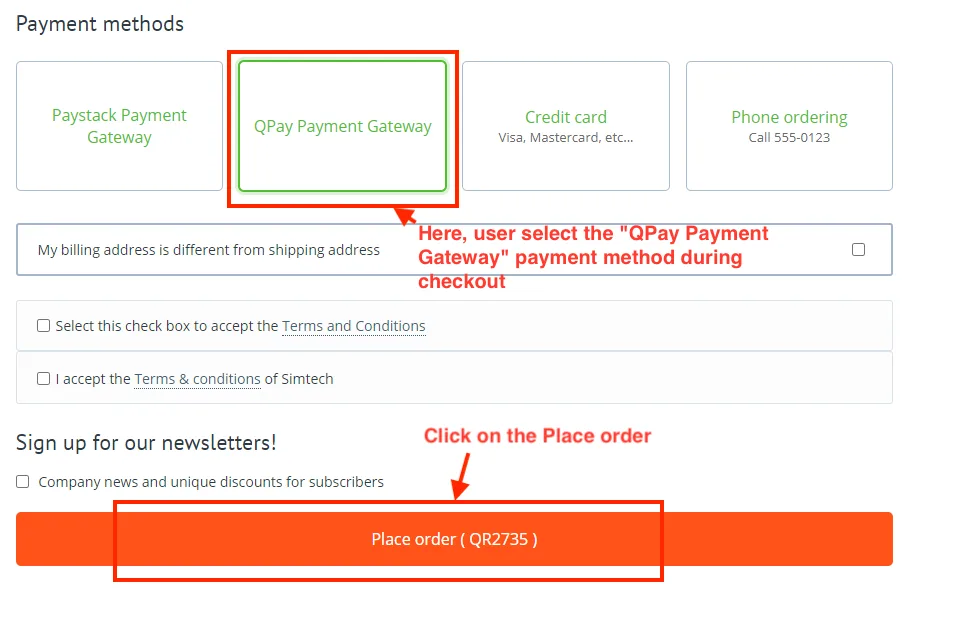
- Here select the user "QPay Payment Gateway" payment method during checkout.
- Click on the Place order.
- Here you see the connecting to Qpay Payment Gateway.

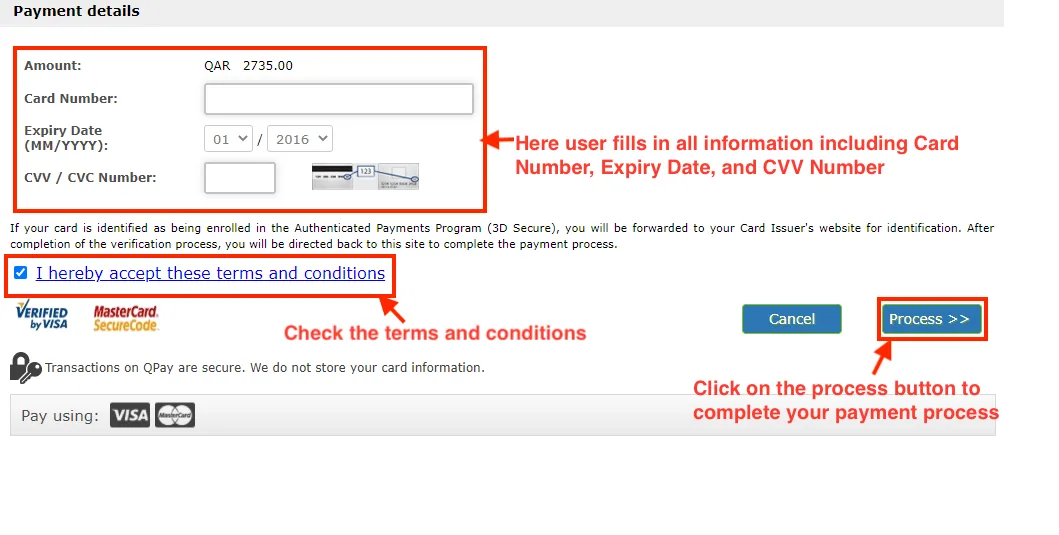
- Here you see the payment details.'
- Here user fills in all information including Card Number, Expiry Date, and CVV Number.
- Check the terms and conditions.
- Click on the process button to complete your payment process.
Addon-Version:
Version-1.0
Supported Versions:
CS-Cart, CS-Cart Multivendor 4.8.x, 4.9.x,4.10x,4.11x,4.12,4.13x, 4.14x, 4.15x, 4.16x, 4.17x, 4.18x
Support:
This app is developed and published by Ecarter Technologies Pvt. Ltd., a CS-Cart developer. You are guaranteed a quality add-on supported by future versions. If you need help, please contact us via email support@ecarter.co
Need modifications or any assistance? Please, feel free to contact us via email support@ecarter.co
Frequently asked questions
What cards does the QPay Payment Gateway add-on accept?
It accepts Qatar debit cards for online payments, as well as all major credit cards, so customers can complete checkout using QPay.
How does QPay keep card payments secure?
Each transaction uses two-way authentication with OTP and PIN, so payments are verified before they are processed through QPay's infrastructure.
How do I set up QPay as a payment method in CS-Cart?
After installing the add-on, go to Administration > Payment methods, click the plus icon to create a new payment method, and configure QPay in the General tab (name and related settings).
Does QPay work on mobile stores, and is support available?
Yes, it integrates with both websites and mobile apps, and a support helpdesk is available to help you get set up and start receiving payments.
Nisha Gaur is a Technical Content Writer at Ecarter Technologies. She writes technical documentation, tutorials and buying guides covering CS-Cart, Magento, Shopify and eCommerce development.