
Square Payment Gateway
A square payment gateway can easily integrate with CS-Cart platforms which accept online payment in real-time, quickly, easily, and securely. This payment gateway works smoothly for CS-Cart checkout to make payments quick and secure.
Square payments can be processed across multiple channels, including online, in-app, and in-person.
Features:
- A square payment gateway can easily integrate with CS-Cart. Set it up fast, and start processing online payments.
- Square processes all major debit and credit cards like VISA, American EXPRESS, Union Pay, master card, etc.
- Create a checkout experience that works seamlessly across browsers and devices of all sizes.
- Save money on payment processing with simple, transparent pricing, without weird or hidden fees or lock-in contracts, ever.
- Start taking payments right away—no bank visits, background checks, or merchant accounts required. Account creation and verification take minutes.
- Access your money from Square sales instantly with Square Checking. Transfer money into an external bank account as soon as the next business day, or instantly for a fee.
- Keep your business data secure, monitor your account for suspicious activity and ensure PCI compliance.
- A PCI-compliant integration, and SSL support.
Installation:
How to install Addon
https://store.ecarter.co/blogs...
How Addon Works
Create New Payment Method Square Payment: To create a new payment method we need to go into Adminstrations>Payment Methods and create there.
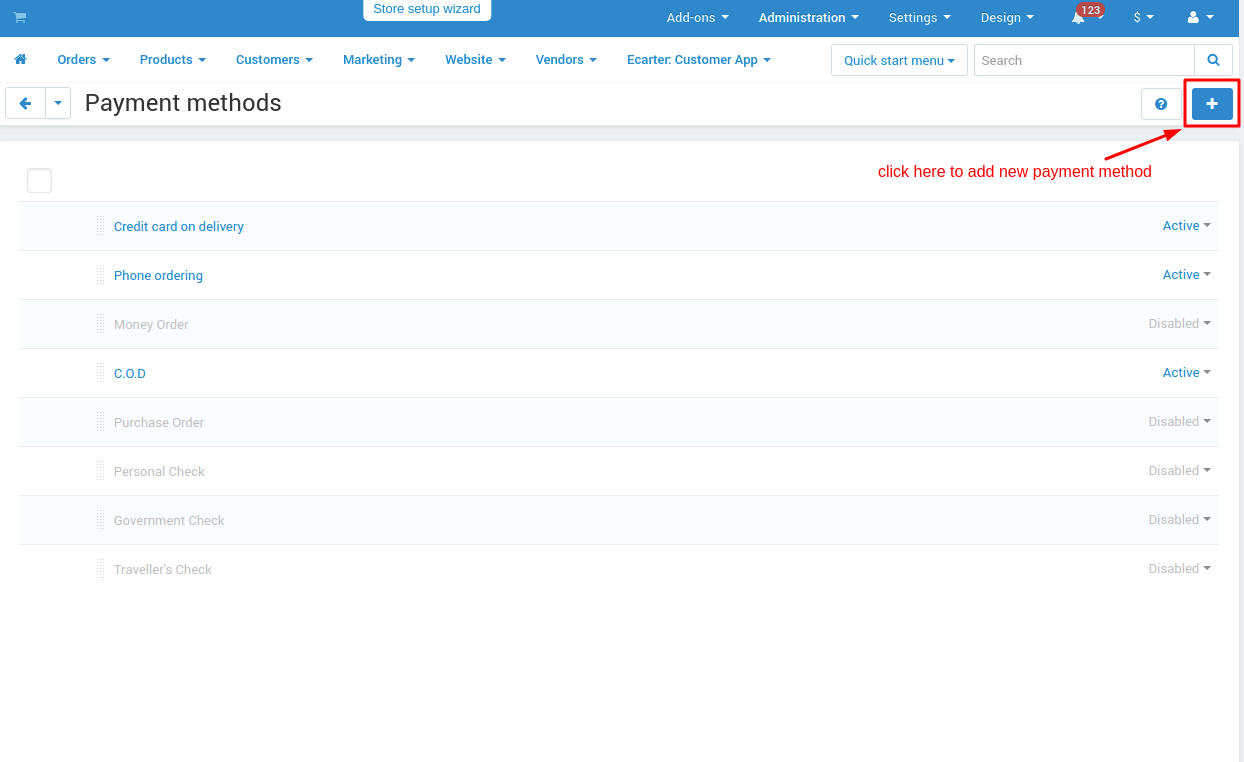
- General tab: Add general information about the payment method.
- Name: add payment method name here.
- Processor: choose a payment processor for that payment method which we are going to create.

Configuration tab: Configure payment method with the payment processor.
Application Id: provided by the payment method company.
Access Token: provided by the payment method company.
Location Id: provided by the payment method company.
Test/Live mode: select mode like for test environment “test” and for production environment select “live”.
Currency: the selected currency for the payment method.
Success Status: select order success status from here.
Failed status: select order success status from here.

Storefronts tab: if you won’t use this payment method for only any specific storefronts then you can add those storefronts from here otherwise it will work for all your storefronts.


Checkout Trough Square Payment Method:


Redirecting to Square Payment :


Order Details Frontend:

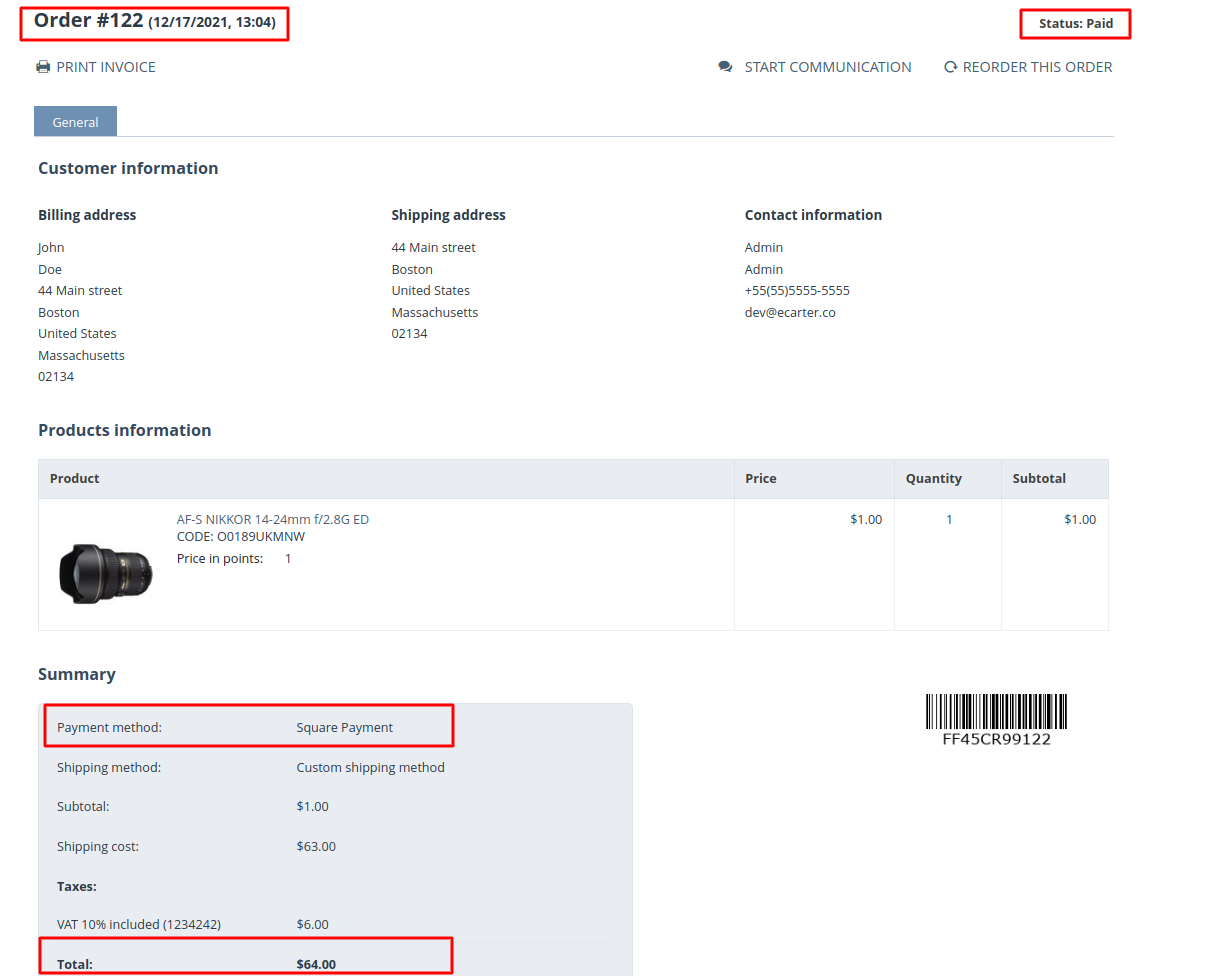
Order- Details Backend:

Order- Invoice:

Tutorial Link:
https://www.loom.com/share/6608e71b8b6b41cdaeafaa87646ea3d7
Addon-Version:
Version-1.0
Supported Versions:
CS-Cart, CS-Cart Multivendor 4.8.x, 4.9.x,4.10x,4.11x,4.12,4.13x, 4.14x, 4.15x, 4.16x, 4.17x, 4.18x
Support:
This app is developed and published by Ecarter Technologies Pvt. Ltd., a CS-Cart developer. You are guaranteed a quality add-on supported by future versions. If you need help, please contact us via email support@ecarter.co
Need modifications or any assistance? Please, feel free to contact us via email support@ecarter.co




Ecarter Support
Typically replies within a minute

© 2020 - 2026 Ecarter Technologies Pvt Ltd.