
CS-Cart Download Cart to PDF
The Download Cart to PDF for CS-Cart add-on helps customers save their cart details as a PDF file. It creates a clear document that includes product names, quantities, and price details. This feature is useful for sharing cart information, keeping records, or reviewing orders later.
The add-on has a dependency on the PDF Documents add-on to generate the PDF file. Once both add-ons are activated, customers easily download the PDF, making the process quick and simple.
Features
- Quick PDF Download: Download cart details in a single click from the cart page.
- Complete Cart Details: Shows product name, quantity, price, and total amount in the PDF.
- Clean and Simple Layout: Creates a well-structured PDF that is easy to read and share.
- Works with PDF Documents Add-on: This add-on has a dependency on the PDF Documents add-on to generate accurate PDF files.
How Addon Works
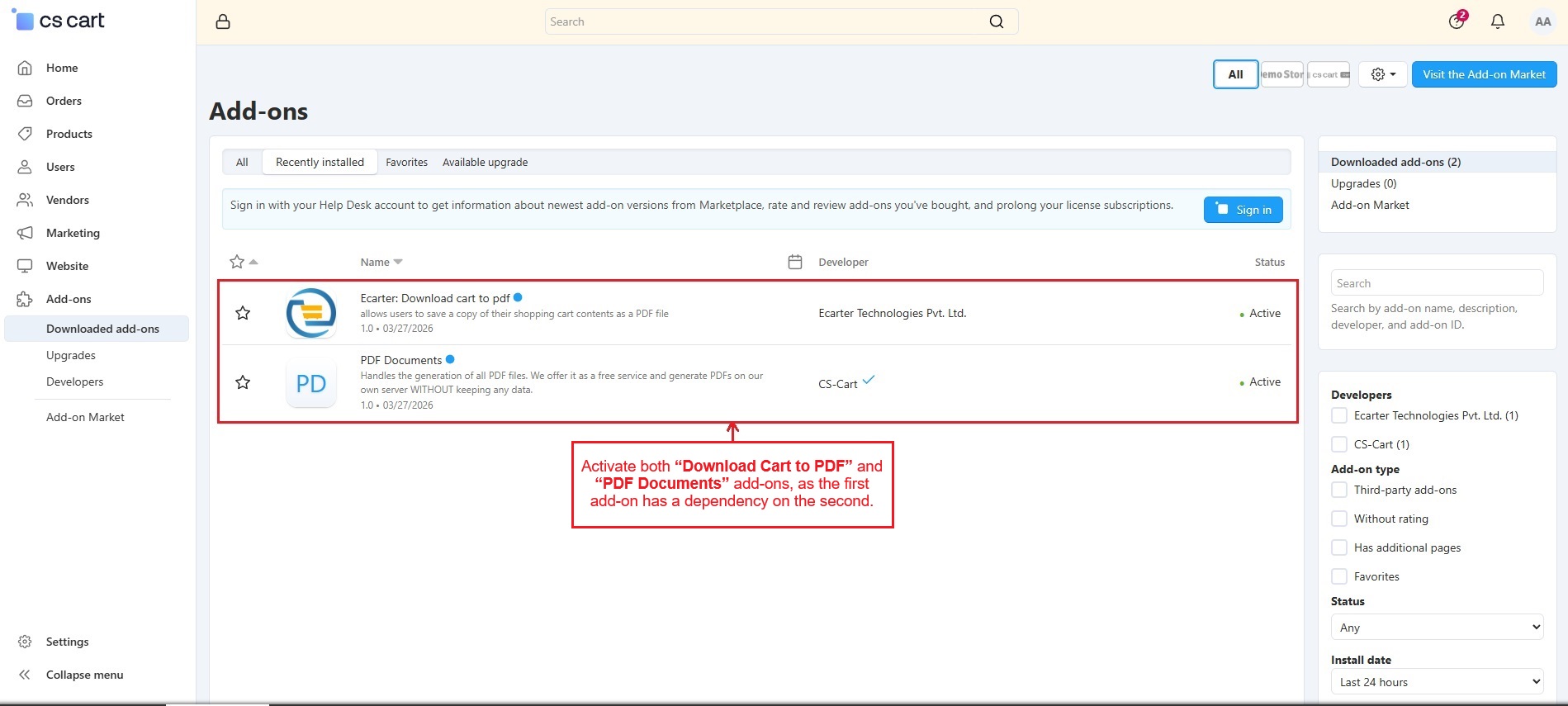
Activate both “Download Cart to PDF” and “PDF Documents” add-ons, as the first add-on has a dependency on the second.
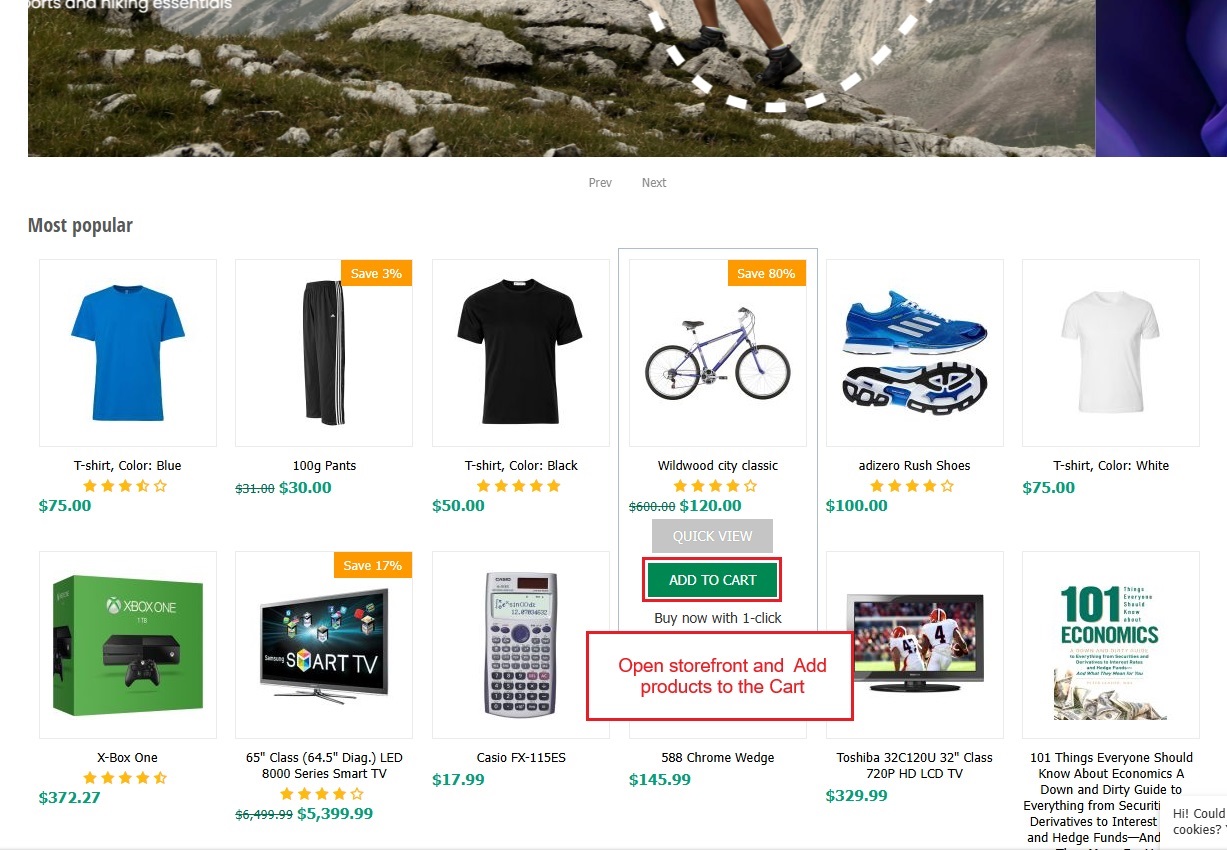
- Navigate to the storefront and add products to the shopping cart.
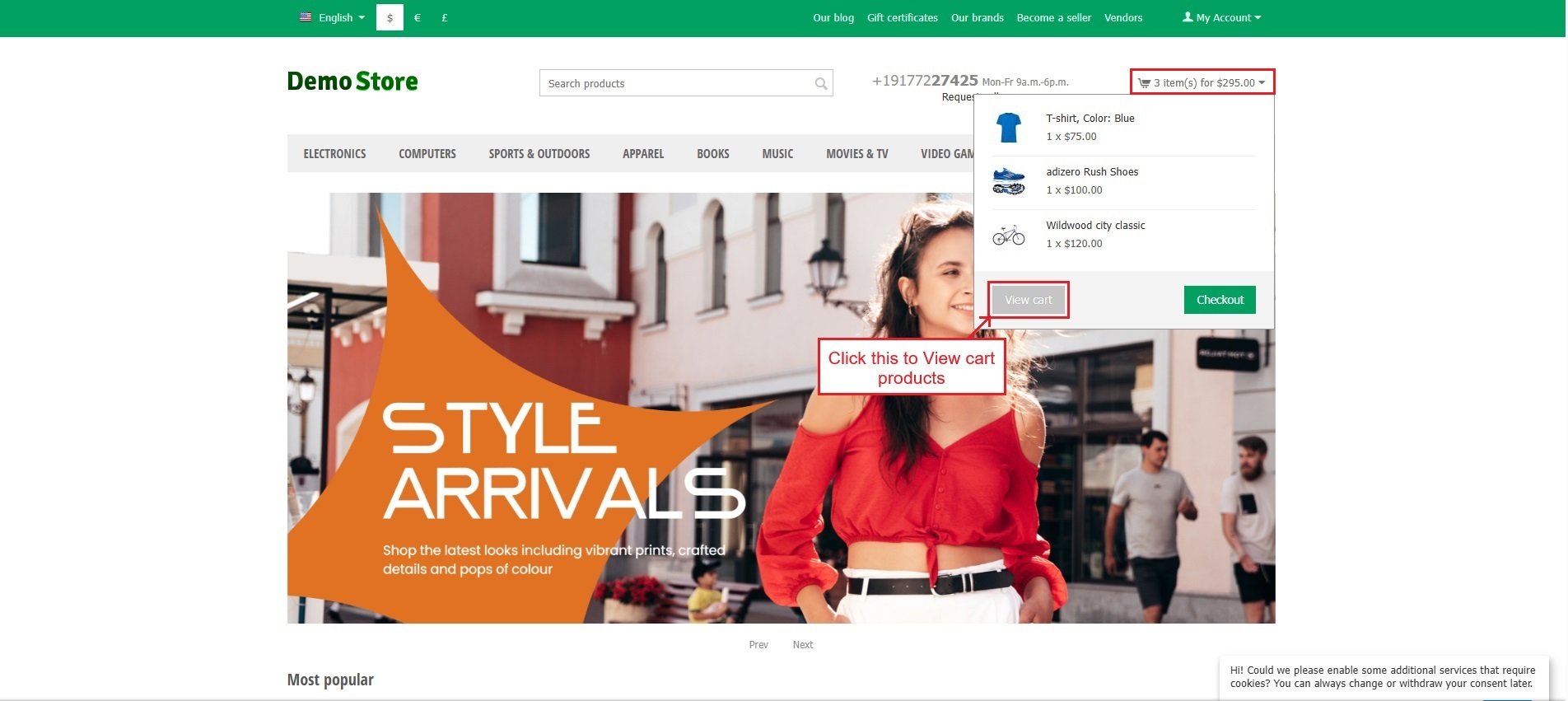
- Go to the cart and select “View Cart” to check the products."
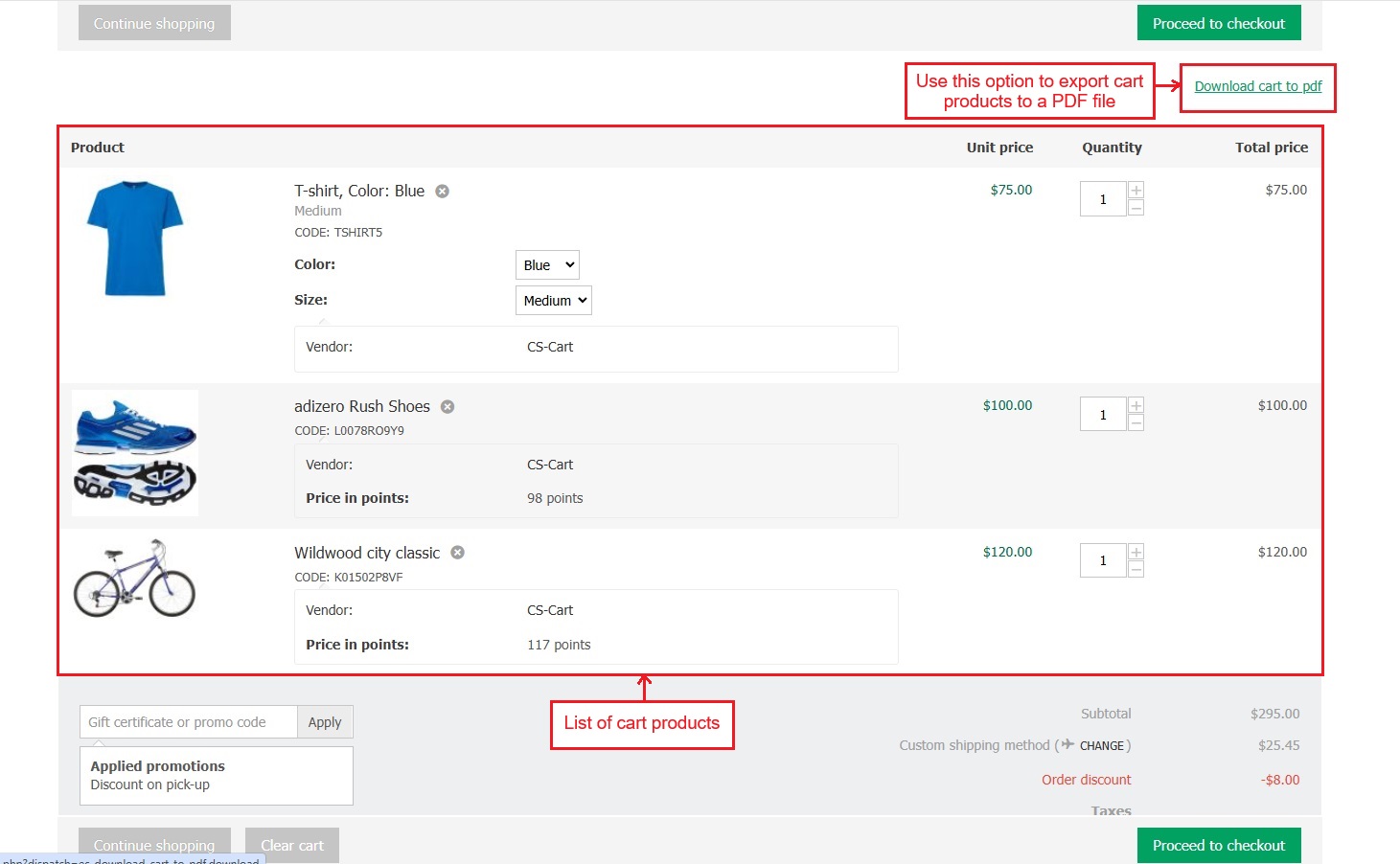
- This page shows a list of cart products. Press the “Download Cart to PDF” option to export cart products to a PDF file.
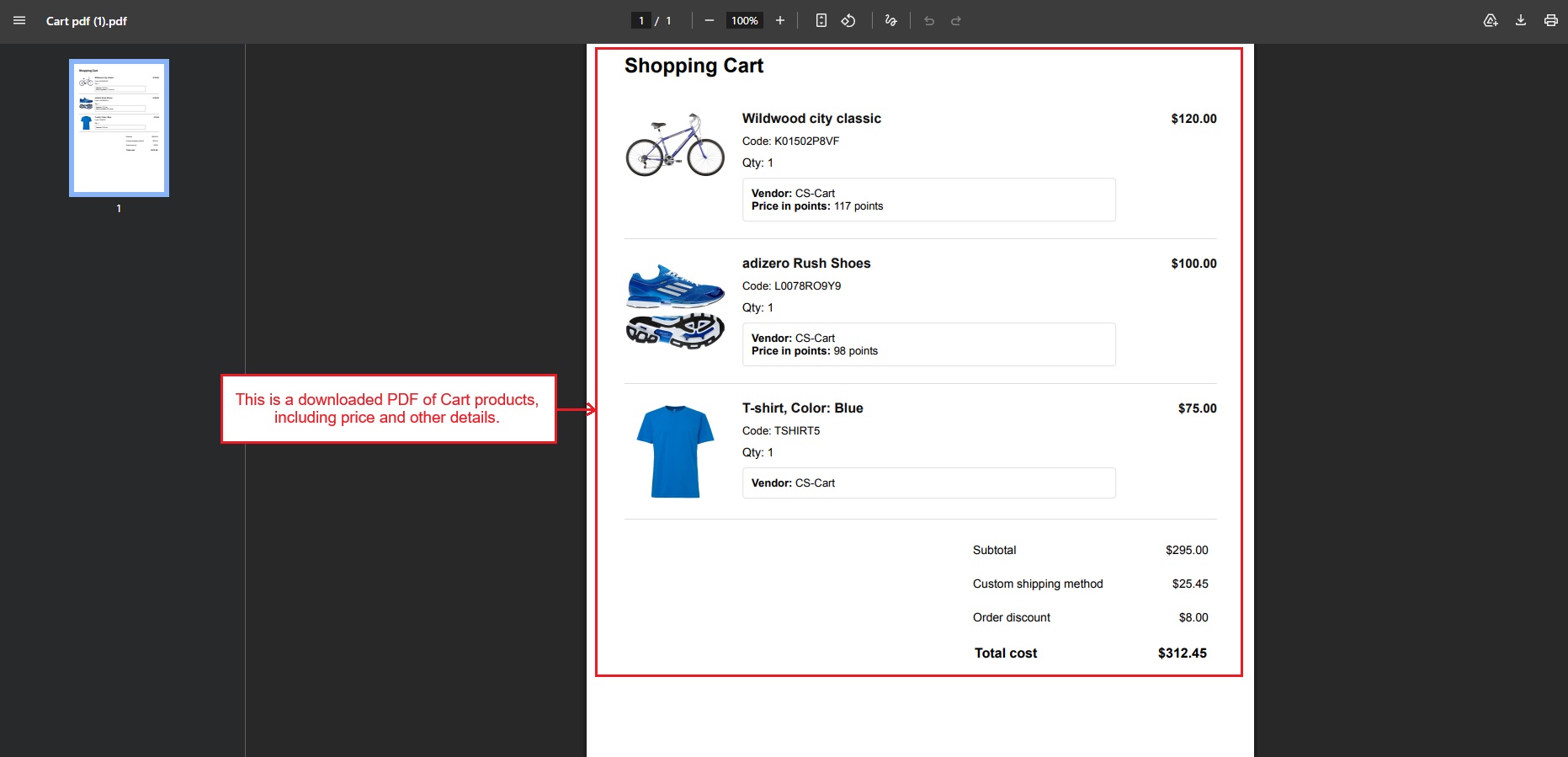
- This is a downloaded PDF of Cart products, including details such as price and quantity.
✅ Final Thought:
The Download Cart to PDF add-on adds a simple and useful feature to the store. It makes it easy to save, share, and review cart details in a clear PDF format, improving the overall shopping experience.




Ecarter Support
Typically replies within a minute

© 2020 - 2026 Ecarter Technologies Pvt Ltd.