
CS-Cart Back to Top Add-on: Scroll Button
The Back to Top Add-on for CS-Cart a smooth scrolling button for easy navigation on long pages. Customizable design and settings enhance user experience and integrate with CS-Cart and Multi-Vendor.
The CS-Cart Back to Top add-on adds a floating "Back to Top" button to your storefront that returns visitors to the top of a page after they scroll down. The button appears once a shopper has scrolled far enough and brings them back up with a smooth scrolling animation, which is useful on long pages such as product detail pages with lengthy descriptions. Its appearance is configurable, so you can adjust the scroll speed, border radius, background color, icon color, hover color, and the button's spacing from the left, right, and bottom to match your store's design. It is built for CS-Cart store owners who want simpler navigation on content-heavy pages and works with both CS-Cart and CS-Cart Multi-Vendor.

This Back to Top Addon for CS-Cart allows you to add a ‘Back To Top’ button to your store that makes it easy for visitors to return to the top of a long page.The ‘Back To Top’ Button is a module that can be installed on your store and provides a way for visitors to return to the top of a page after scrolling to explore content.
When a user has sufficiently scrolled down the page, this helpful button appears to bring them back with a smooth scrolling animation. It is especially convenient on the pages with a lot of content such as product descriptions on the product details pages. Enhance user experience with our Back to Top add-on. Save time of your customers and they will reward you with more purchases!
Feature:-
- Custom Styling: Easily styled to match your website’s design.
- Adjustable Settings: Customizable stripe mode, distance from the top, and animation speed.
- Back to Top Button: Stylish and convenient button for easy navigation.
- CS-Cart Integration: Well integrated with CS-Cart and CS-Cart Multi-Vendor.
Installation:-
How To Install Back To Top Addon
https://store.ecarter.co/blogs/how-to-install-addon/
How the Addon Works
Open the addon and switch to the Settings tab.
- Here we can set the scroller speed, Border Radius, Background color, Icon color and Hover color.
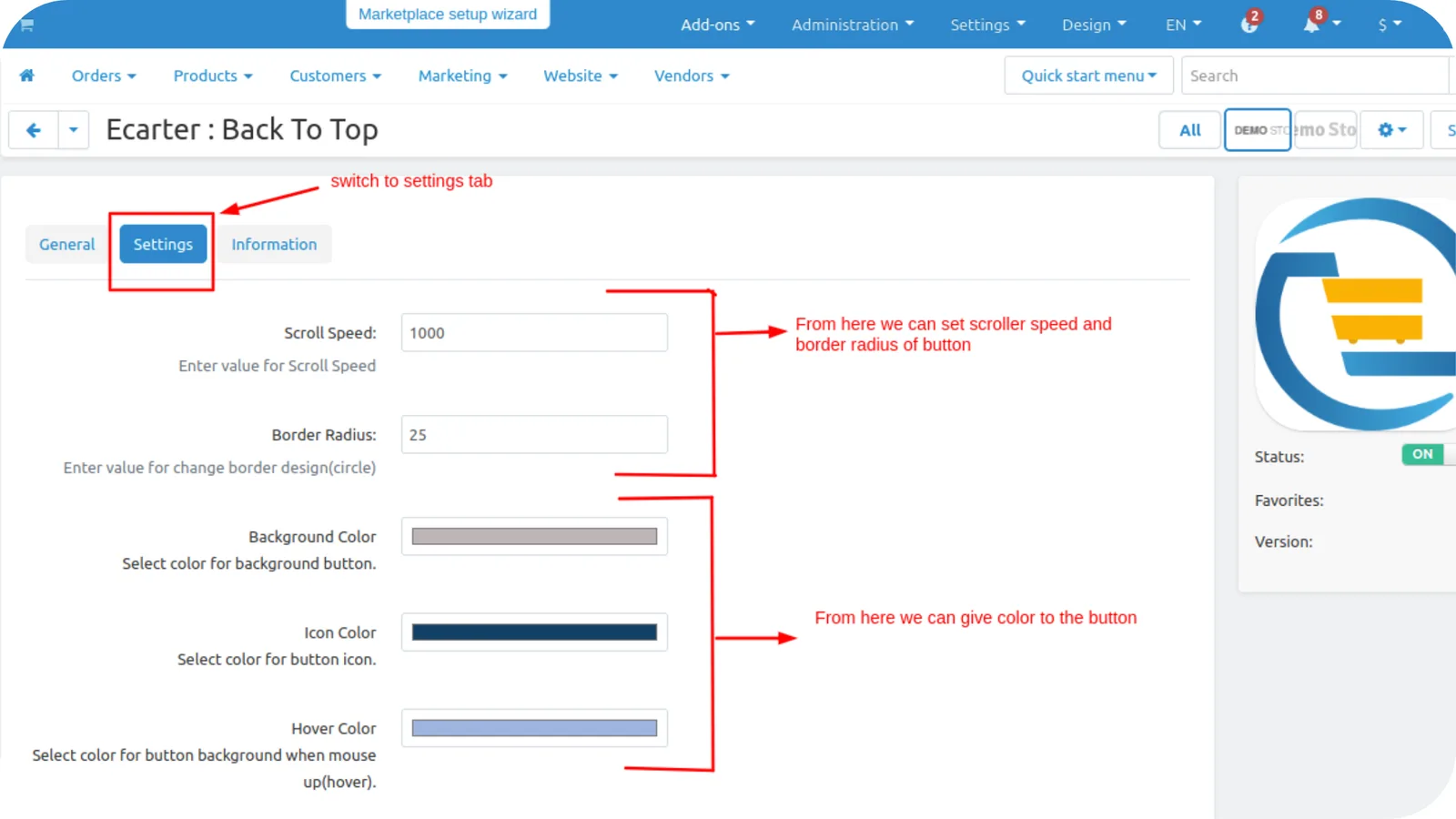
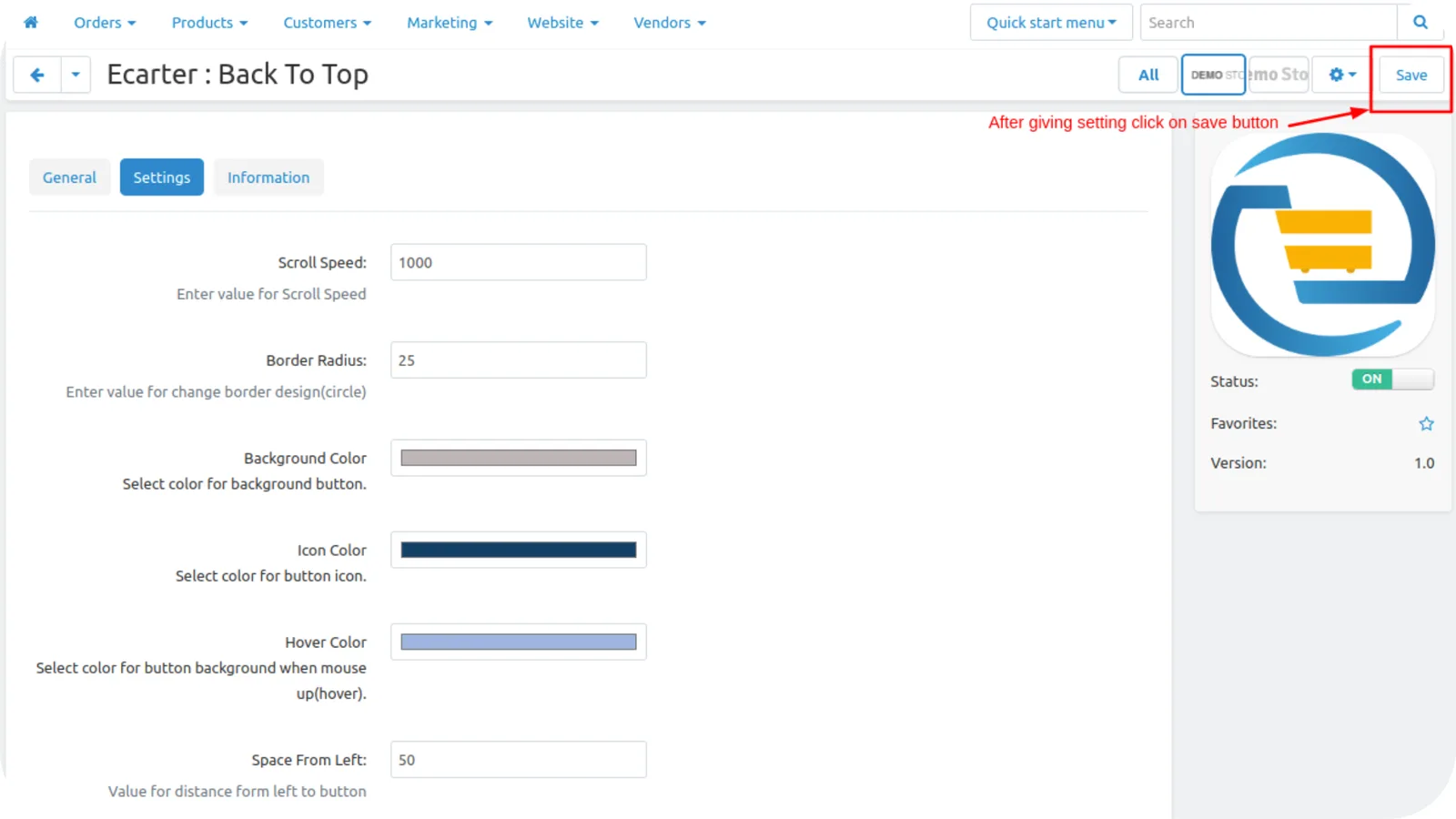
- Admin can set the button spacing like left, right, and from the bottom.
- And then click on the >> save button.

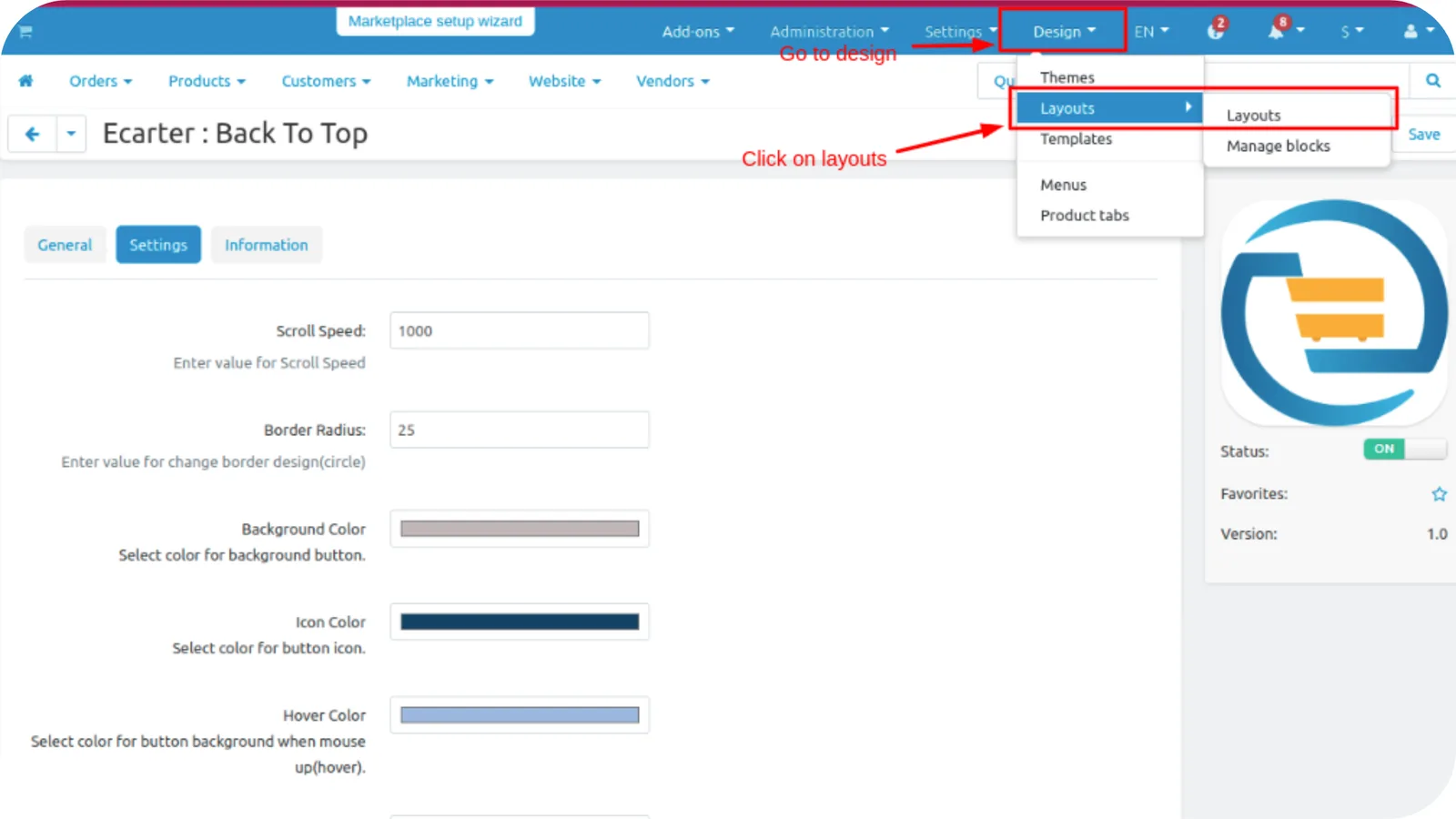
Now Set the button block layout.
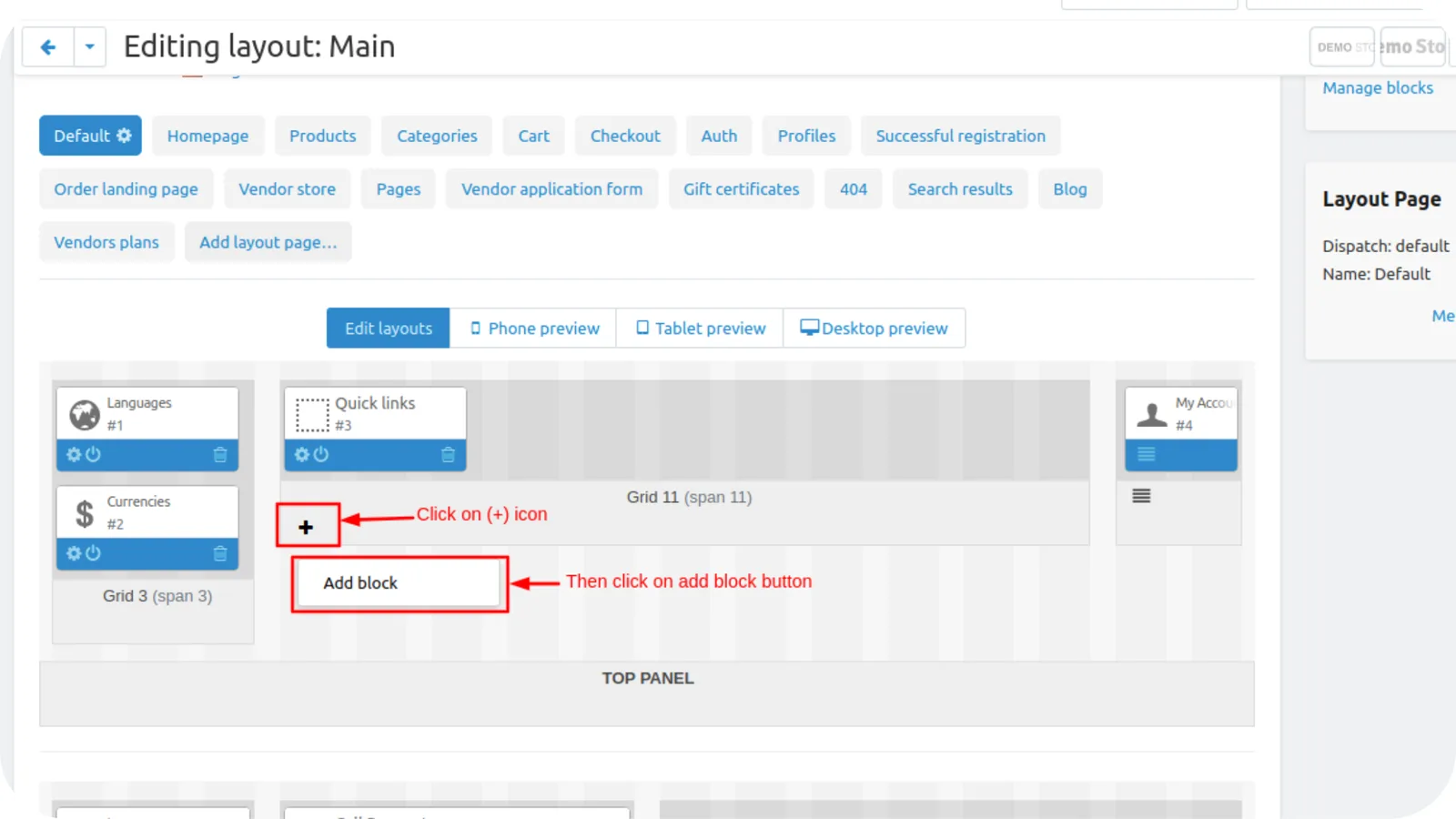
- Go to the design dropdown and click on >> layout, then the block layout page will be open.
- Here we can add the back-to-top button block.
- You can add a block on the homepage tab or you can add on default tab.
- Here we add on default tab.
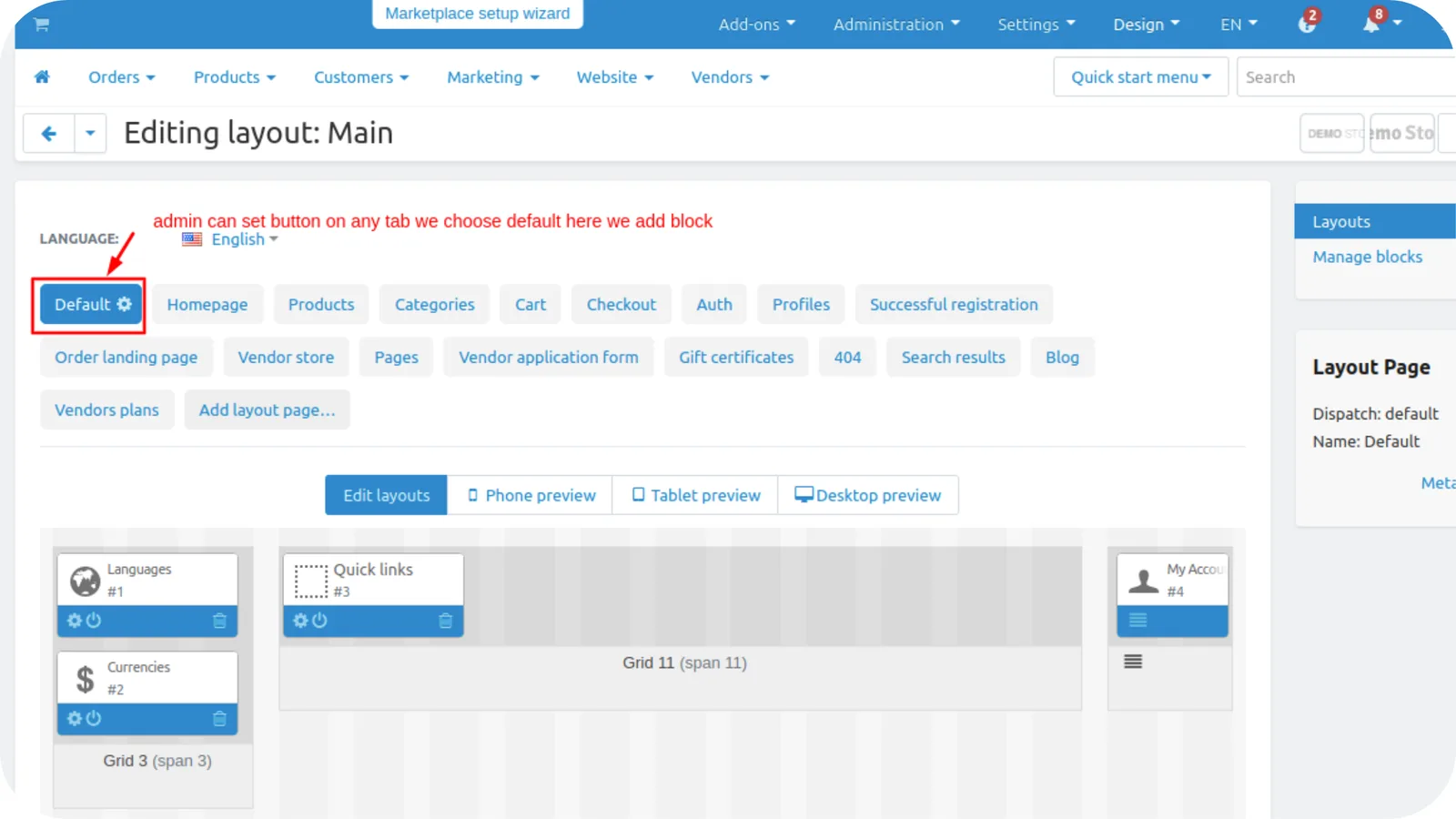
- On the top panel choose grid click on >> (+) icon then click on Add block.
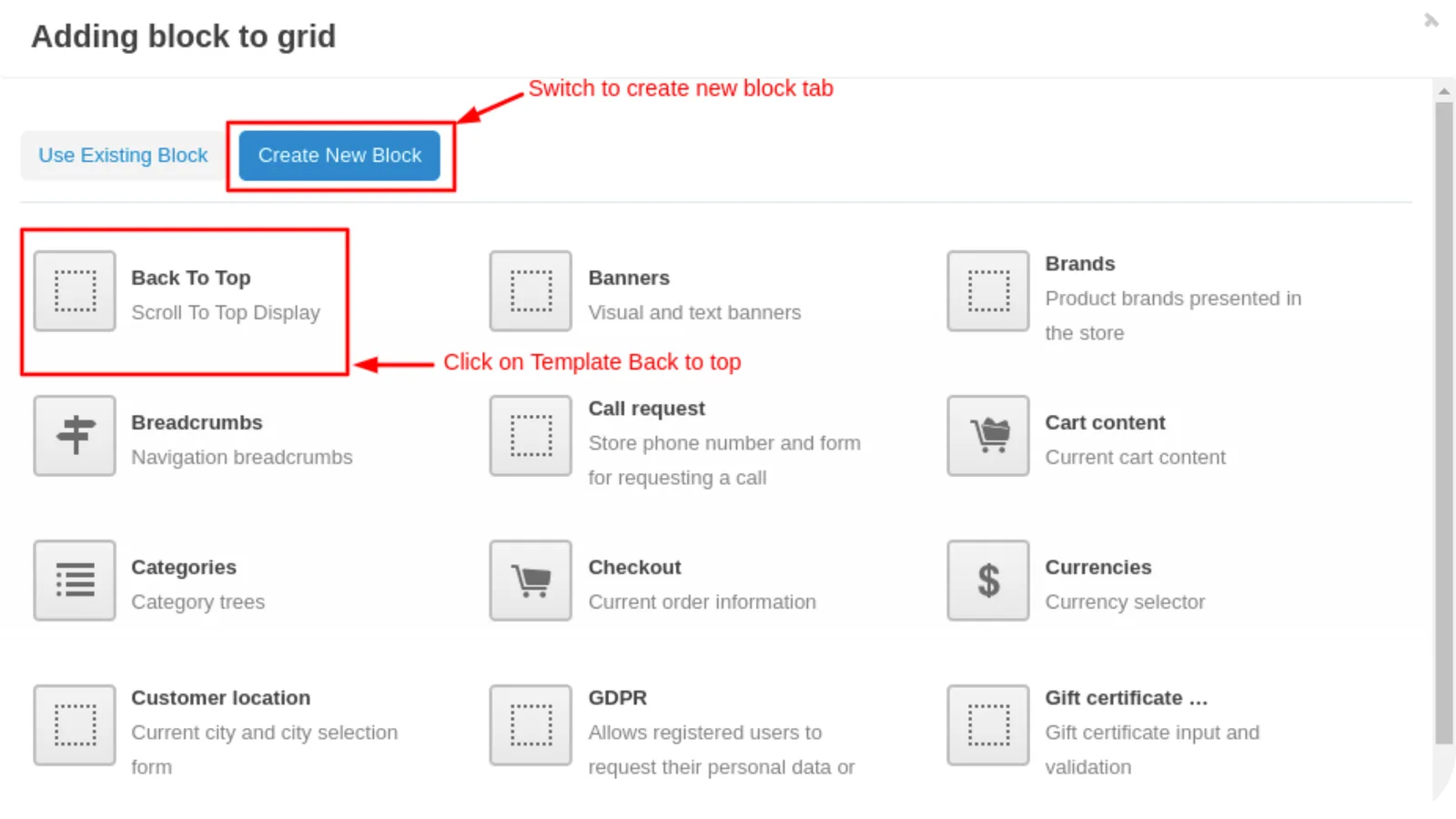
- Switch to Create New Block tab.
- Click on >> Back-To-Top block.
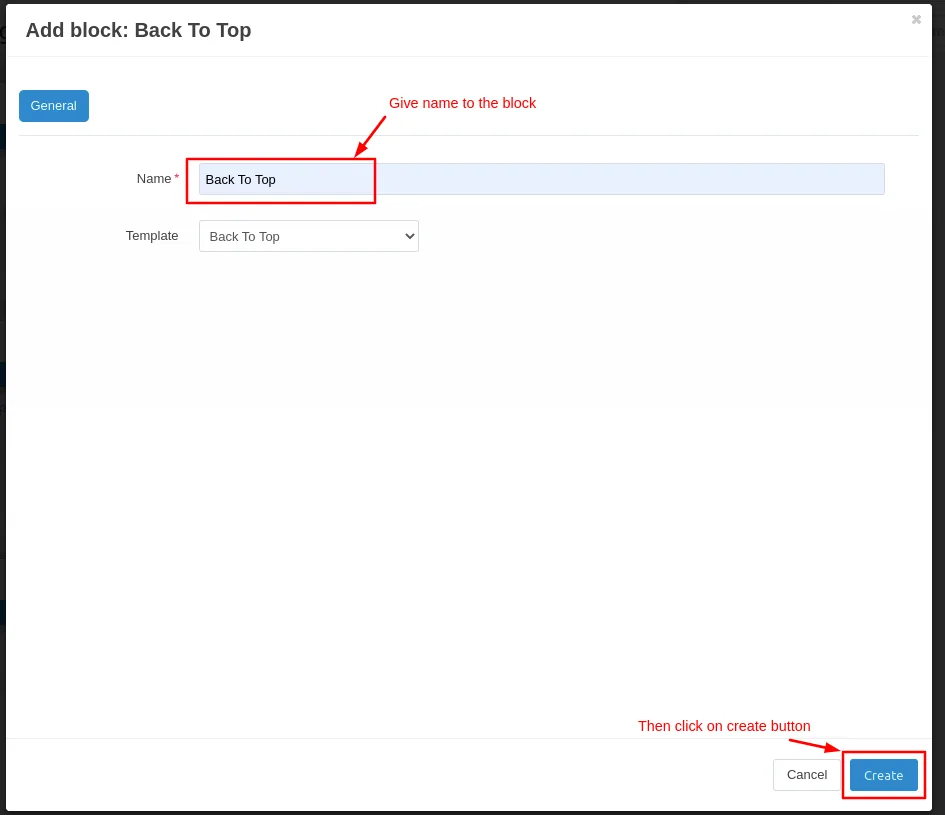
- Write the name of the block.
- Then click on >> create button.
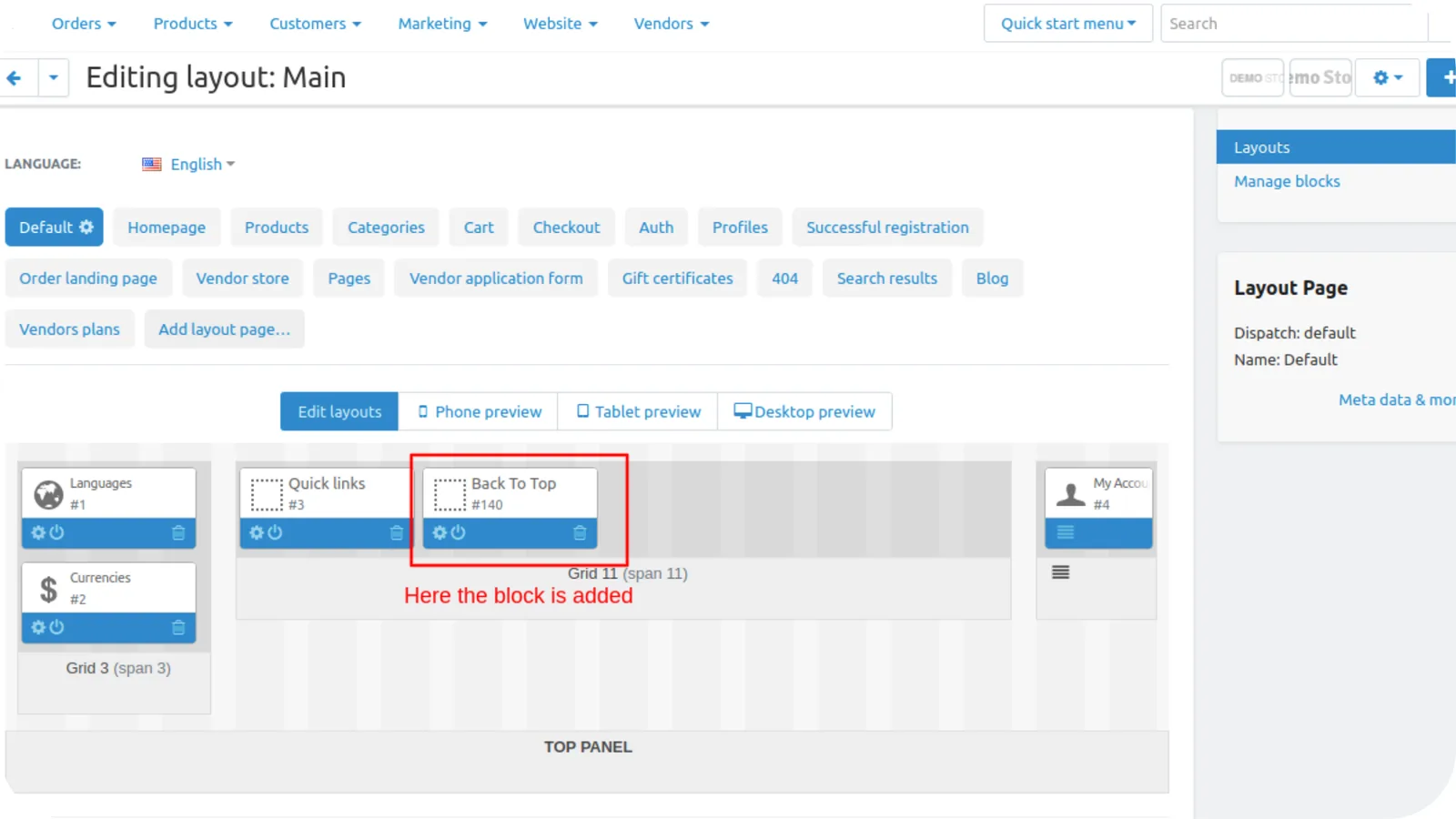
- Here you see the block is added.
- Now go to a storefront.
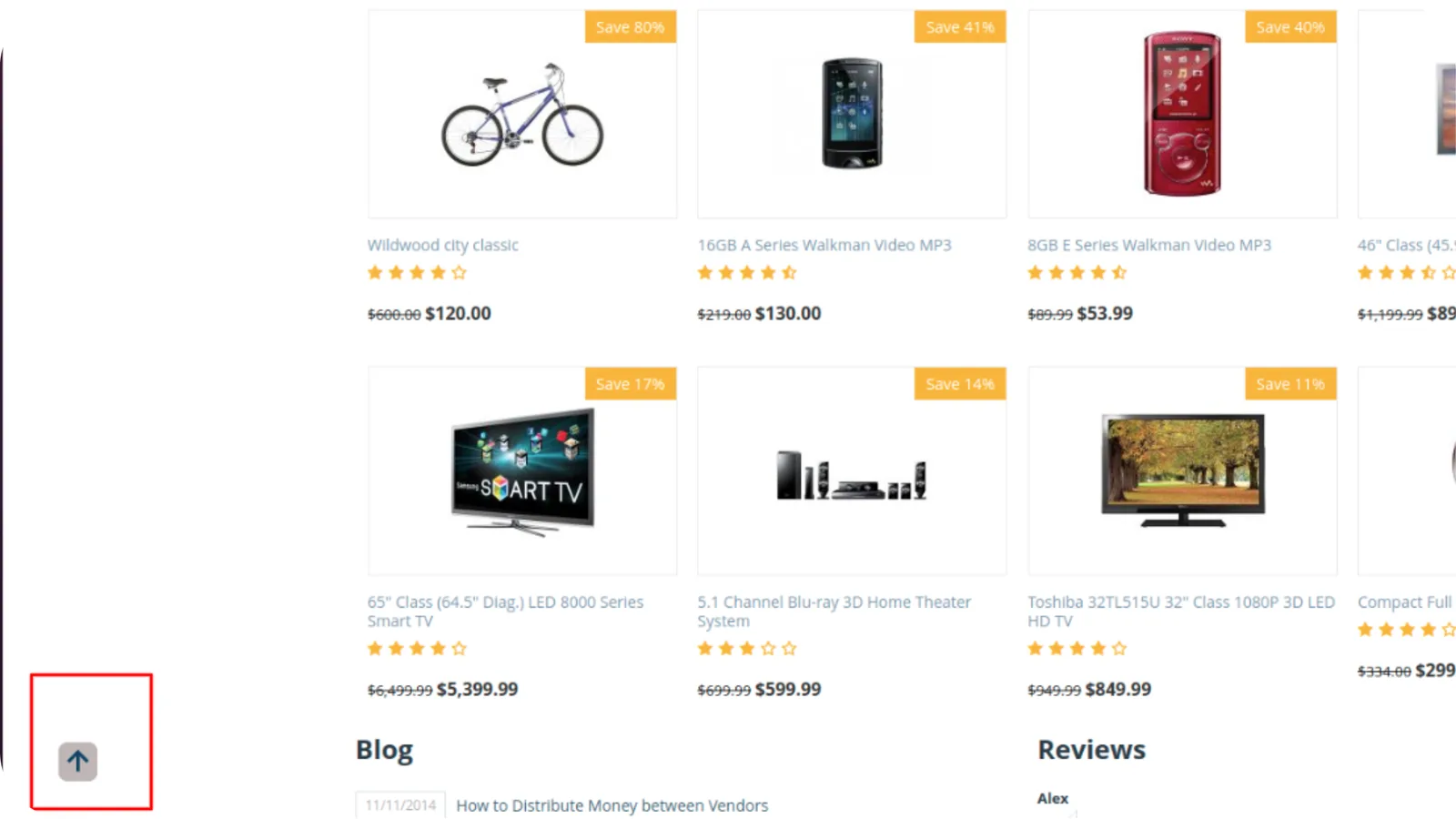
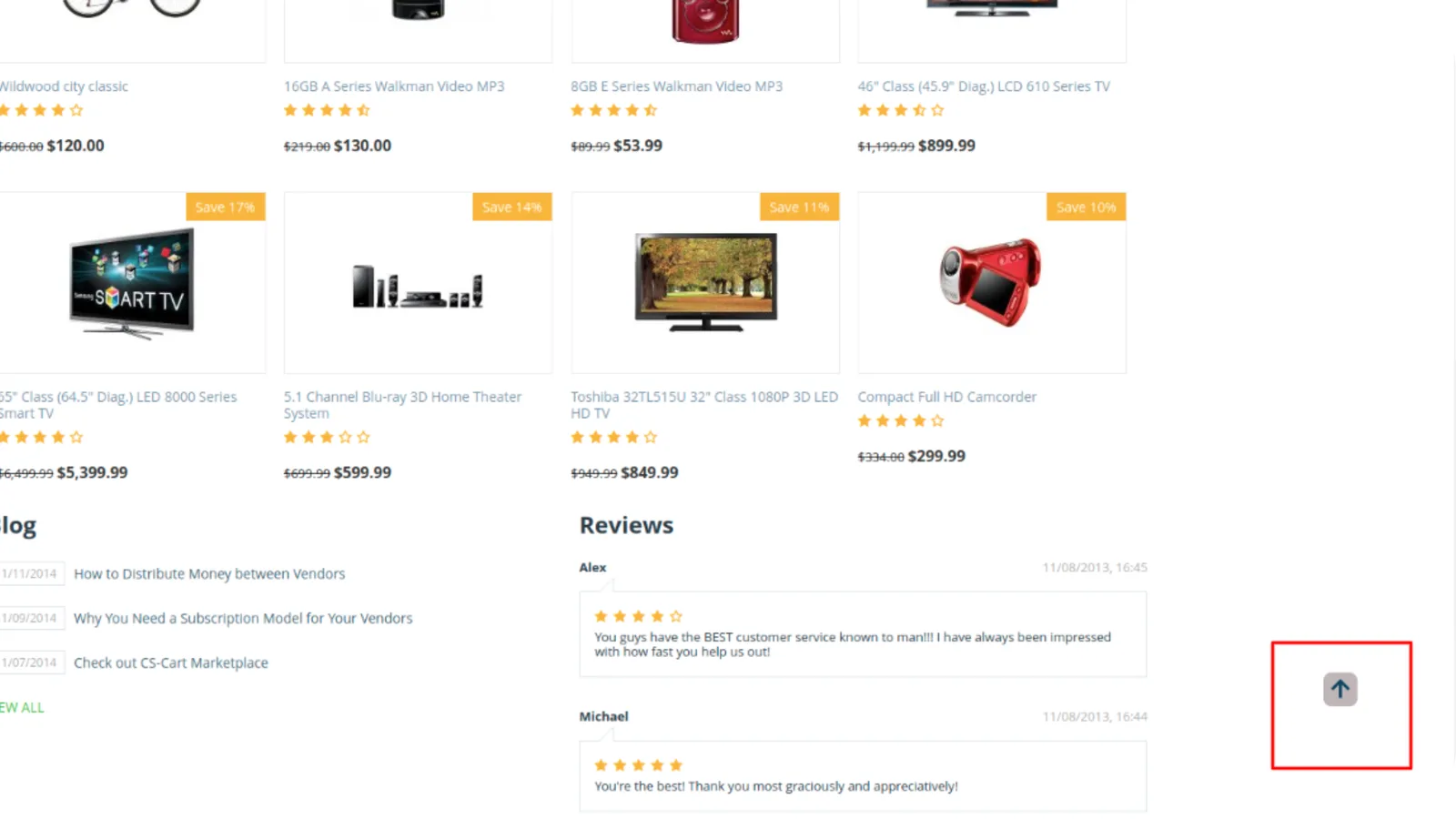
- On the storefront when scroll the page the back to top button is visible when tap to the button it will scroll back to top.
- Admin can change the side of the button like left, right or bottom.
Addon-Version:
Version-1.0
Supported Versions:
CS-Cart, CS-Cart Multivendor 4.8.x, 4.9.x,4.10x,4.11x,4.12,4.13x, 4.14x, 4.15x, 4.16x, 4.17x, 4.18x
Support:
This app is developed and published by Ecarter Technologies Pvt. Ltd., a CS-Cart developer. You are guaranteed quality add-ons.
Frequently asked questions
What does the CS-Cart Back to Top add-on do?
It adds a button that appears after a visitor scrolls down a page and, when clicked, returns them to the top with a smooth scrolling animation. This is particularly helpful on long pages like product detail pages with detailed descriptions.
Can I change how the Back to Top button looks?
Yes. In the add-on's Settings tab you can set the scroller speed, border radius, background color, icon color, and hover color, as well as the button spacing from the left, right, and bottom, then save your changes.
Does it work with CS-Cart Multi-Vendor?
Yes. The add-on is integrated with both CS-Cart and CS-Cart Multi-Vendor.
How do I install the Back to Top add-on?
It installs like a standard CS-Cart add-on, and a step-by-step guide is available at store.ecarter.co/blogs/how-to-install-addon/. After installing, open the add-on and use the Settings tab to configure and save the button options.
Nisha Gaur is a Technical Content Writer at Ecarter Technologies. She writes technical documentation, tutorials and buying guides covering CS-Cart, Magento, Shopify and eCommerce development.