
CS-Cart Email Catcher Add-on: Log & Debug Mail
Email Catcher Addon for CS-Cart allows you to manage email communication effectively by choosing between blacklist and whitelist modes
The Email Catcher Add-on for CS-Cart gives store owners control over which outgoing emails are sent and where they go. It works in two modes: Blacklist mode, where only addresses in the Email List are blocked while all other (forced) emails are allowed, and Whitelist mode, where only addresses in the Email List are allowed and everything else is blocked. It also offers a forced email option that redirects all store email to a single address, which is useful for logging and debugging mail during testing or staging without messaging real customers. It suits developers and administrators who want to catch, restrict, or redirect the emails CS-Cart sends for actions like placing orders, updating profiles, and changing order statuses.

Email Catcher Addon for CS-Cart allows you to manage email communication effectively by choosing between blacklist and whitelist modes. In Blacklist mode, only emails in the “Email List” are blocked, while all forced emails are allowed. In Whitelist mode, only emails in the “Email List” are allowed, and all others are blocked.
Additionally, there is a forced email address option where all emails will be redirected. This addon helps you manage email handling for various like placing orders, updating profiles, changing order statuses, etc within your store, ensuring streamlined communication and enhanced security.
Features:
- Blacklist Mode: Only emails in the “Email list” will be blocked.
- Whitelist Mode: Only emails in the “Emai list” will be allowed.
- E-mail List Management: Easily Manage email addresses for both blacklist and whitelist modes.
- Forced Email Redirection: Redirect all email communications to a specific forced email address.
- Update Notifications: Receive forced email notifications for any update in the platform (e.g., product order, profile update, order status change).
- Improved Security: Protect your store from unauthorized email access by controlling which emails are allowed or blocked.
- Streamlined Communication Ensure smooth email communication by managing email handling effectively.
- CS-Cart Support info: The addon is well integrated with CS-Cart Multi-Vendor and can be used with its standard, Plus, and Ultimate Versions.
Installation:
How to install Addon
https://store.ecarter.co/blogs/how-to-install-addon/
How Addon Works
- Open the addon.
- Switch on the Settings Tab.
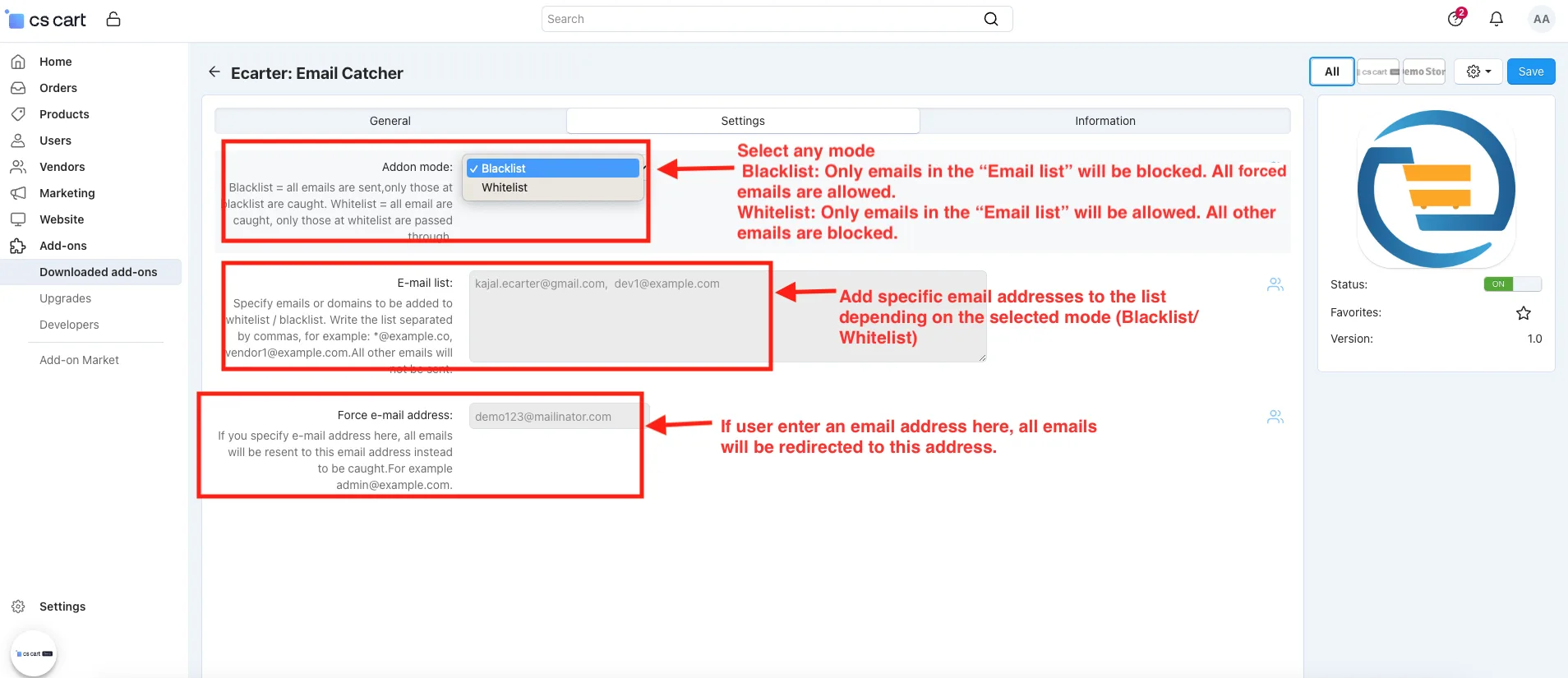
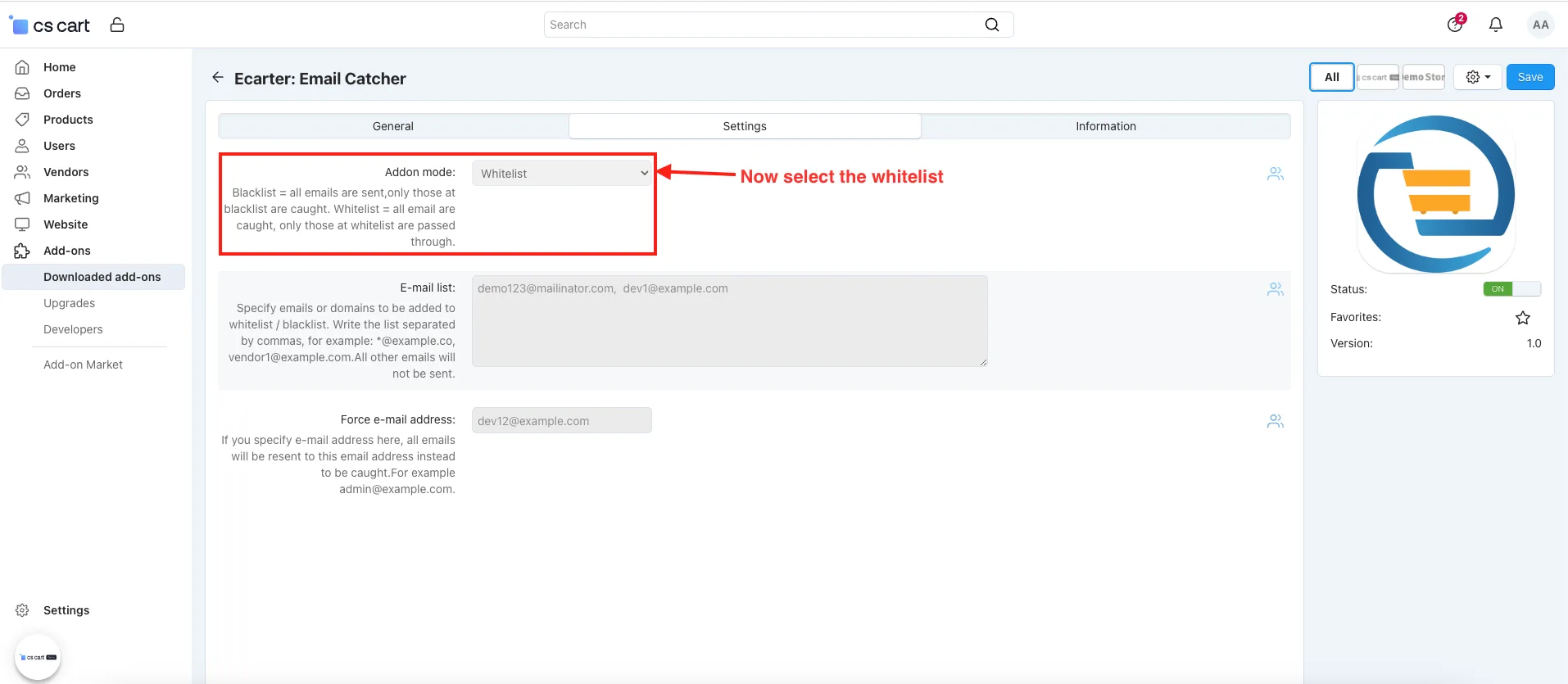
- Addon Mode: Select any mode
Blacklist: Only emails in the “Email list” will be blocked. All forced emails are allowed.
Whitelist: Only emails in the “Email list” will be allowed. All other emails are blocked.
- E-mail List: Add specific email addresses to the list depending on the selected mode (Blacklist/Whitelist).
- Forced e-mail address: If user enter an email address here, all emails will be redirected to this address.
- If users update in cs-cart platform like ordering any product, updating your profile and updating order status, etc.
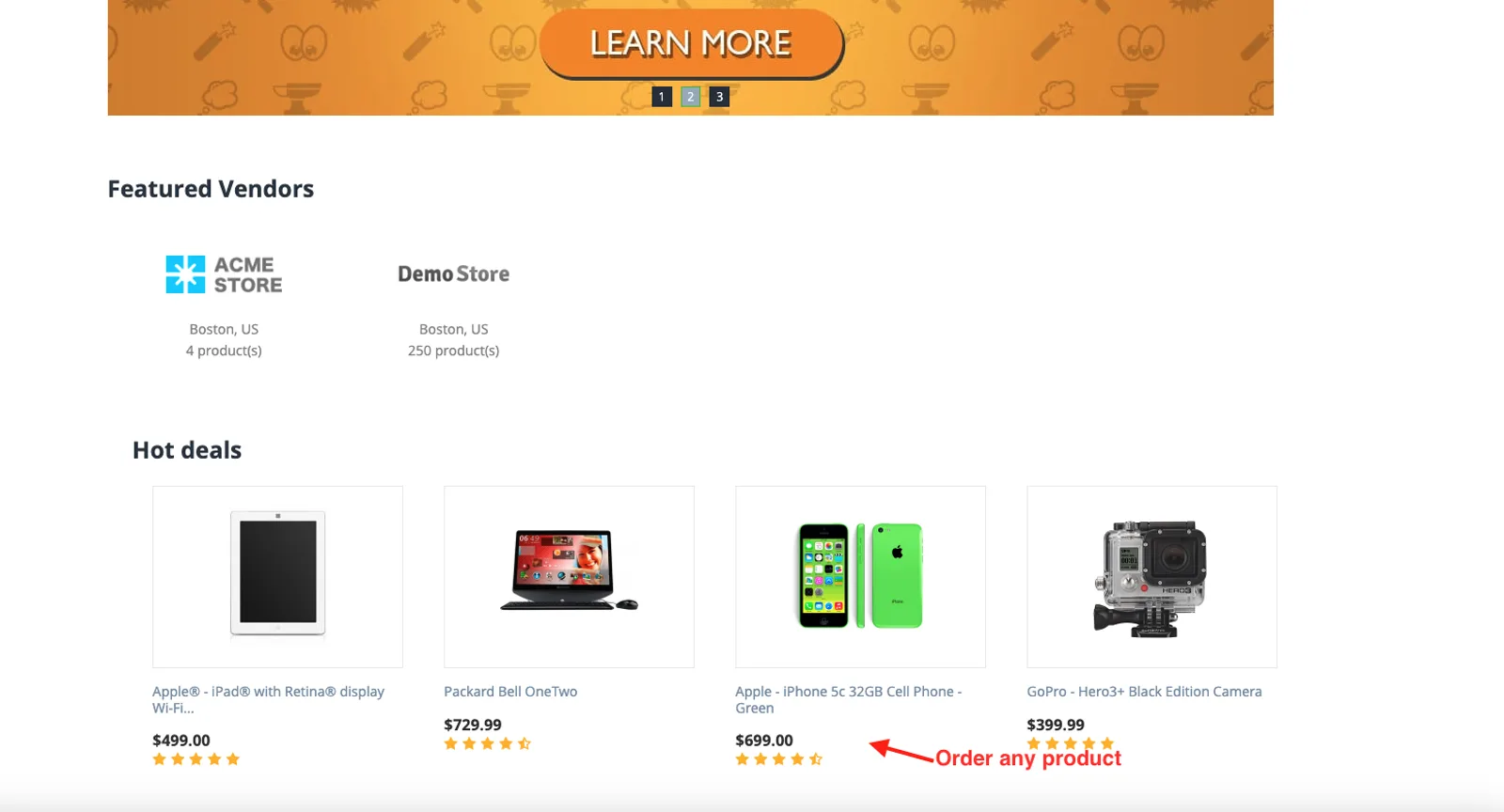
- Order any product.
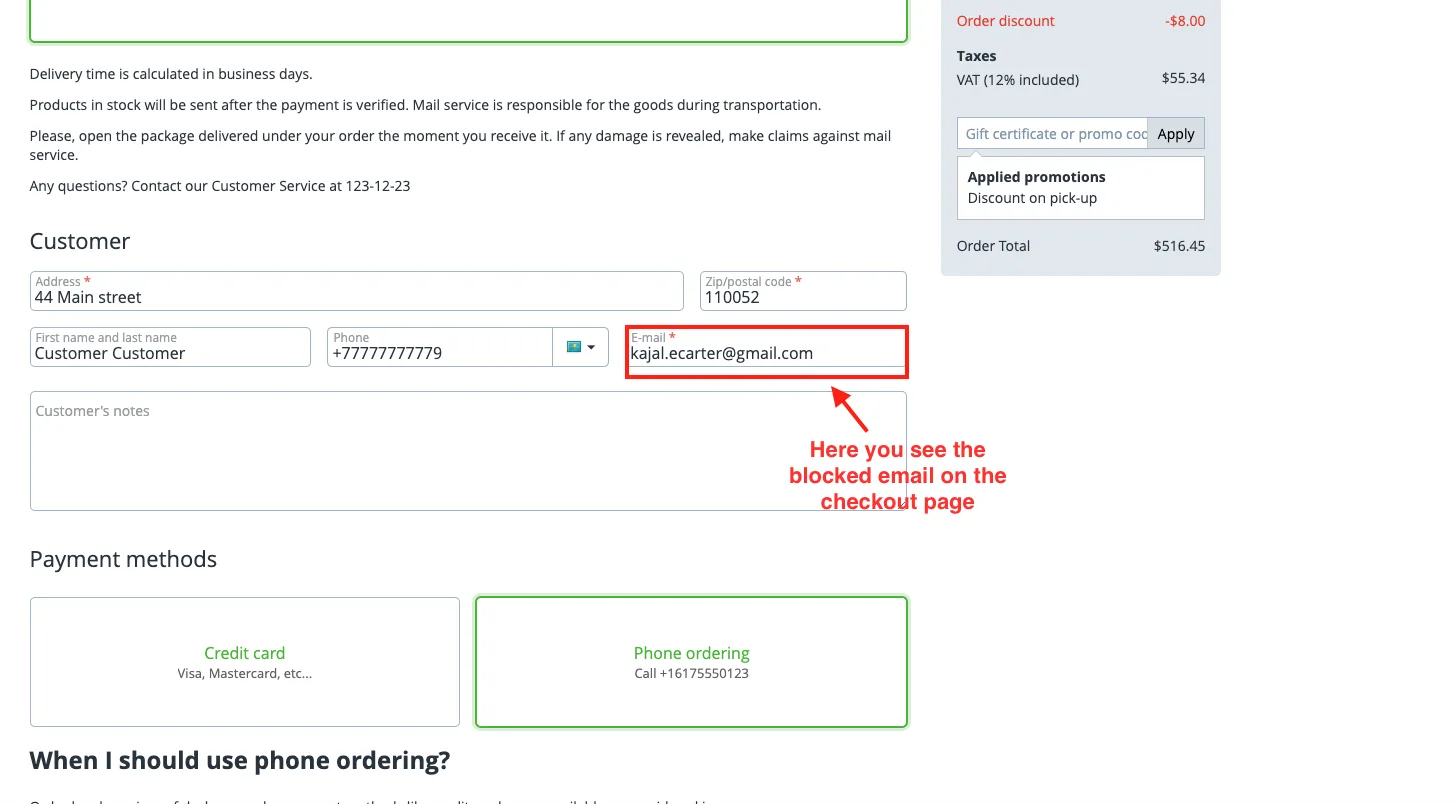
- Here you see the blocked email on the checkout page.
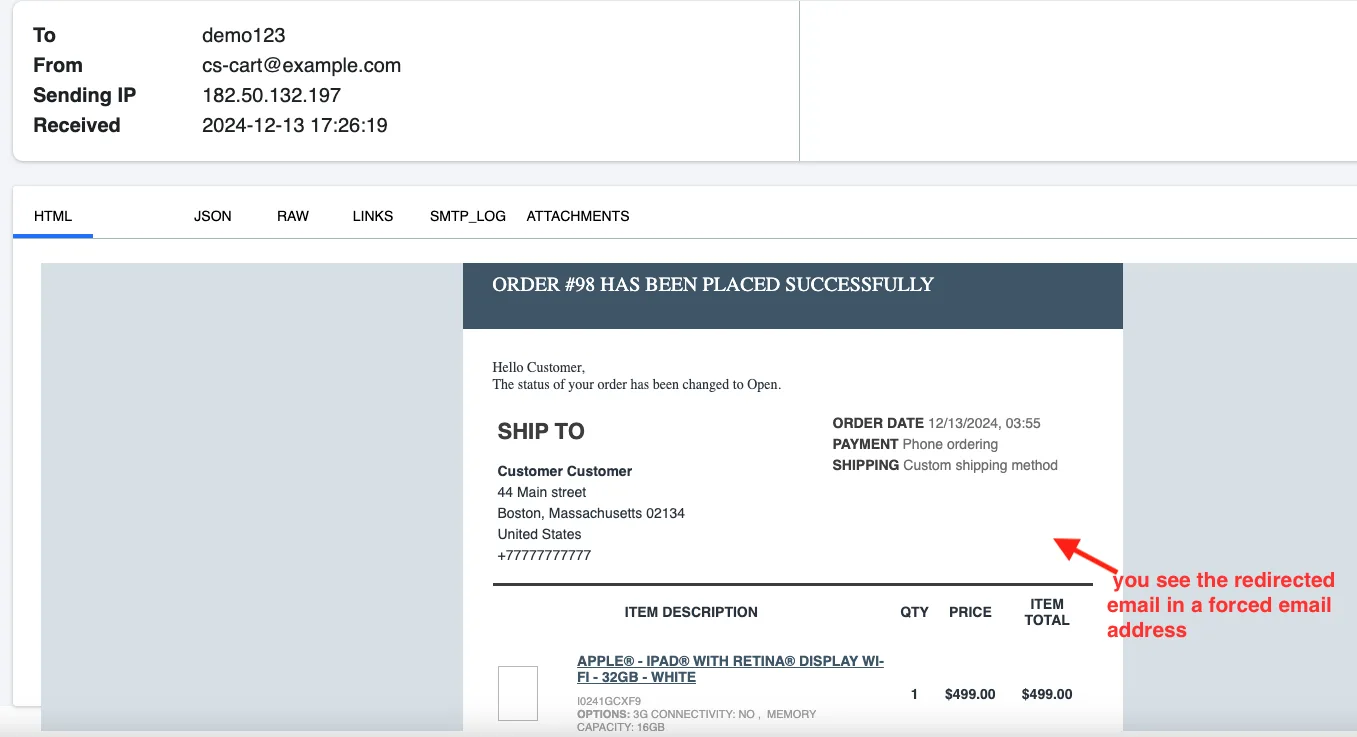
- After placing an order product you see the redirected email in a forced email address.
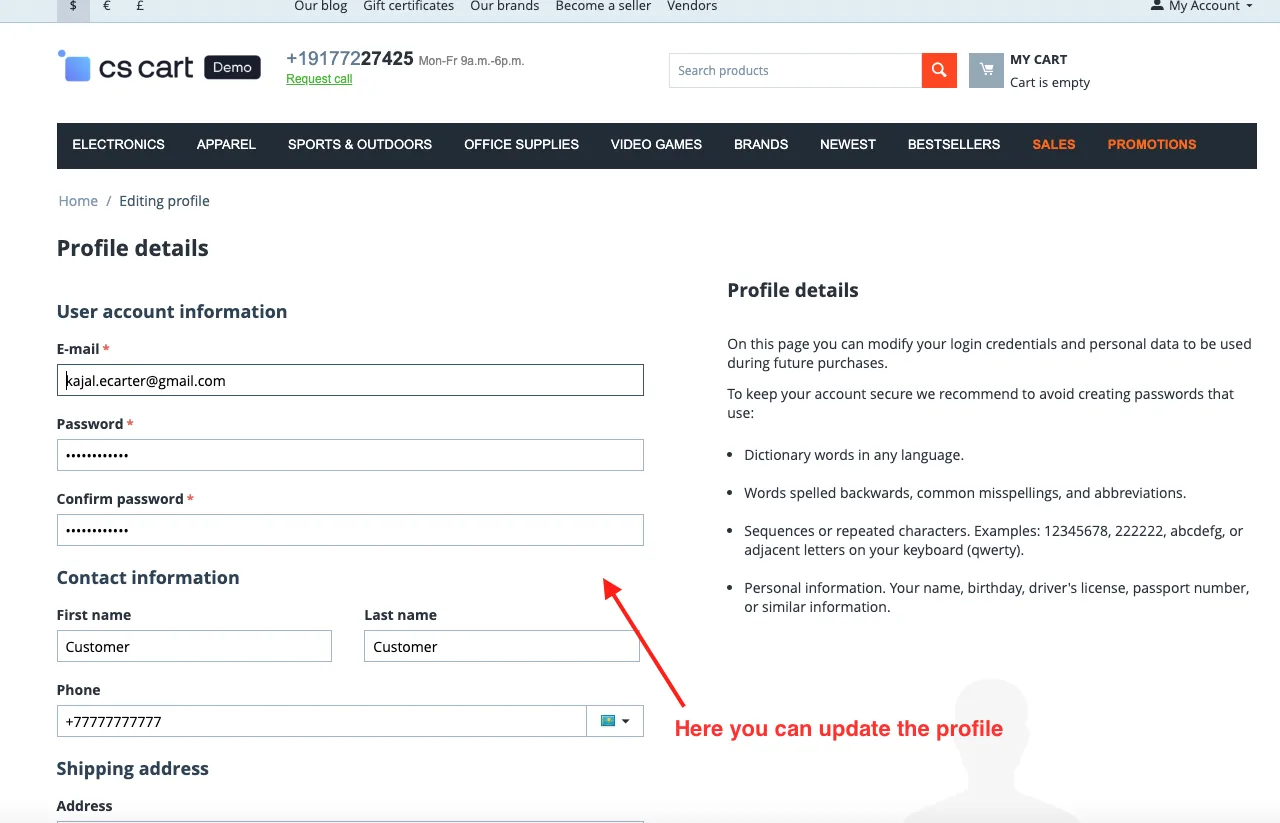
- Here you can update the profile.
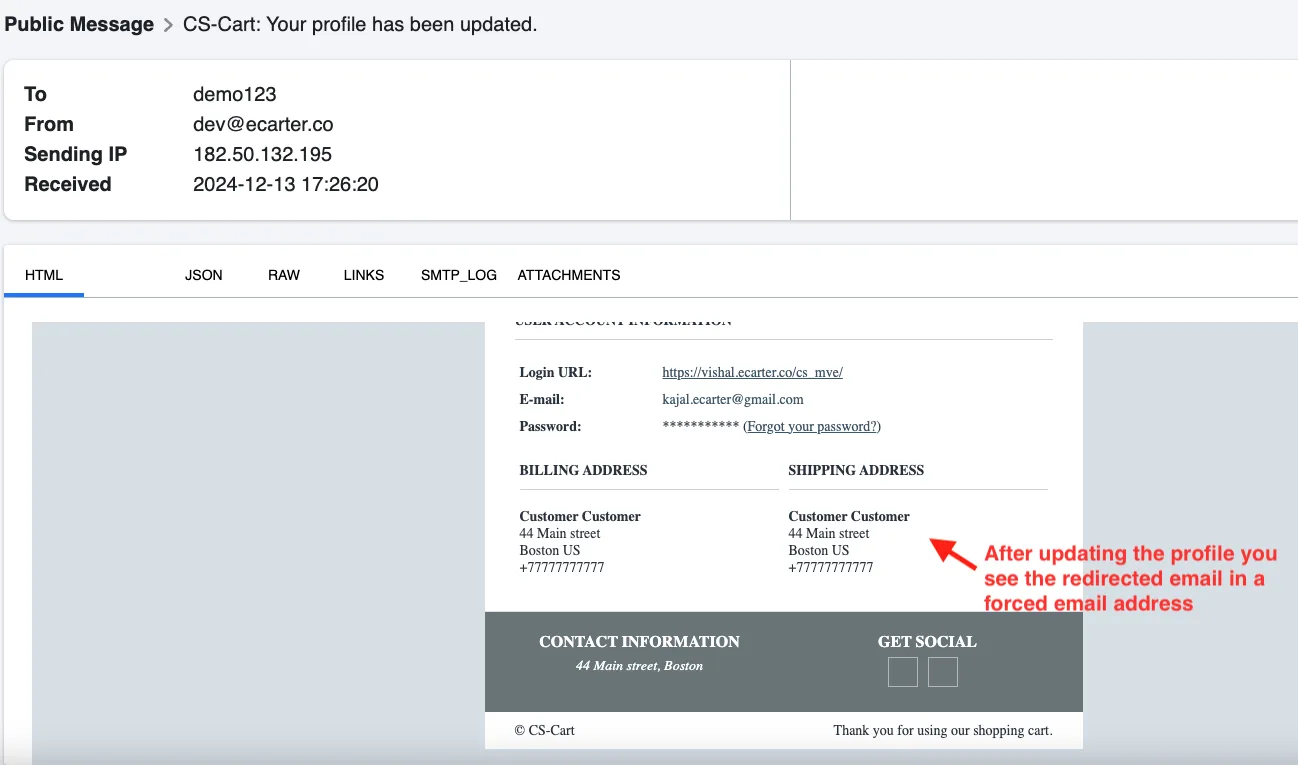
- After updating the profile you see the redirected email in a forced email.
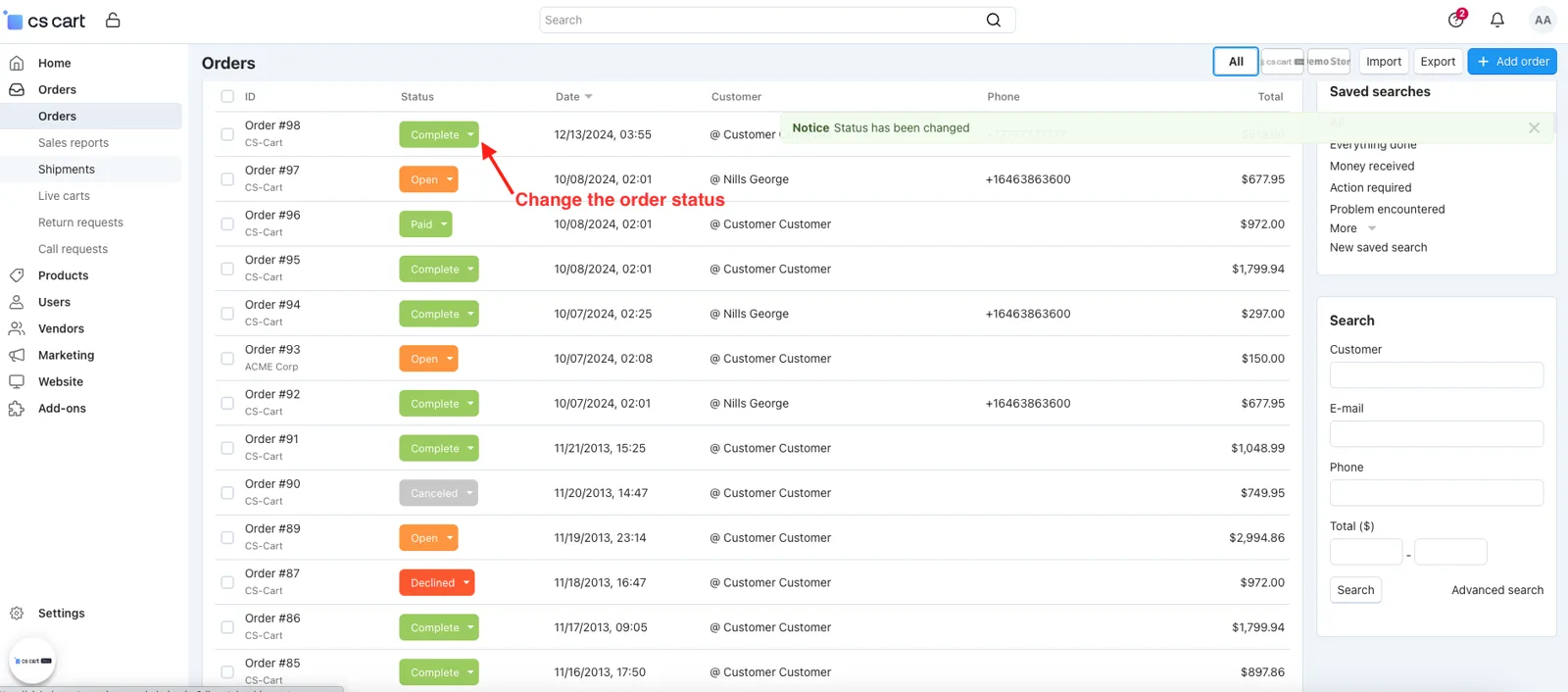
- Change the order status.
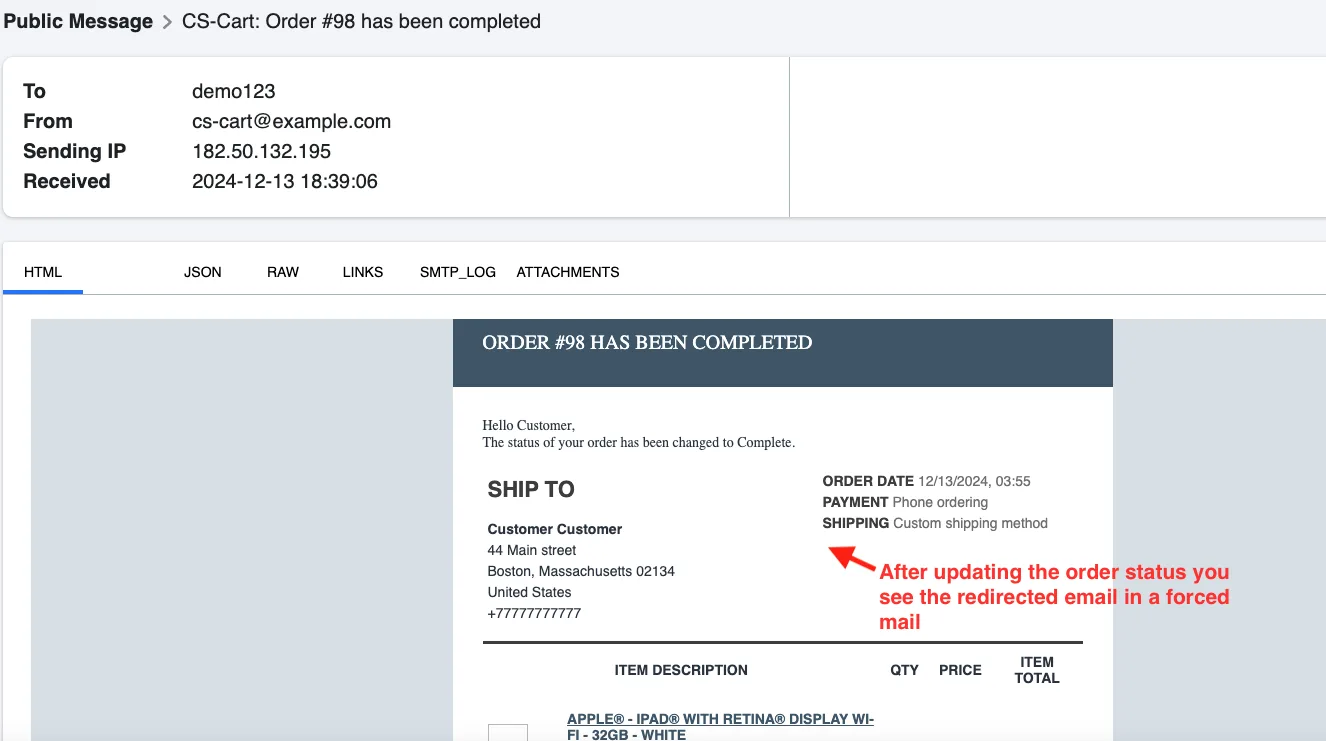
- After updating the order status you see the redirected email in a forced mail.
- Now select the whitelist in settings.
- Order any product.
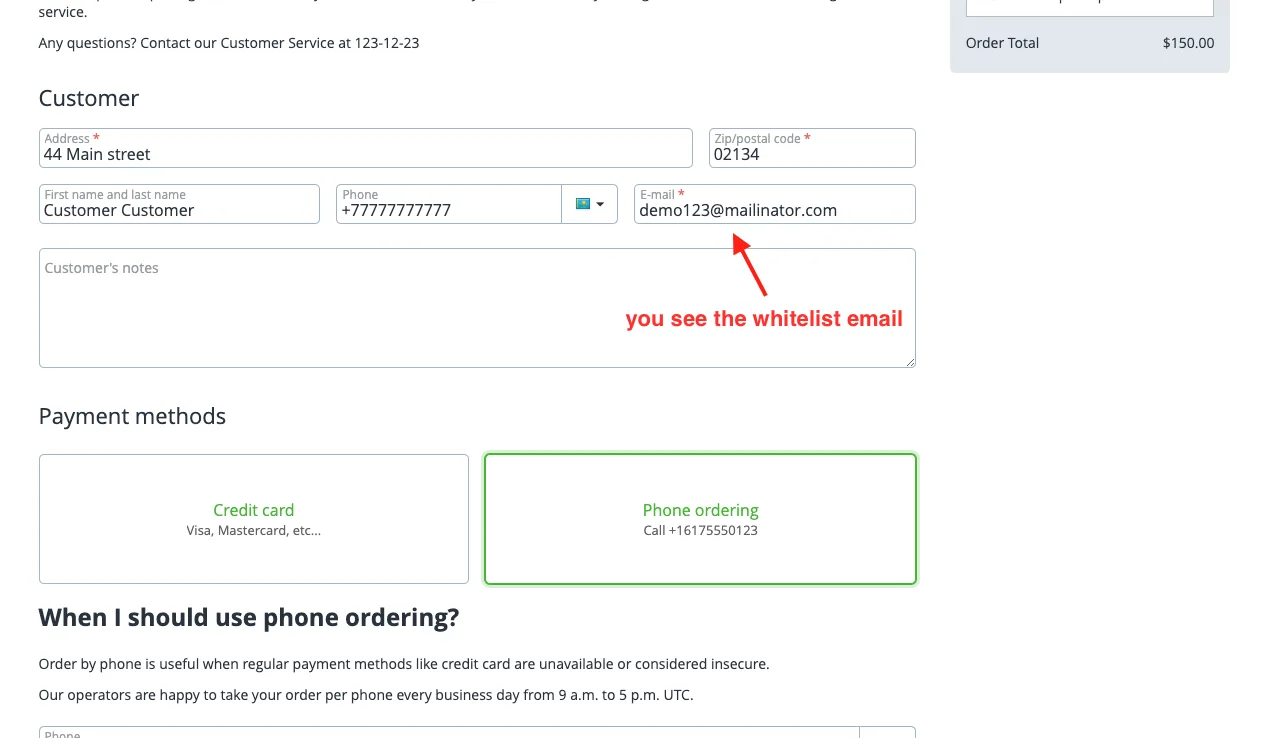
- Here you see the whitelist email on the checkout page.
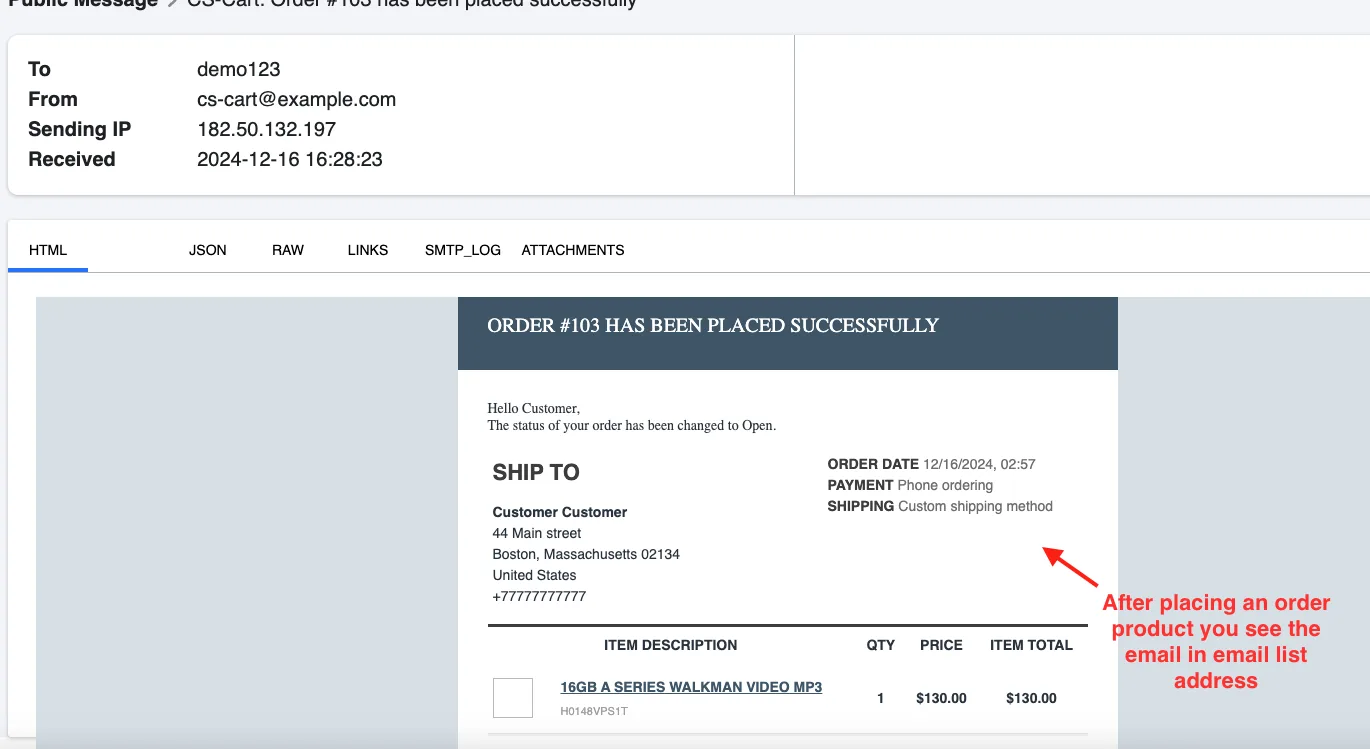
- After placing an order product you see the email in the email list address.
Addon-Version:
Version-1.0
Supported Versions:
CS-Cart, CS-Cart Multivendor 4.8.x, 4.9.x,4.10x,4.11x,4.12,4.13x, 4.14x, 4.15x, 4.16x, 4.17x, 4.18x
Support:
This app is developed and published by Ecarter Technologies Pvt. Ltd., a CS-Cart developer. You are guaranteed quality add-ons.
Frequently asked questions
What is the difference between Blacklist and Whitelist mode?
In Blacklist mode, only the addresses listed in the Email List are blocked and all other forced emails are allowed. In Whitelist mode, only the addresses in the Email List are allowed to receive mail and all others are blocked.
What does the forced email redirection option do?
It redirects all store email communication to a single specified address. This lets you capture messages that CS-Cart would normally send to customers, which is helpful for testing and debugging without contacting real recipients.
Which store events does the add-on control emails for?
It manages the emails CS-Cart sends for common store actions such as placing orders, updating profiles, and changing order statuses, so you can decide which of these notifications are sent or blocked.
Is the add-on compatible with CS-Cart Multi-Vendor?
Yes, it is integrated with CS-Cart Multi-Vendor. If you are running a specific CS-Cart or Multi-Vendor version, share it with us and we will confirm compatibility for your setup.
Nisha Gaur is a Technical Content Writer at Ecarter Technologies. She writes technical documentation, tutorials and buying guides covering CS-Cart, Magento, Shopify and eCommerce development.