
Google Shopping Feed
Google Shopping feed Addon helps the admin to generate and download an XML file with your product data.
The Google Shopping Feed add-on for CS-Cart lets store admins generate and download an XML feed of their product data for use with Google Shopping. It builds the feed from configurable rules and can automatically exclude out-of-stock products, so the data you submit stays accurate and up to date without manual editing. Admins map their store's attribute codes to Google Shopping attribute codes, then generate, download, and preview the resulting XML file from the Marketing menu. It works with CS-Cart Multi-Vendor and is aimed at store owners and administrators who want a faster, more reliable way to keep their product feed current.

Google Shopping feed Addon for CS-Cart helps the admin to generate and download an XML file with your product data. Using this addon automatically removes out-of-stock products if needed. It streamlines the process, saving time and ensuring accurate, up-to-date product details.
Features:
- Generate XML: Create an XML for your products based on the rules.
- Remove Out of Stock: Remove products out of stock from the XML file.
- Download XML File: download your product XML file.
- View Downloaded File: You can view the XML file with your product information after downloading.
- Ensure Accuracy: Make sure the attribute codes match those in the XML file.
- Well integrated with CS-Cart multi-vendor.
Installation:
How to install Addon:
https://store.ecarter.co/blogs/how-to-install-addon/
How Addon Works:
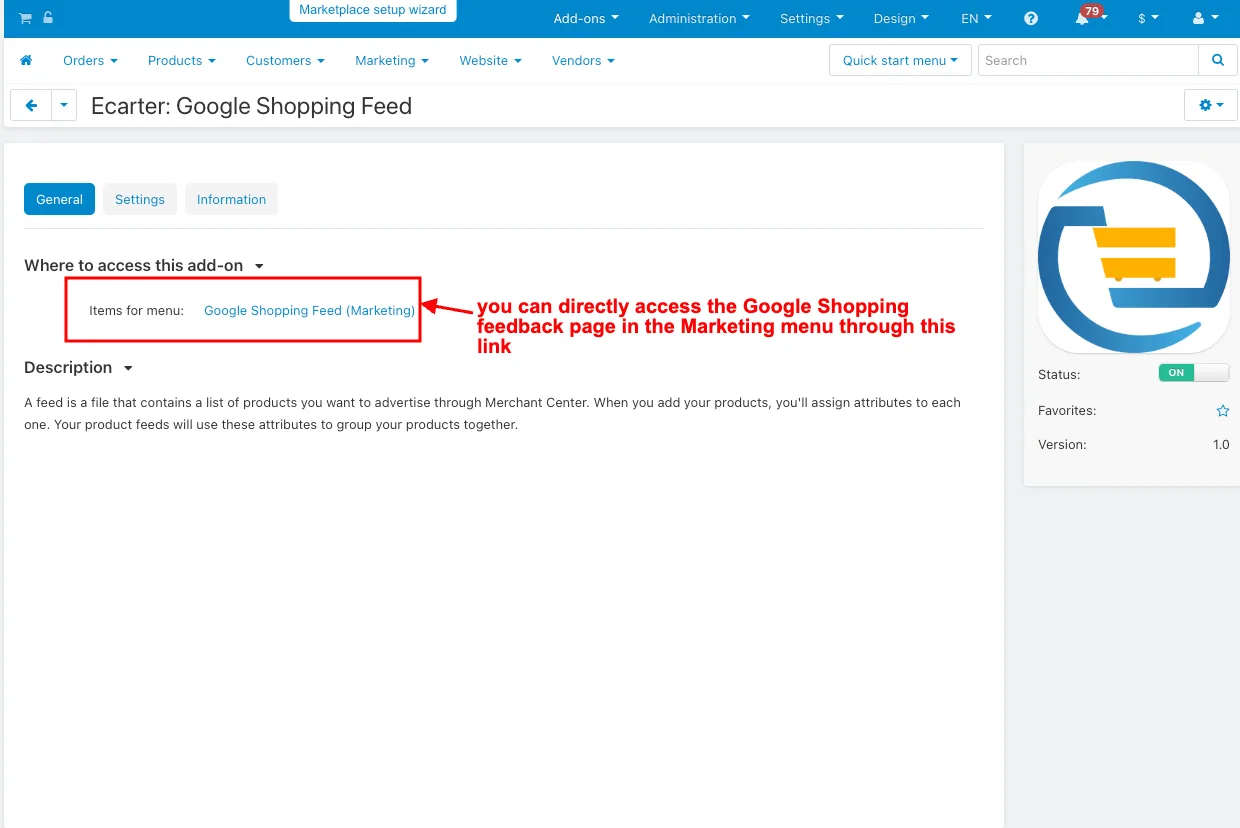
- Open the addon.
- Items for menu: you can directly access the Google Shopping feedback page in the Marketing menu through this link.
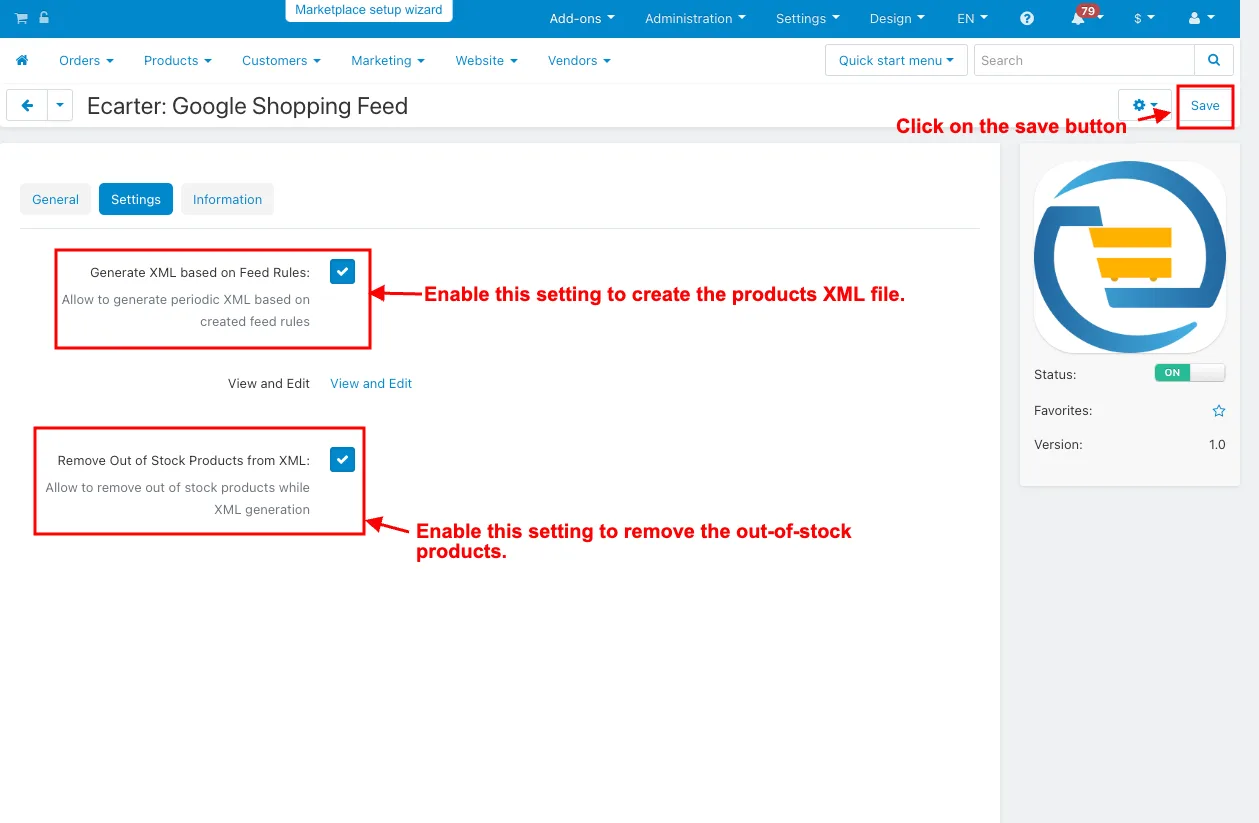
- Switch on the Settings tab.
- Generate XML based on feed Rules: Enable this setting to create the products XML file.
- Remove Out-of-Stock Products from XML: Enable this setting to remove the out-of-stock products.
- Click on the Save button.
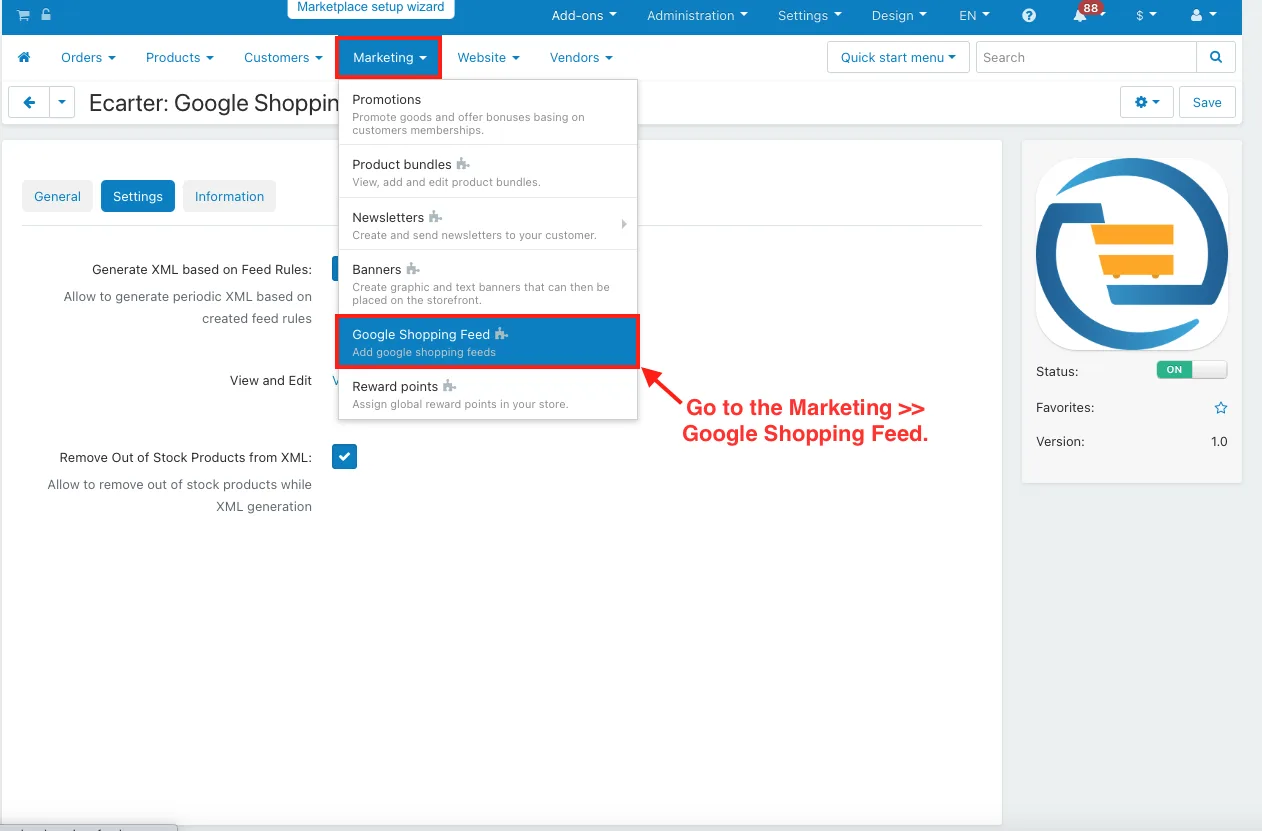
- Go to the Marketing >> Google Shopping Feed.
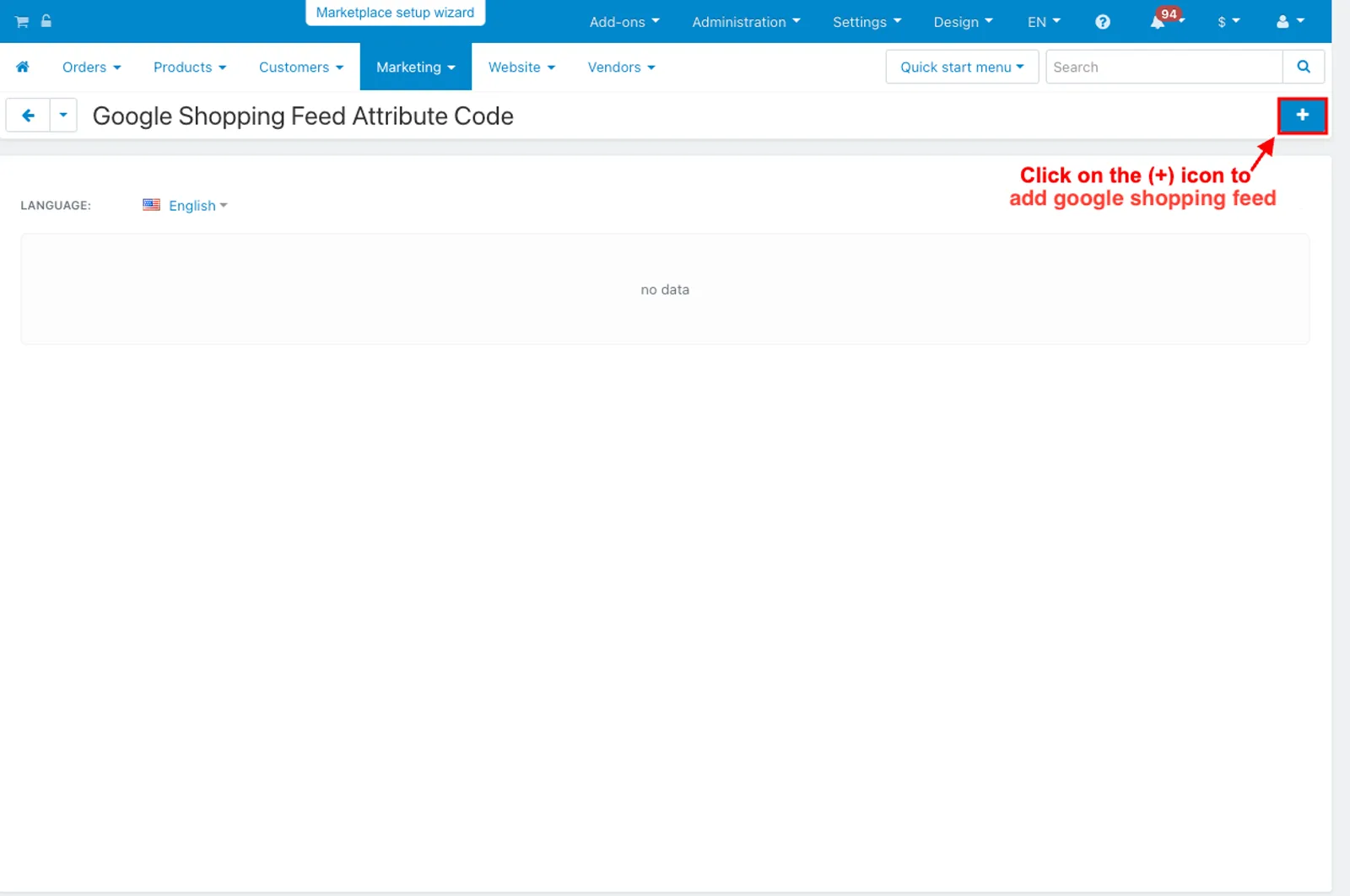
- Open the Google shopping feed editing page.
- Click on the (+) icon to add Google shopping feed.
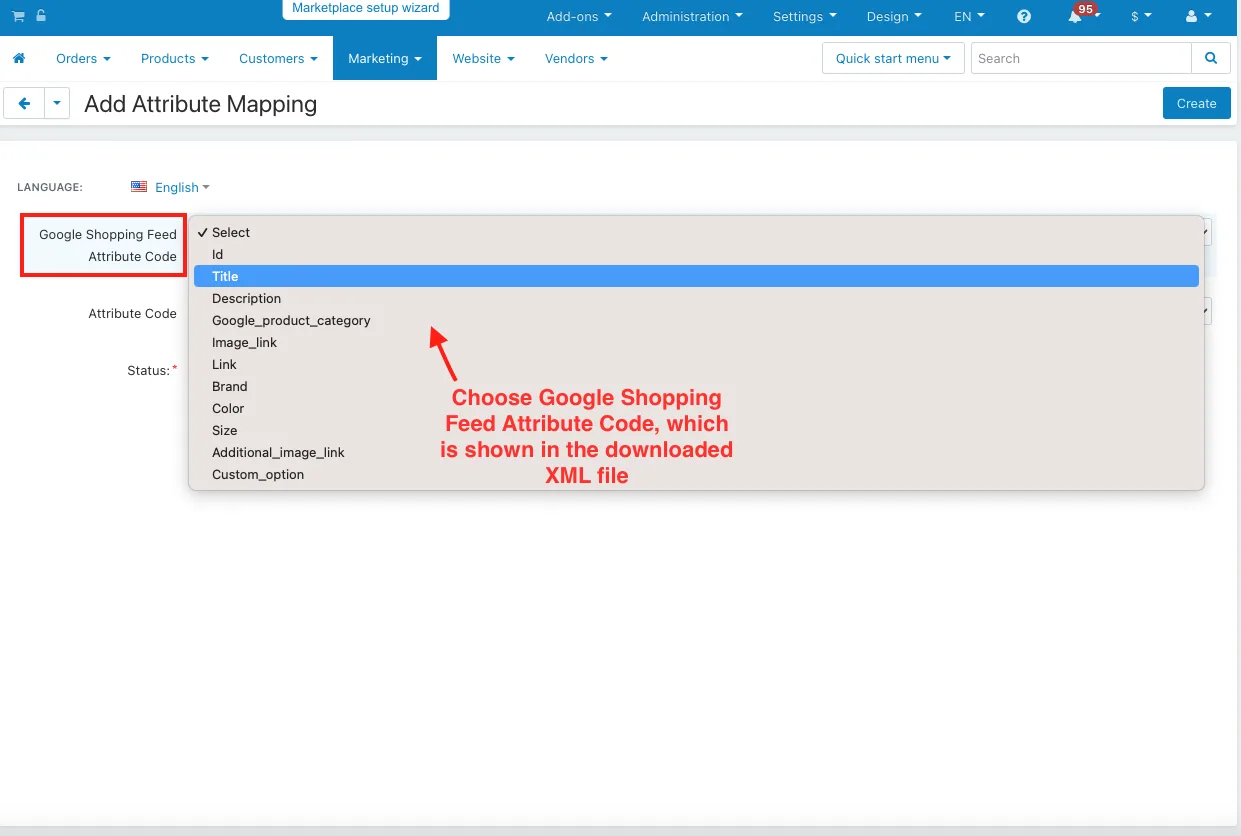
- Add Attribute Mapping page will be open.
- Google Shopping Feed Attribute Code: Choose Google Shopping Feed Attribute Code, which is shown in the downloaded XML file.
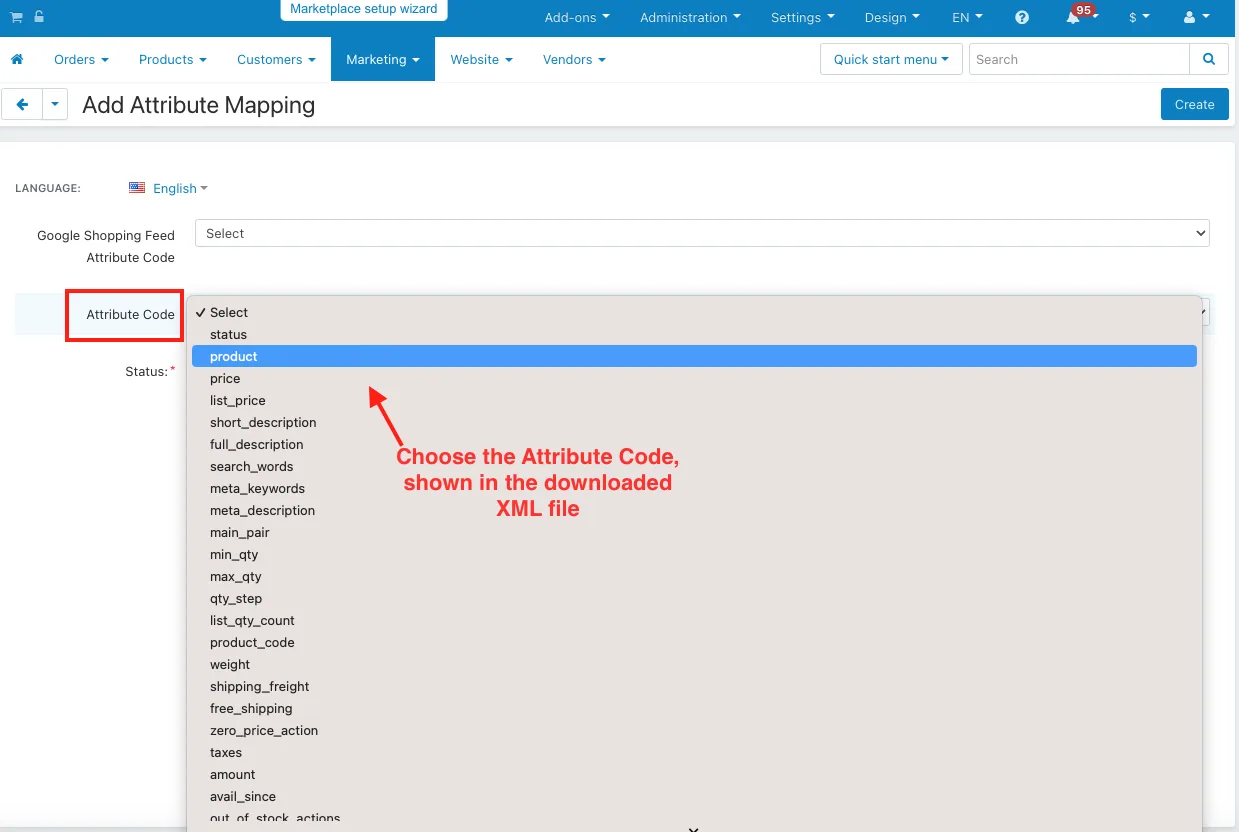
- Attribute Code: Choose the Attribute Code, shown in the downloaded XML file.
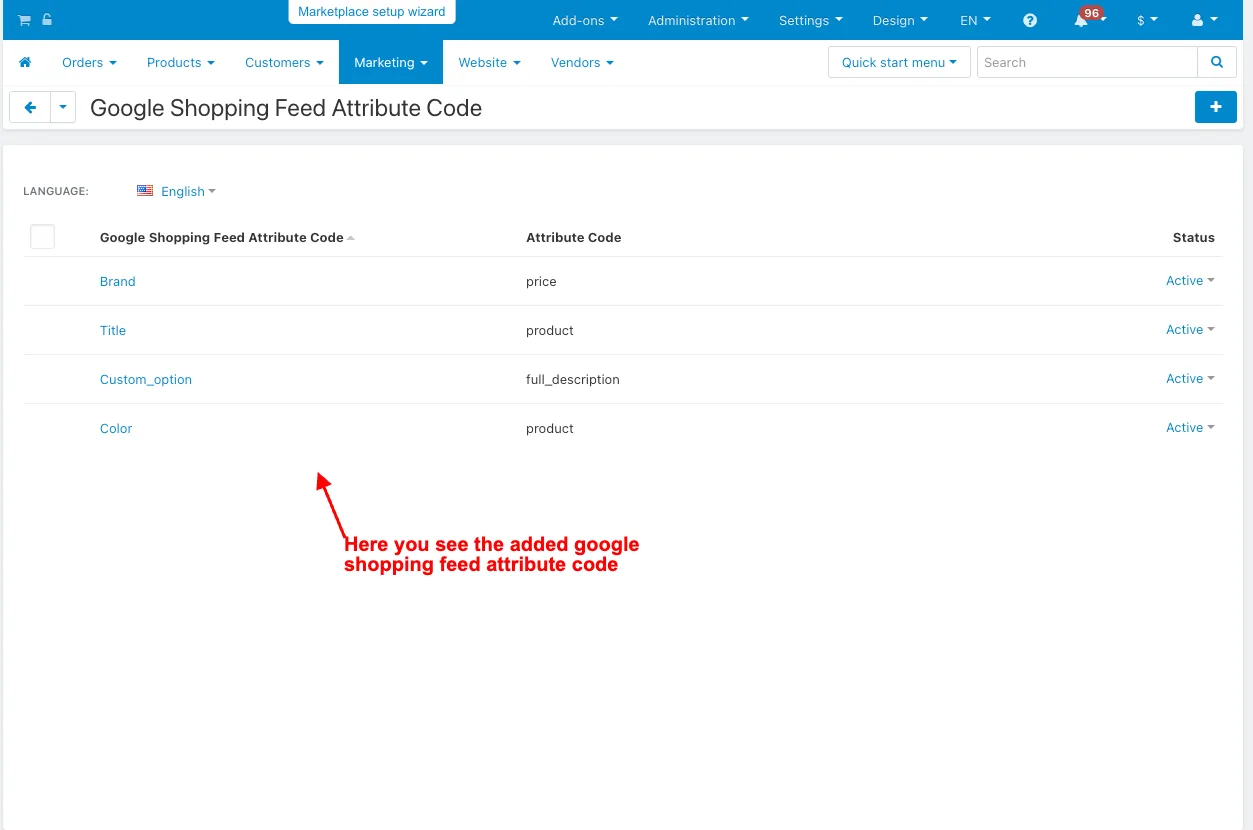
- Here you see the added Google shopping feed.
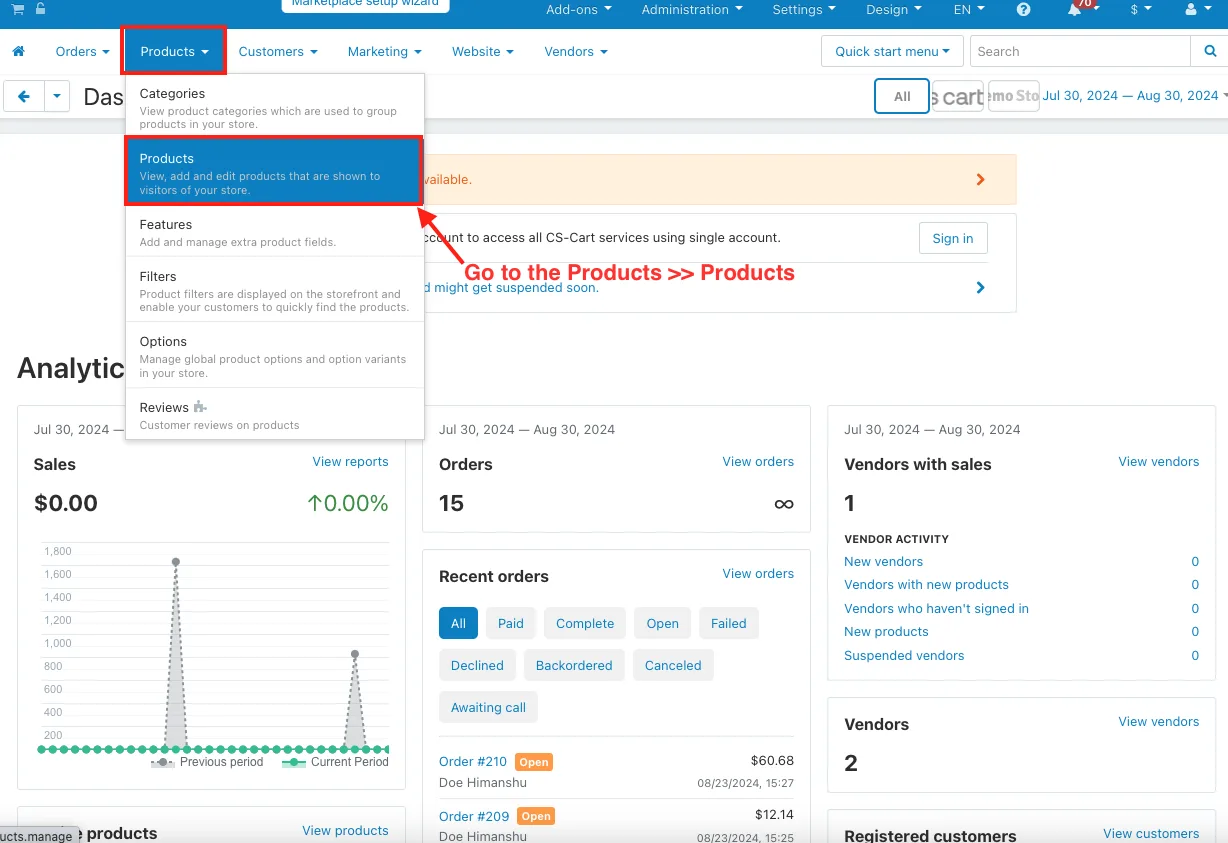
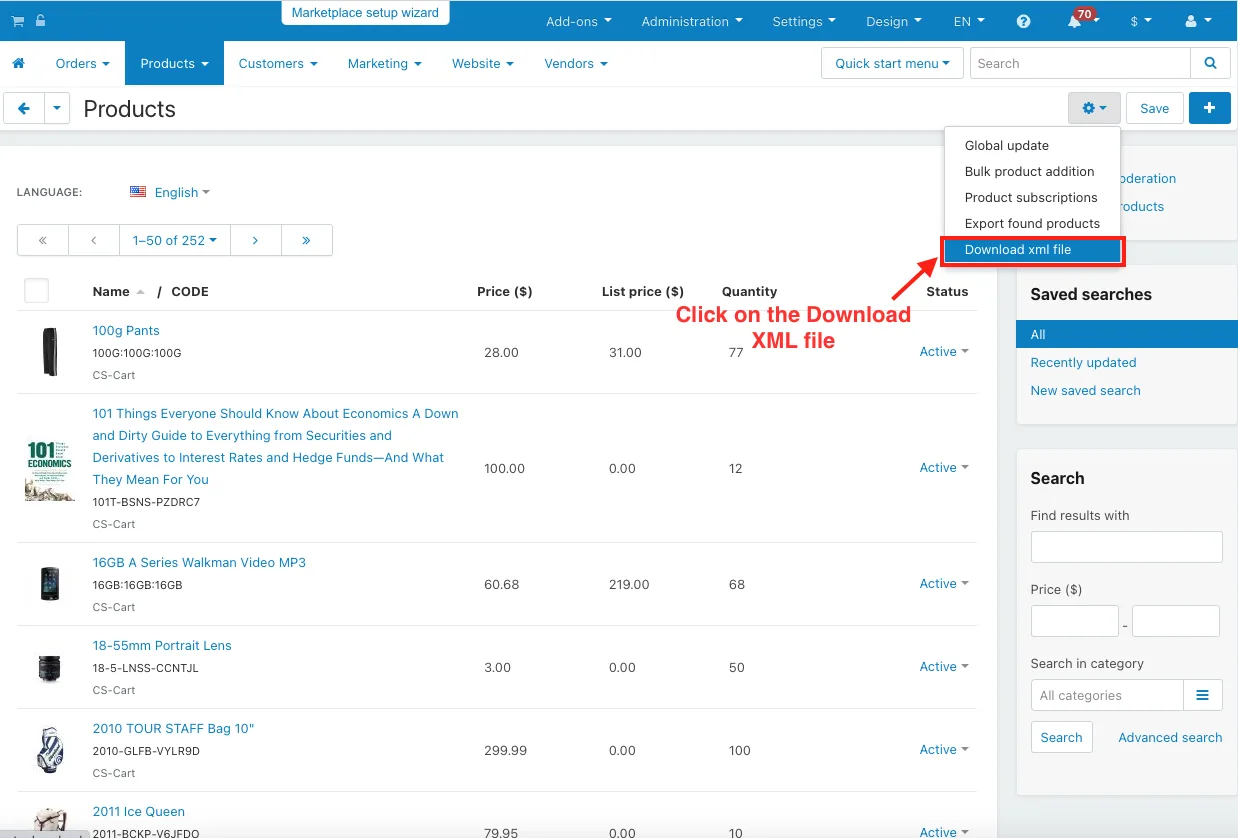
- Go to the Products >> Products.
- Click on the gear button.
- Click on the Download XML file.
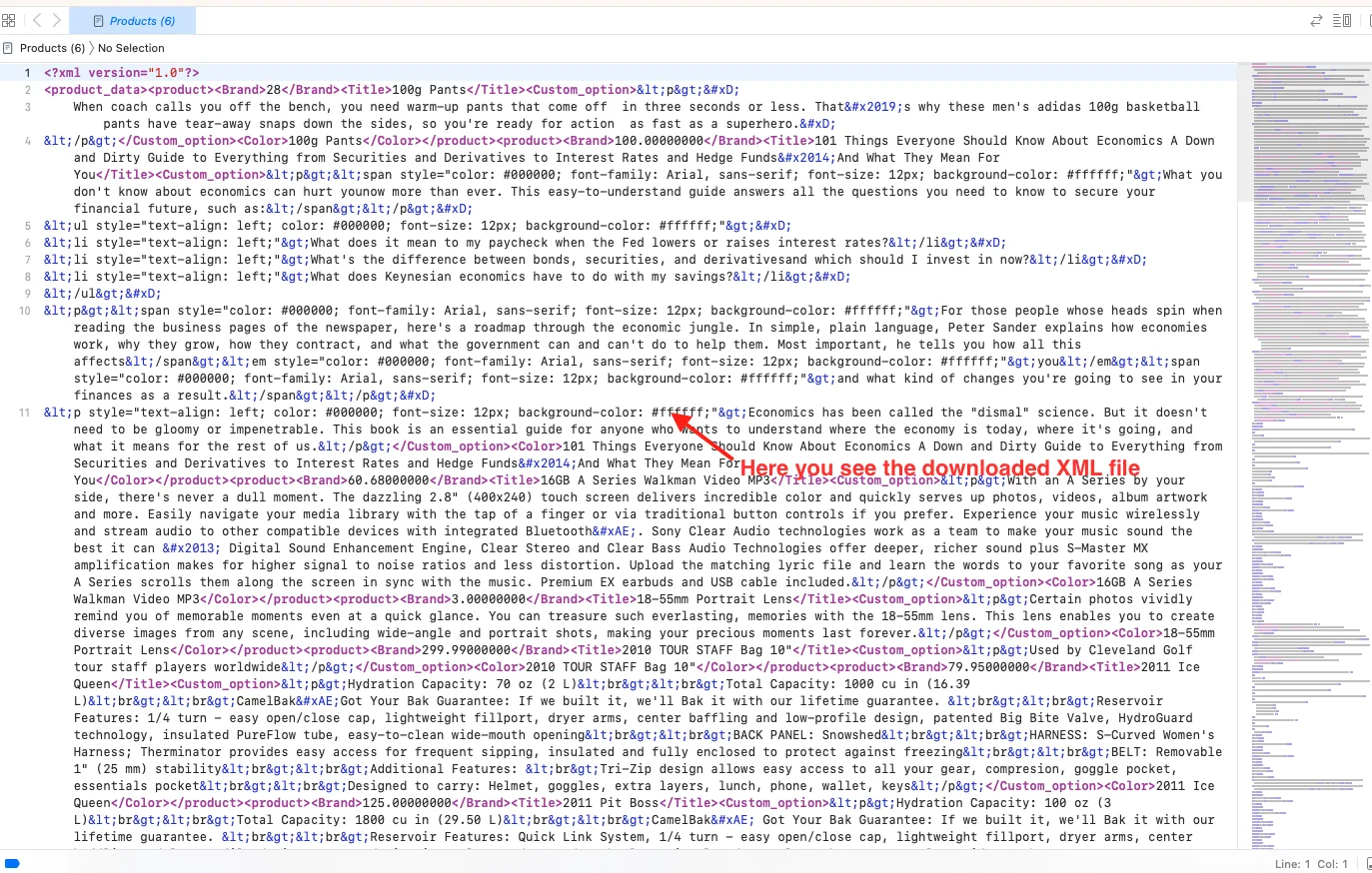
- Here you see the downloaded XML file.
Addon-Version:
Version-1.0
Supported Versions:
CS-Cart, CS-Cart Multivendor 4.8.x, 4.9.x,4.10x,4.11x,4.12,4.13x, 4.14x, 4.15x, 4.16x, 4.17x, 4.18x
Support:
This app is developed and published by Ecarter Technologies Pvt. Ltd., a CS-Cart developer. You are guaranteed quality add-ons.
Frequently asked questions
What does the Google Shopping Feed add-on actually produce?
It generates an XML file of your product data based on the feed rules you set. You can download the file and view it afterward to confirm your product information is correct.
Can it keep out-of-stock products out of the feed?
Yes. There is a setting to remove out-of-stock products from the XML, so those items are excluded automatically when the feed is generated.
Does it work with CS-Cart Multi-Vendor?
Yes, the add-on is integrated with CS-Cart Multi-Vendor.
How do I set up the feed and map attributes?
After installing the add-on, enable feed generation in the Settings tab and save. Then go to Marketing > Google Shopping Feed, add a feed, and use the attribute mapping page to match your store's attribute codes to the Google Shopping attribute codes so the XML values are correct.
Kajal is a Technical Content Writer at Ecarter Technologies. She writes technical documentation and in-depth guides on eCommerce platforms, mobile commerce and AI in online retail.