
CS-Cart Image Filter Add-on: Color Filtering
Image Filter: You can create many filters by colour or image for your customers in order to find the desired item quickly and make the purchase.
The CS-Cart Image Filter add-on lets store owners create product filters based on color or images, so shoppers can narrow down products visually instead of relying only on text-based options. It solves a common browsing problem: when a catalog has many variants, customers want to filter by a specific color or visual attribute and reach the right item faster. The add-on is configured directly from product features in the admin panel without adding extra pages, and it supports selecting one or more colors or images in the storefront. It is intended for CS-Cart and CS-Cart Multi-Vendor store owners who want a more visual, faster product filtering experience for their customers.
Image Filter is the most convenient add-ons for your store. You can create many filters by color or image for your customers in order to find the desired item quickly and make the purchase.
Features:
- User-friendly interface without additional pages in the administration panel;
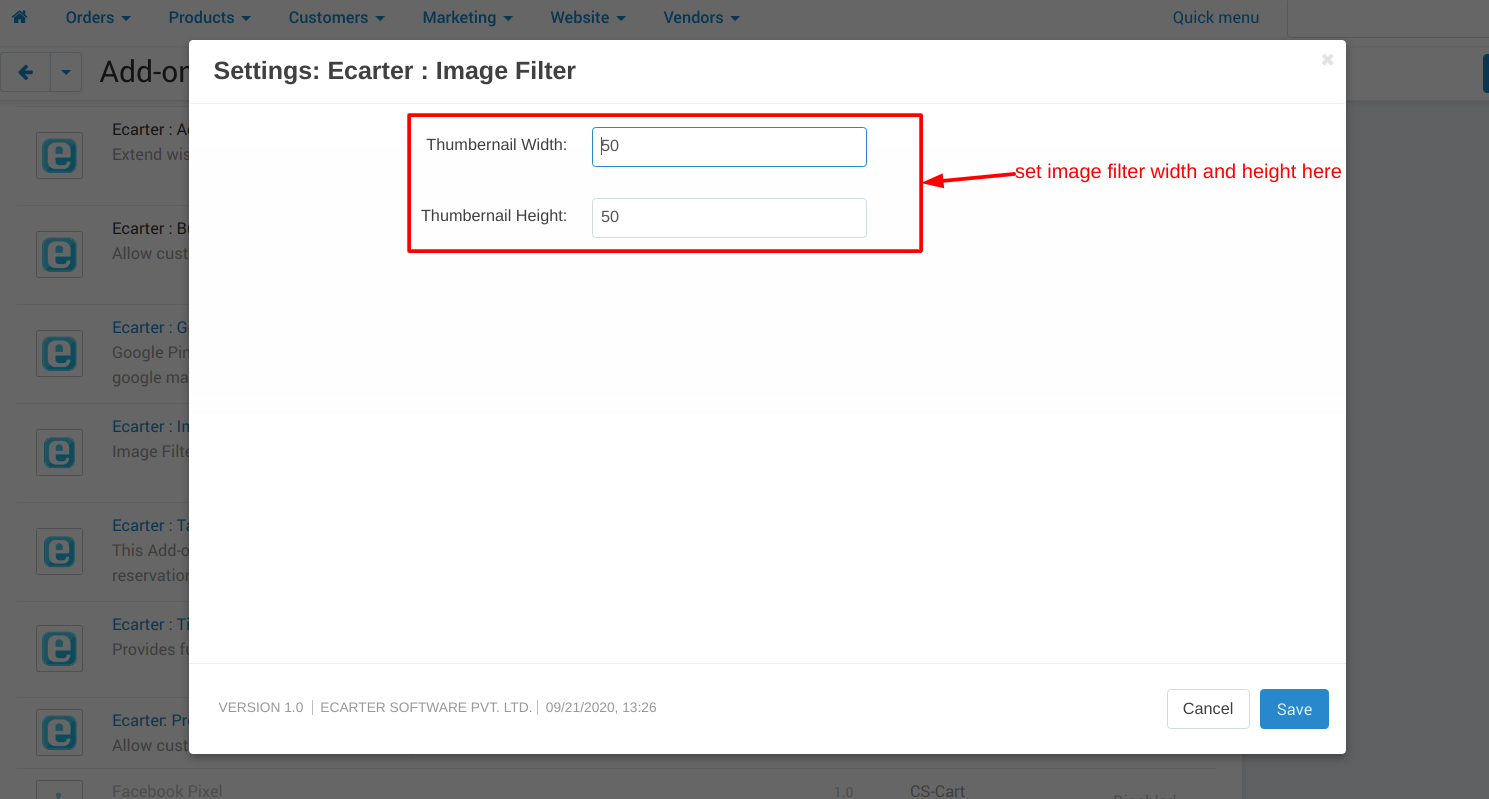
- Ability to set up individual box dimensions for each product feature
- Ability to create filters by color; ability to create filters by images;
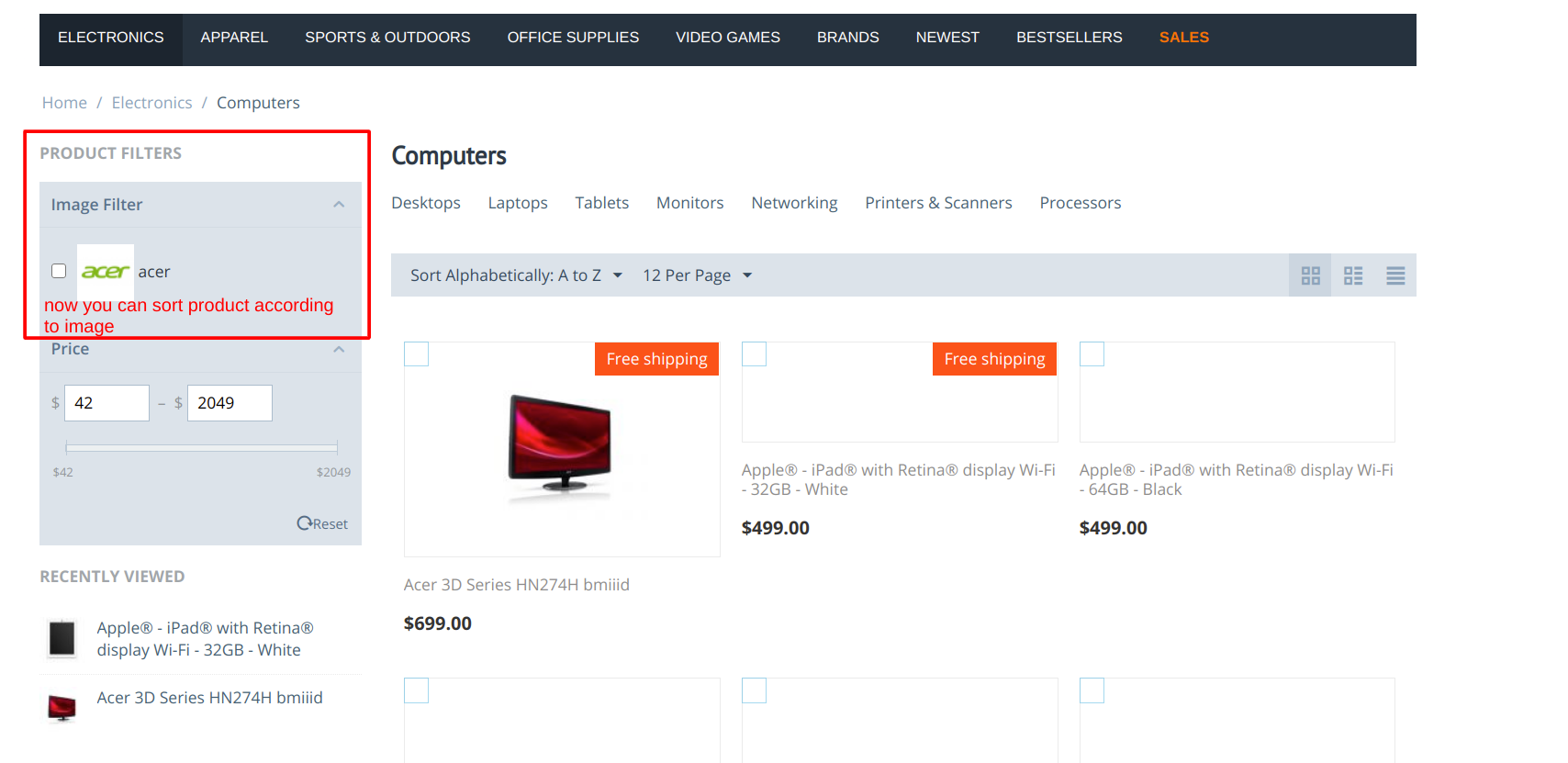
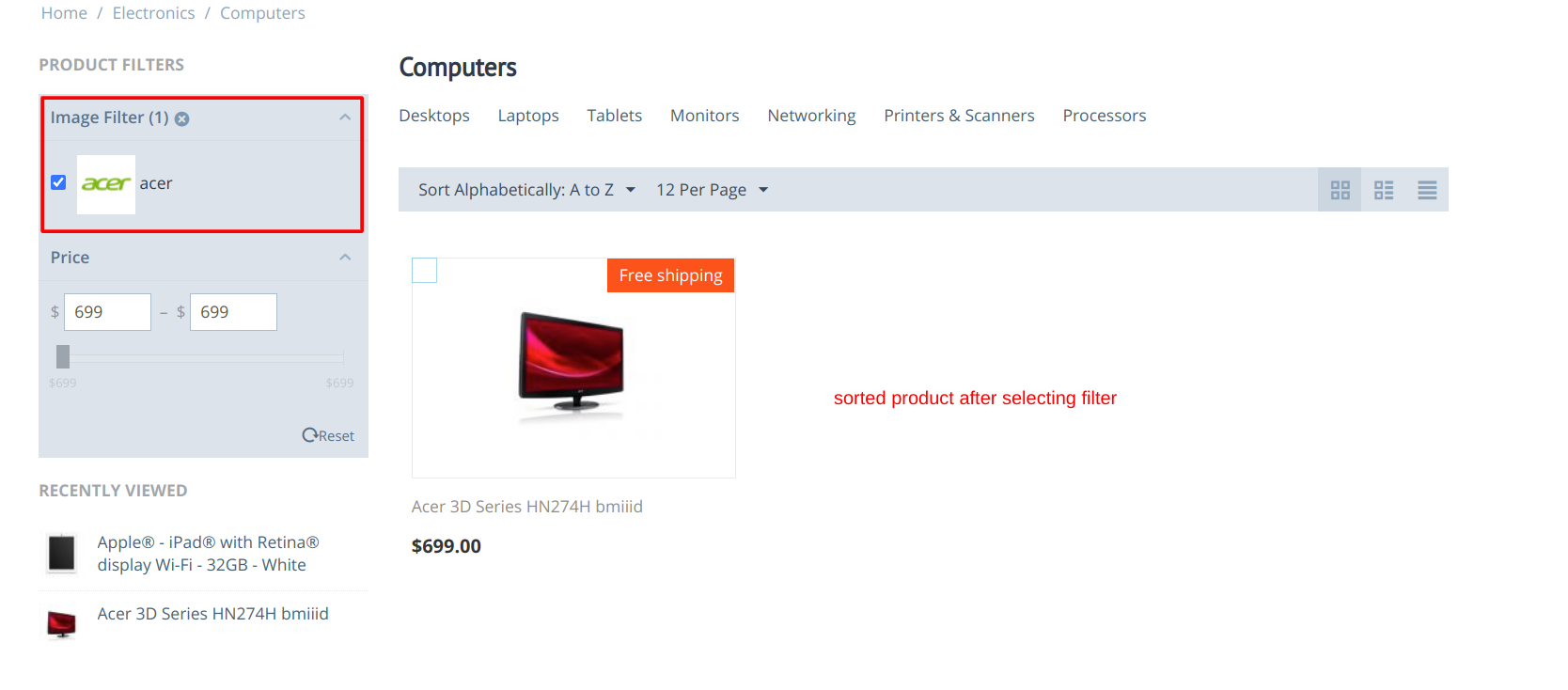
- The ability to search for one or more colors/images in the customer area;
- The ability to choose settings for each feature separately;
- The ability to choose filter type.
ScreenShots:
Addon Setting:
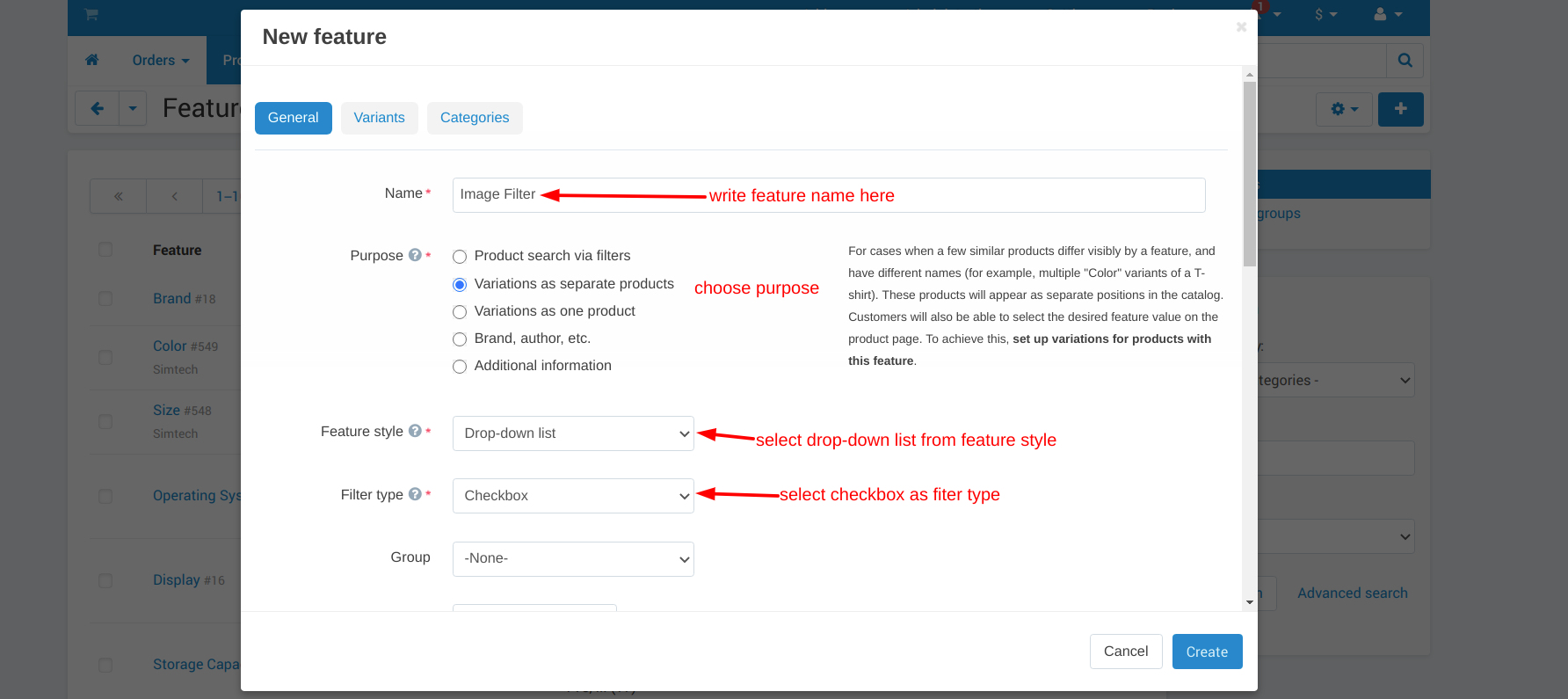
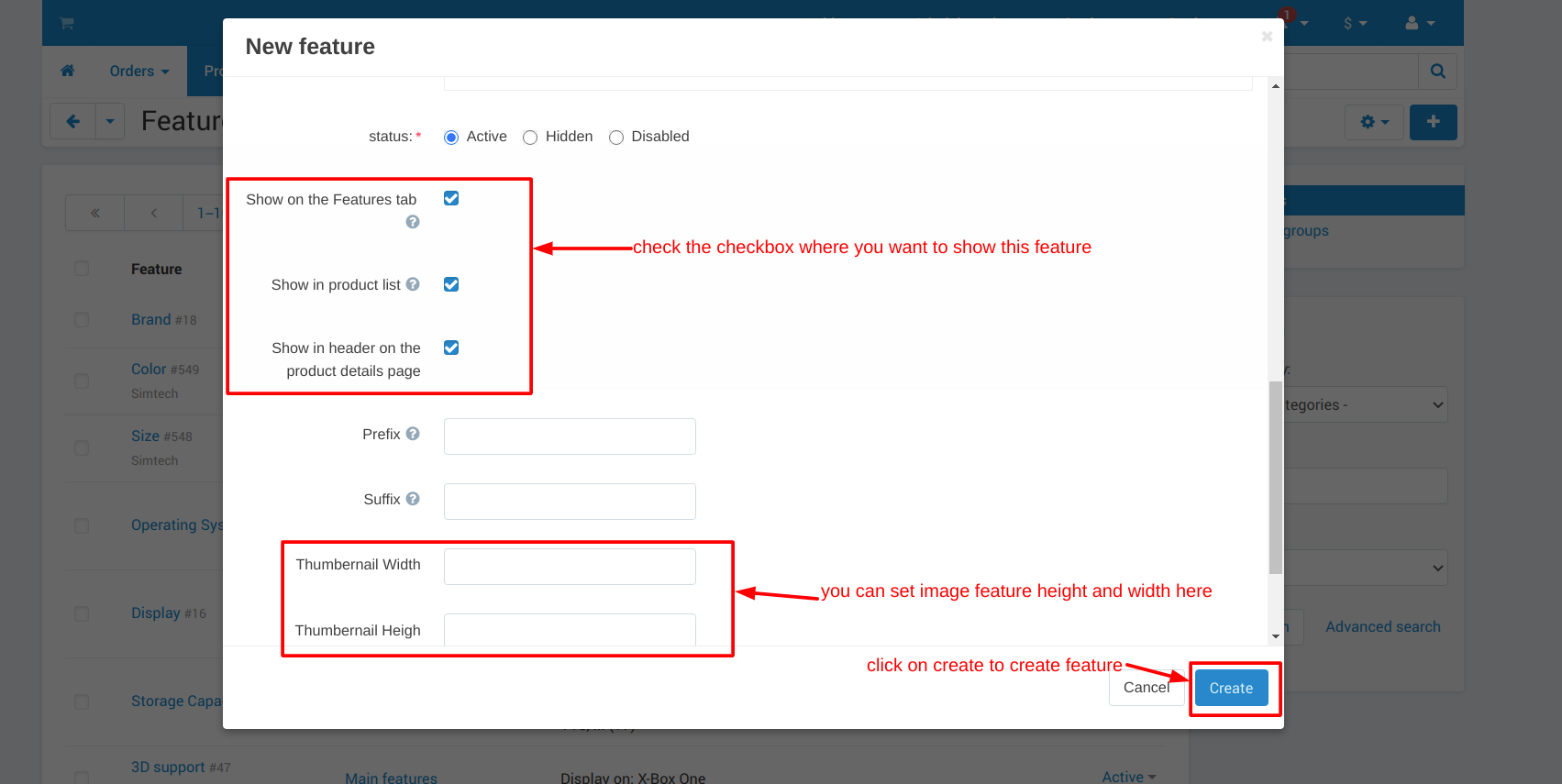
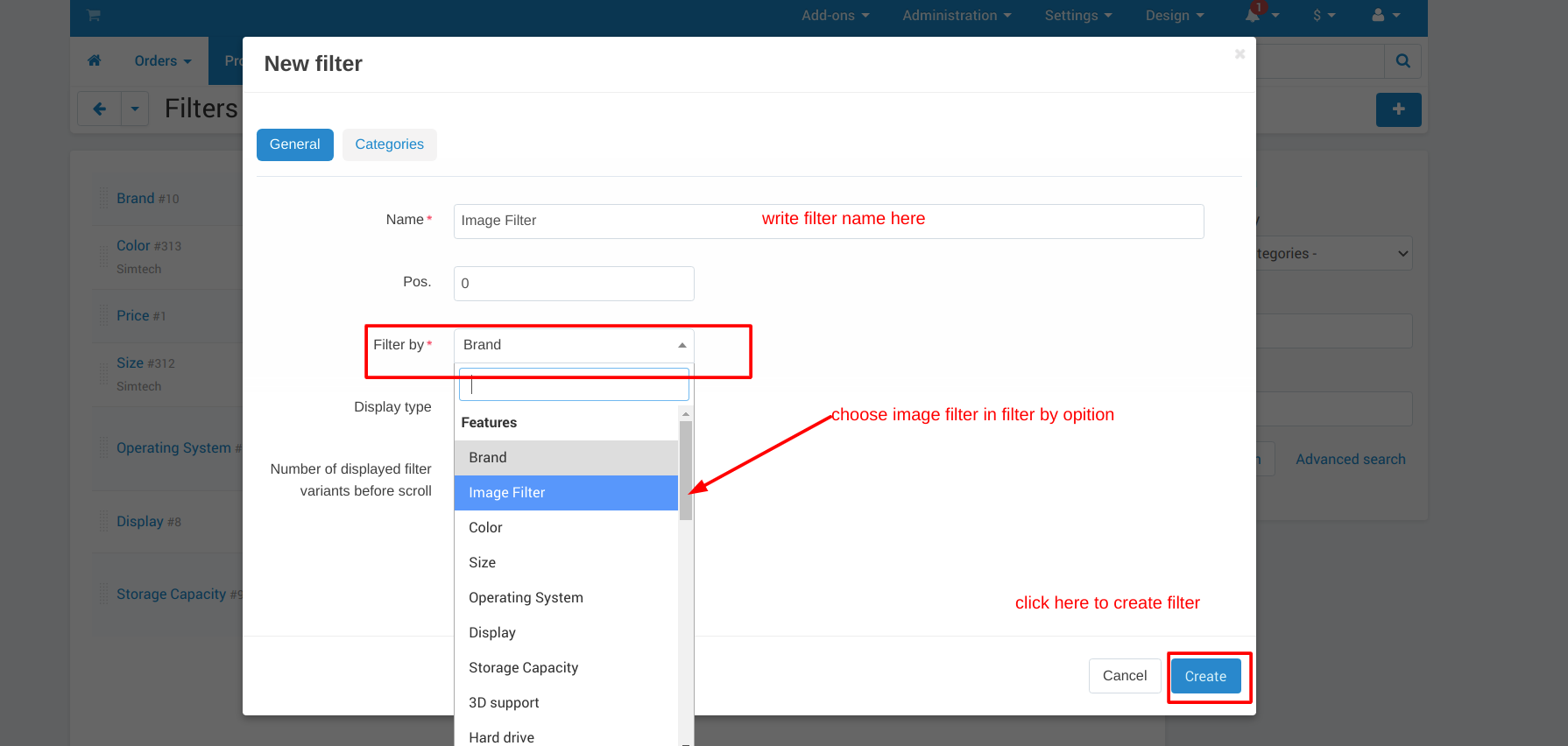
How to add Image as Filter:
Step 1: add a feature.
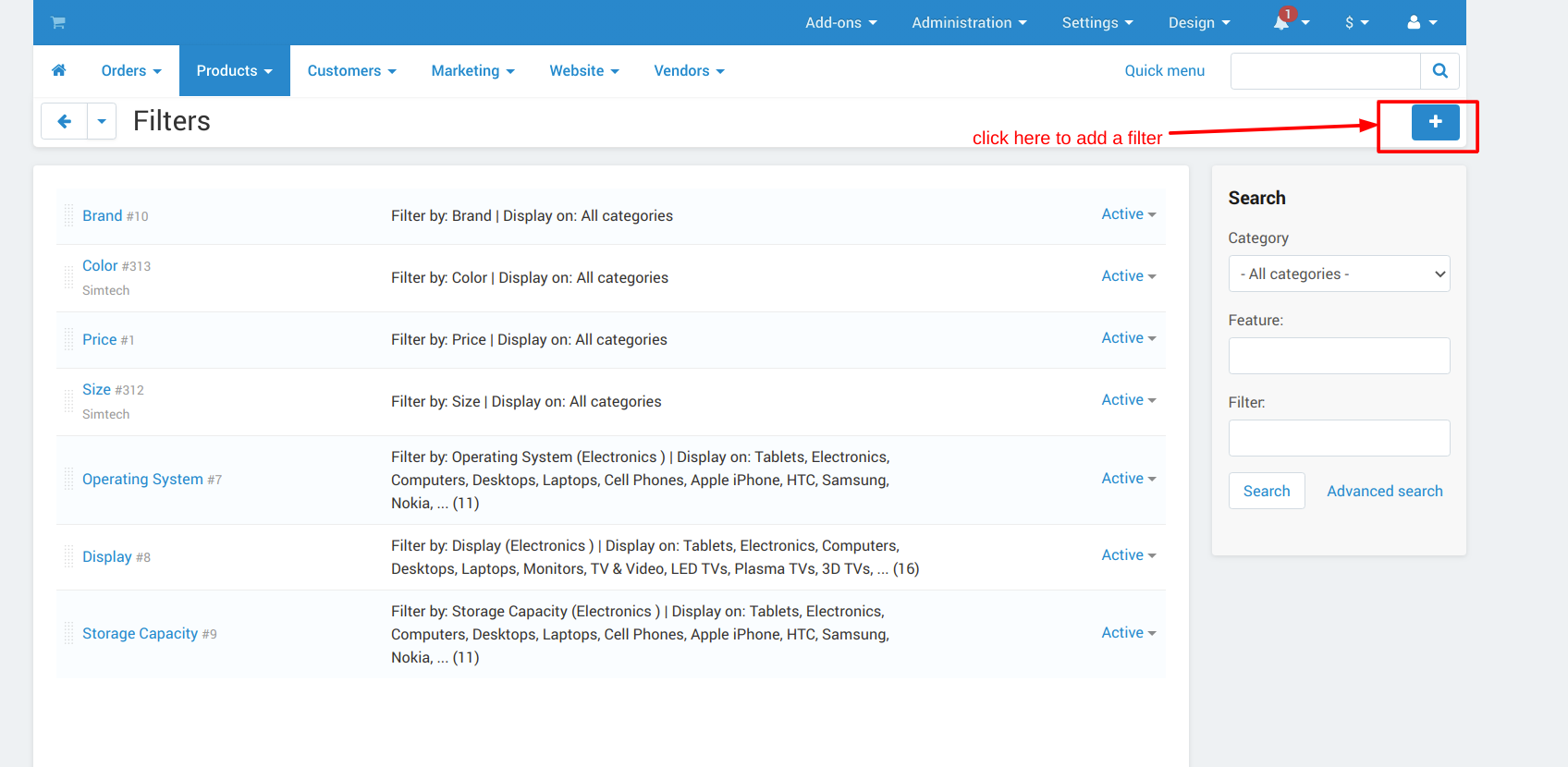
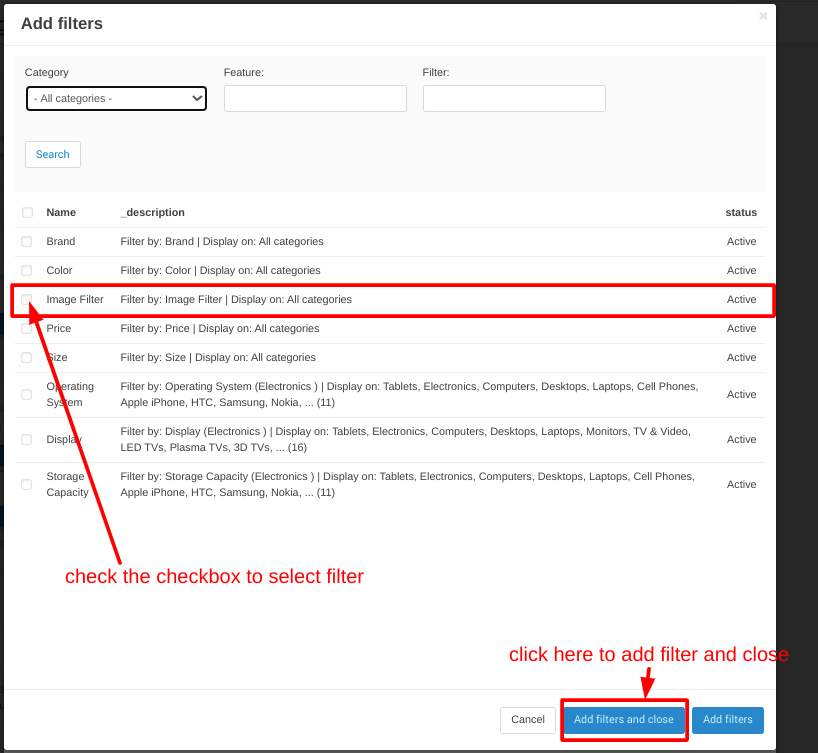
Step 2: Add a filter.
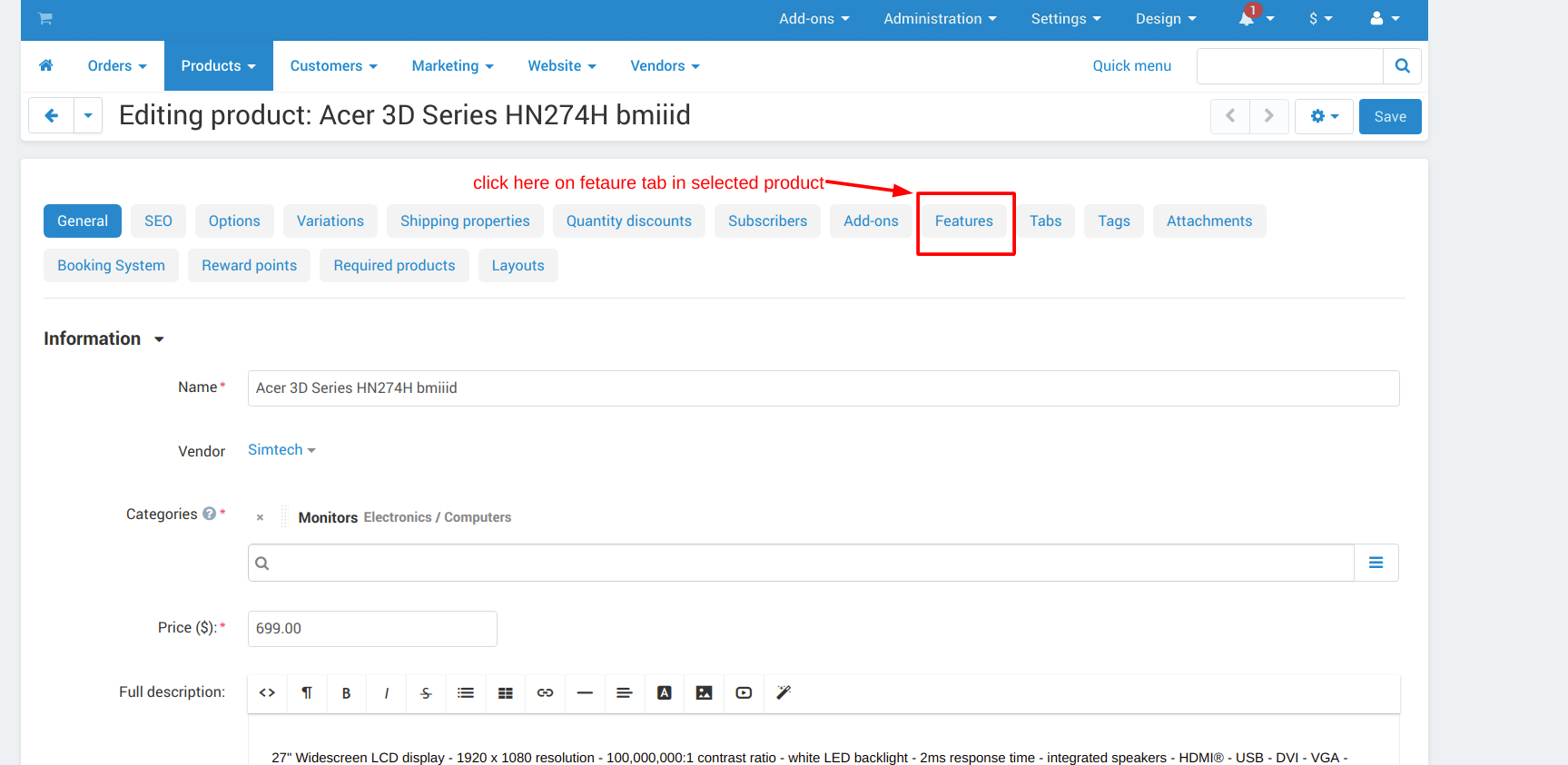
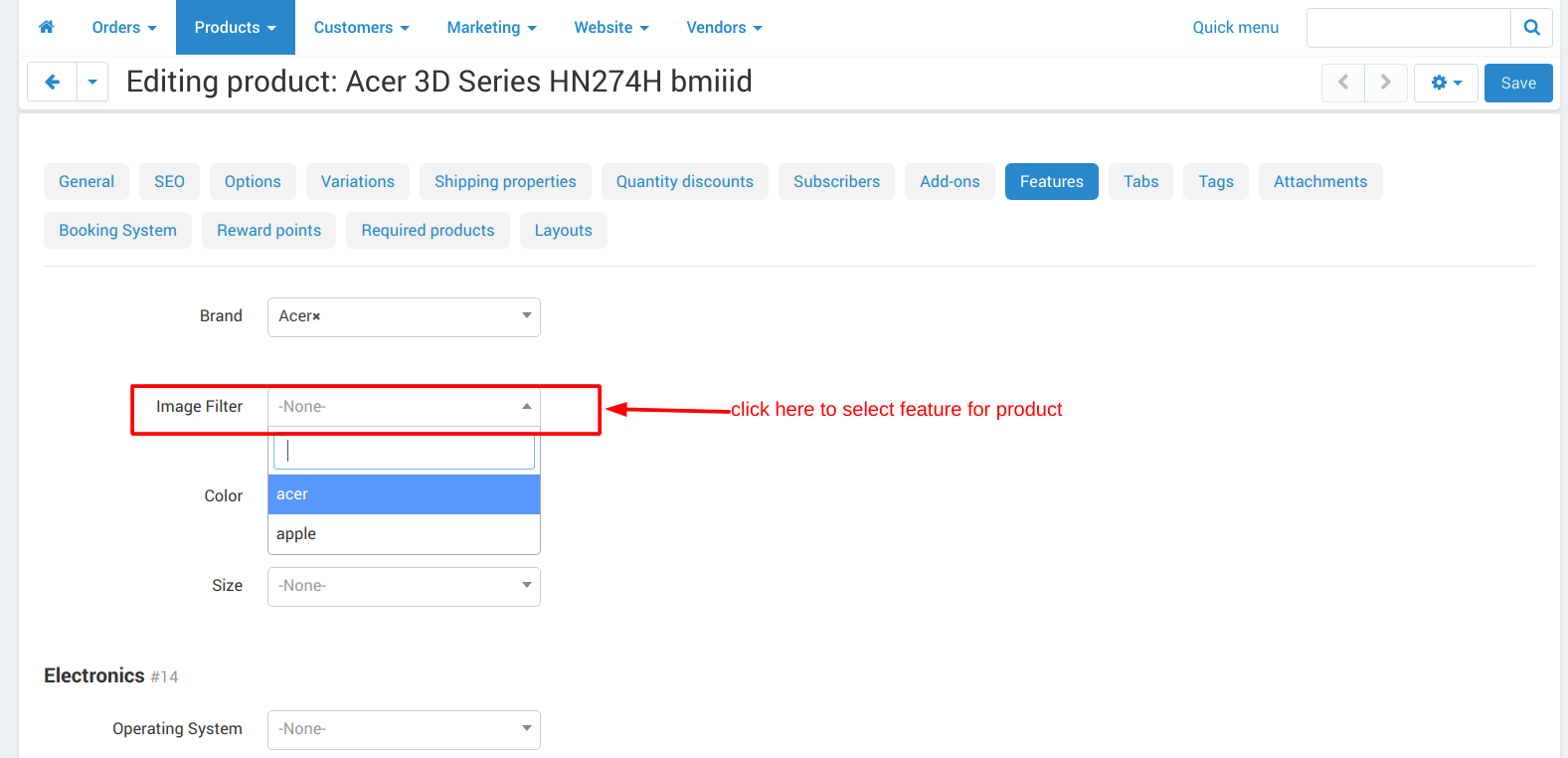
Step 3: add features to the product.
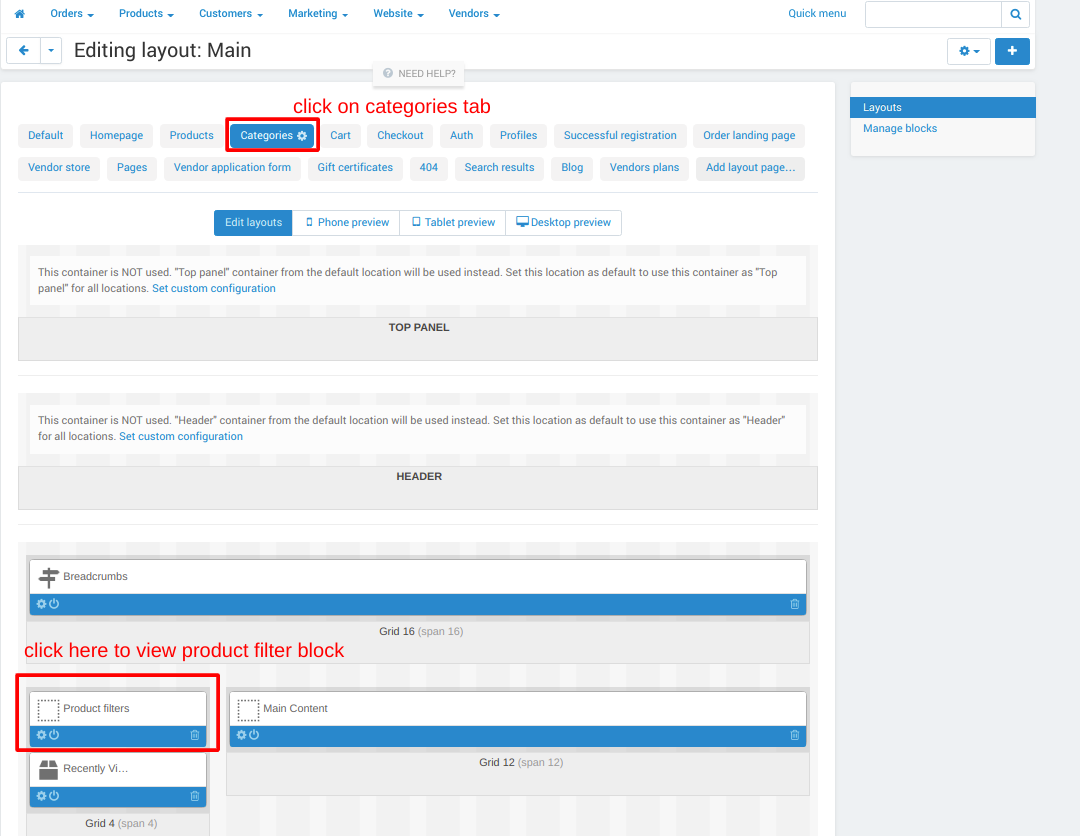
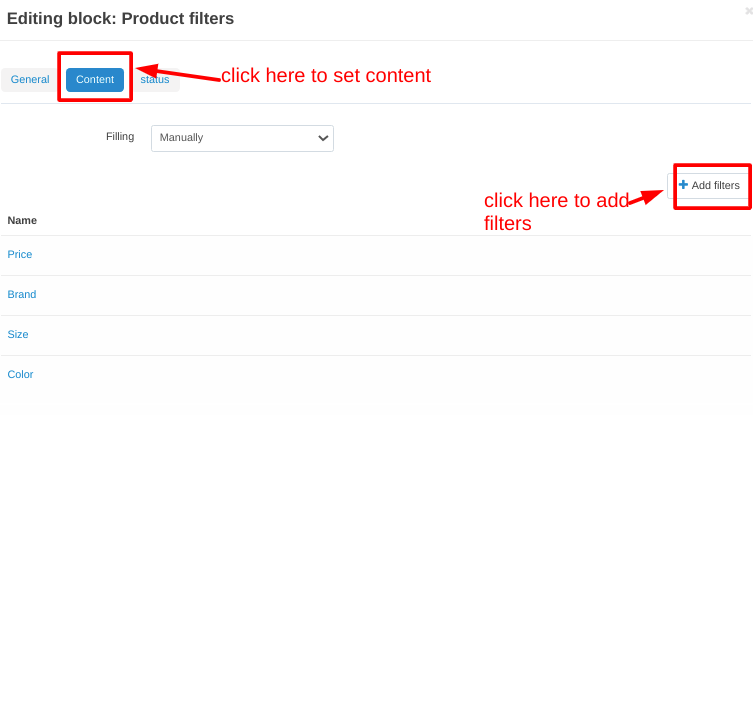
Step 4: edit layout.
Frontend View:
Tutorial Video:
Addon-Version:
Version-1.0
Versions:
CS-Cart, CS-Cart Multivendor 4.8.x, 4.9.x,4.10x,4.11x,4.12,4.13x, 4.14x, 4.15x, 4.16x, 4.17x, 4.18x
Support:
This app is developed and published by Ecarter Technologies Pvt. Ltd., a CS-Cart developer. You are guaranteed a quality add-on supported by future versions. If you need help, please contact us via email support@ecarter.co
Need modifications or any assistance? Please, feel free to contact us via email at support@ecarter.co
Frequently asked questions
What kinds of filters can the CS-Cart Image Filter add-on create?
It lets you build filters by color or by image. Customers can then search for one or more colors or images in the storefront to quickly find the products they want.
Does it work with CS-Cart Multi-Vendor, and which versions are supported?
Yes, it supports both CS-Cart and CS-Cart Multi-Vendor. Supported versions run from 4.8.x through 4.18.x; if you are on a different version, share it with us and we will confirm compatibility.
How do I set it up, and can settings be adjusted per feature?
Setup follows four steps: add a feature, add a filter, add features to the product, and edit the layout. You can configure individual box dimensions, choose the filter type, and adjust settings separately for each product feature, all without extra pages in the admin panel.
Who supports the add-on and can it be customized?
It is developed and published by Ecarter Technologies Pvt. Ltd., a CS-Cart developer, with support for future versions. For help or modifications, contact support@ecarter.co.
Kajal is a Technical Content Writer at Ecarter Technologies. She writes technical documentation and in-depth guides on eCommerce platforms, mobile commerce and AI in online retail.