
Multi-Select Profile-Field
Multi-Select Profile-Field: This addon allows making a multi-select profile field for customers and vendors with the help of this addon.
The Multi-Select Profile-Field add-on lets store admins create profile fields that accept more than one selected option, for both customers and vendors. Standard CS-Cart profile fields usually limit users to a single choice, so this add-on is useful when a registration or checkout form needs a field where people can tick several options at once. The admin builds the field under Administration > Profile Fields, adds the option variants, and chooses whether it appears in the customer area, the vendor area, and at checkout. It works with CS-Cart Multi-Vendor, so the multi-select field can be shown on both customer and vendor registration pages.
The addon allows creating a multi-select profile field for customers and vendors. With the help of this addon, the admin can add or create a multi-select profile field under Administration > Profile Fields and make this multi-select profile field visible in the customer area and vendor area, where customers and vendors can select multiple options on the customer and vendor registration page.
Features:
- Feature to allow admin to create a multi-select profile field for customers and vendors.
- Feature to show this multi-select profile field at the checkout page.
- Well integrated with CS-Cart multi-vendor.
Installation:
How to install Addon
https://store.ecarter.co/blogs/how-to-install-addon/
How Addon Works
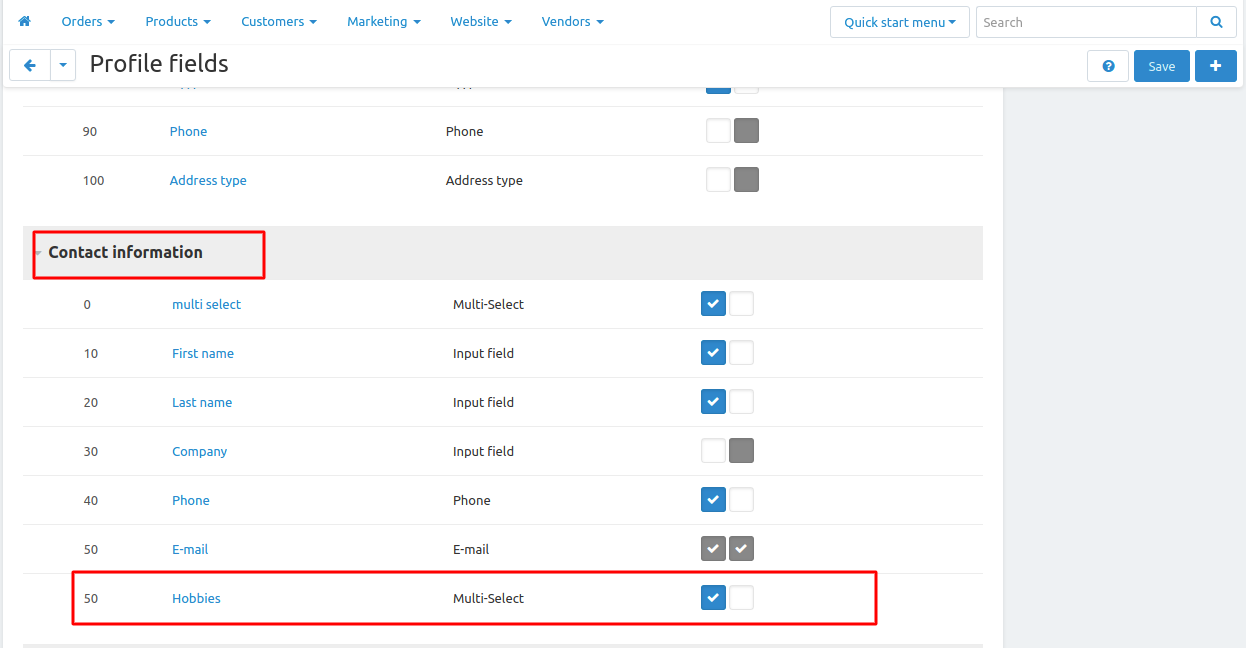
Where and how to create multi-select profile-field (For Customers):
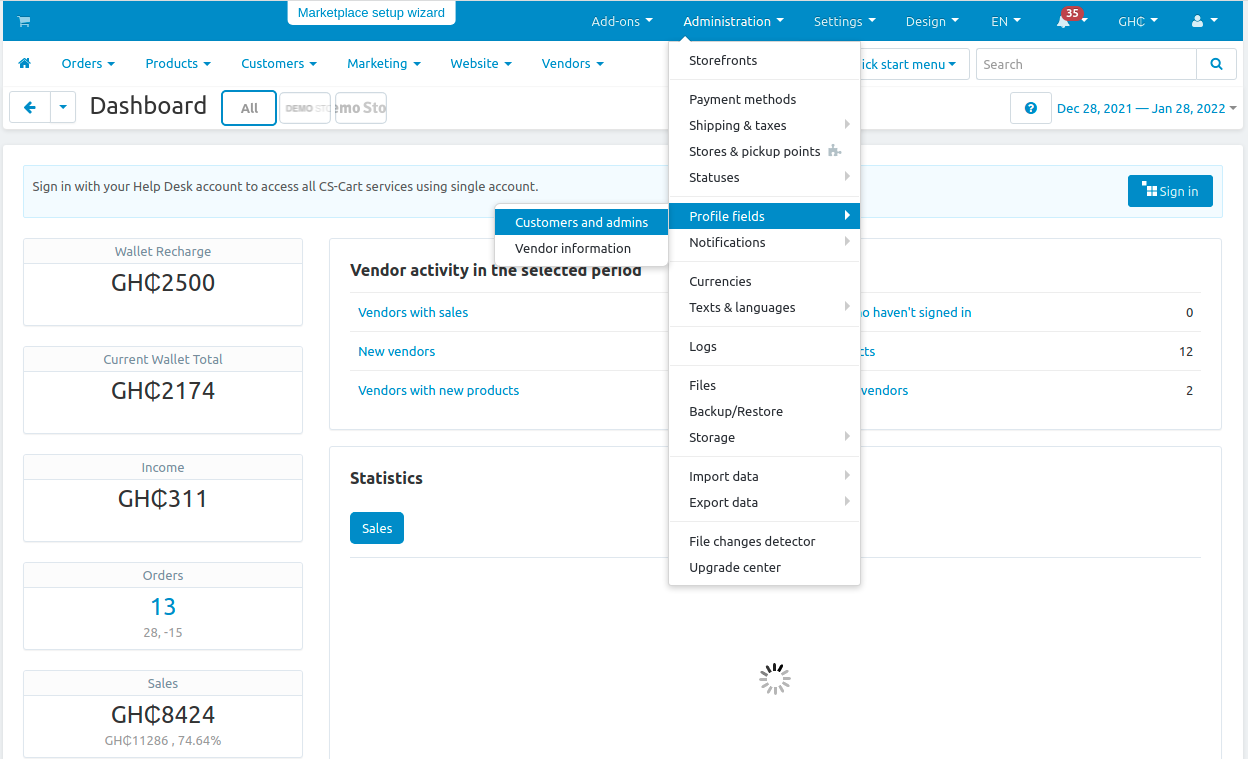
How to add a new profile field:
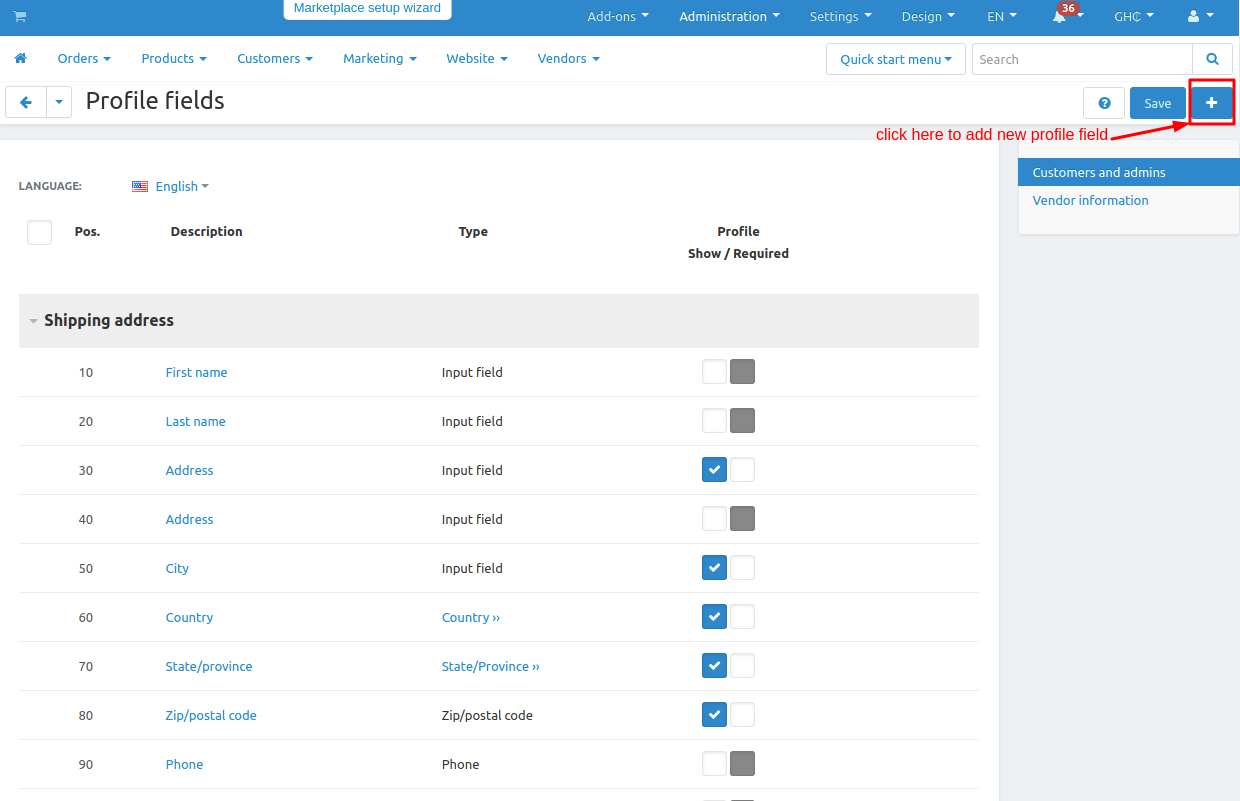
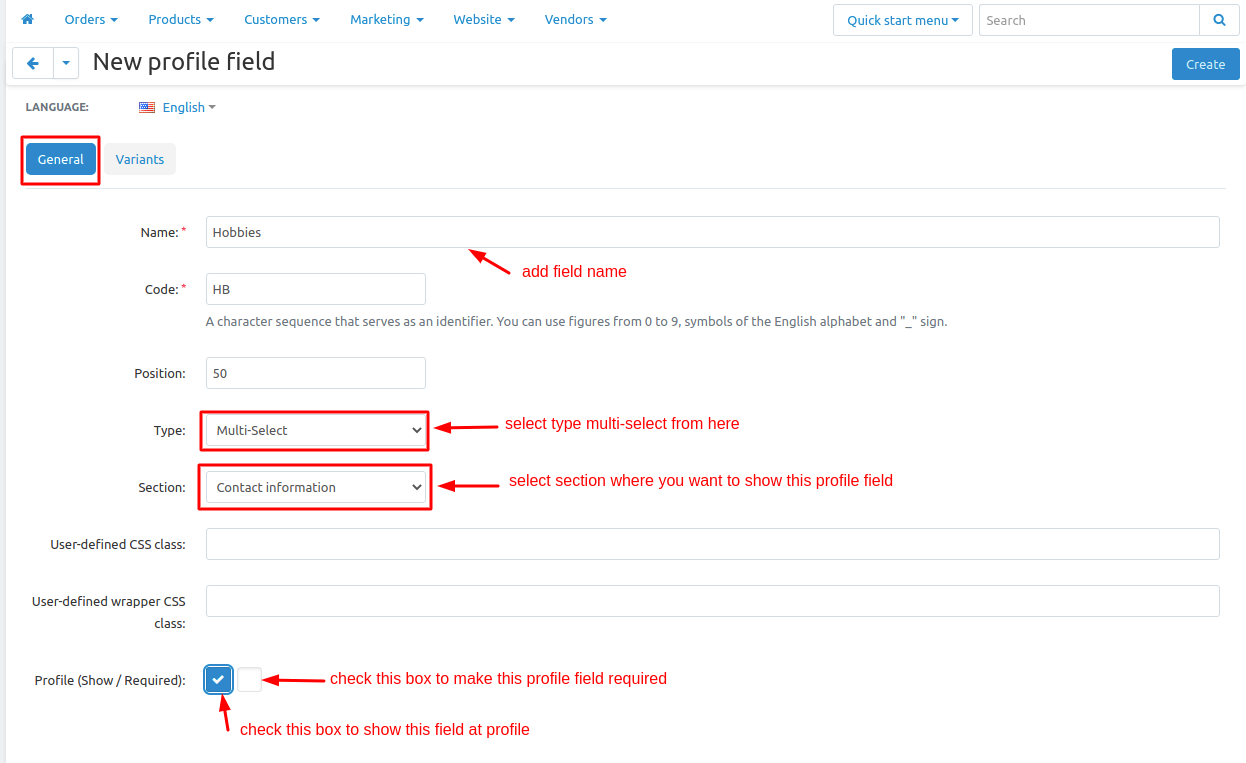
Add variants in the profile field to make a multi-select profile field:
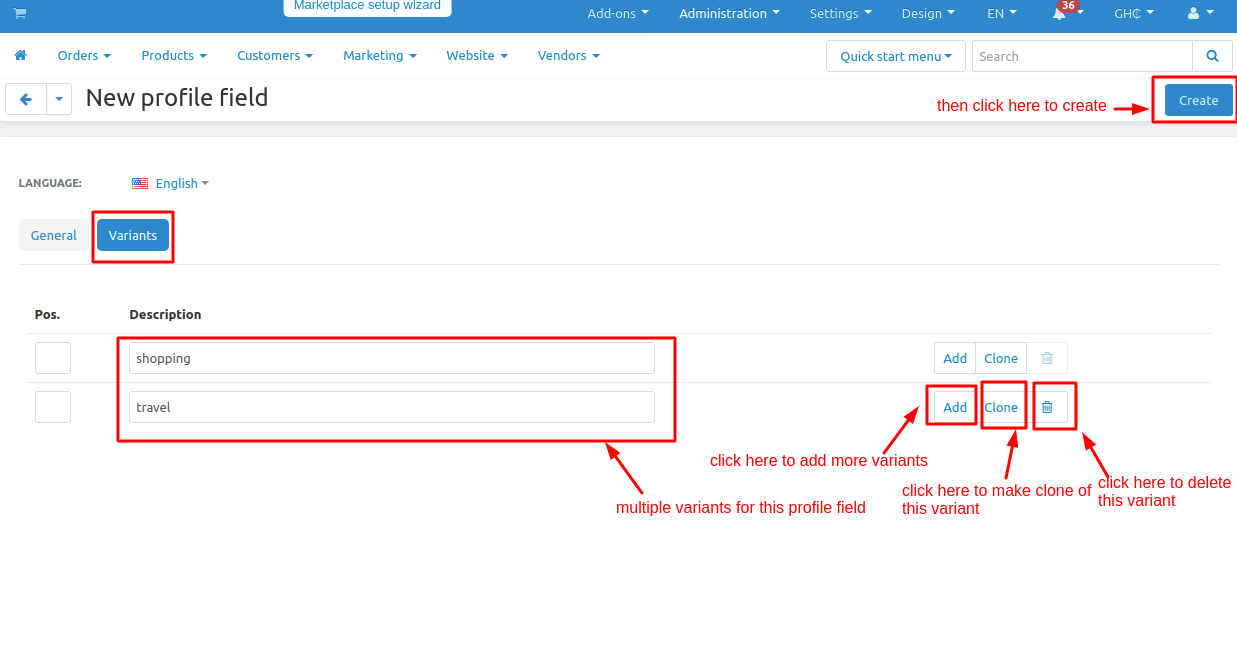
Where and how to create multi-select profile-field (For Vendors):
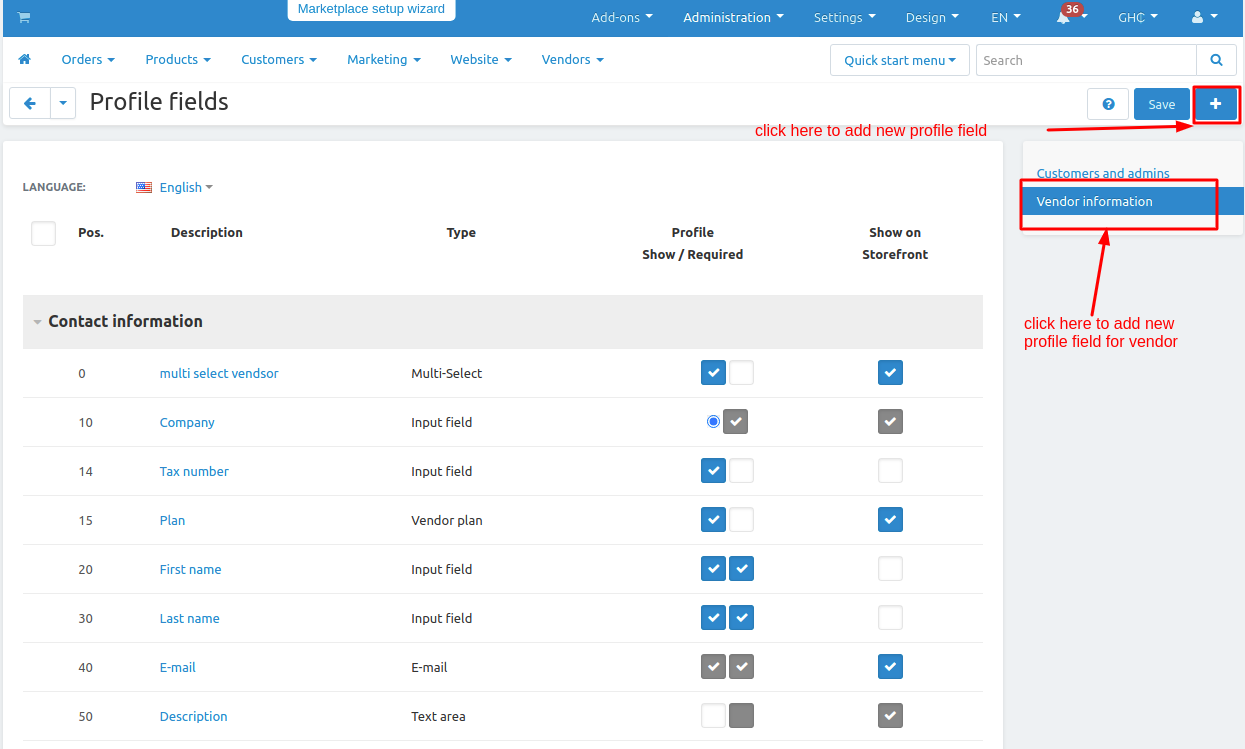
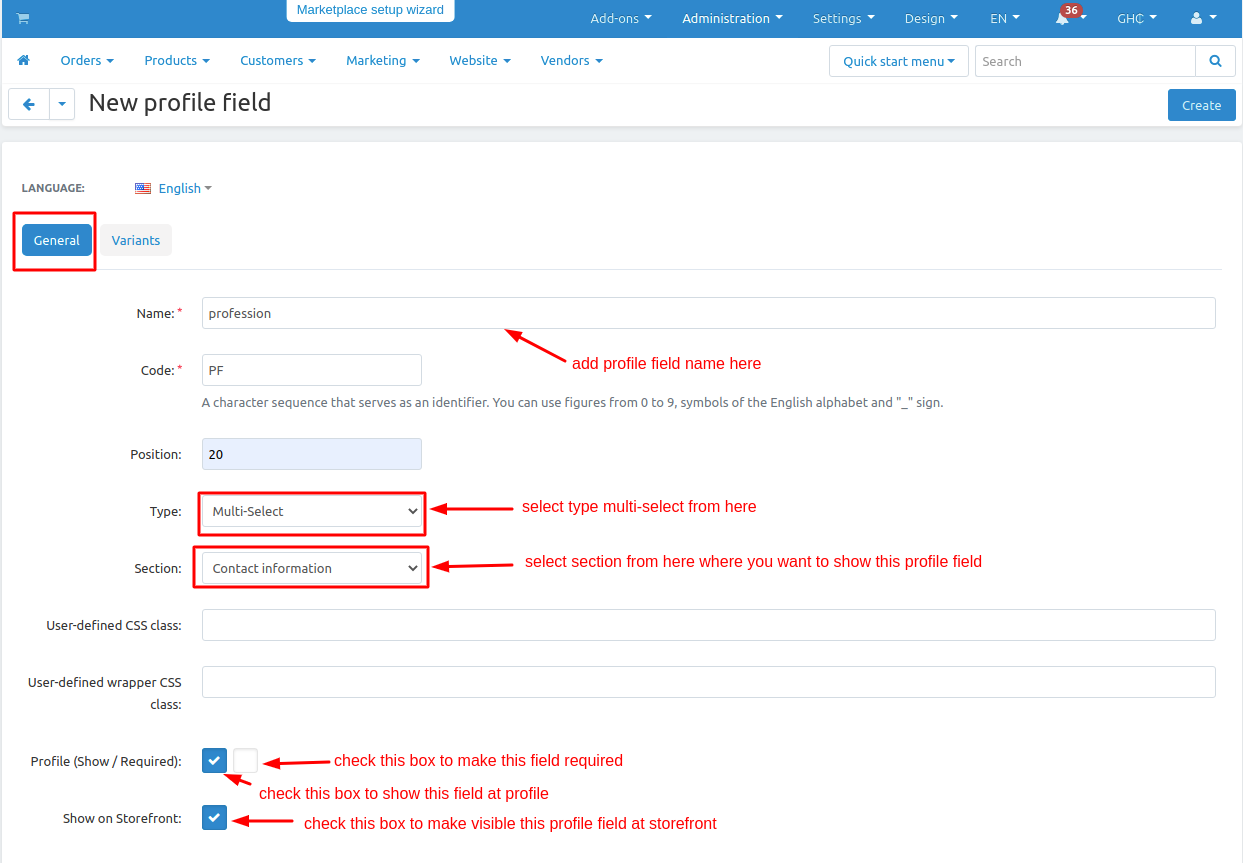
How to add a new profile field:
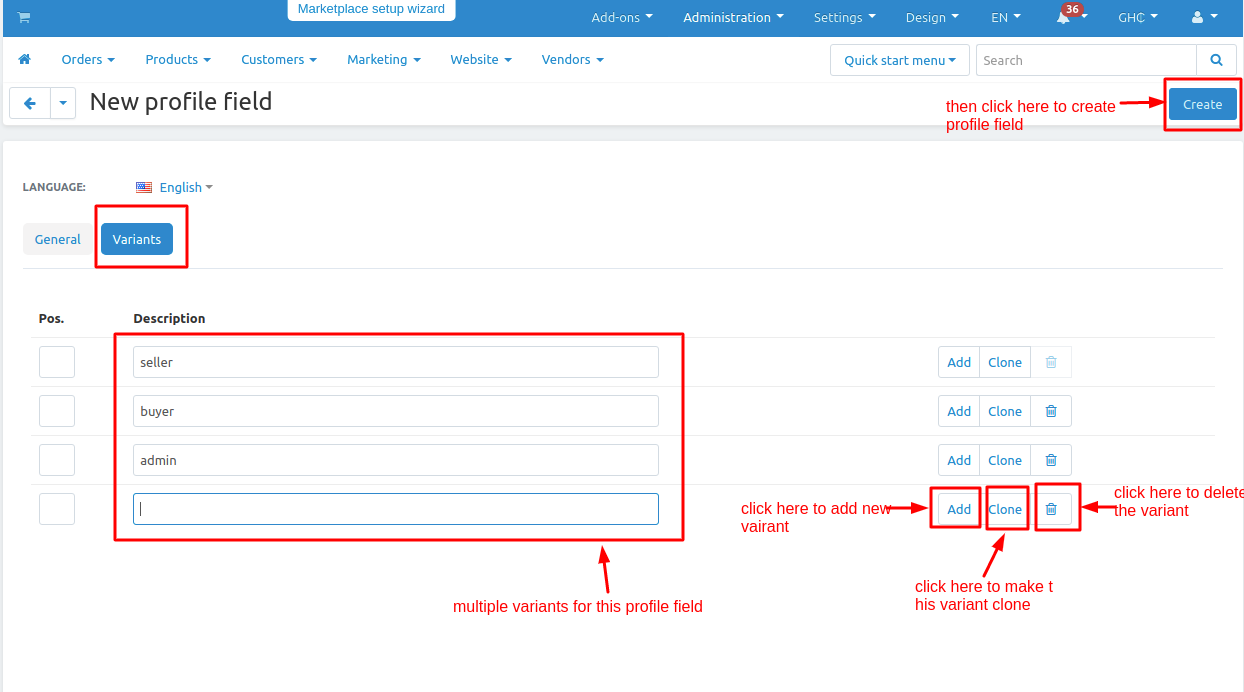
Add variants in the profile field to make a multi-select profile field:
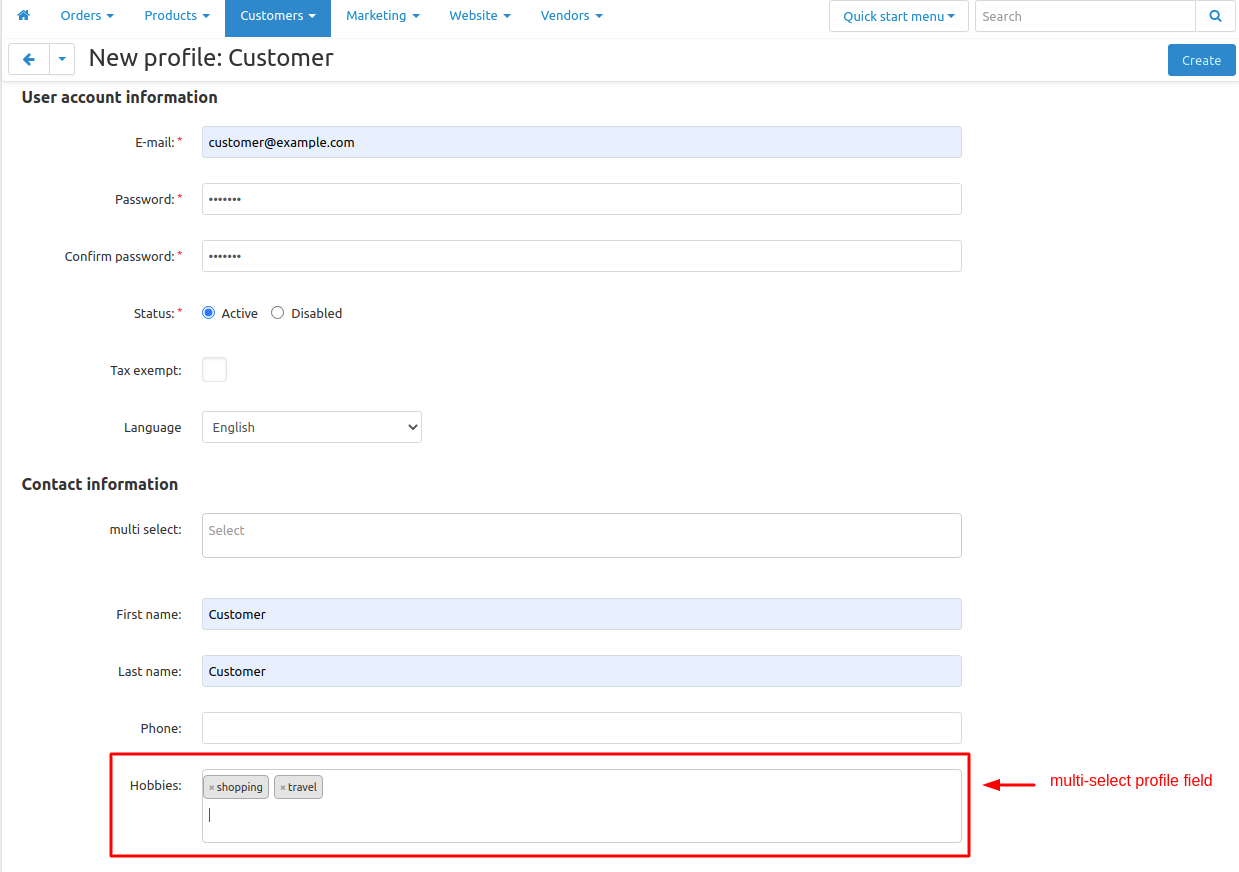
How multi-select profile field look-like at Backend(Create/Add Customer from backend):
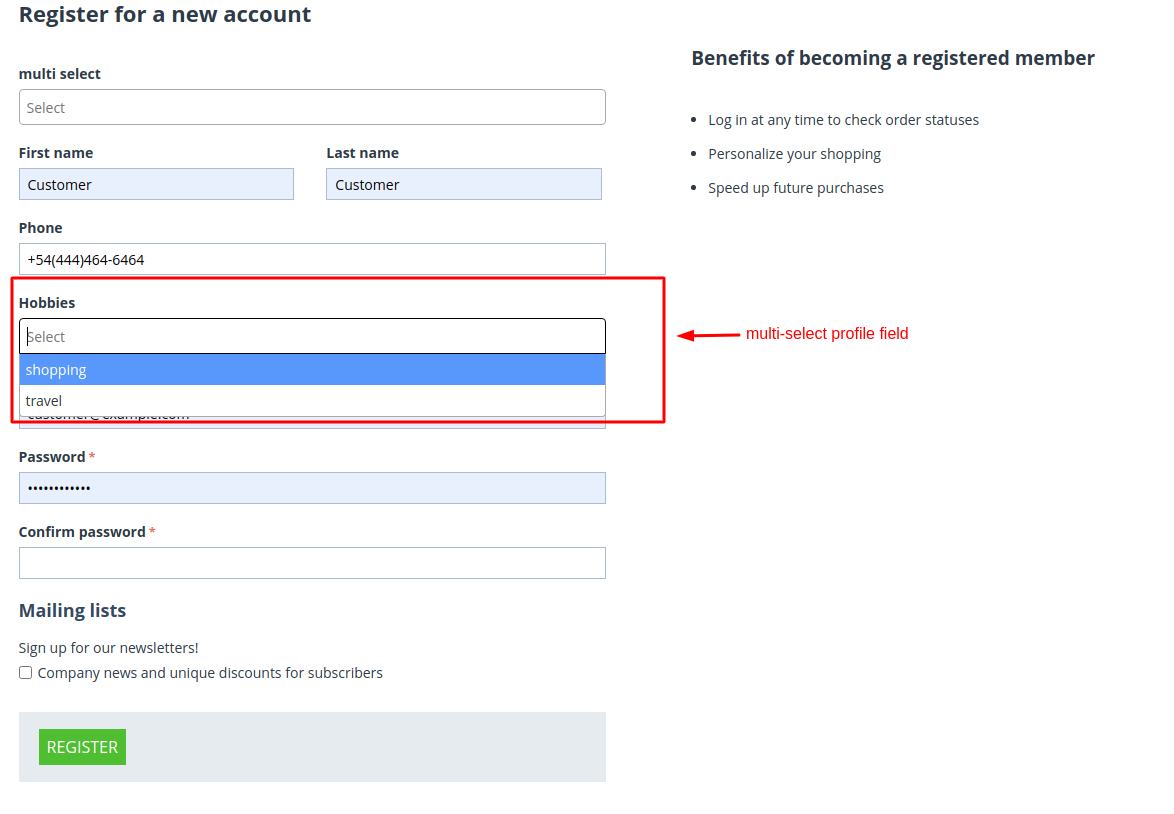
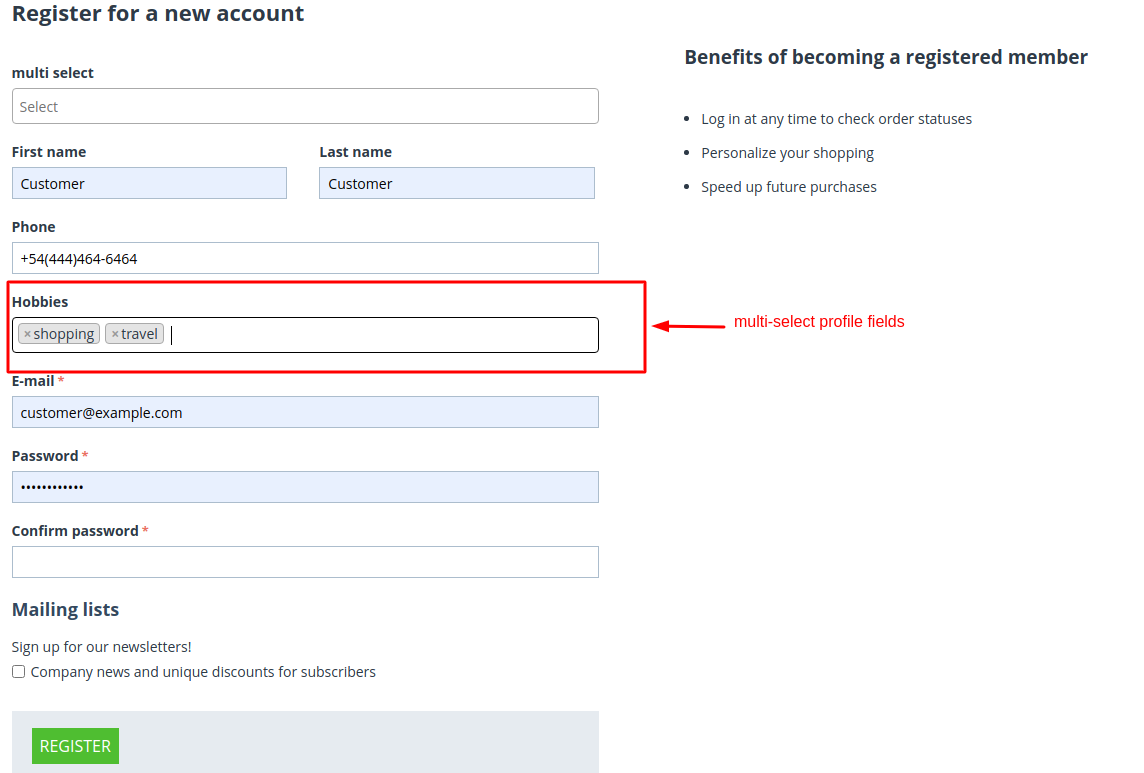
How multi-select profile field look-like at Frontend(Customer-Registration from front-end):
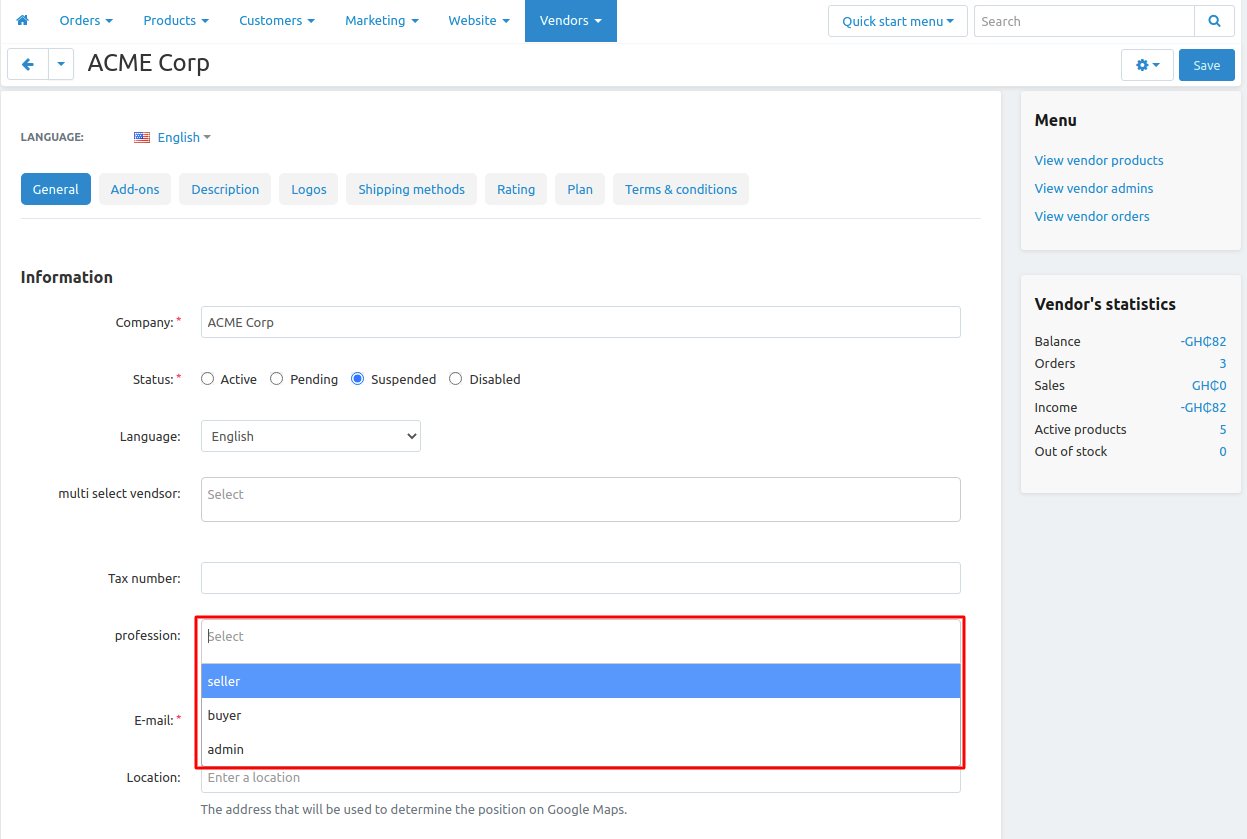
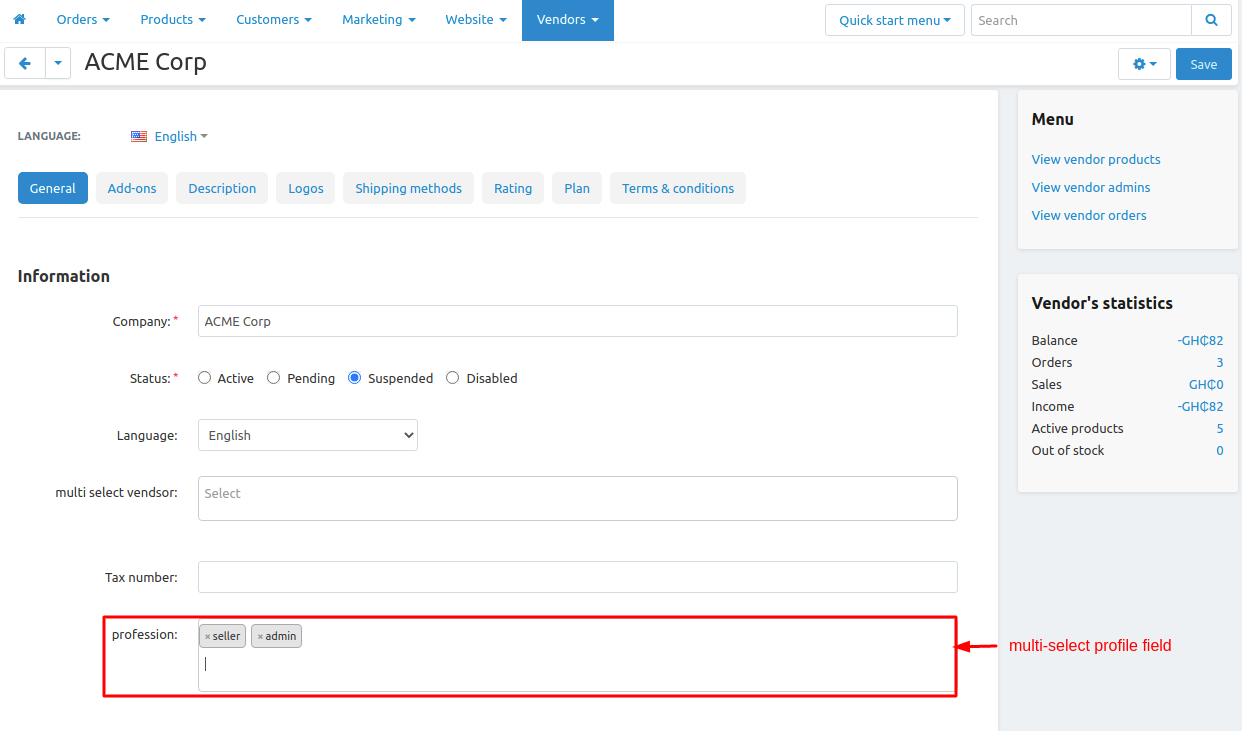
How multi-select profile field look-like at Backend(Create/Add Vendor from backend):
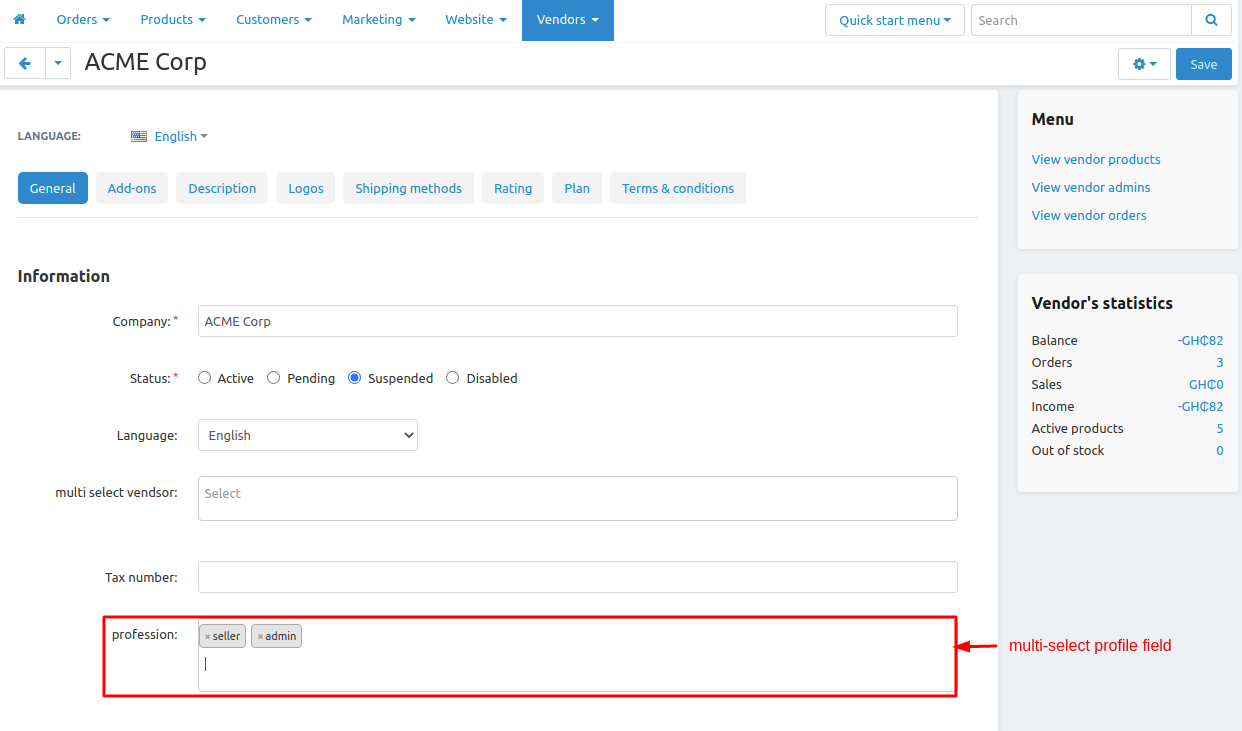
How multi-select profile field look-like at Frontend(Vendor-Registration from front-end):
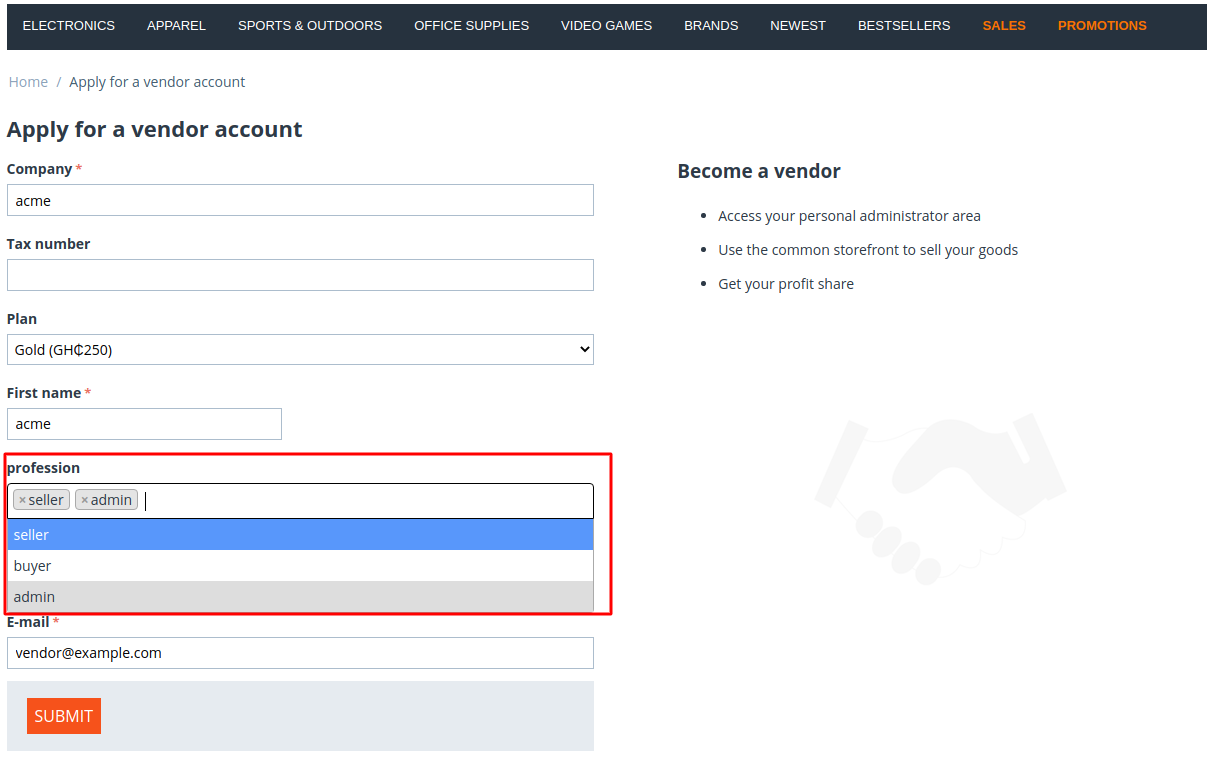
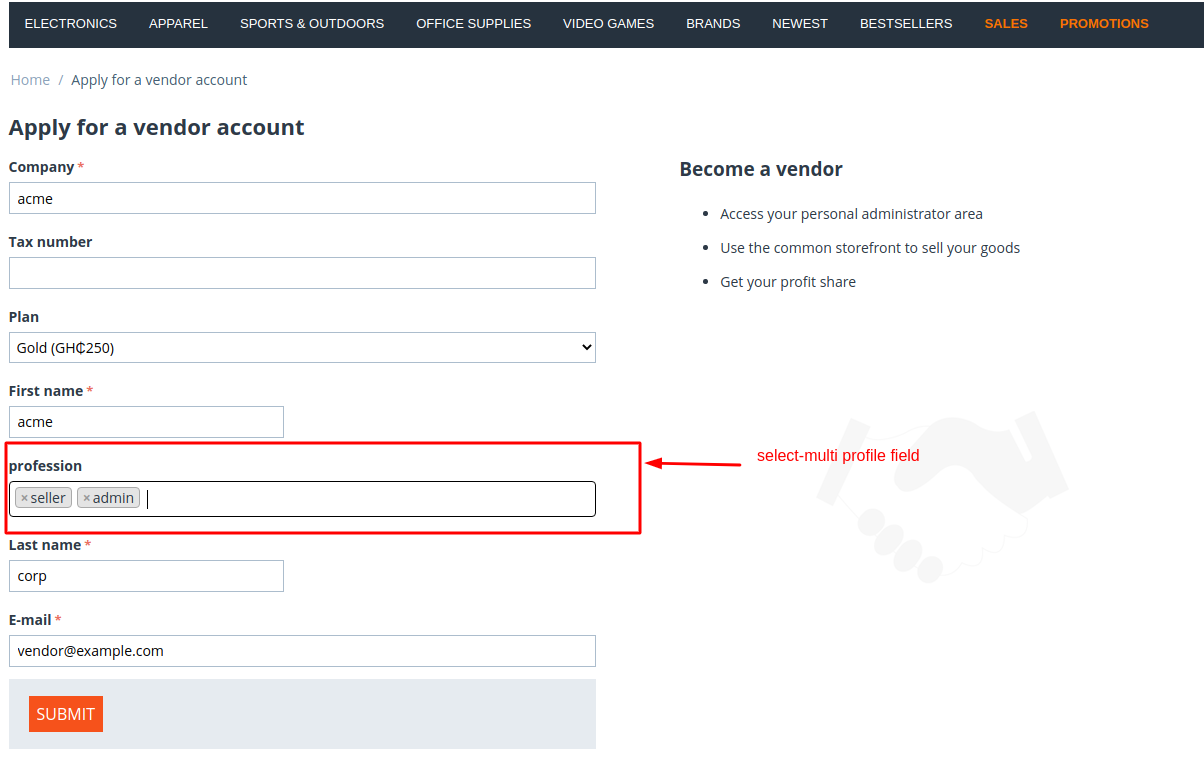
Tutorial Link:
Addon-Version:
Version-1.0
Supported Versions:
CS-Cart, CS-Cart Multivendor 4.8.x, 4.9.x,4.10x,4.11x,4.12,4.13x, 4.14x, 4.15x, 4.16x, 4.17x, 4.18x
Support:
This app is developed and published by Ecarter Technologies Pvt. Ltd., a CS-Cart developer. You are guaranteed a quality add-on supported by future versions. If you need help, please contact us via email support@ecarter.co
Frequently asked questions
What does the Multi-Select Profile-Field add-on do?
It lets the admin create a profile field where customers and vendors can select multiple options instead of just one. The admin defines the field and its option variants under Administration > Profile Fields and controls where it appears.
Where can the multi-select field be shown?
It can be made visible in the customer area and the vendor area, on the customer and vendor registration pages, and at the checkout page. Fields can also be filled in from the backend when creating a customer or vendor.
Does it work with CS-Cart Multi-Vendor?
Yes. The add-on is integrated with CS-Cart Multi-Vendor, so multi-select profile fields can be created for both customers and vendors and shown on their respective registration pages.
How do I install the add-on and set up a field?
Follow the standard add-on installation guide at store.ecarter.co/blogs/how-to-install-addon. After installing, go to Administration > Profile Fields, add a new profile field, and add option variants to turn it into a multi-select field. If you need help with your version or setup, share your details and we can confirm.
Kajal is a Technical Content Writer at Ecarter Technologies. She writes technical documentation and in-depth guides on eCommerce platforms, mobile commerce and AI in online retail.