
Order Notification Attachments
This addon allows easily add attachments (like PDFs, images, or documents) to order notification emails sent to customers, vendors, and administrators
Order Notification Attachments is an add-on for CS-Cart that lets you attach files, such as PDFs, images, or documents, to the order notification emails sent to customers, vendors, and administrators. You upload and attach the files directly within the notification template settings, and they are delivered automatically with each order email, so no separate manual sending is needed. This solves the problem of having to send important order-related documents in a separate step, helping make sure every party receives the information they need. It is aimed at CS-Cart store owners and Multi-Vendor operators who want to include supporting files in their order notifications.

Order Notification Attachments Addon for CS-Cart allows easily add attachments (like PDFs, images, or documents) to order notification emails sent to customers, vendors, and administrators. With just a few clicks, you can upload and attach important files directly in notification templates. Everything is delivered automatically with the order email. It improves communication and ensures all parties get the necessary information without extra steps.
Features:
- Attach Files Easily: Add PDFs, images, or documents to order notification emails with just a few clicks.
- Supports All User Types: Attachments can be added for customers, vendors, and administrators.
- Automatic Delivery: Files are sent automatically with the order notification email, no manual sending required.
- Simple Integration: Easily upload and manage attachments within the notification template settings.
- Improve Communication: Ensures all involved parties receive important documents without any extra steps.
- CS-Cart Support info: The add-on is well integrated with CS-Cart Multi-Vendor and can be used with its standard, Plus, and Ultimate Versions.
Installation:
How to install Addon
https://store.ecarter.co/blogs/how-to-install-addon/
Workflow
Add an Attachment to the Notification for the customer
Allows admins to attach files like PDFs, images, or other documents in the order notification emails sent to customers. This ensures that customers receive important attachments directly with their order updates. Improving communication.
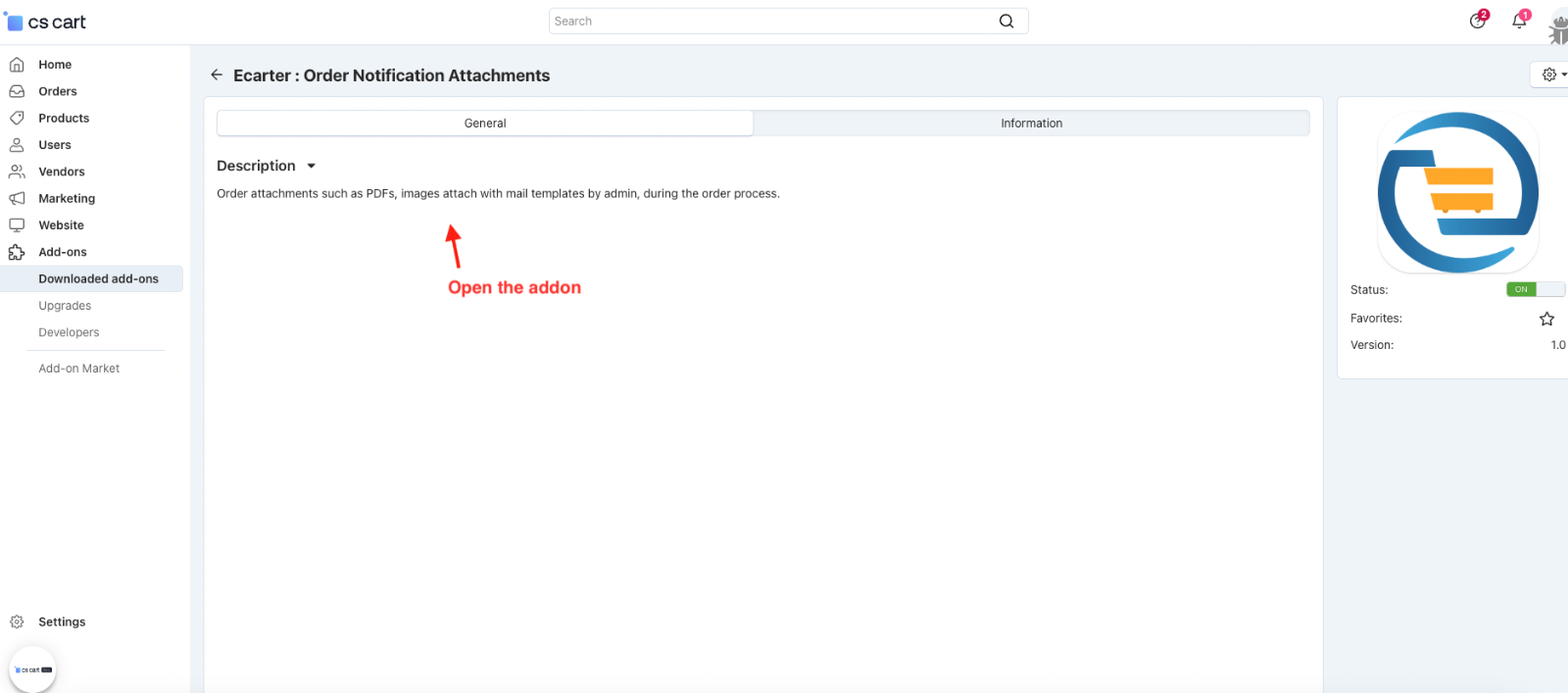
- Open the addon.
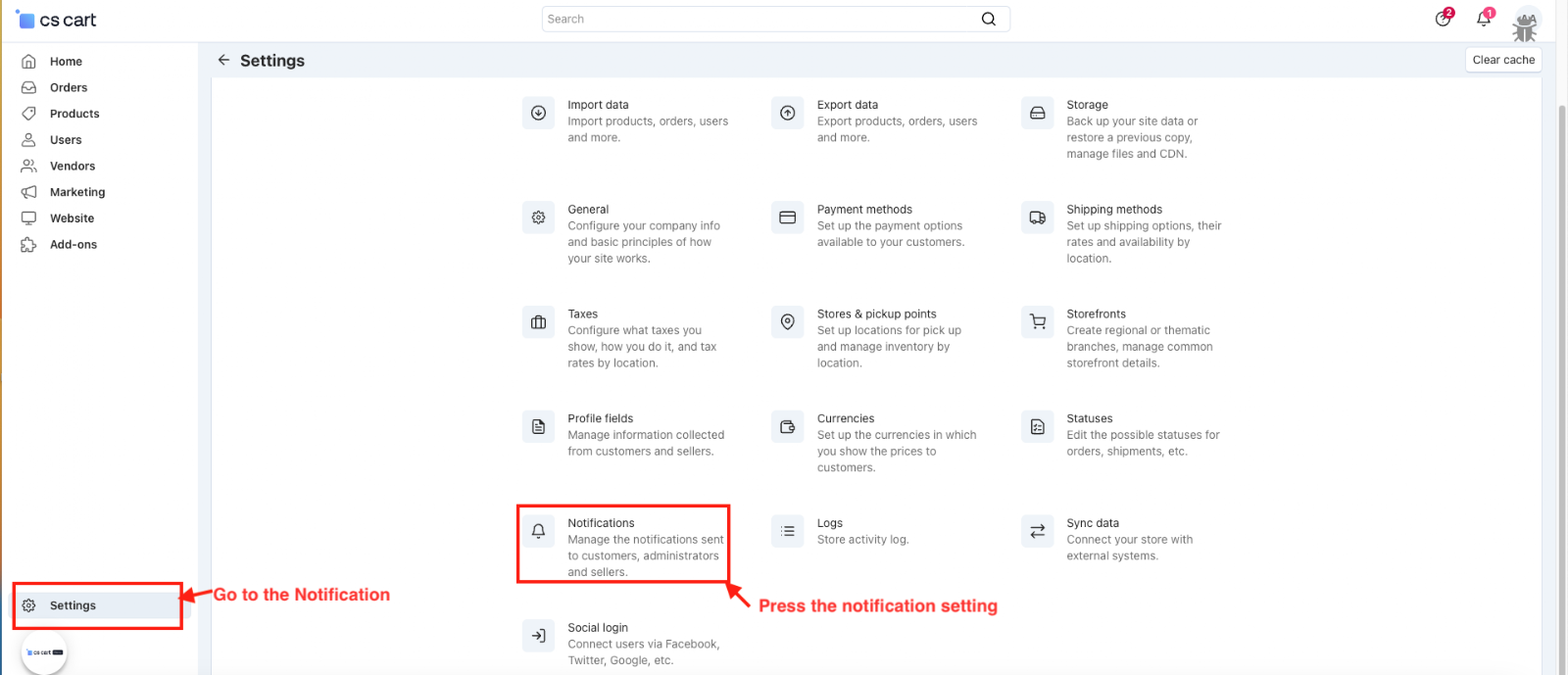
- Go to the Settings>>Notifications.
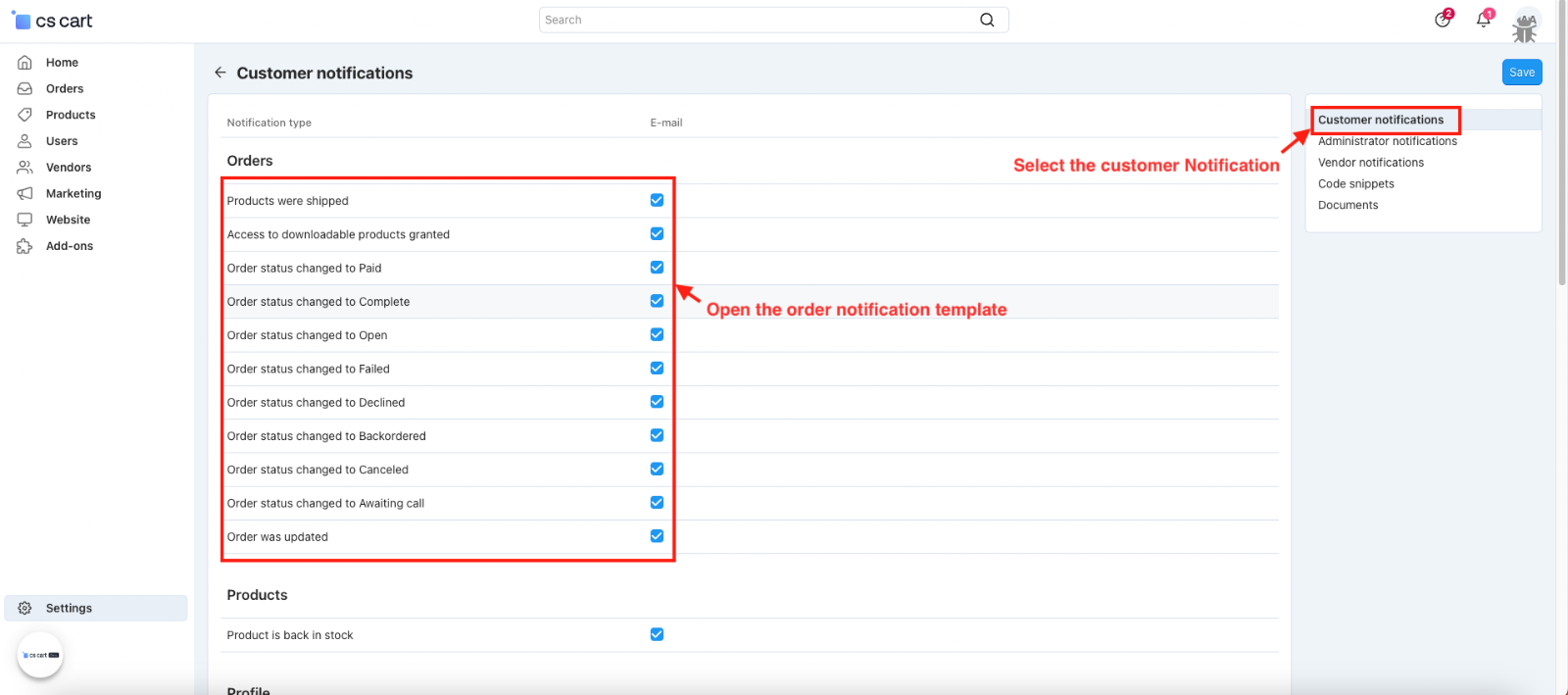
- Select the customer Notification
- Open the order notification template.
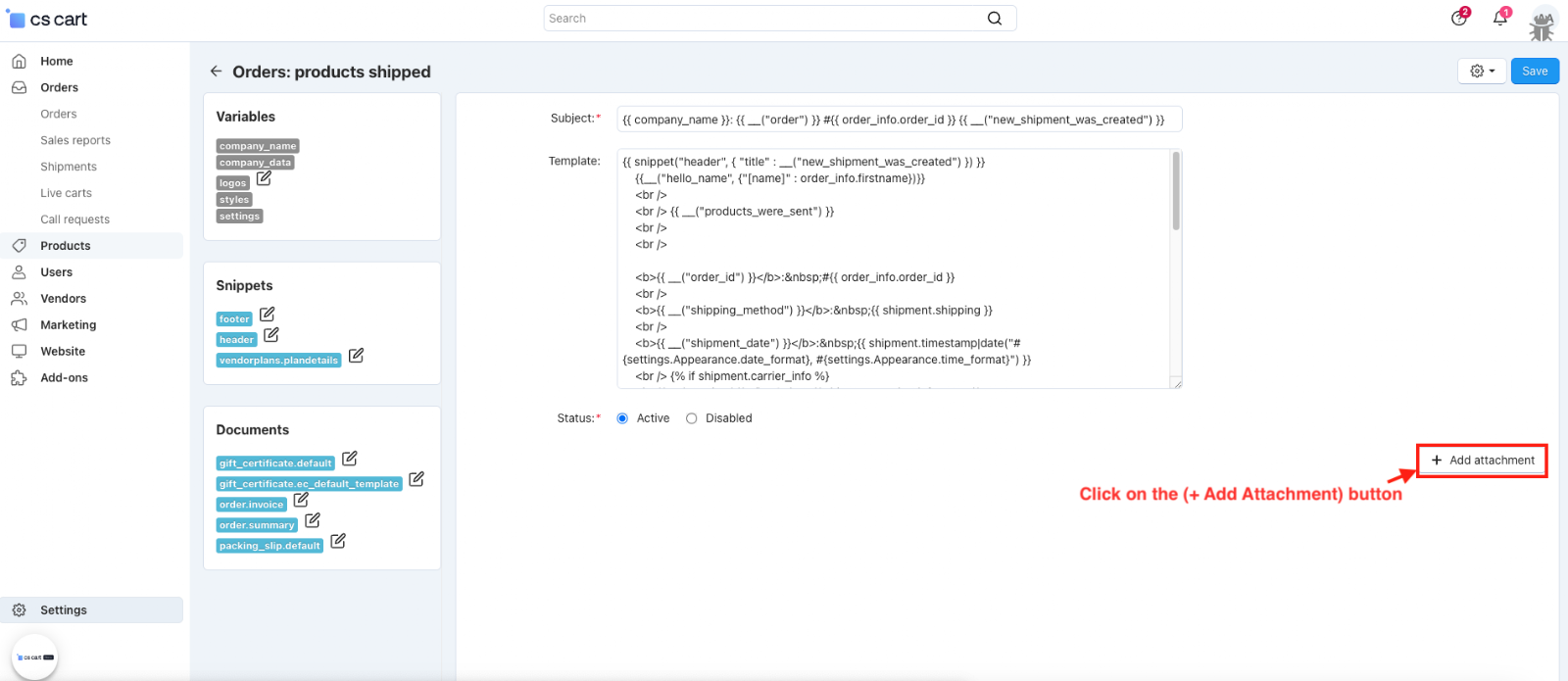
- Click on the (+ Add Attachment) button.
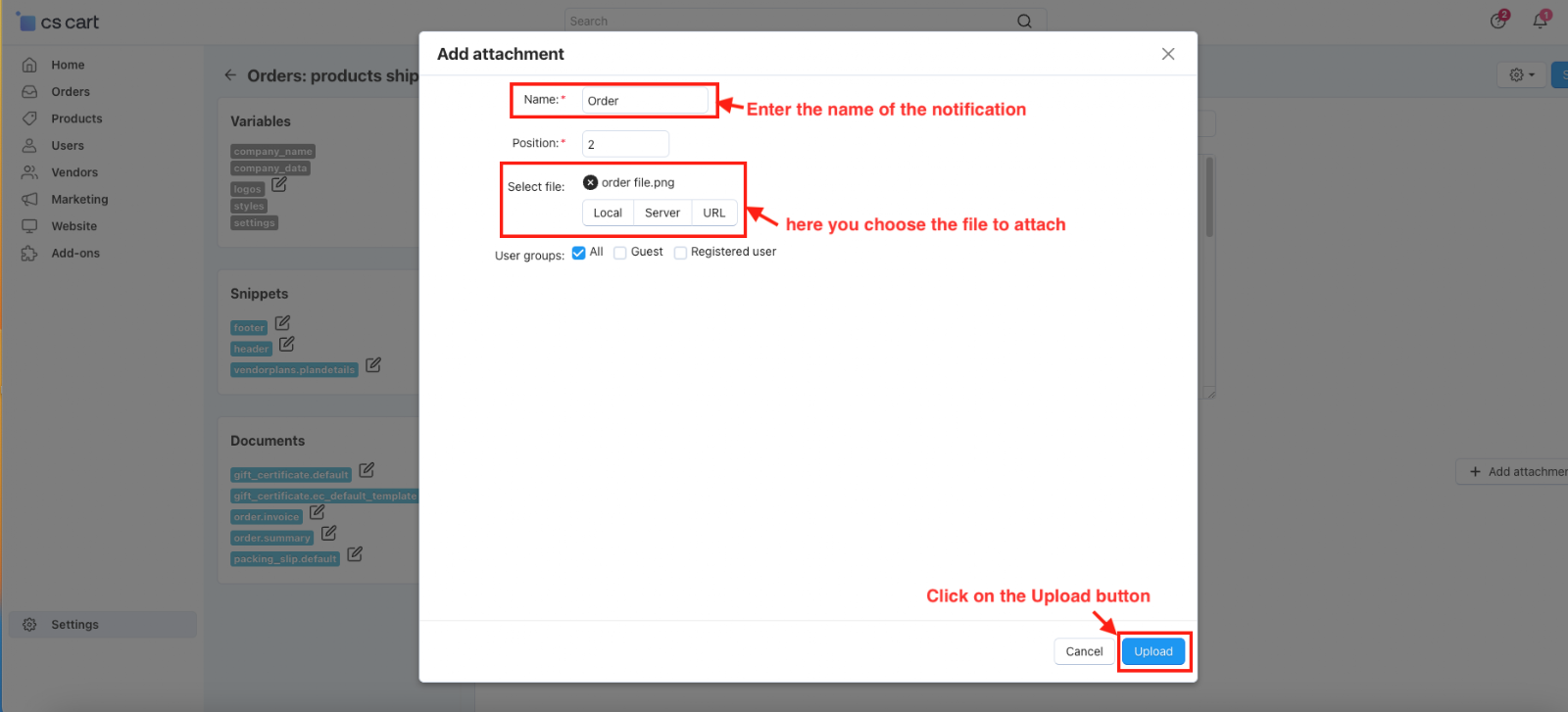
- The pop-up window will be open.
- Name: Enter the name of the notification
- Select file: here you choose the file to attach.
- Click on the Upload button.
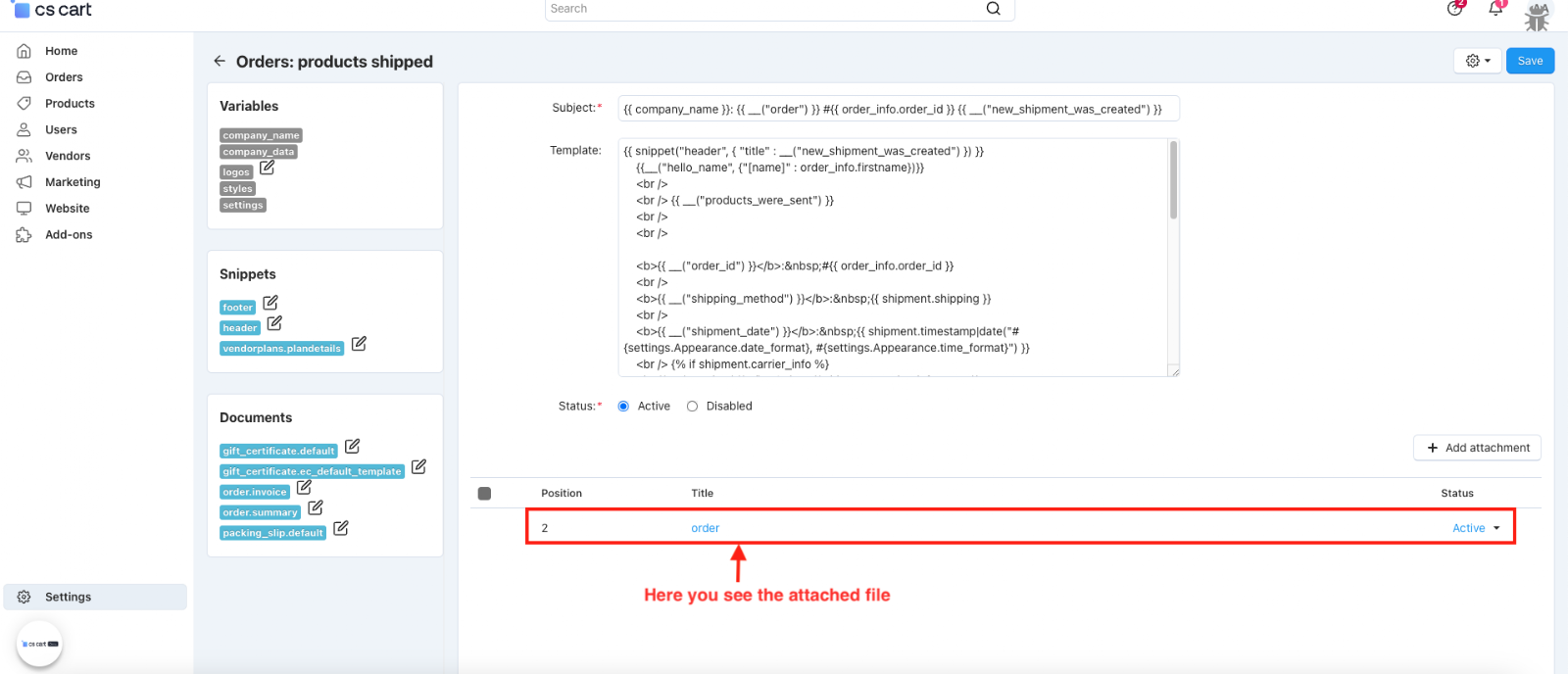
- Here you see the attached file.
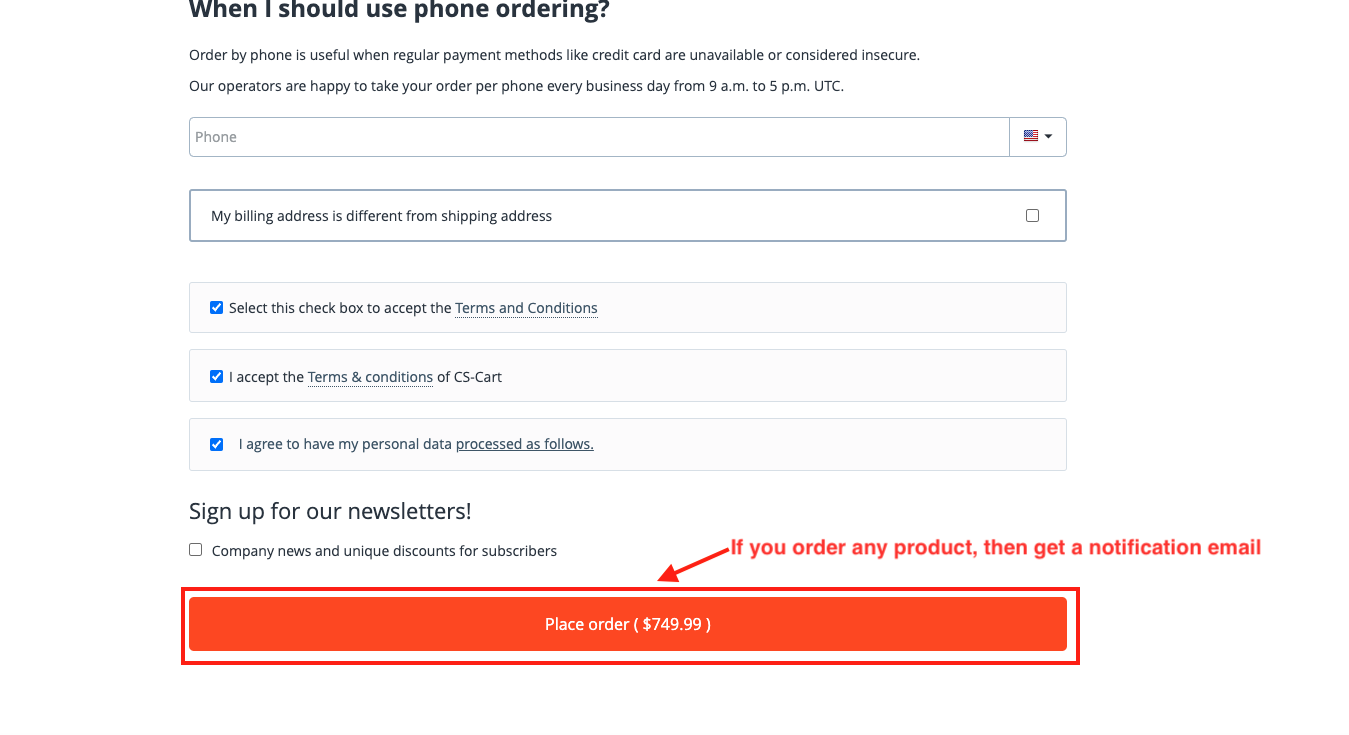
- If you order any product, you will get a notification email.
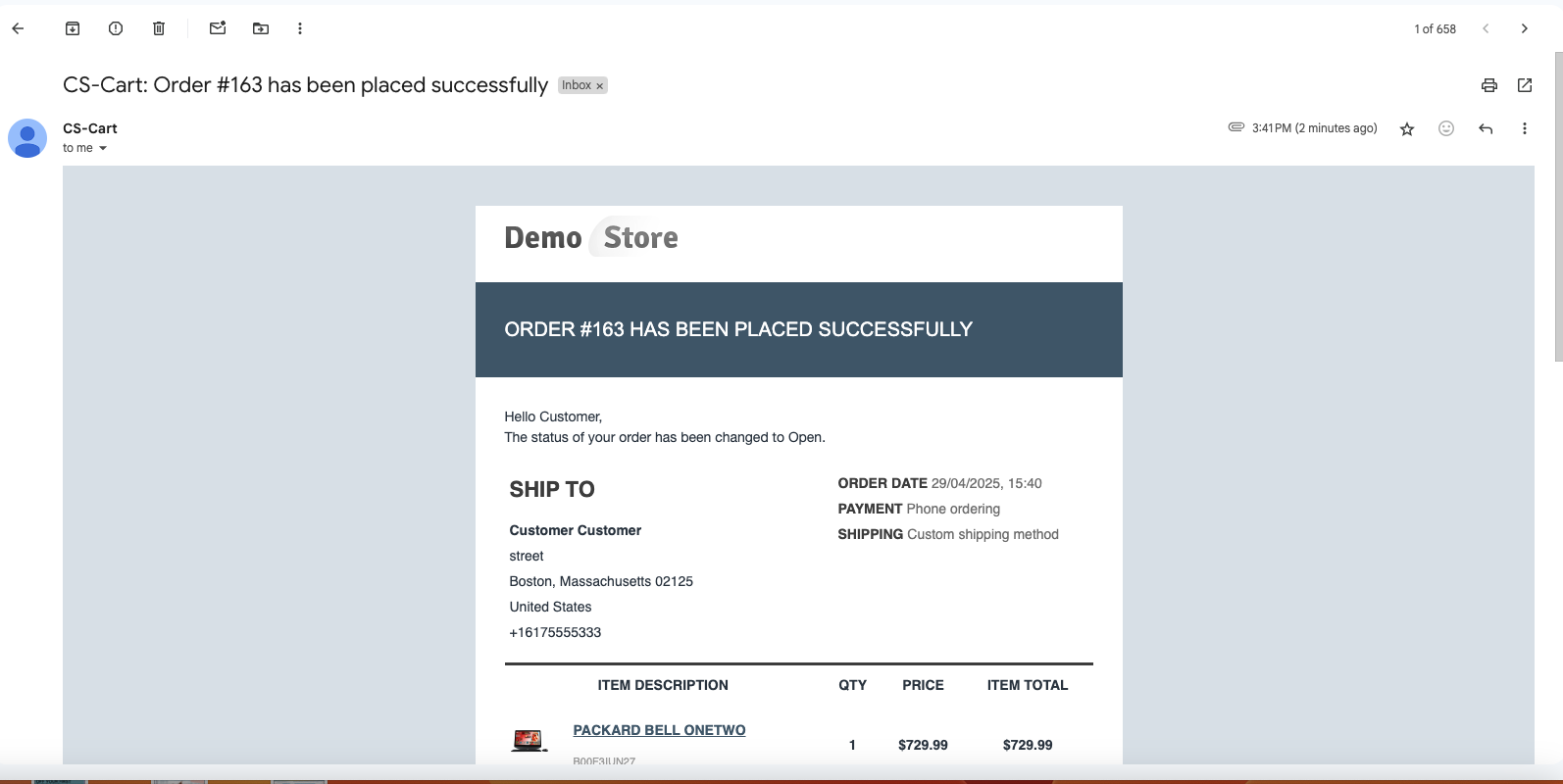
- Here you see the notification email with the attached file.
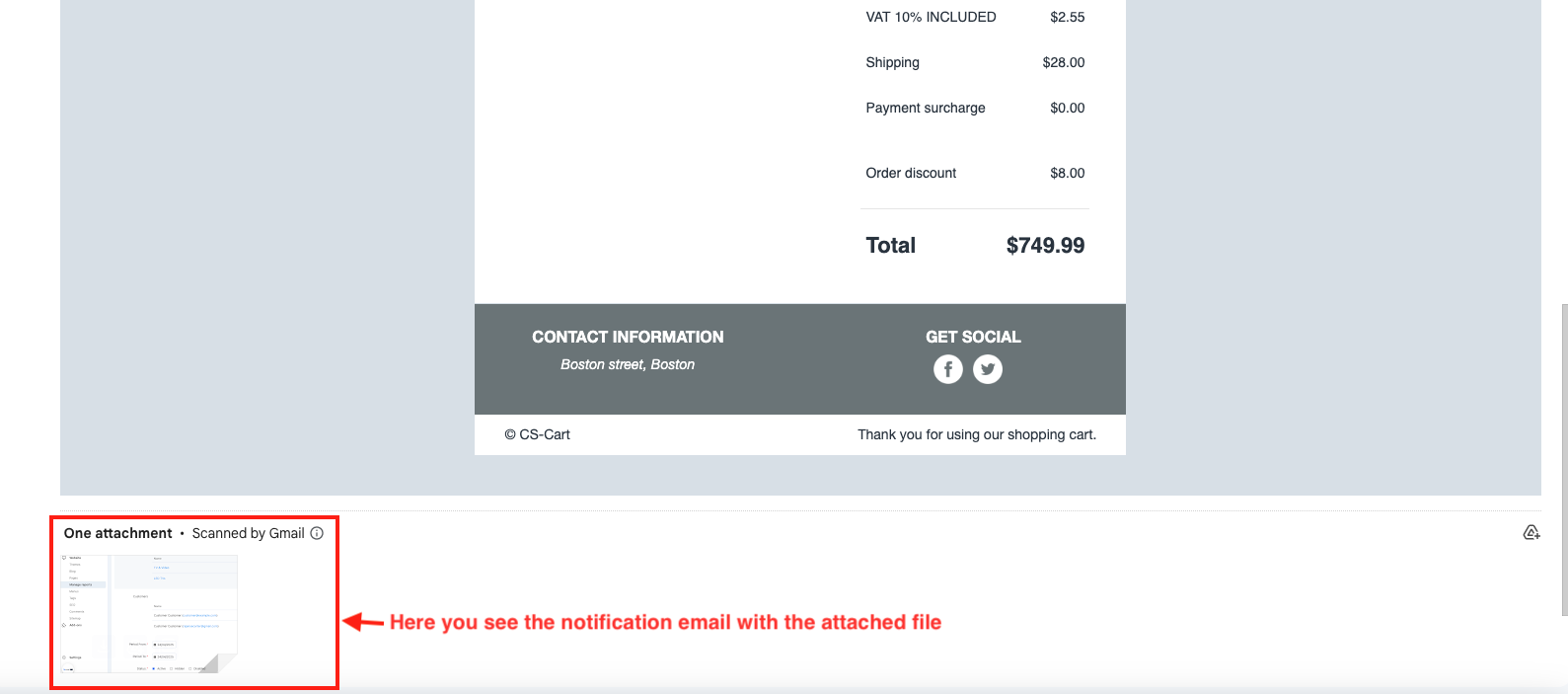
Add an Attachment to the Notification for Administrator
Easily add an attachment to the administrator’s order notification email with this addon
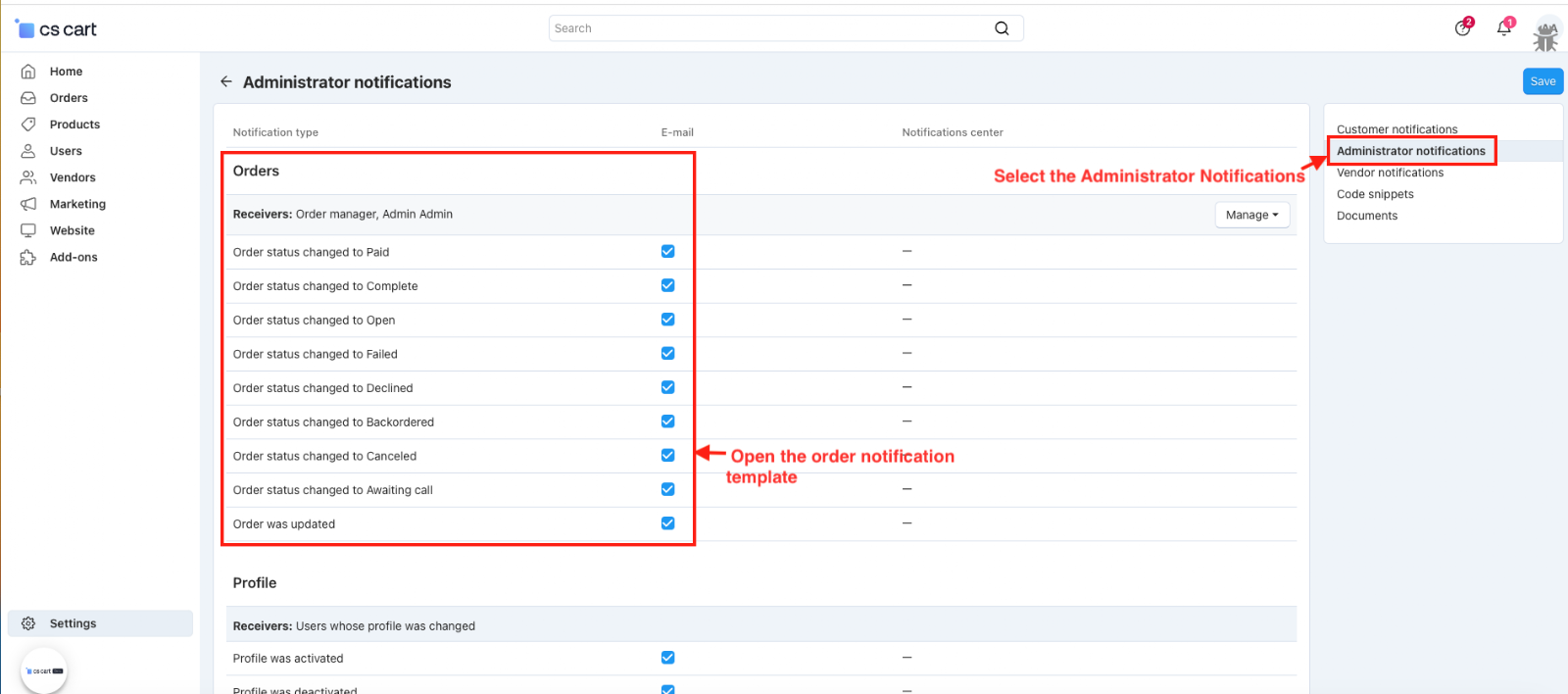
- Select the Administrator Notifications.
- Open the order notification template.
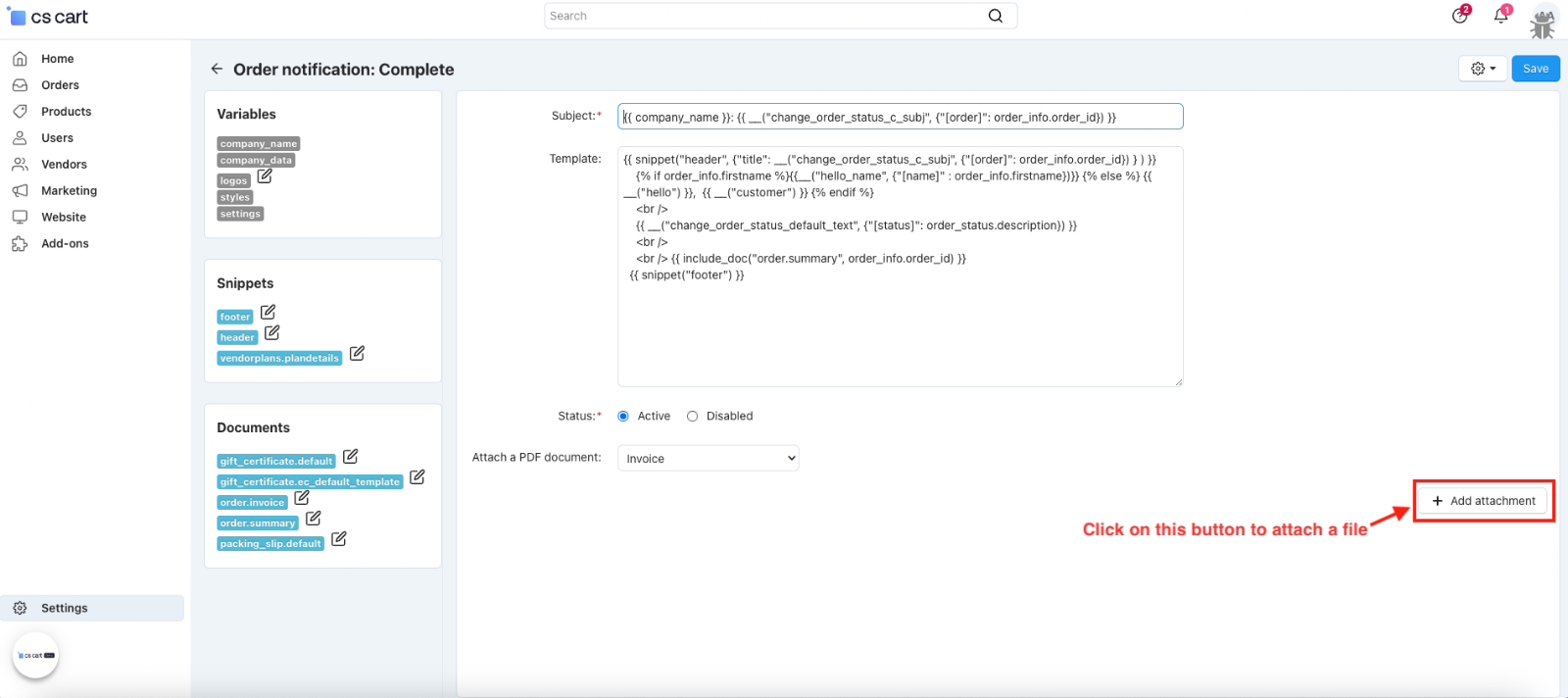
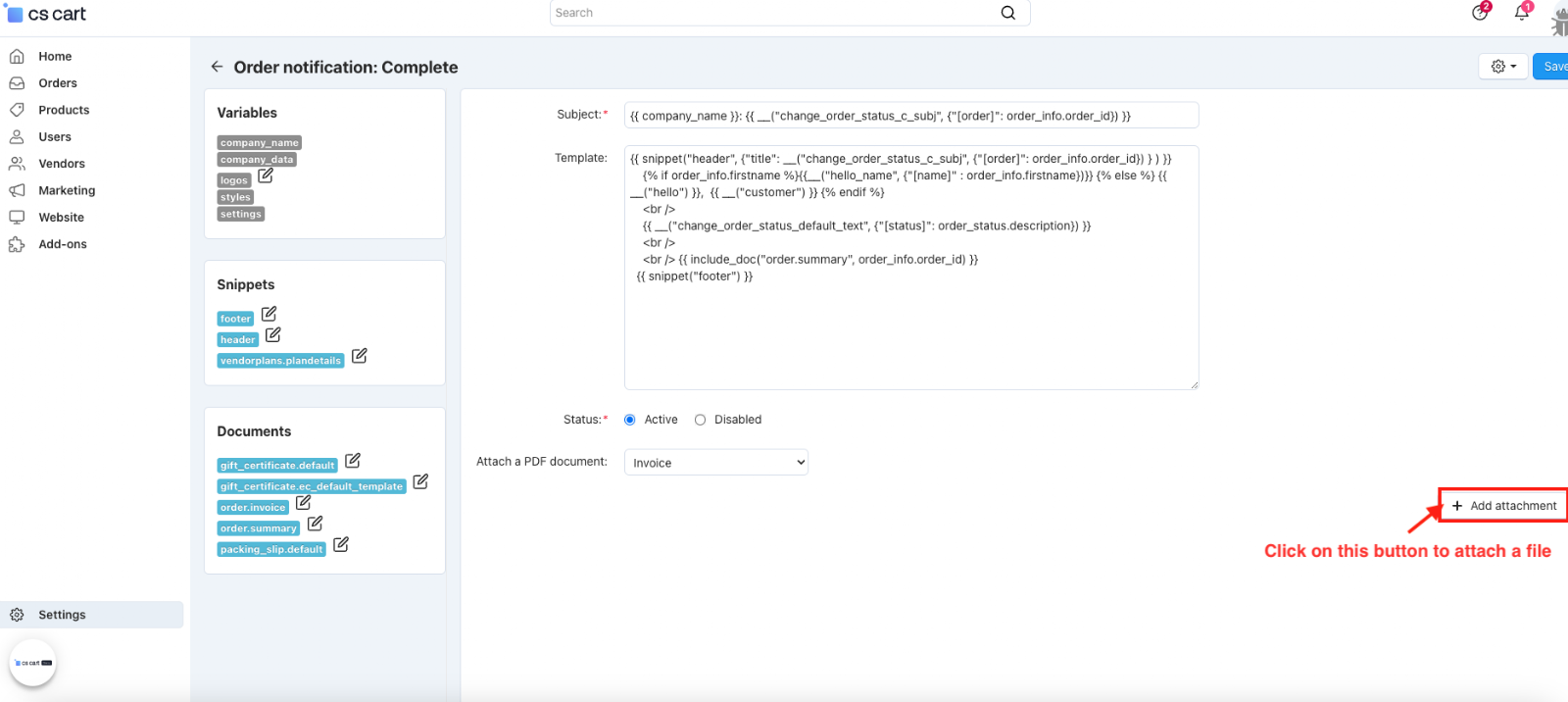
- Click on the (+Add attachment) button to attach a file.
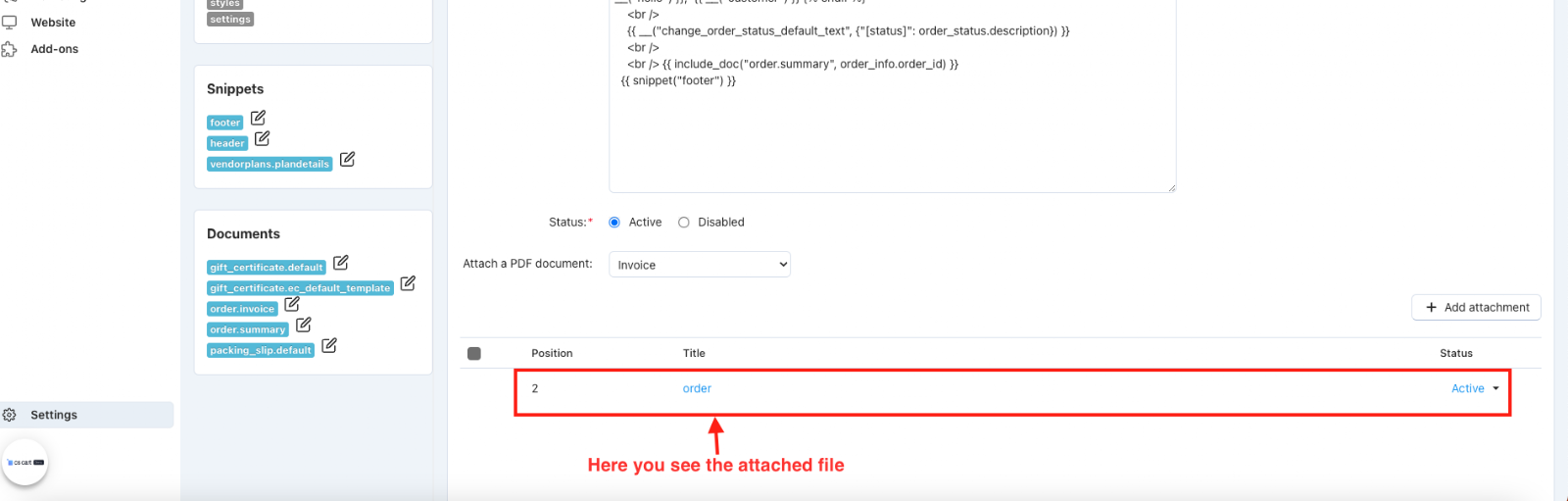
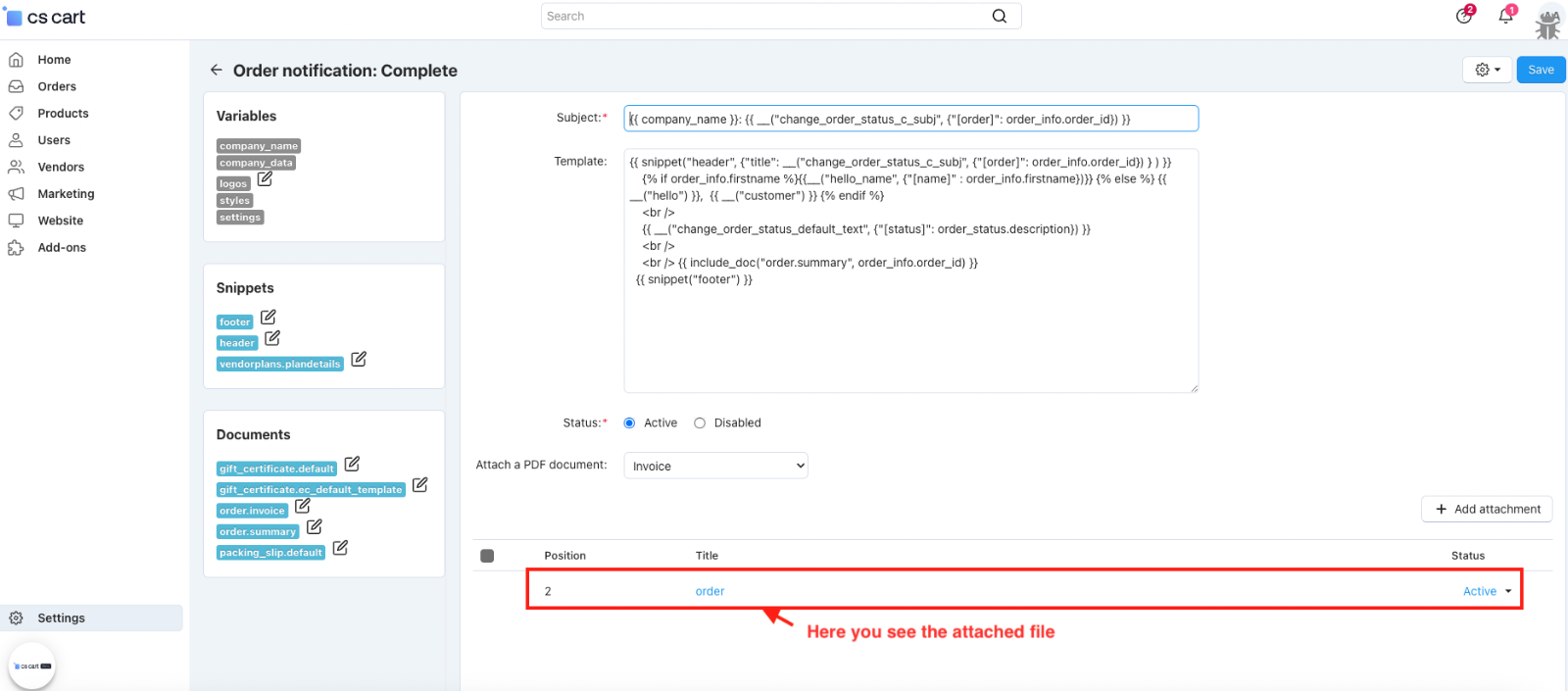
- Here you see the attached file.
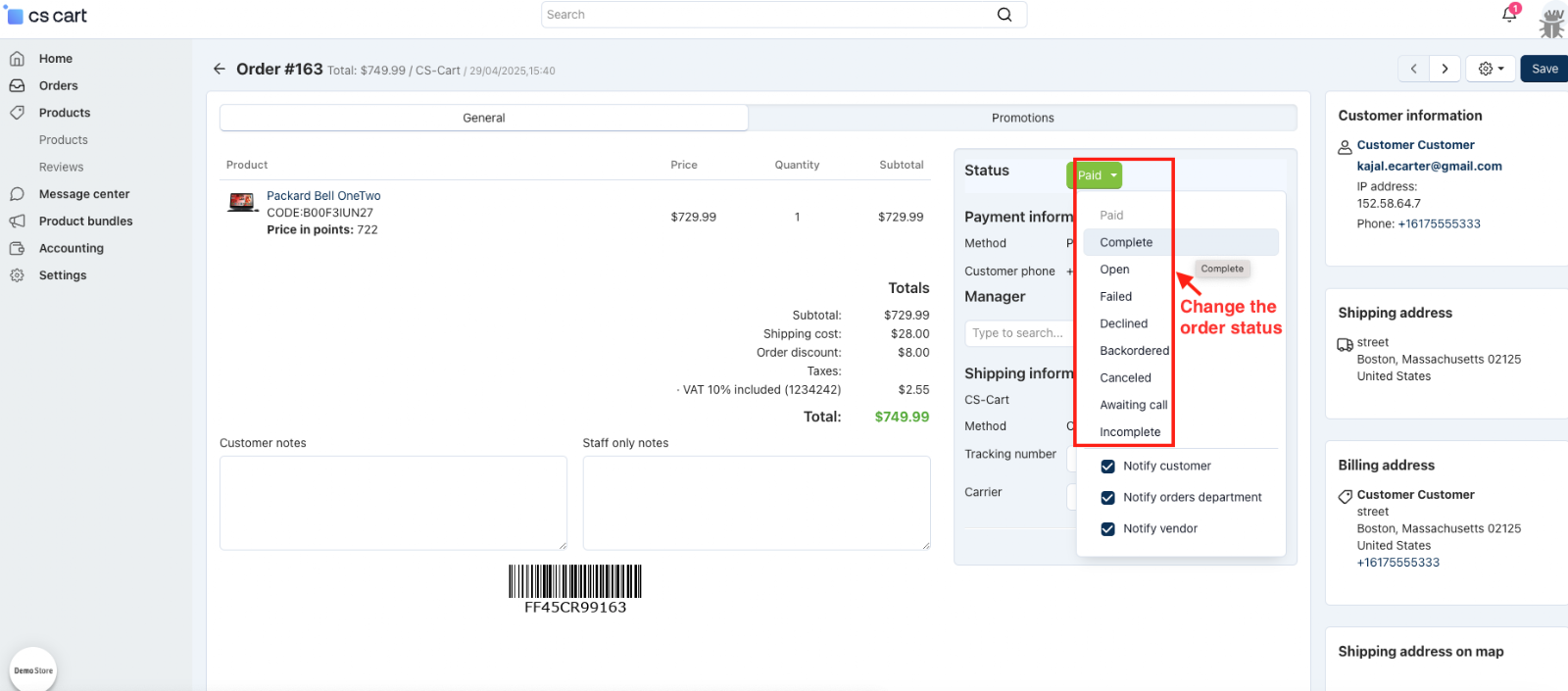
- Change the order status.
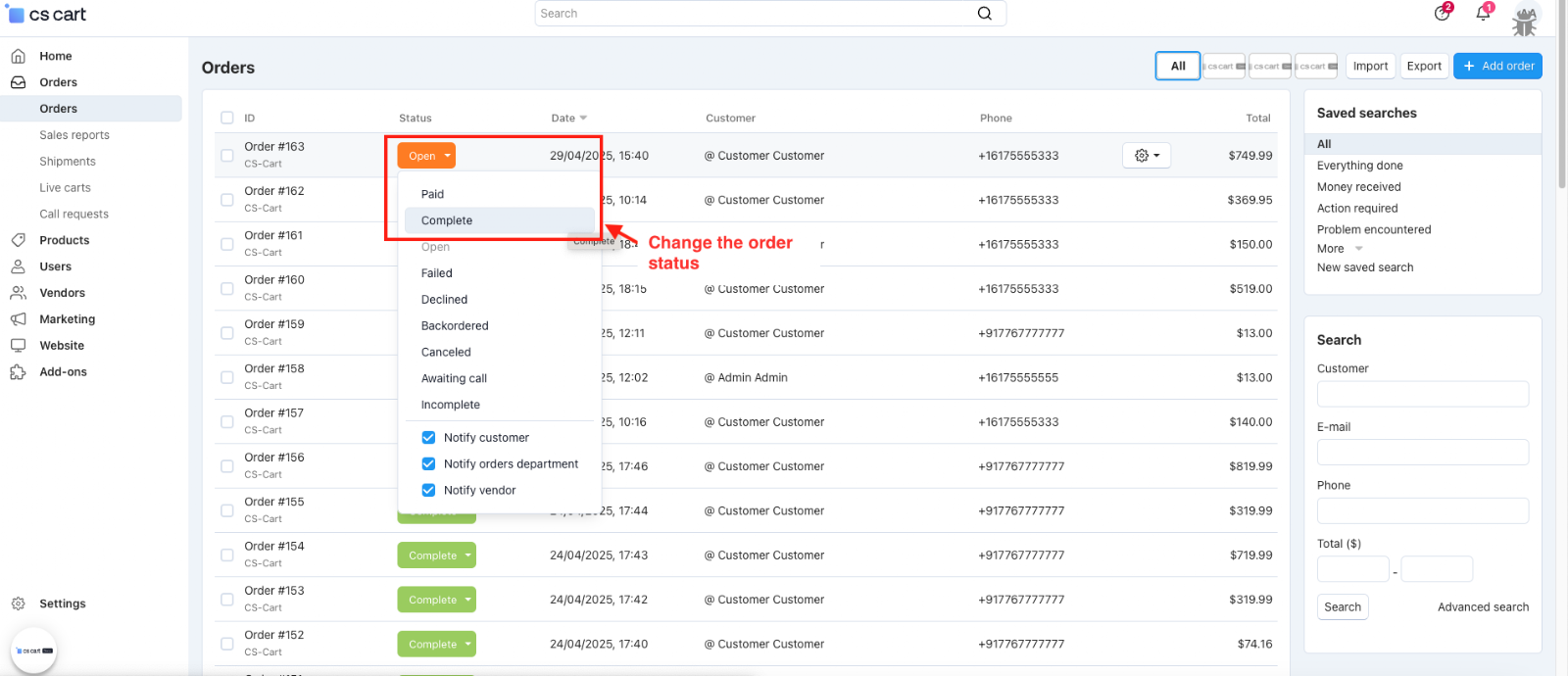
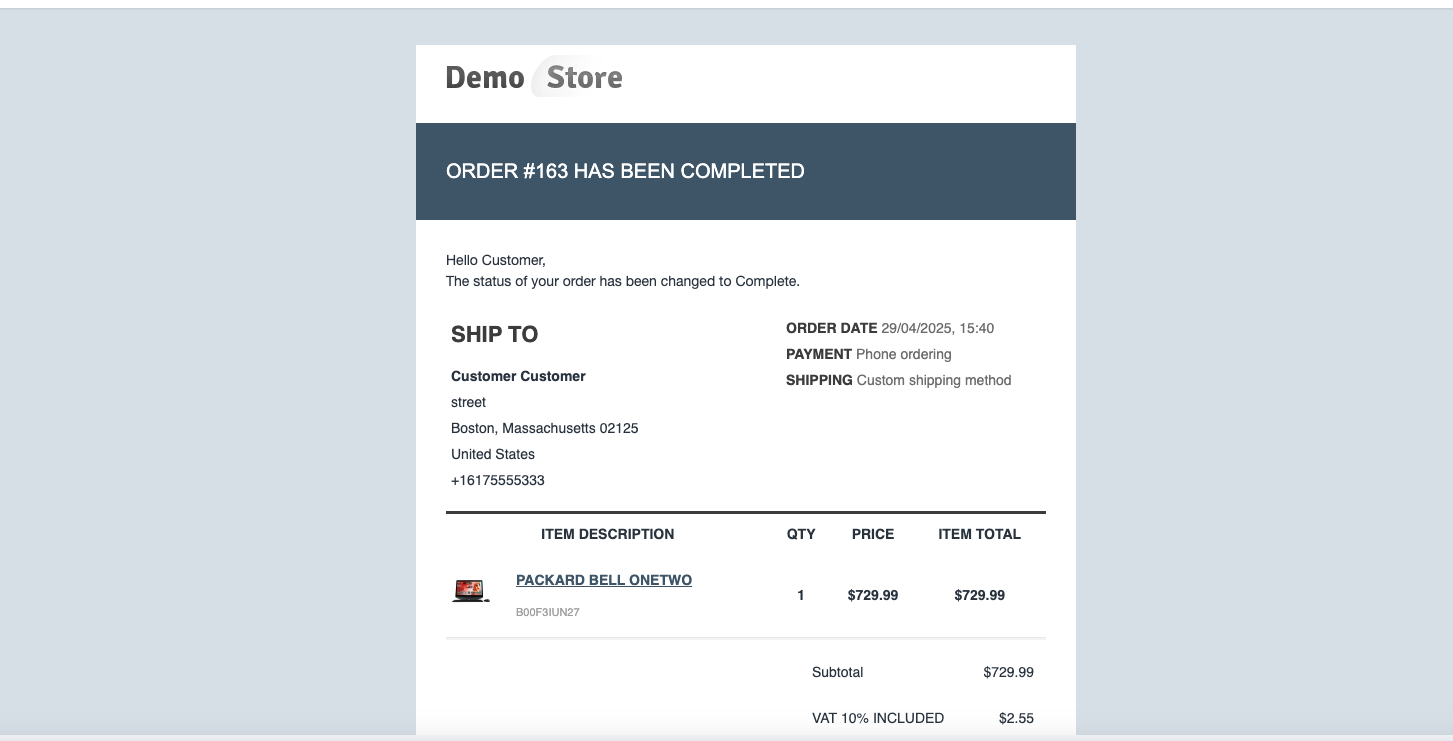
- Here you see the notification email with the attached file
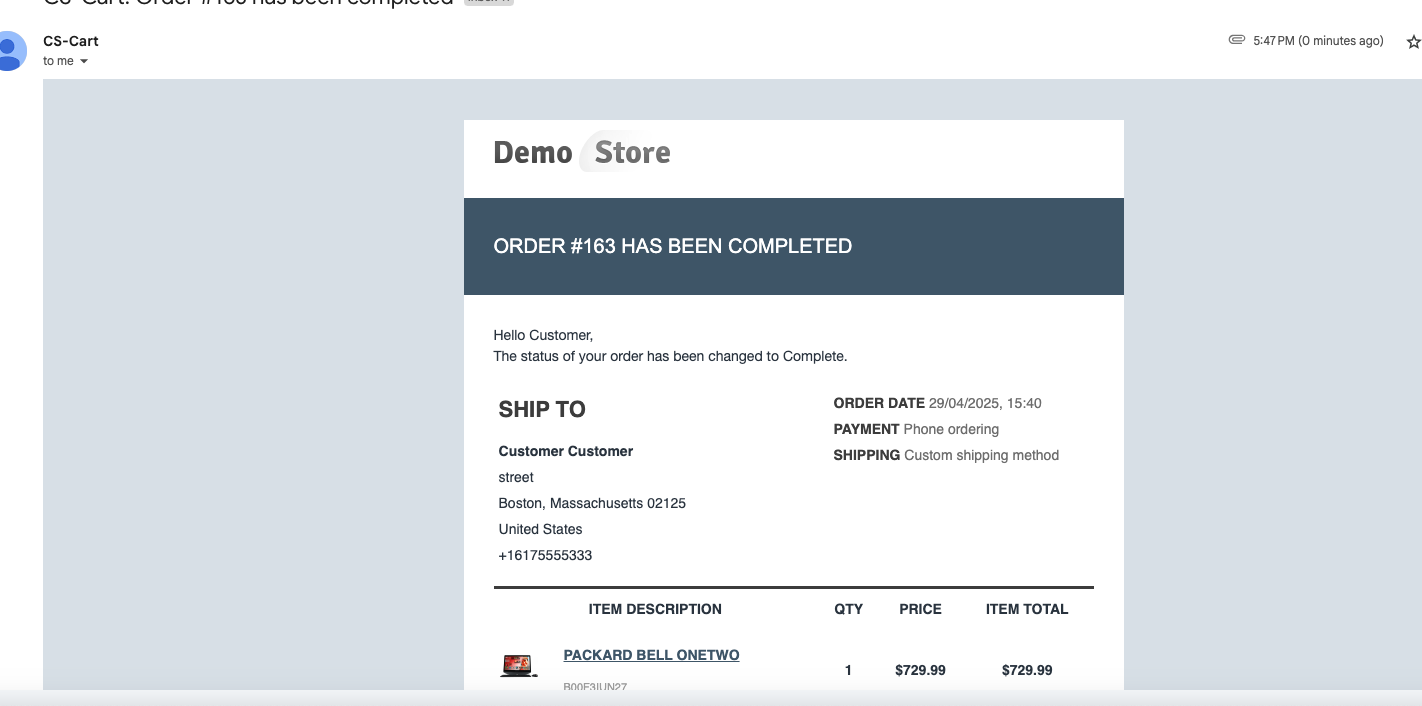
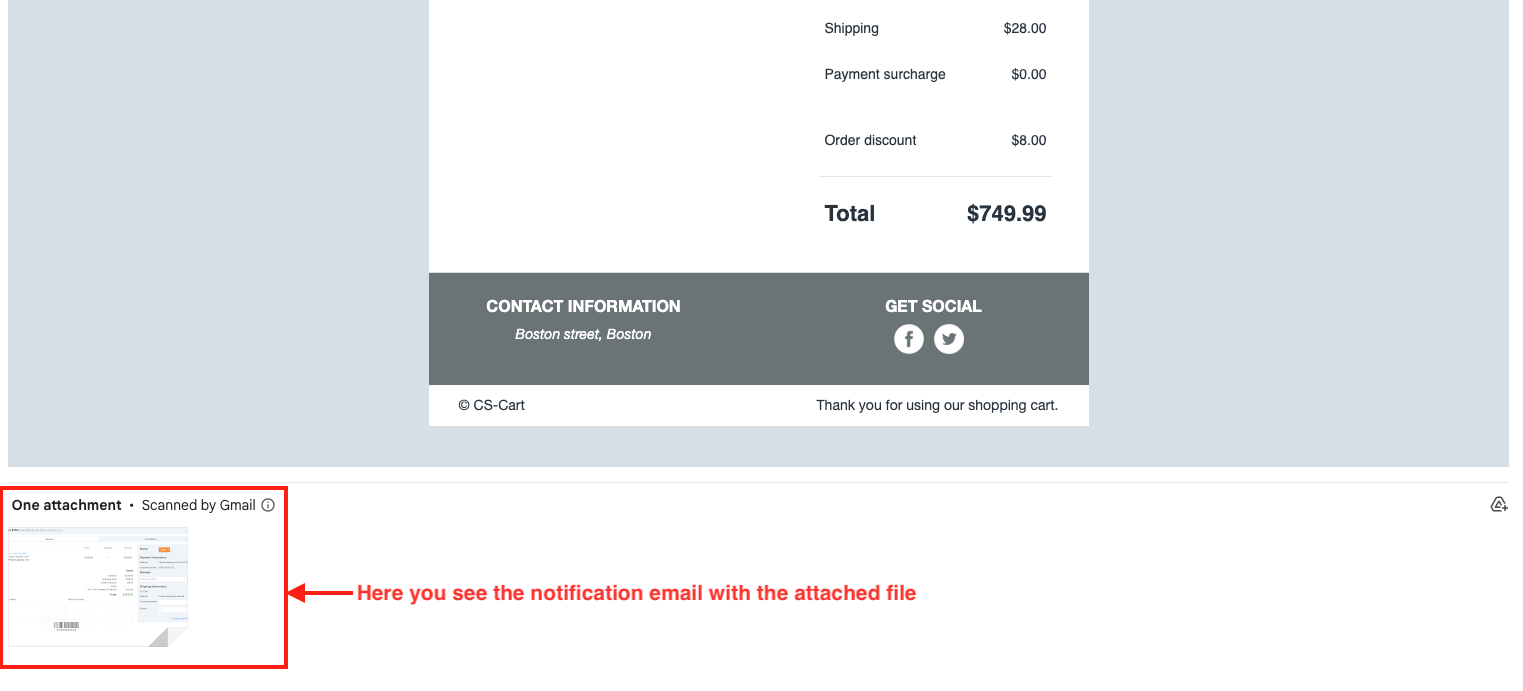
Add an Attachment to the Notification for the Vendor
This allows you to attach files (like invoices, guidelines, or custom documents) to order notification emails sent to vendors. It helps vendors receive important order-related documents directly in their email, improving communication and streamlining the order process.
- Select the Vendor Notification.
- Open the order notification template.
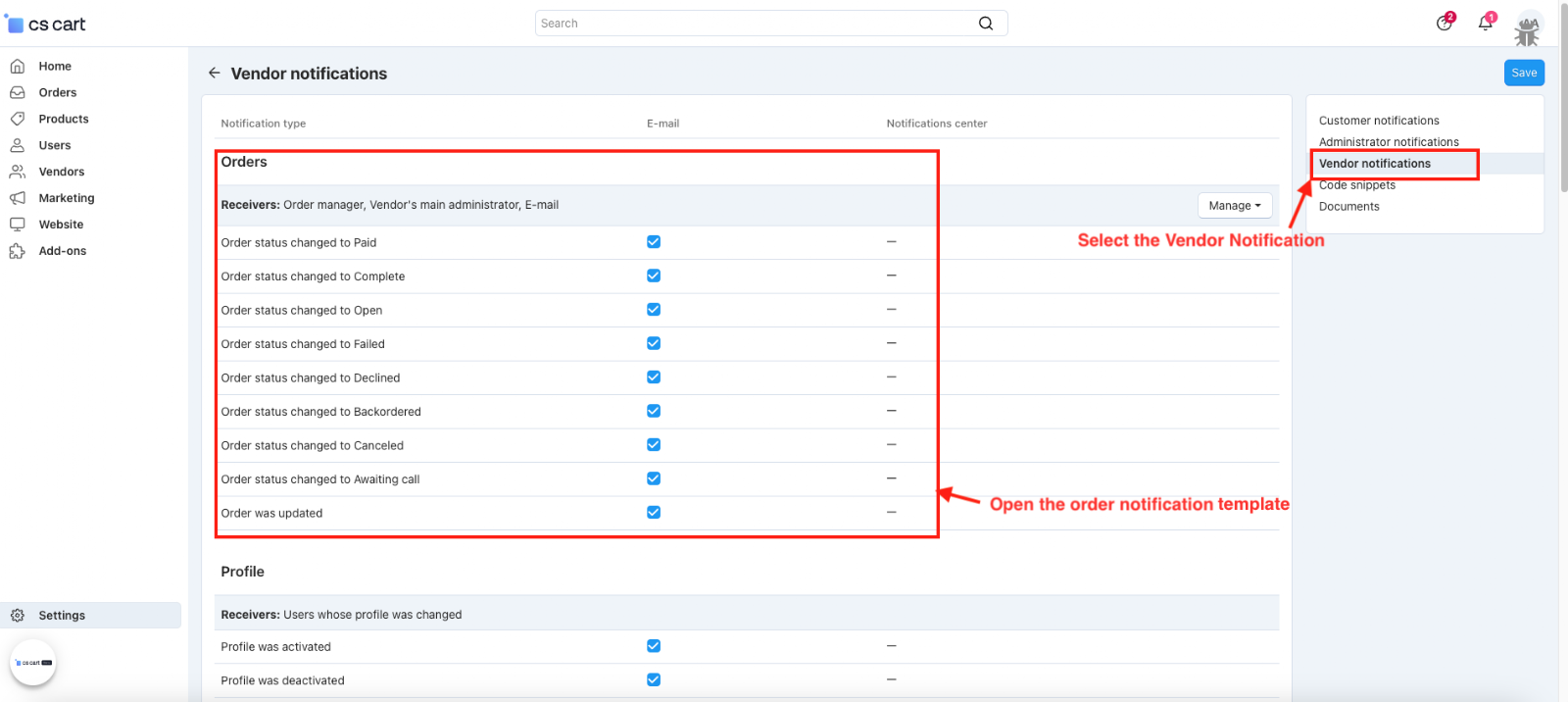
- Click on the (+Add attachment) button to attach the file.
- Here you see the attached file.
- Change the order status in the vendor panel.
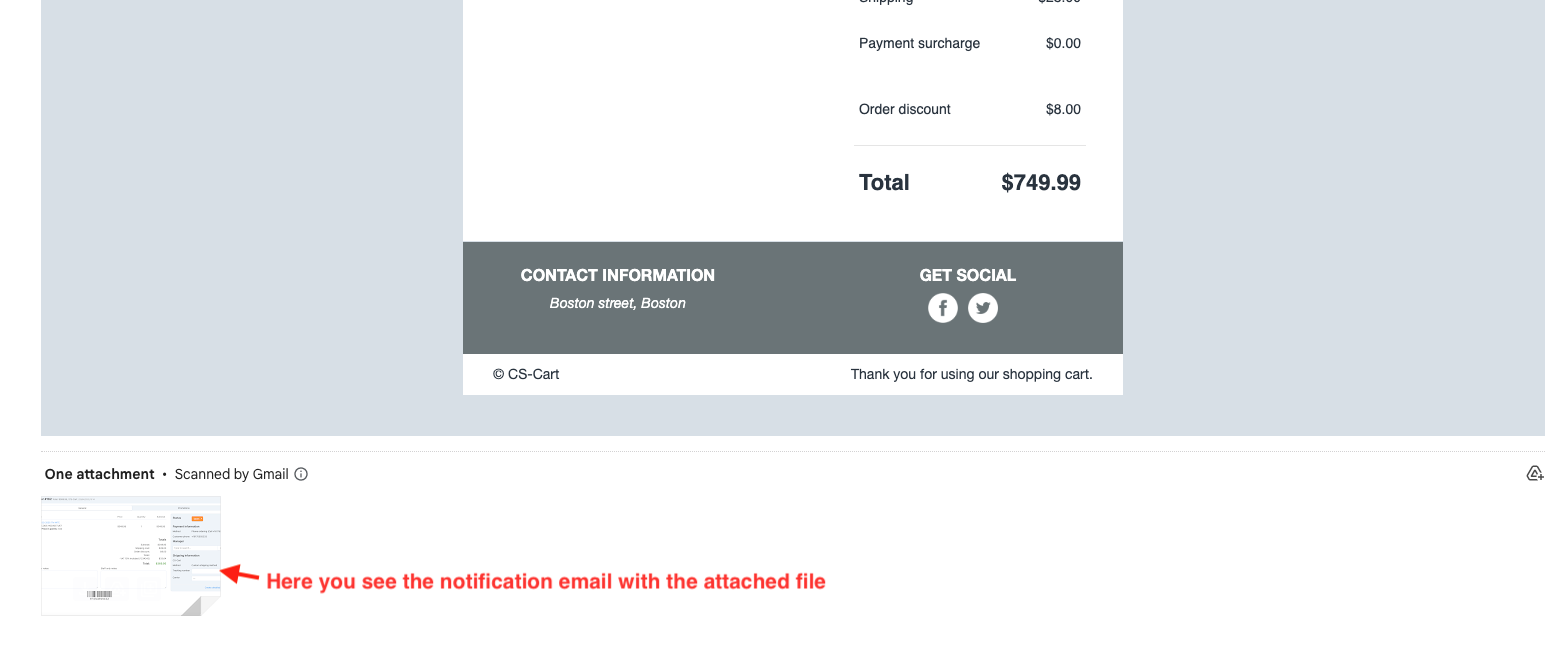
- Here you see the notification email with the attached file.
Final thought:
This addon is a simple yet powerful tool that enhances communication between store admins, vendors, and customers. By allowing you to send important documents automatically with order emails, it saves time, reduces manual effort, and ensures everyone stays informed throughout the order process.
Addon-Version:
Version-1.0
Supported Versions:
CS-Cart, CS-Cart Multivendor 4.8.x, 4.9.x,4.10x,4.11x,4.12,4.13x, 4.14x, 4.15x, 4.16x, 4.17x, 4.18x
Support:
This app is developed and published by Ecarter Technologies Pvt. Ltd., a CS-Cart developer. You are guaranteed quality add-ons.
Frequently asked questions
What file types can I attach to order notification emails?
You can attach PDFs, images, or documents to the order notification emails. Files are uploaded and managed within the notification template settings.
Who can receive the attached files?
Attachments can be added for customers, vendors, and administrators. Each involved party receives the relevant documents automatically with the order notification email.
Do the attachments need to be sent manually with each order?
No. Once a file is attached in the notification template, it is delivered automatically with the order notification email, with no manual sending required.
Is the add-on compatible with CS-Cart Multi-Vendor?
Yes. The add-on is integrated with CS-Cart Multi-Vendor and can be used with its Standard, Plus, and Ultimate versions.
Nisha Gaur is a Technical Content Writer at Ecarter Technologies. She writes technical documentation, tutorials and buying guides covering CS-Cart, Magento, Shopify and eCommerce development.