
Payment Restrictions
Payment Restrictions: This addon allows the admin to restrict payment methods from the backend, with this addon currency-based restriction.
Payment Restrictions is a CS-Cart add-on that lets store administrators control which payment methods are available to customers at checkout, managed entirely from the admin backend. It supports two restriction types: currency-based, where a payment method is only offered when the order uses a selected currency, and order-based, where a method only appears when the order total falls within a set minimum and maximum. Each restriction type can be enabled or disabled independently, and multiple currencies can be set or unset per method. It is built for CS-Cart and CS-Cart Multi-Vendor store owners who need finer control over how and when specific payment methods are shown.
This addon allows the admin to restrict payment methods from the backend. With this addon admin can restrict particular payment methods, currency-based restriction and order-based restriction.
In the currency-based restriction, the admin can set/select the currency in which only that particular payment method is applicable for payment at the store, whereas in the Order-based restriction the admin can set a minimum and maximum order total in which that the particular payment method is applicable for payment.
Features:
- Feature to allow admin to restrict payment method from the backend.
- Feature to allow admin to restrict payment method via currency-based restriction and order-based restriction.
- Feature to set and unset multiple currencies to restrict payment method.
- Feature to set minimum and maximum order total to restrict payment method.
- Feature to enable/disable currency-based restriction and order-based restriction.
- Well-integrated with CS-Cart, CS-Cart Multivendor.
Installation:
How to install Addon
https://store.ecarter.co/blogs/how-to-install-addon/
How Addon Works
Where and how to restrict payment methods:
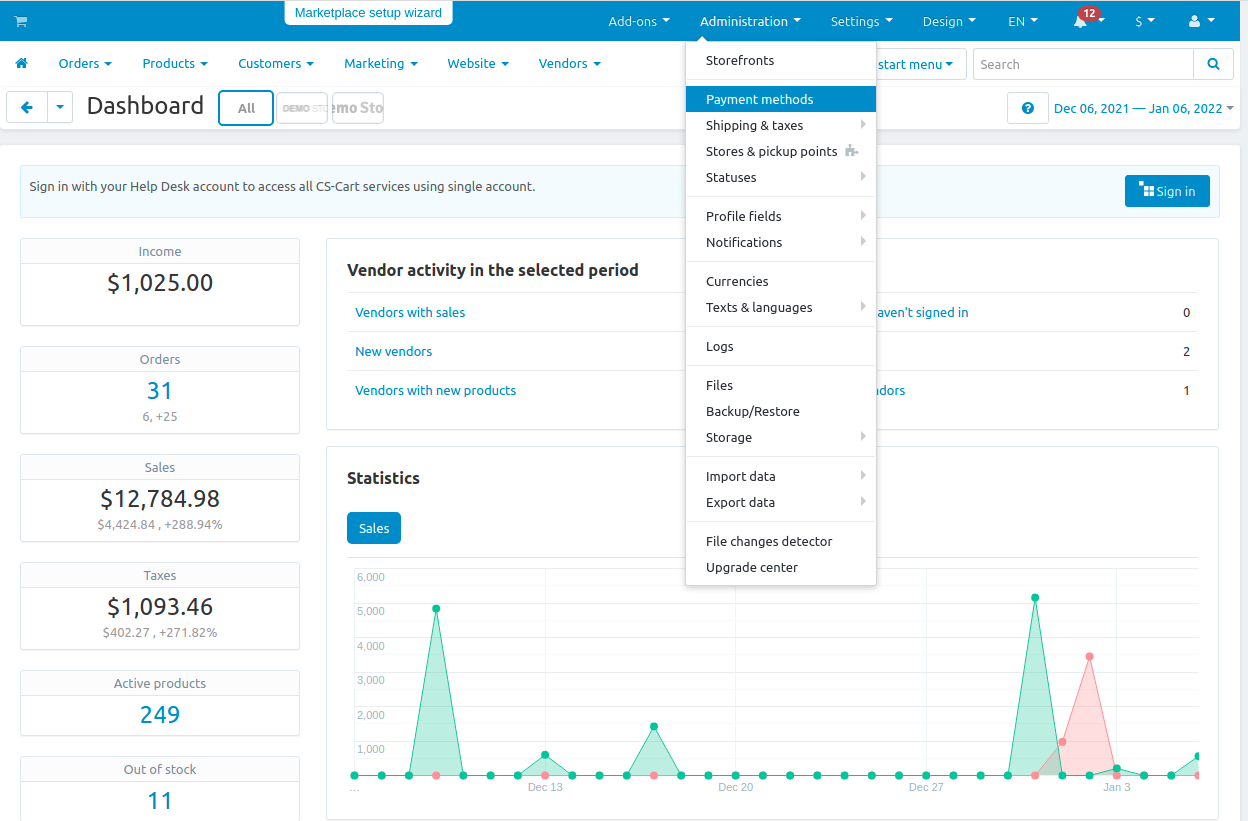
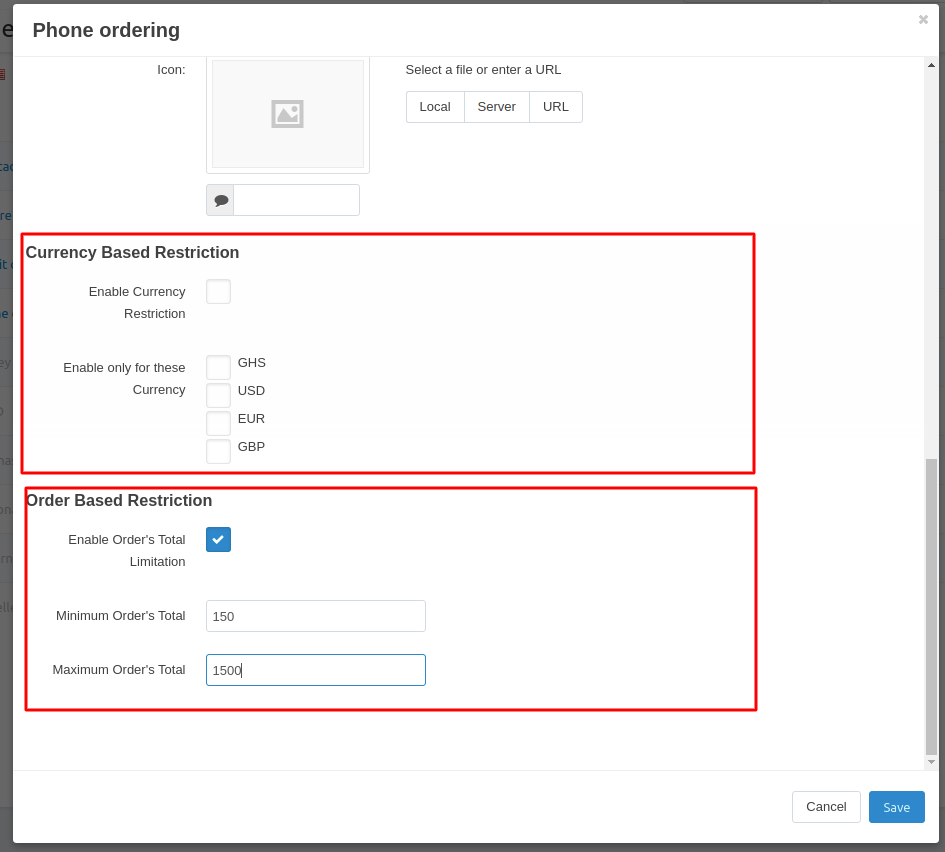
Step1: Choose any payment method to restrict payment:
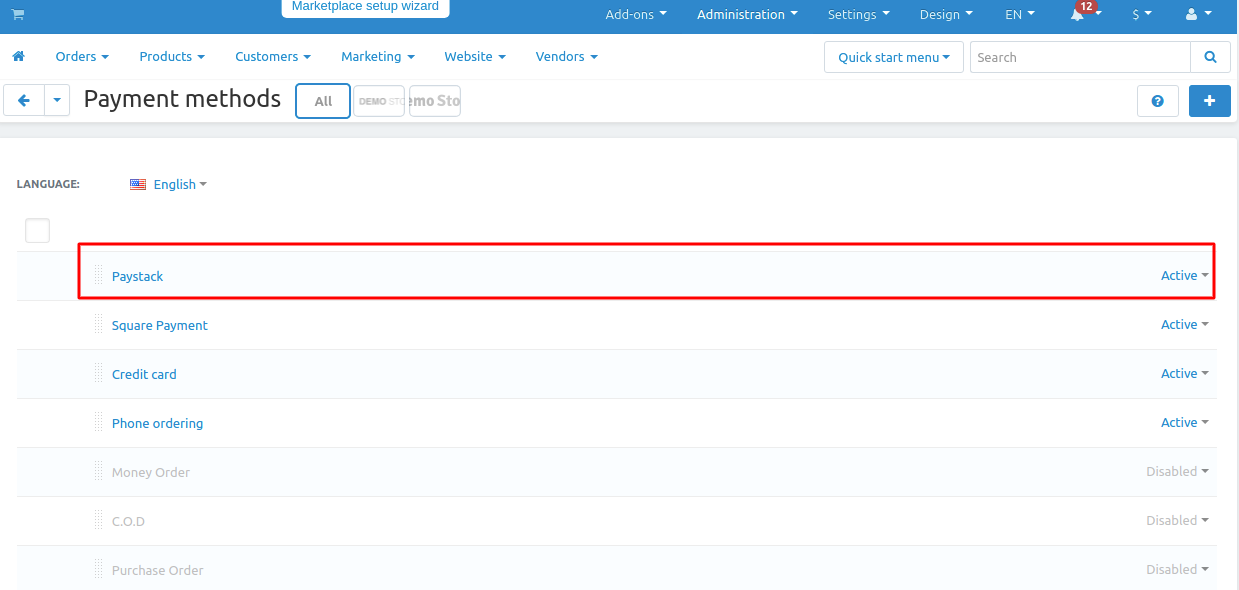
Step2: Enable currency restriction in currency-based restriction and select currencies:
Step3: Enable order total limitation in order-based restriction and set minimum and maximum order total value.
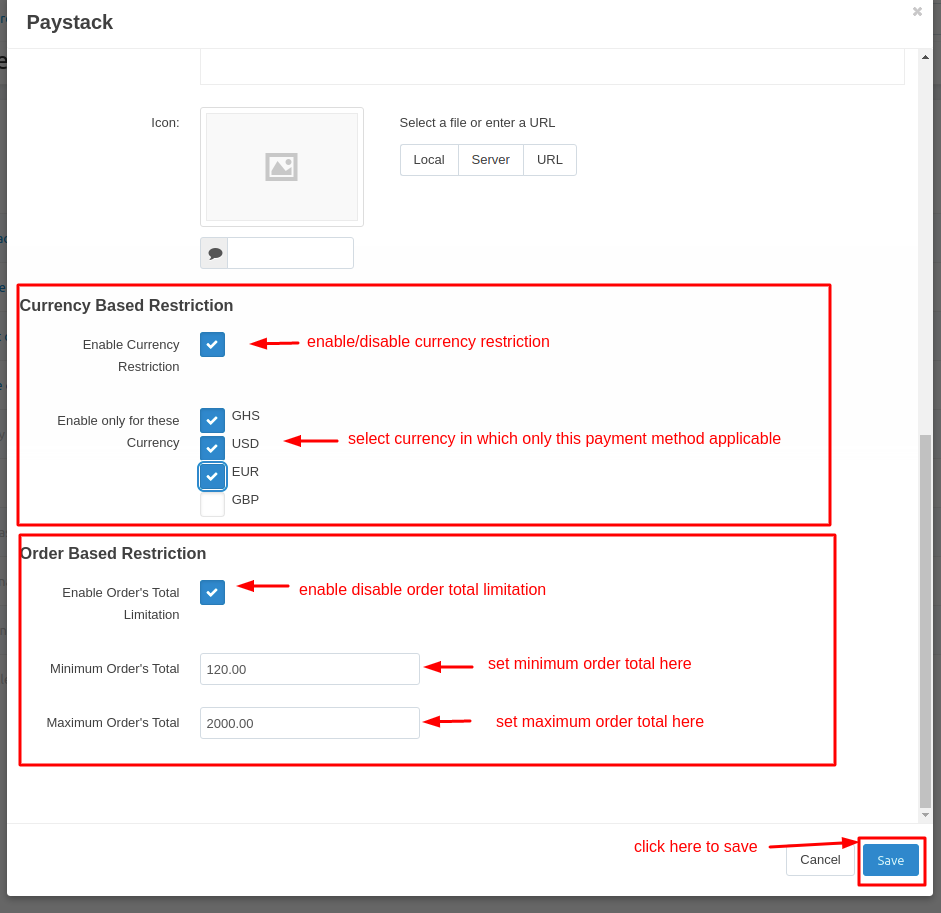
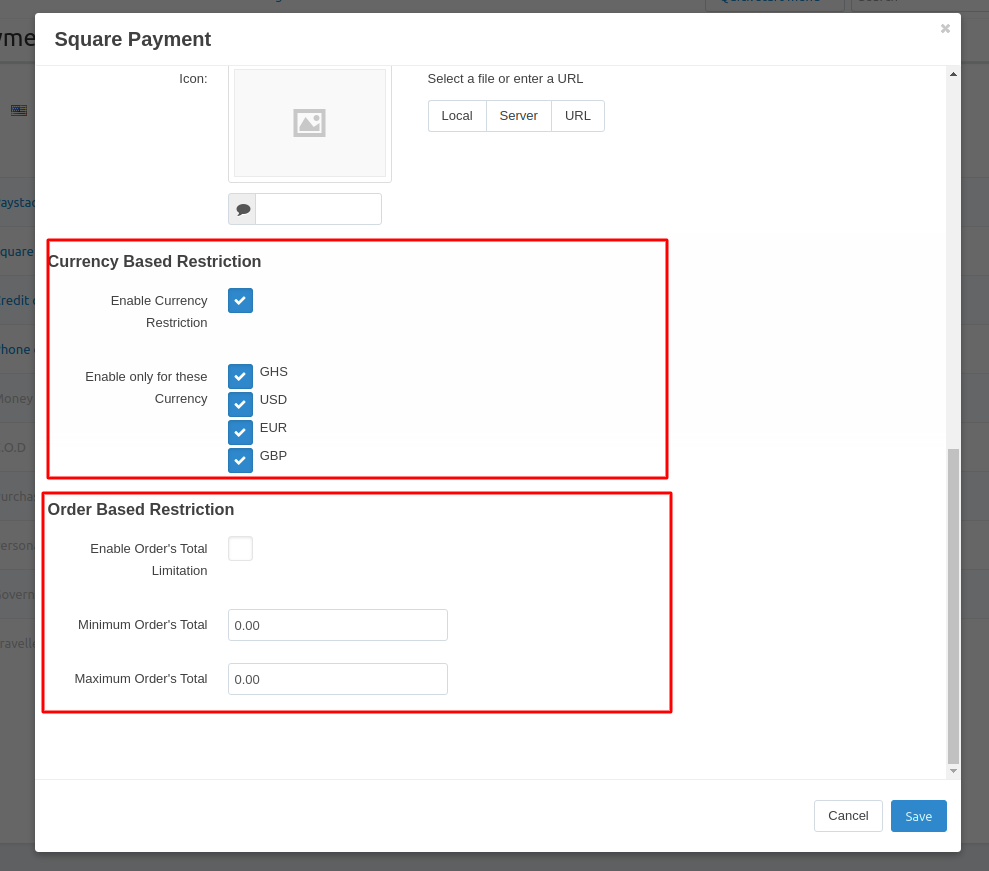
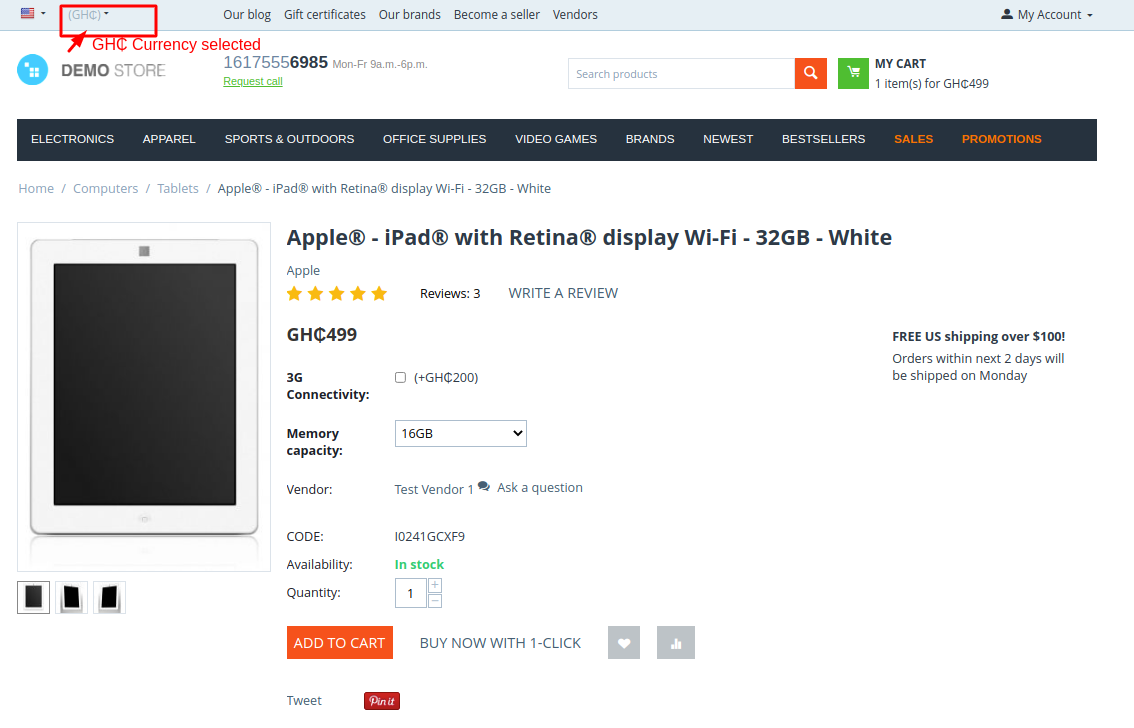
Step 4: Select one of the enabled currencies in currency-based restriction and try to checkout. (in this case, I choose GH₵ which is one of the enabled/selected currency in currency-based restriction)
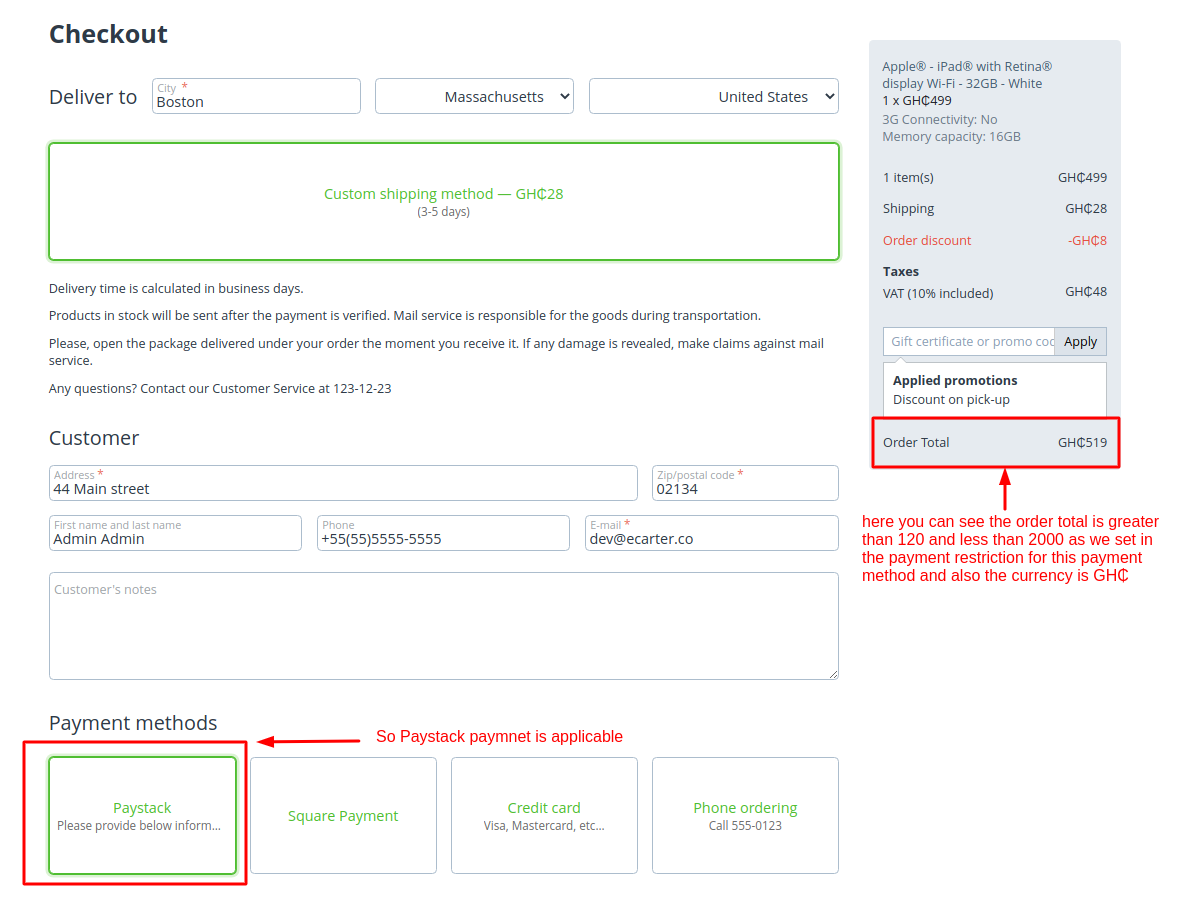
As you can see below the screenshot the paystack payment method is applicable for payment.
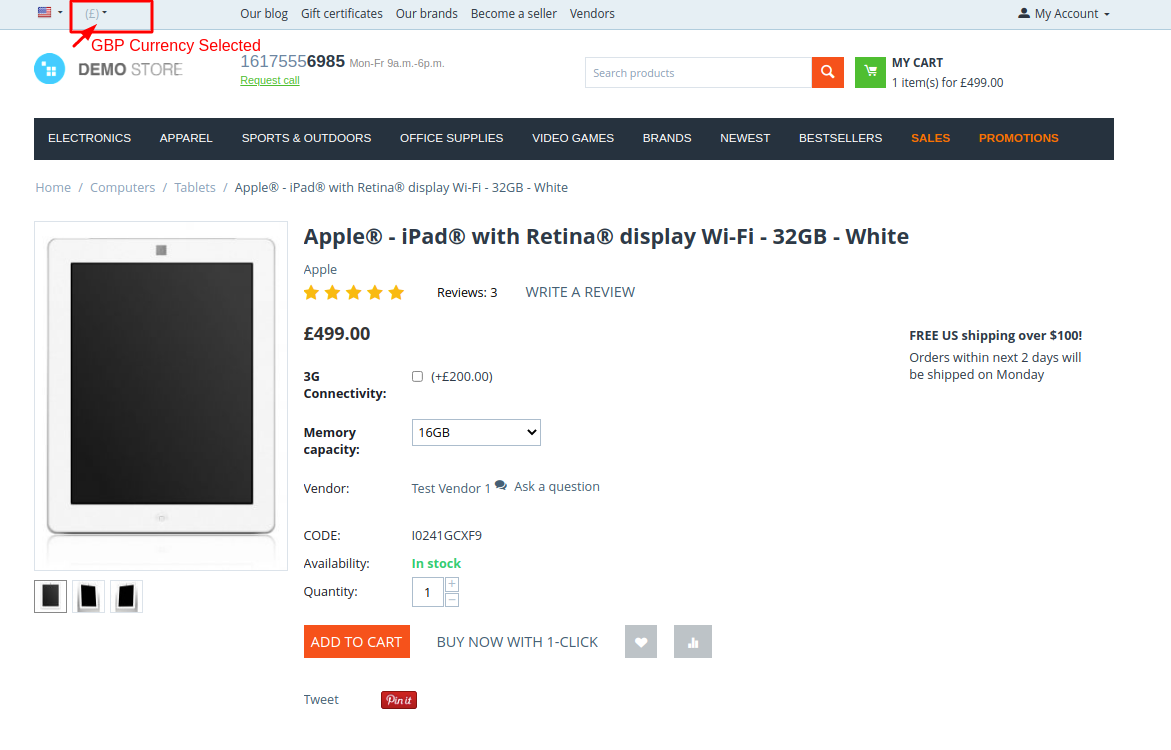
Step 5: Select one of the disabled currencies in currency-based restriction and try to checkout. (in this case, I choose GBP which is one of the disabled/deselected currencies in currency-based restriction)
As you can see below the screenshot the paystack payment method is not applicable for payment.
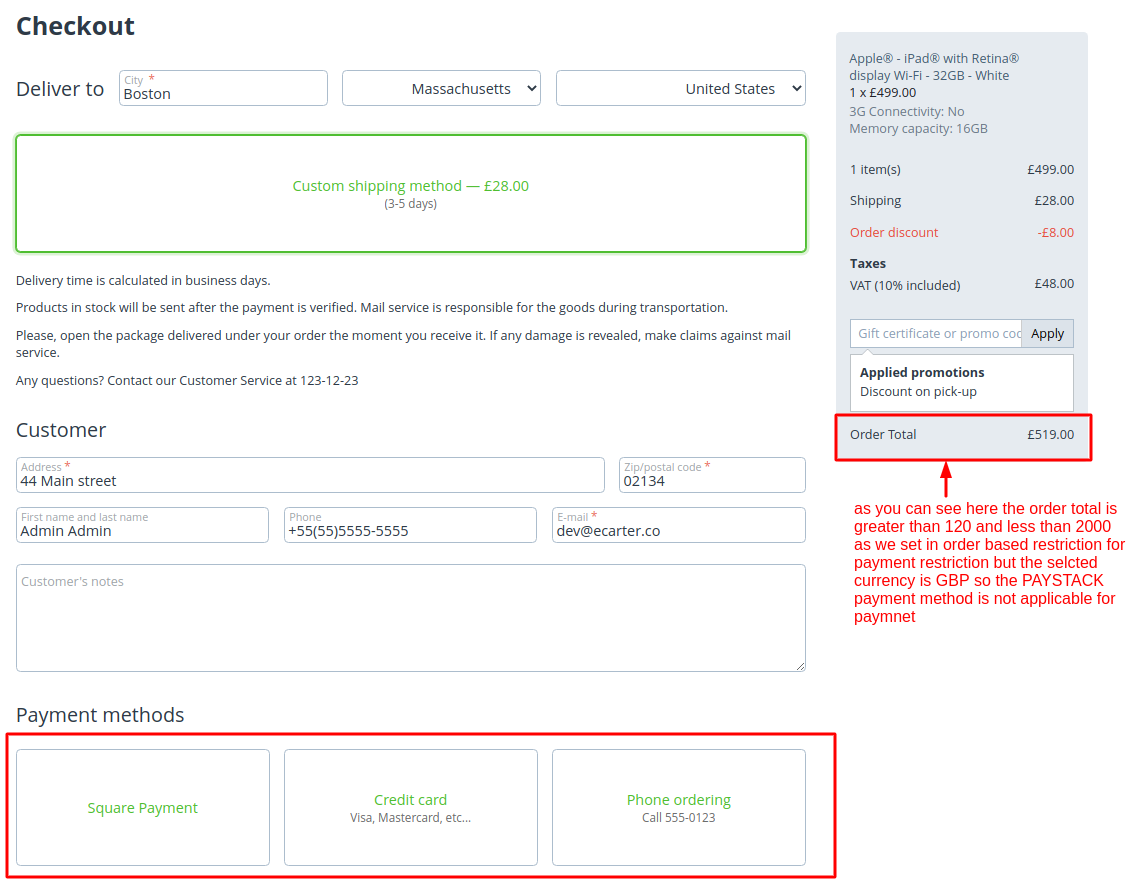
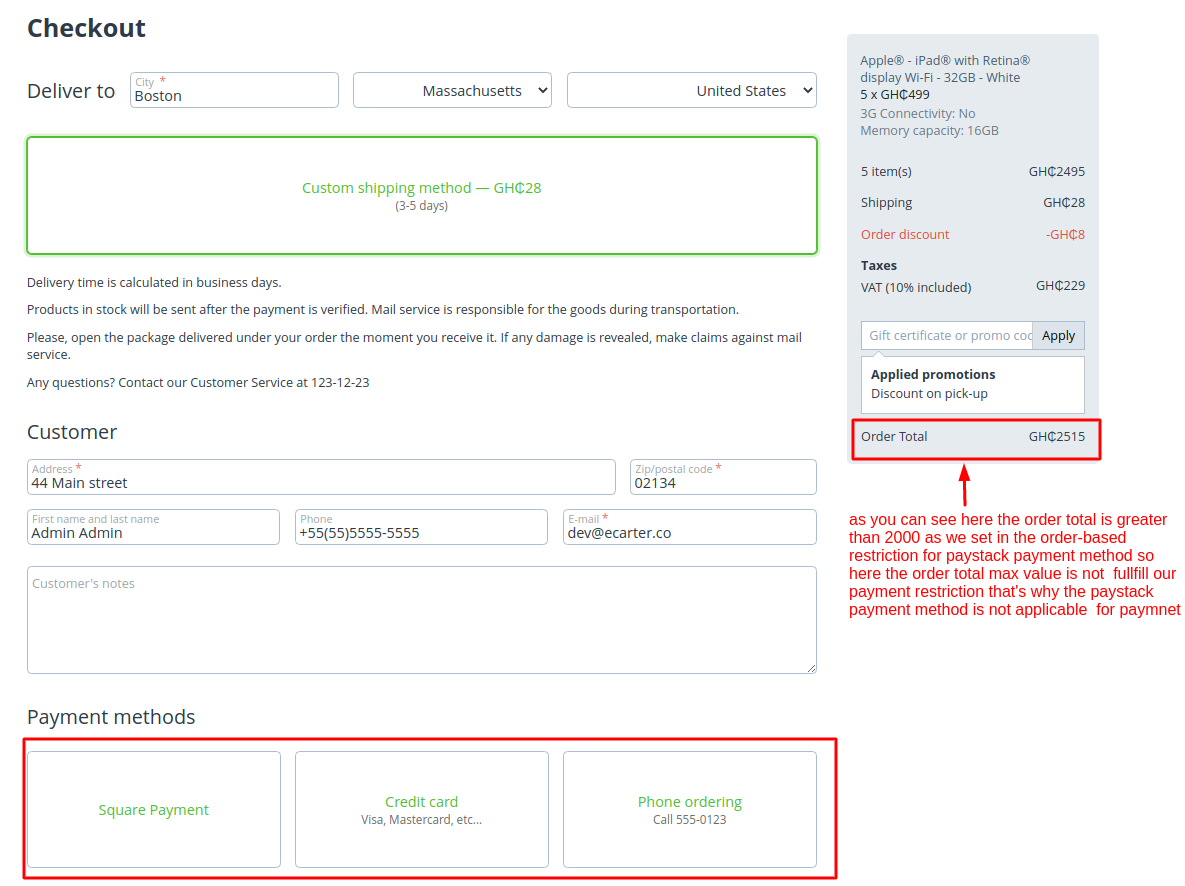
Step 6: As you can see in the below screenshot, Try to checkout with greater than max order total value. As you can see here the paystack payment is not applicable because the order total value is greater than the set order total maximum value in order-based restriction.
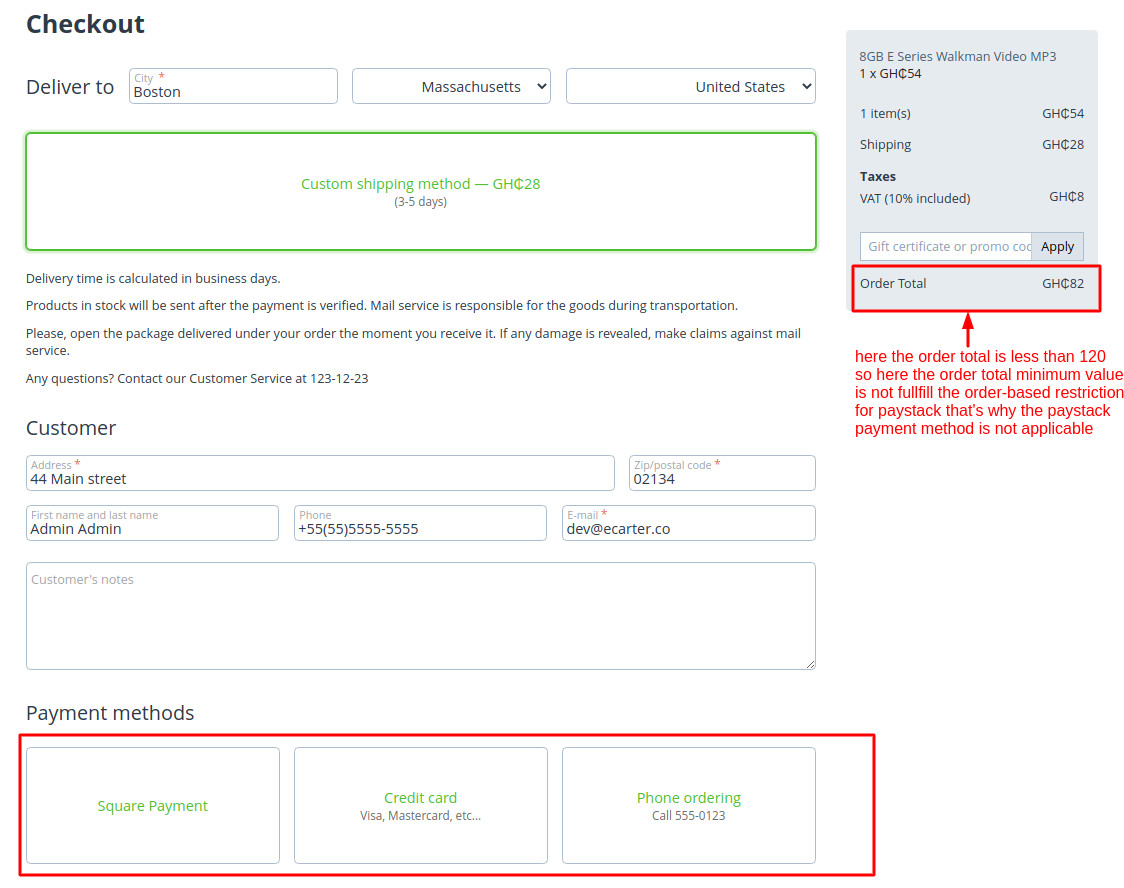
Step 7:As you can see in the below screenshot, Try to checkout with less than the minimum order total value. As you can see here the paystack payment is not applicable because the order total value is less than the set order total minimum value in order-based restriction.
Tutorial Link:
https://www.loom.com/share/eac2e09c730e463983b01eb3ad82c56a
Addon-Version:
Version-1.0
Supported Versions:
CS-Cart, CS-Cart Multivendor 4.8.x, 4.9.x,4.10x,4.11x,4.12,4.13x, 4.14x, 4.15x, 4.16x, 4.17x, 4.18x
Support:
This add-on is developed and published by Ecarter Technologies Pvt.Ltd., a CS-Cart developer. You are guaranteed a quality add-on supported by future versions. If you need help, please contact us via email at support@ecarter.co.
Frequently asked questions
What types of payment restrictions can I set up with this add-on?
You can apply two kinds of restrictions. Currency-based restriction limits a payment method to orders placed in selected currencies, and order-based restriction limits it to orders whose total falls between a minimum and maximum amount you set.
Does the Payment Restrictions add-on work with CS-Cart Multi-Vendor?
Yes. It is well-integrated with both CS-Cart and CS-Cart Multi-Vendor.
Can I turn the restrictions on or off without removing them?
Yes. Both the currency-based and order-based restrictions can be enabled or disabled independently for each payment method, so you can switch a rule off without deleting your currency selections or order-total limits.
How do I install and configure the add-on?
Installation follows the standard CS-Cart add-on process (see the how-to-install-addon guide on the Ecarter store). After installing, you choose a payment method to restrict, enable currency restriction and select the applicable currencies, then enable order-total limitation and set the minimum and maximum order values.
Nisha Gaur is a Technical Content Writer at Ecarter Technologies. She writes technical documentation, tutorials and buying guides covering CS-Cart, Magento, Shopify and eCommerce development.