
Square Payment Gateway
Square Payment Gateway: this addon can easily integrate with CS-Cart set it up fast and start processing online payments.
The Square Payment Gateway add-on connects a CS-Cart store to Square so you can accept online card payments at checkout in real time. It processes all major debit and credit cards, including Visa, Mastercard, American Express, and UnionPay, and works across browsers and devices of all sizes. Setup is quick: create and verify a Square account in minutes, install the add-on, and start taking payments without a bank visit, background check, or separate merchant account. It is for CS-Cart store owners who want a fast, secure, PCI-compliant way to collect payments online, with Square's transparent pricing and no hidden fees or lock-in contracts.
A square payment gateway can easily integrate with CS-Cart platforms which accept online payment in real-time, quickly, easily, and securely. This payment gateway works smoothly for CS-Cart checkout to make payments quick and secure.
Square payments can be processed across multiple channels, including online, in-app, and in-person.
Features:
- A square payment gateway can easily integrate with CS-Cart. Set it up fast, and start processing online payments.
- Square processes all major debit and credit cards like VISA, American EXPRESS, Union Pay, master card, etc.
- Create a checkout experience that works seamlessly across browsers and devices of all sizes.
- Save money on payment processing with simple, transparent pricing, without weird or hidden fees or lock-in contracts, ever.
- Start taking payments right away—no bank visits, background checks, or merchant accounts required. Account creation and verification take minutes.
- Access your money from Square sales instantly with Square Checking. Transfer money into an external bank account as soon as the next business day, or instantly for a fee.
- Keep your business data secure, monitor your account for suspicious activity and ensure PCI compliance.
- A PCI-compliant integration, and SSL support.
Installation:
How to install Addon
https://store.ecarter.co/blogs...
How Addon Works
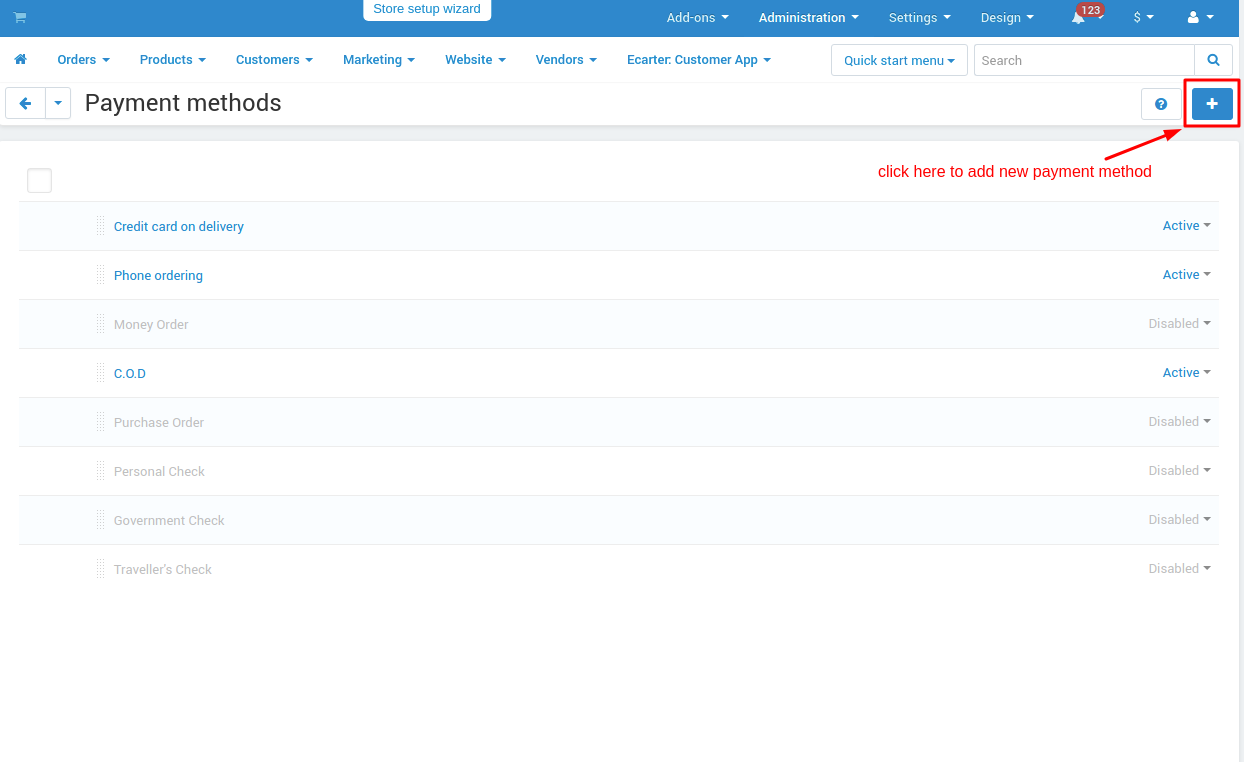
Create New Payment Method Square Payment: To create a new payment method we need to go into Adminstrations>Payment Methods and create there.
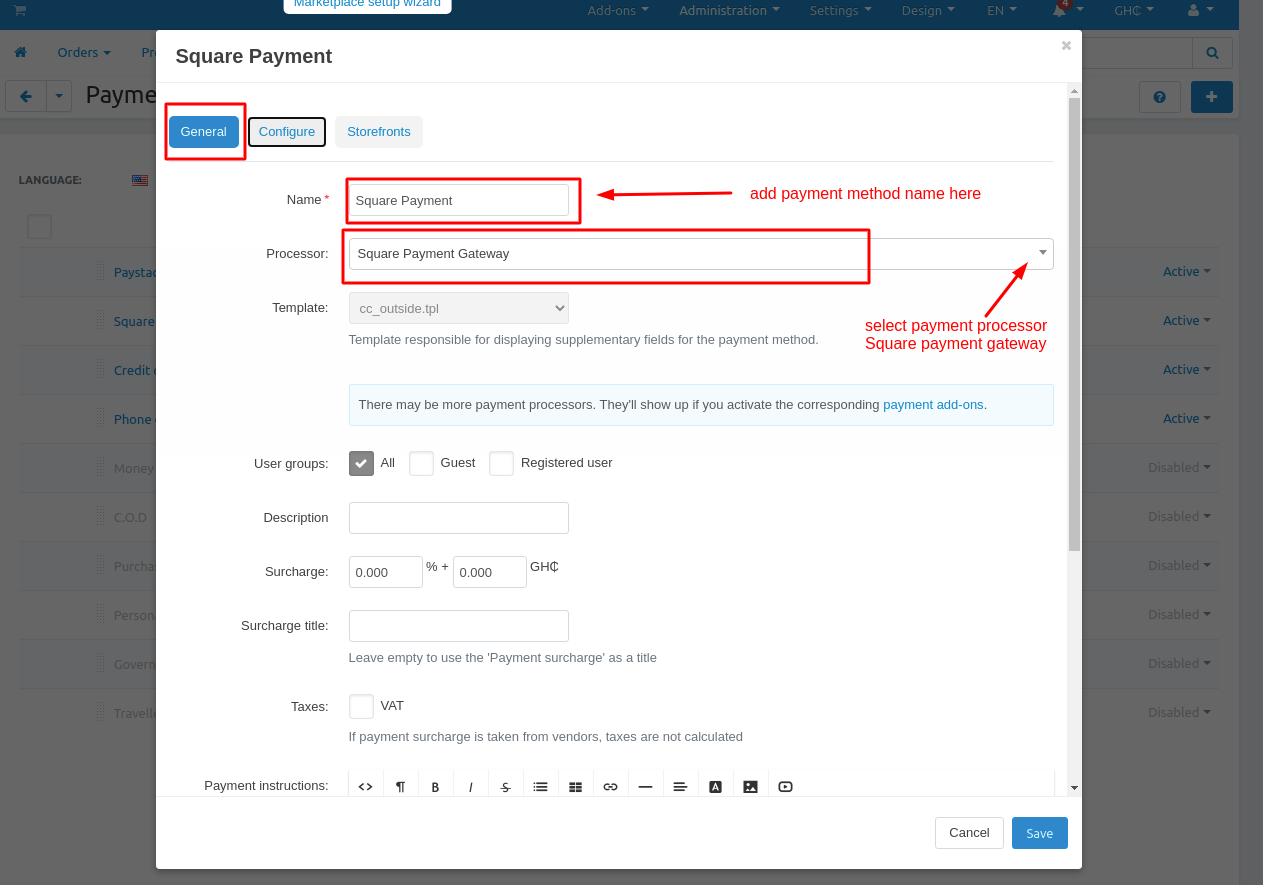
- General tab: Add general information about the payment method.
- Name: add payment method name here.
- Processor: choose a payment processor for that payment method which we are going to create.
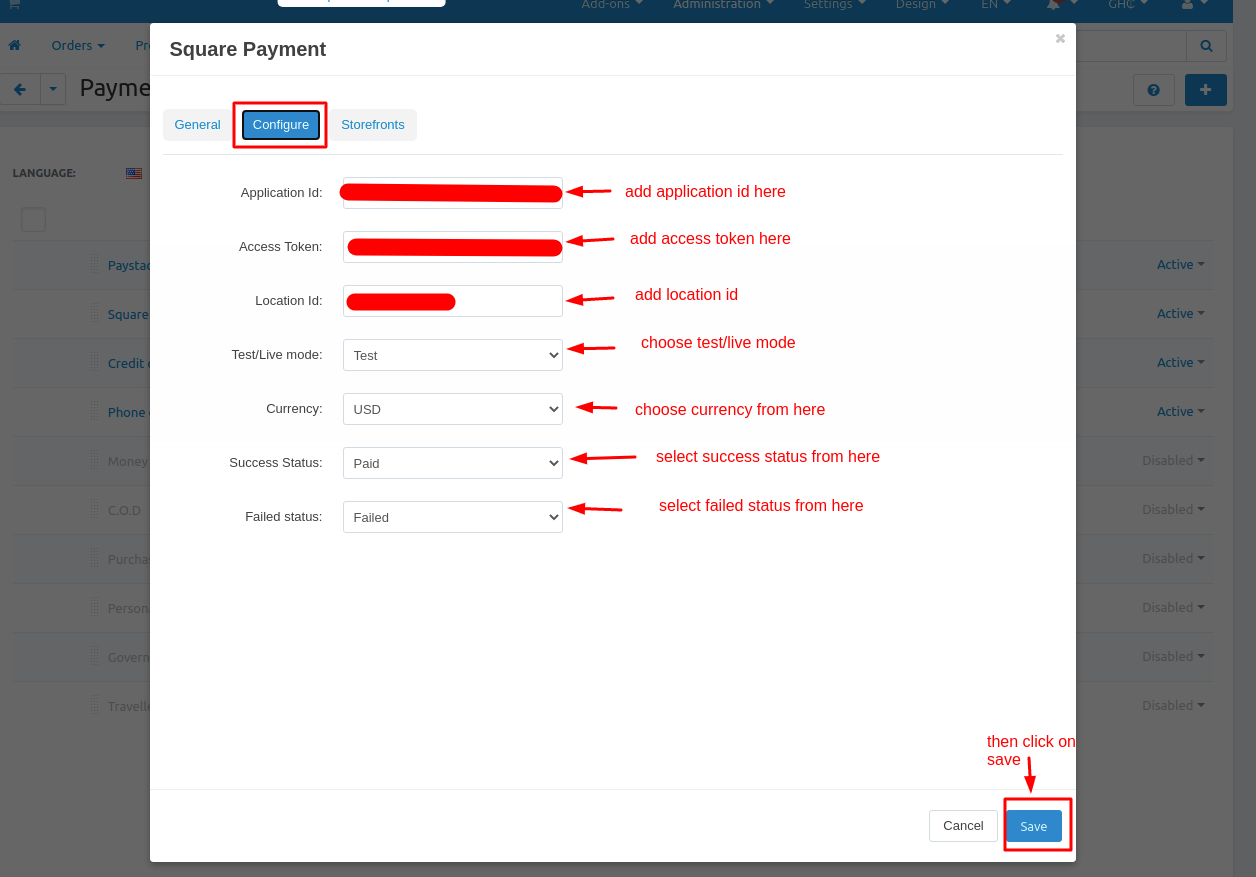
Configuration tab: Configure payment method with the payment processor.
Application Id: provided by the payment method company.
Access Token: provided by the payment method company.
Location Id: provided by the payment method company.
Test/Live mode: select mode like for test environment “test” and for production environment select “live”.
Currency: the selected currency for the payment method.
Success Status: select order success status from here.
Failed status: select order success status from here.
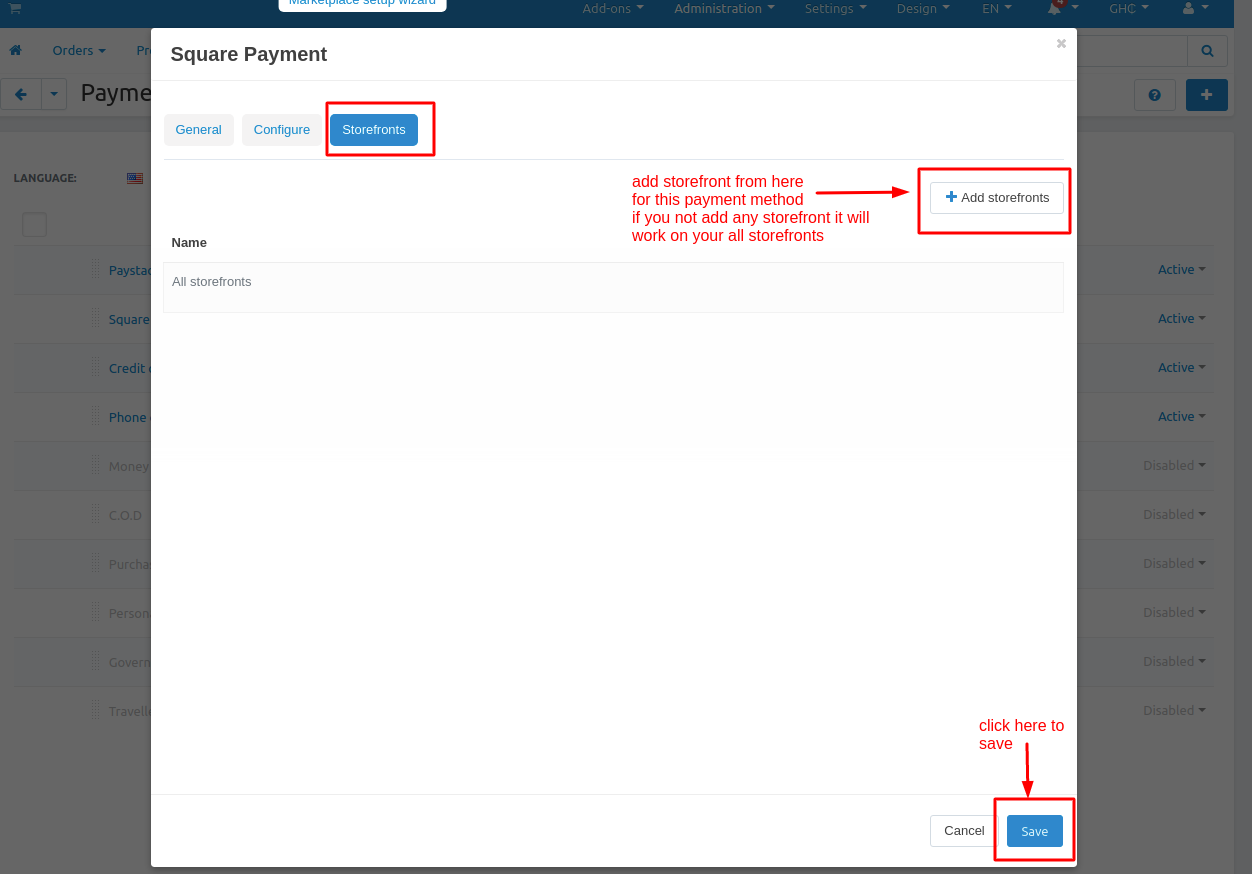
Storefronts tab: if you won’t use this payment method for only any specific storefronts then you can add those storefronts from here otherwise it will work for all your storefronts.
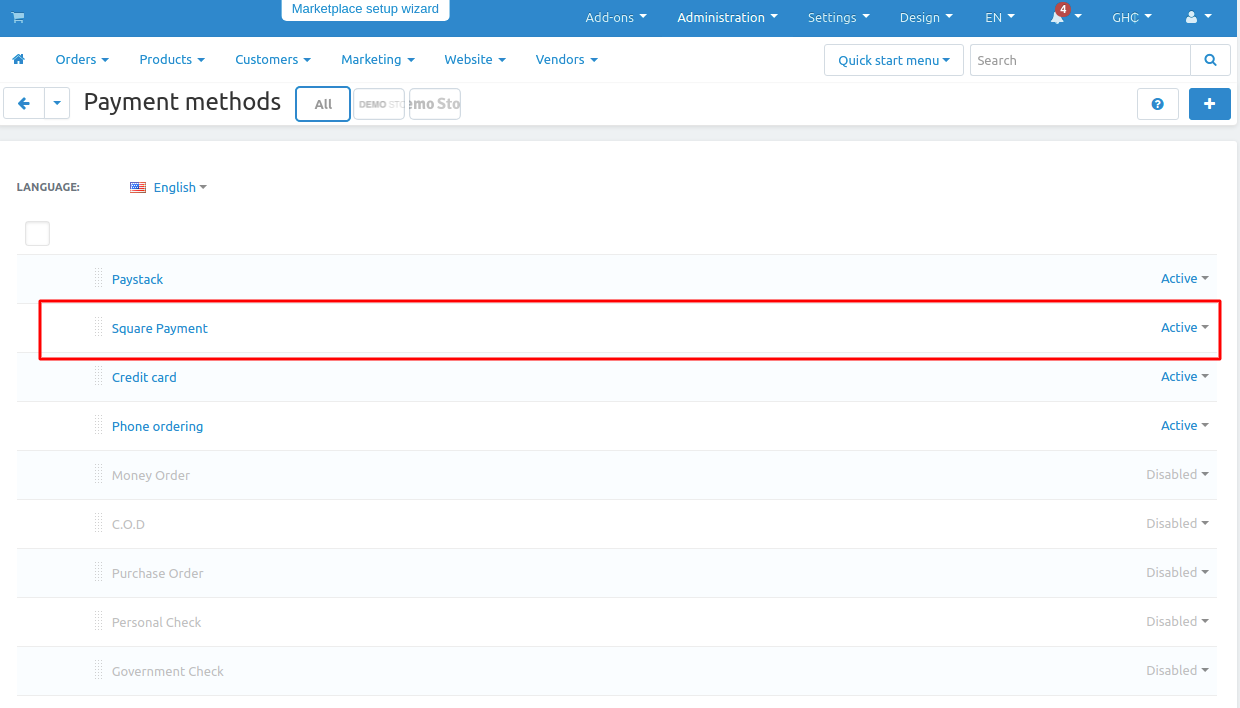
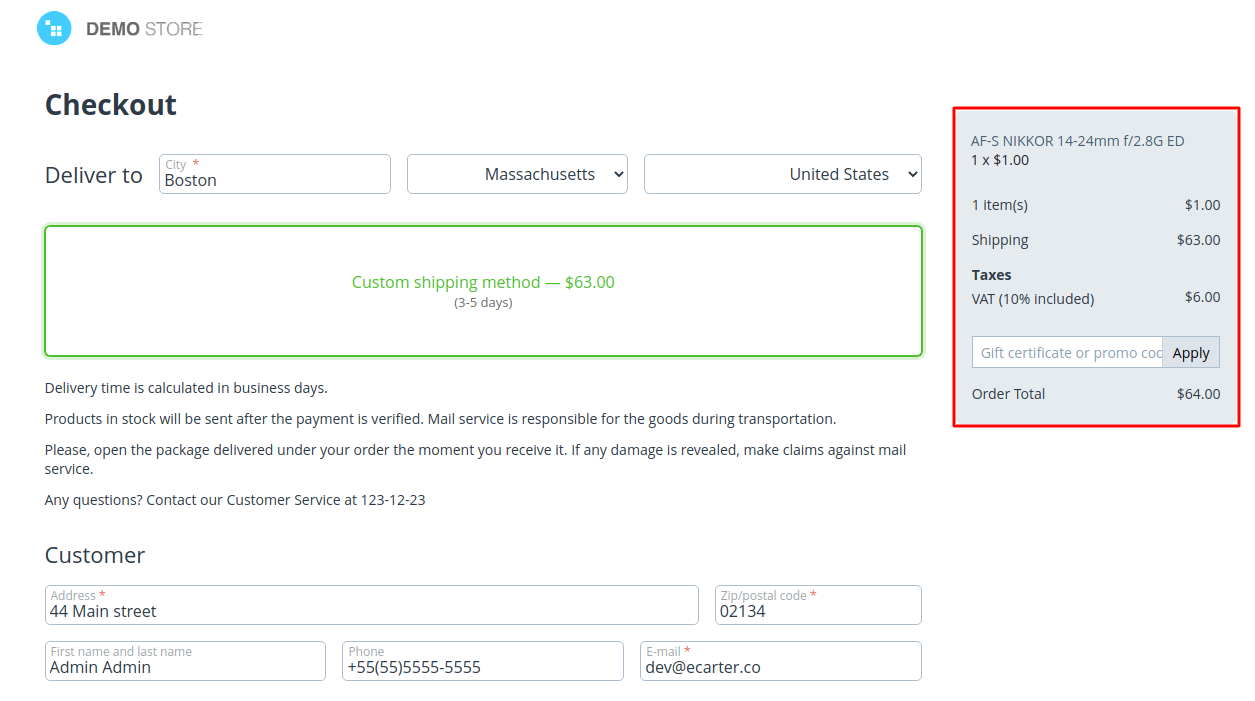
Checkout Trough Square Payment Method:
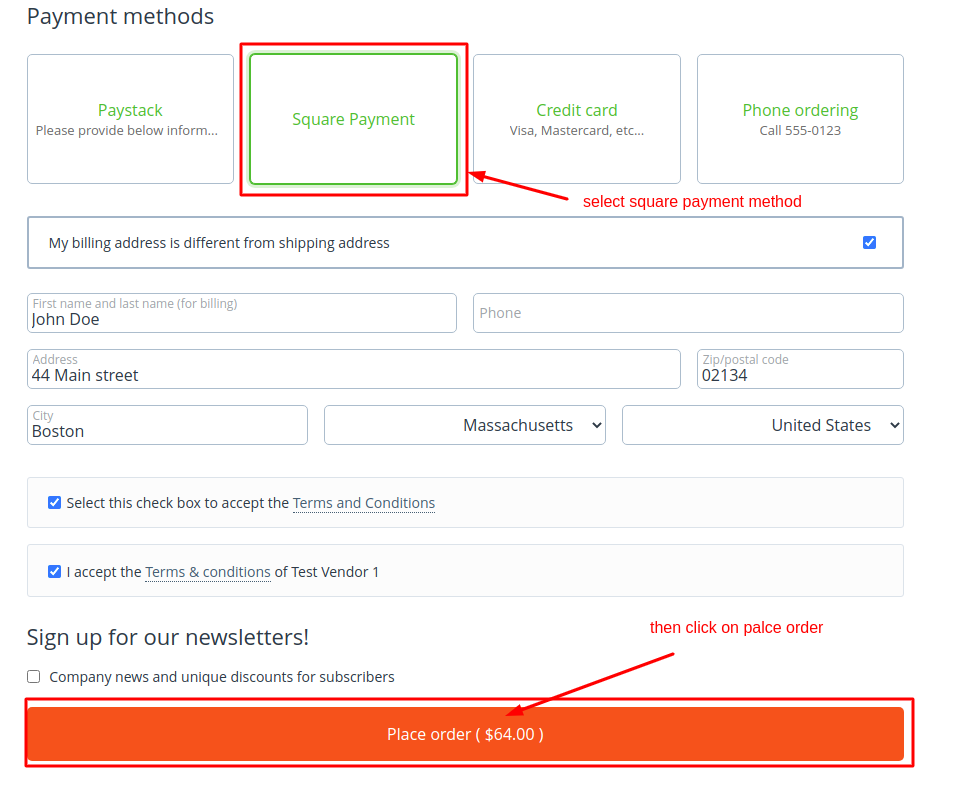
Redirecting to Square Payment :

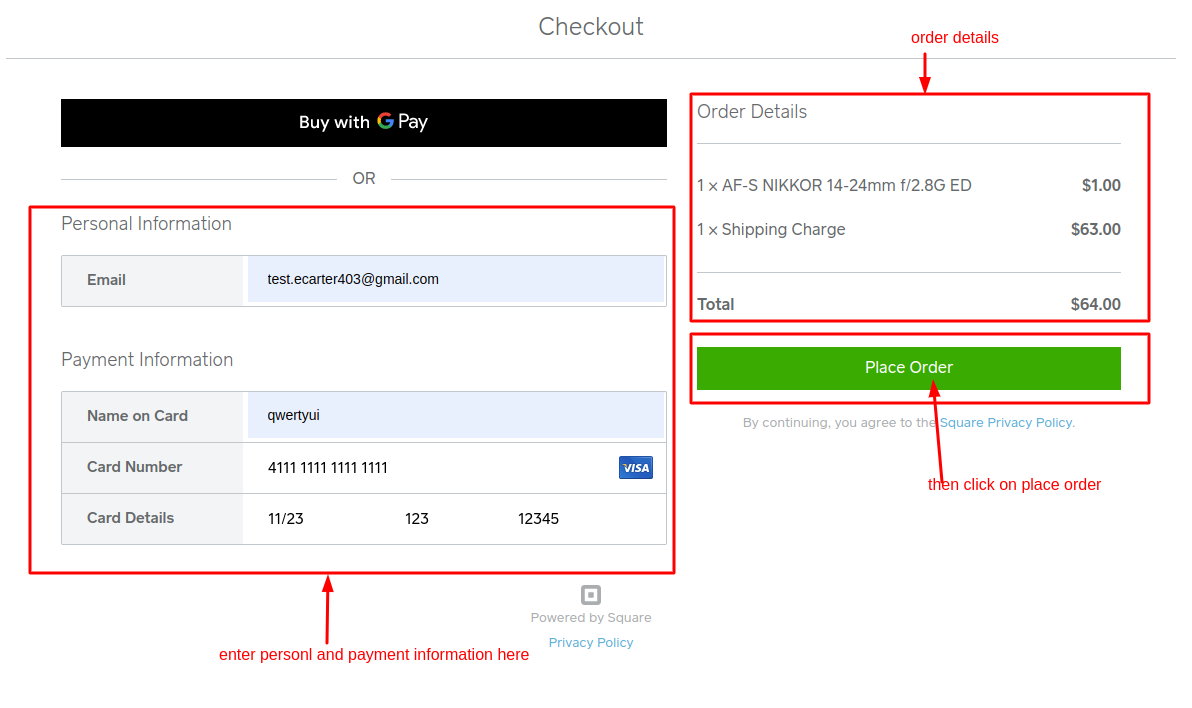
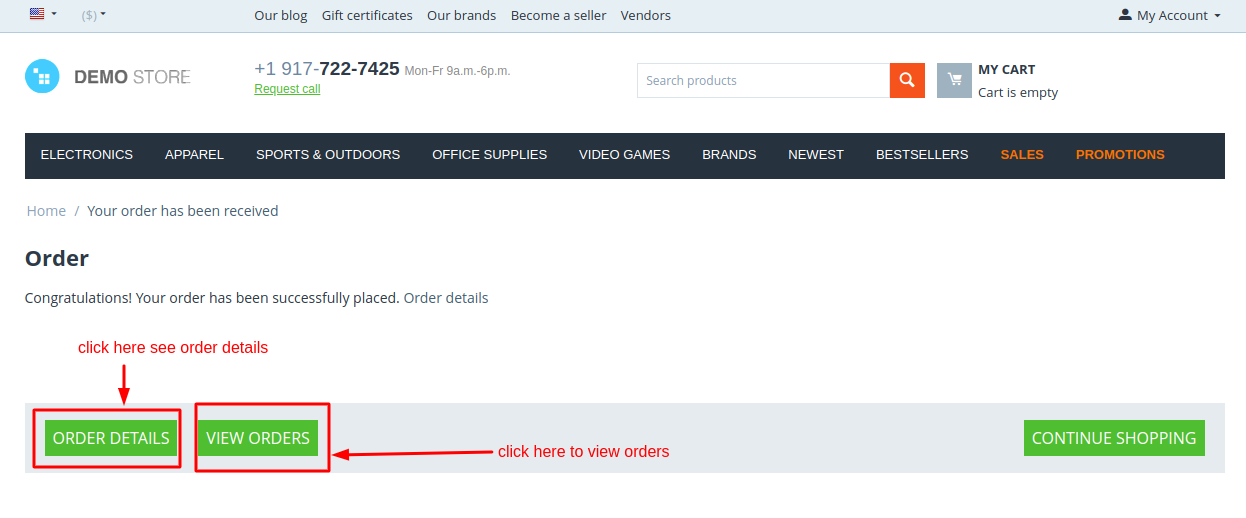
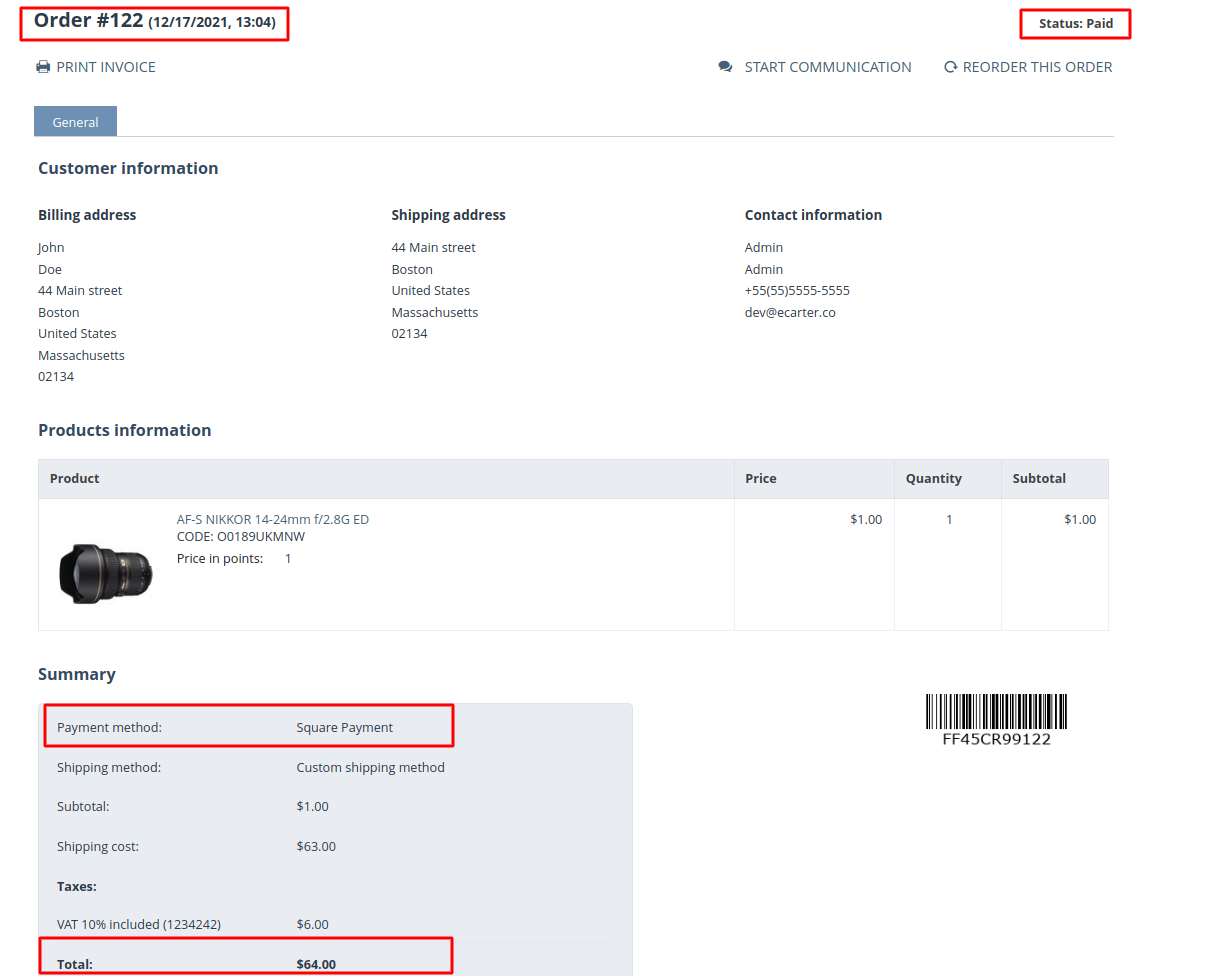
Order Details Frontend:
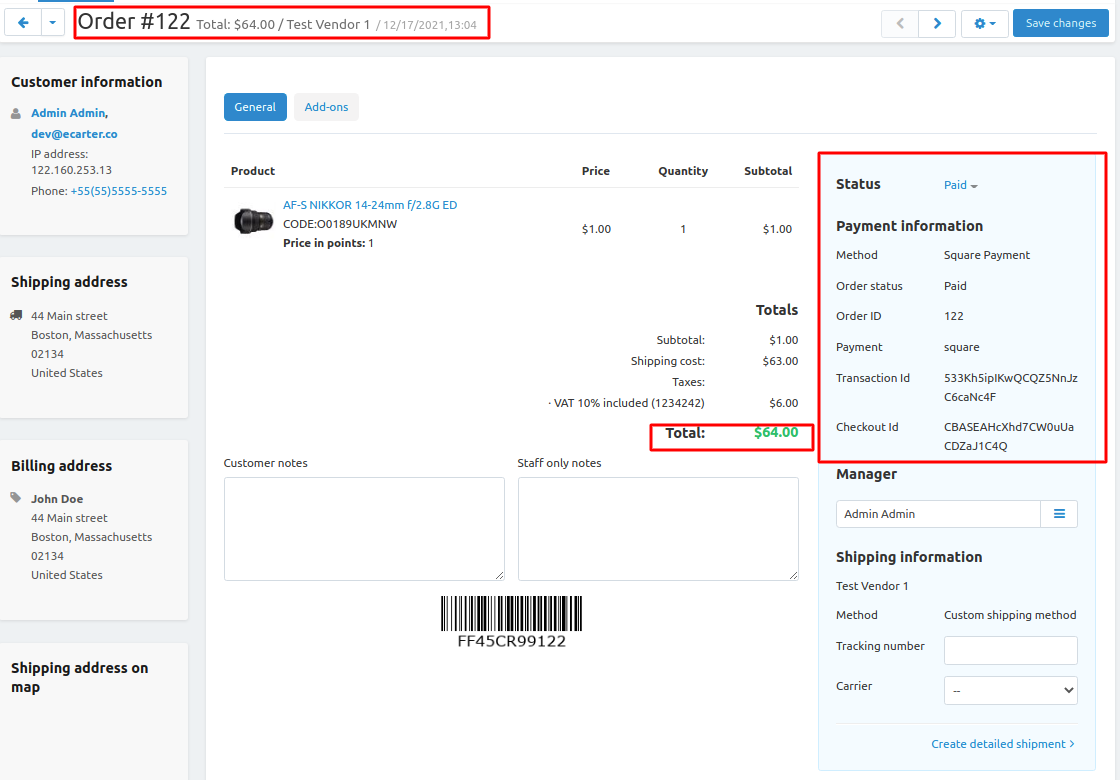
Order- Details Backend:
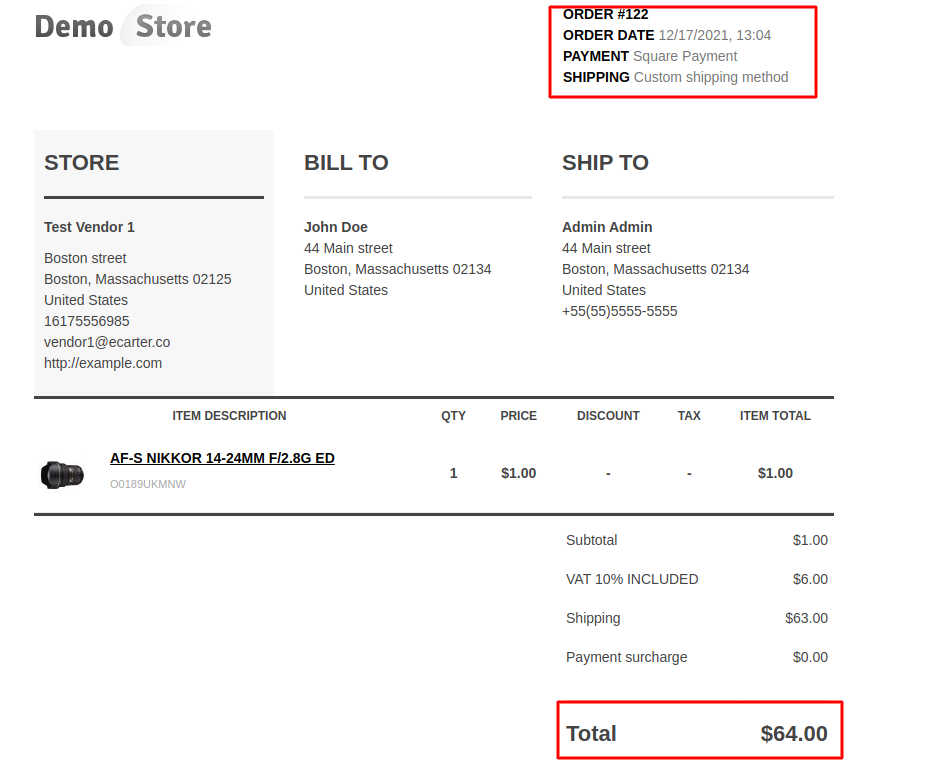
Order- Invoice:
Tutorial Link:
https://www.loom.com/share/6608e71b8b6b41cdaeafaa87646ea3d7
Addon-Version:
Version-1.0
Supported Versions:
CS-Cart, CS-Cart Multivendor 4.8.x, 4.9.x,4.10x,4.11x,4.12,4.13x, 4.14x, 4.15x, 4.16x, 4.17x, 4.18x
Support:
This app is developed and published by Ecarter Technologies Pvt. Ltd., a CS-Cart developer. You are guaranteed a quality add-on supported by future versions. If you need help, please contact us via email support@ecarter.co
Need modifications or any assistance? Please, feel free to contact us via email support@ecarter.co
Frequently asked questions
Which cards and payment channels does the Square gateway support in CS-Cart?
It processes all major debit and credit cards, including Visa, Mastercard, American Express, and UnionPay. Square can also handle payments across multiple channels, including online, in-app, and in-person.
Do I need a separate merchant account to use Square with CS-Cart?
No. You can start taking payments right away without bank visits, background checks, or a separate merchant account. Creating and verifying a Square account takes only a few minutes.
Is the integration secure and PCI compliant?
Yes. The integration is PCI compliant and supports SSL. Square also lets you monitor your account for suspicious activity to help keep business data secure.
How quickly can I access money from Square sales?
You can access funds instantly with Square Checking, or transfer money to an external bank account as soon as the next business day. Instant transfers to an external bank are available for a fee.
Kajal is a Technical Content Writer at Ecarter Technologies. She writes technical documentation and in-depth guides on eCommerce platforms, mobile commerce and AI in online retail.