
Usergroup Level
Manage user groups easily with the User Group Level Add-on for CS-Cart. Organize admins, vendors, and customers with role-based permissions and flexible hierarchy control.
The User Group Level add-on for CS-Cart gives store owners a clearer, more organized way to manage user groups and their permissions. It splits users into three main groups — Administrators, Customers, and Vendors — each with its own sub-groups, assigned roles, and separate view for easier oversight. You can adjust the hierarchy of sub-user groups to reposition roles as needed, and apply role-based access control so each user gets the right level of access to store functions. It is aimed at store owners and administrators, particularly on CS-Cart Multi-Vendor setups, who need to keep multiple user groups and their permissions well structured and secure.

The User Group Level Addon for CS-Cart helps users to manage different user groups in a simple and organized way. It divides users into three main groups — Administrators, Customers, and Vendors. Each of these groups has its own sub-user groups with specific roles and permissions.
The addon also includes a feature to change the location or hierarchy of sub-user groups, making it simple to reposition roles as needed.
Features:
- Separate User Group Views: Each main group(Administrator, Customer, Vendor) has a separate view displaying its sub-group and assigned roles for better clarity.
- Flexible hierarchy Adjustment: Change the location of user groups easily.
- Role-based access control: Set different permission levels for users to ensure secure and organized access to store functionalities.
- Easy User Group Management: View and manage multiple separated user groups directly from the user group section.
- CS-Cart Support Information: The addon is well-integrated with CS-Cart Multi-Vendor and can be used with its Standard, Plus, and Ultimate versions.
Installation:
How to install Addon
https://store.ecarter.co/blogs/how-to-install-addon/
Workflow
- Open the addon.
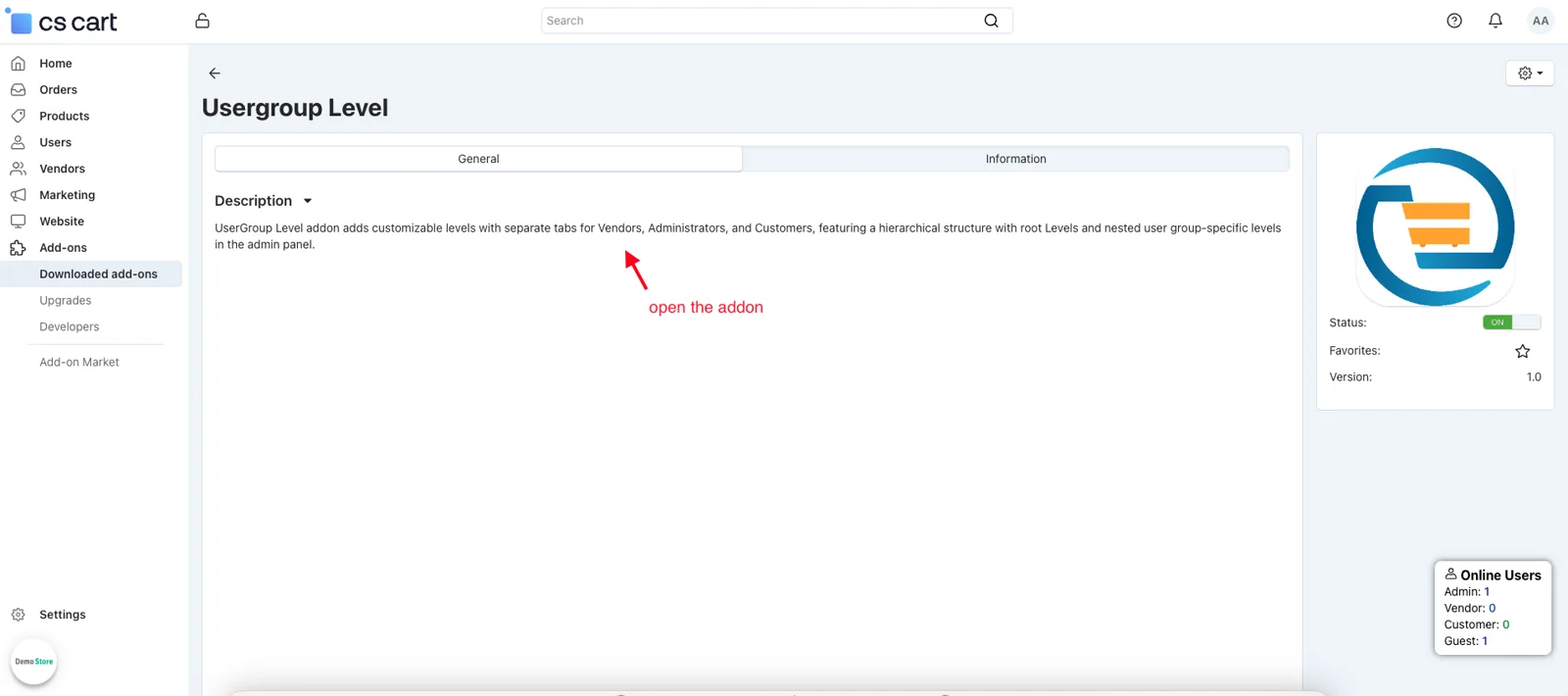
View of the user group
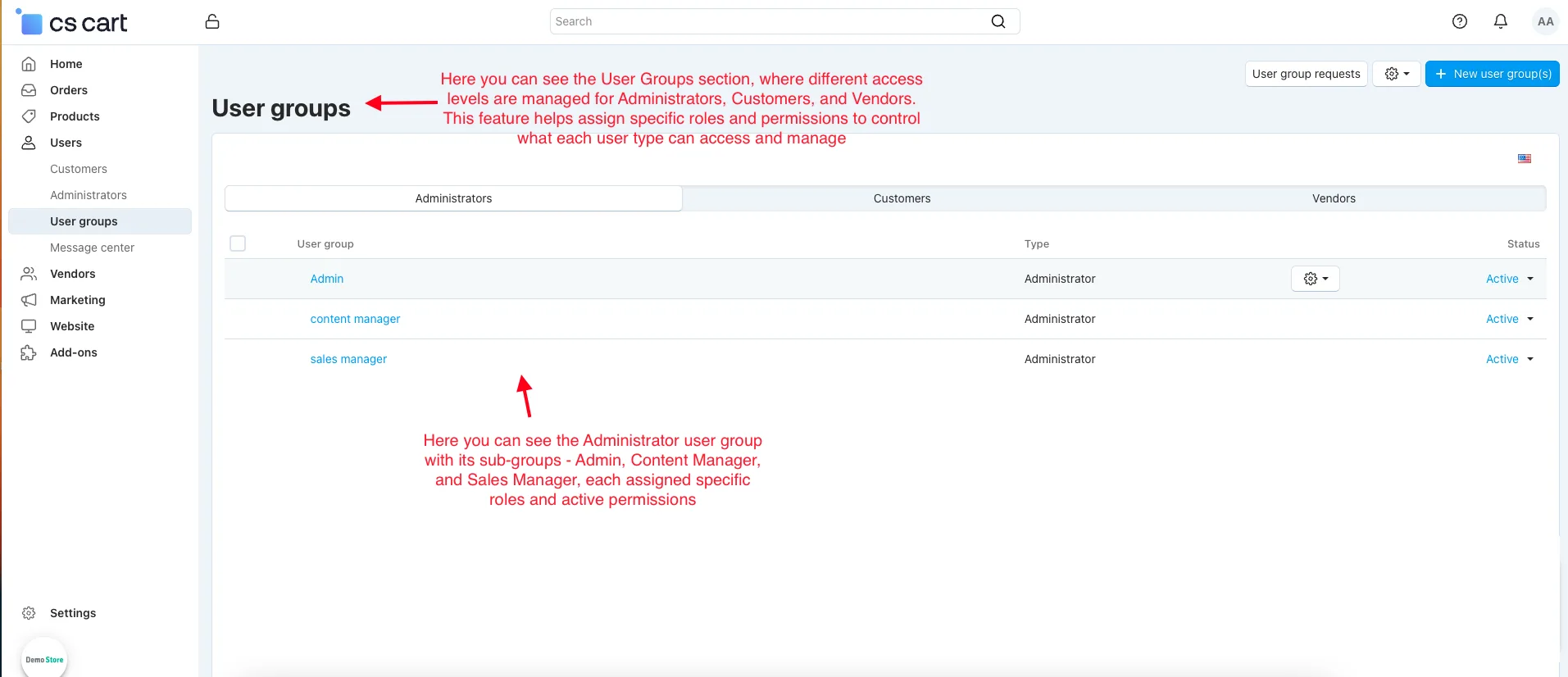
The User Groups section enables the creation and management of different access levels for Administrators, Customers, and Vendors, allowing for role-based permissions and control over store functionalities.
Administrators: The Administrators user group displays its sub-user groups. Each is assigned specific roles and active permissions.
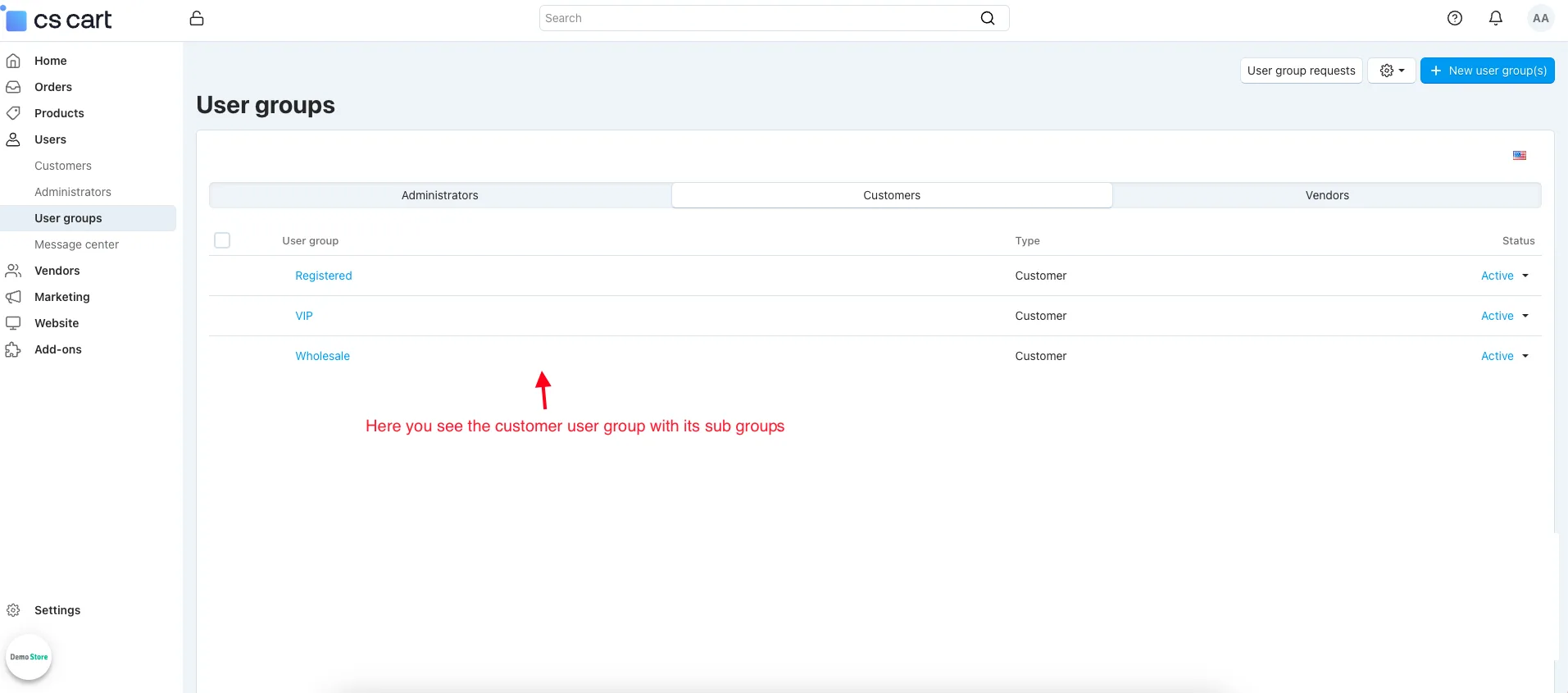
Customers: The Customer user group includes sub-groups that define different customer levels with specific access rights, discounts, and exclusive benefits in the store.
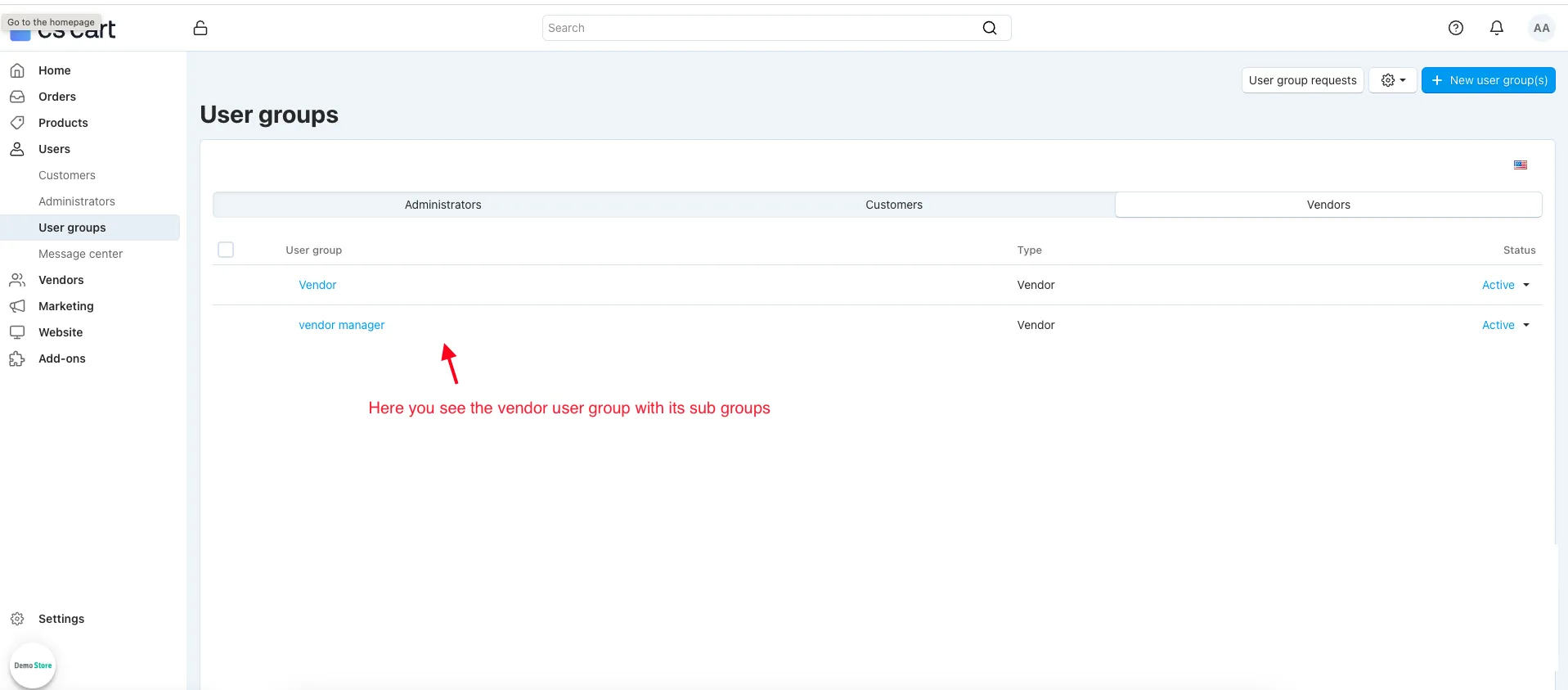
Vendors: The Vendor user group includes sub-groups, which help manage marketplace sellers. These groups define vendor roles, permissions, and access levels to handle products, orders, and store operations efficiently.
- Open any group.
- The sales manager page will be open.
- Location: the user group can change the location of the user group by selecting its position in the hierarchy.
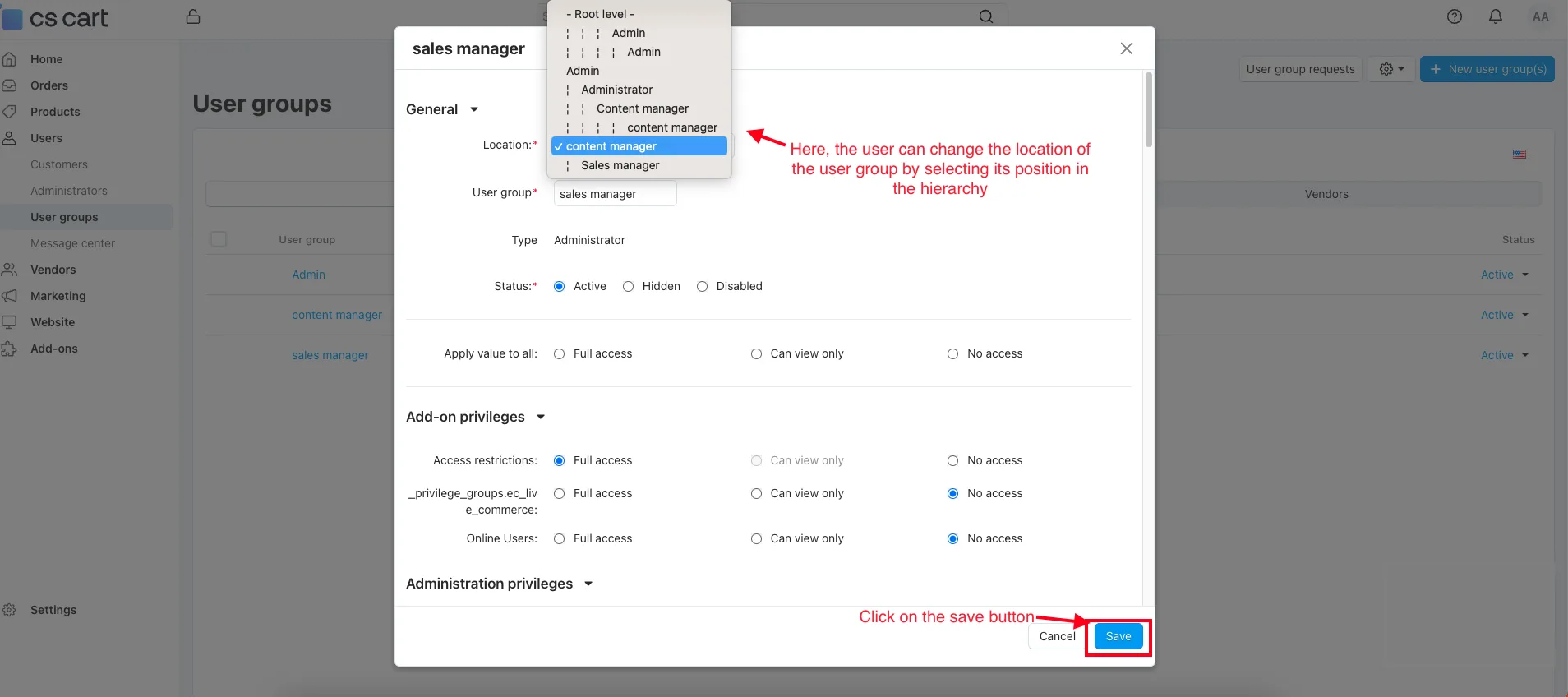
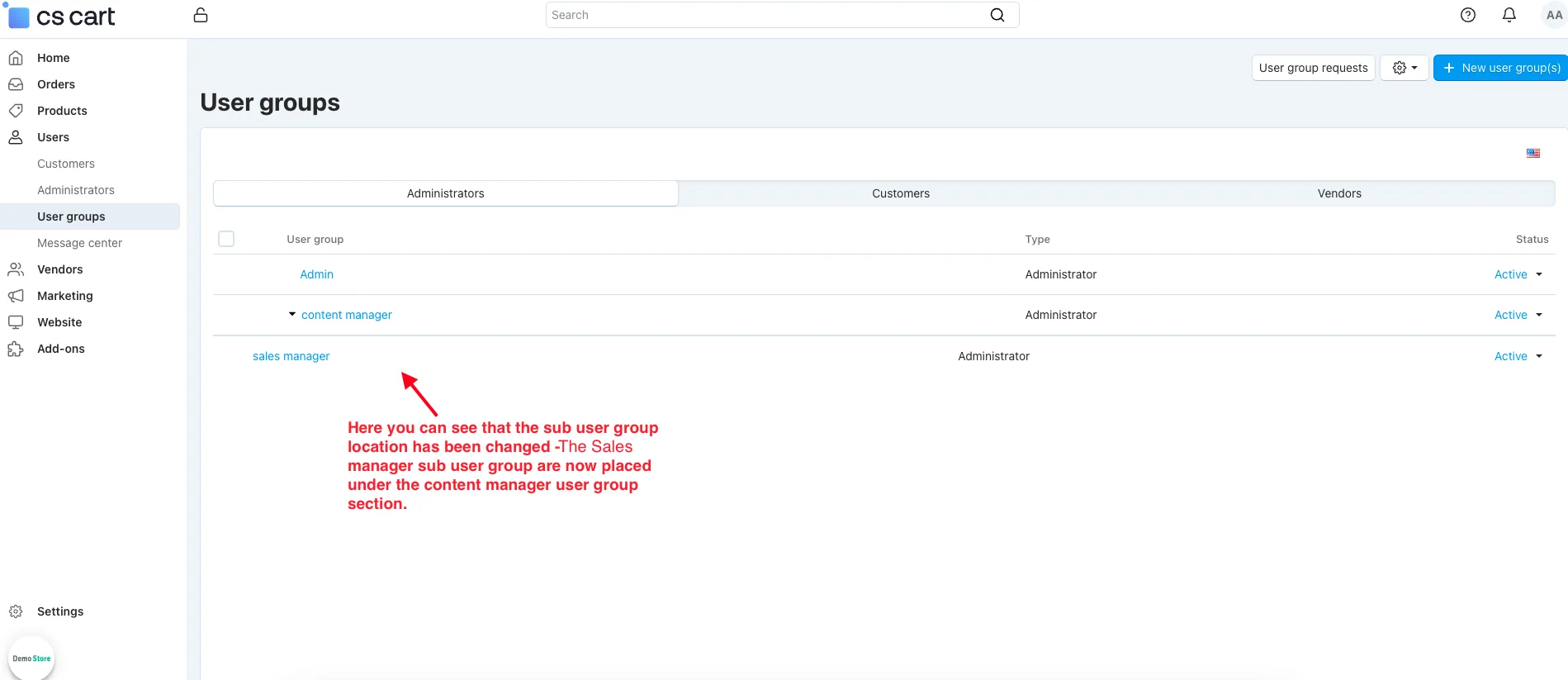
- You can see that the sub-user group location has been changed. The sales manager sub-user group is now placed under the content manager user group section.
Final Thought
The User Group Level Addon is a powerful tool that brings clarity and flexibility to your store management. Organizing users into different groups and sub-groups ensures that every role has the right level of access and control. Whether it’s managing administrators, creating customer levels, or defining vendor permissions, this addon makes everything simple and well-structured.
Supported Versions:
CS-Cart, CS-Cart Multivendor 4.8.x, 4.9.x,4.10x,4.11x,4.12,4.13x, 4.14x, 4.15x, 4.16x, 4.17x 4.18x
Support:
This app is developed and published by Ecarter Technologies Pvt. Ltd., a CS-Cart developer. You are guaranteed quality add-ons.
Frequently asked questions
What does the User Group Level add-on do in CS-Cart?
It organizes users into three main groups — Administrators, Customers, and Vendors — each with its own sub-groups and assigned roles. Every main group has a separate view showing its sub-groups and roles, so you can manage access levels clearly from the user group section.
Can I rearrange roles and permissions after they are set up?
Yes. The add-on lets you change the location or hierarchy of sub-user groups, so you can reposition roles as your needs change. It also supports role-based access control to set different permission levels for secure, organized access.
Is it compatible with CS-Cart Multi-Vendor and which versions does it support?
The add-on is integrated with CS-Cart Multi-Vendor and works with its Standard, Plus, and Ultimate versions. If you are on a different or newer release, share your version and we will confirm compatibility.
How do I install the add-on?
Follow the standard CS-Cart add-on installation steps outlined in our guide at store.ecarter.co/blogs/how-to-install-addon. Once installed, open the add-on and use the User Groups section to create and manage access levels for Administrators, Customers, and Vendors.
Kajal is a Technical Content Writer at Ecarter Technologies. She writes technical documentation and in-depth guides on eCommerce platforms, mobile commerce and AI in online retail.