
Vendor Minimum Order
Enable secure and efficient payments with the PayMongo Payment Add-on for CS-Cart. Accept online, in-store, and mobile payments seamlessly across all devices, fully integrated with CS-Cart and Multi-Vendor.
The Minimum Order Value add-on for CS-Cart lets store owners set a minimum spending amount that customers must reach before they can place an order. If a shopper's cart total is below the threshold, they see a notification that the order total must exceed the set amount before they can proceed to checkout. This helps businesses maintain profitability and manage shipping and promotional costs by controlling order sizes. It is aimed at CS-Cart store owners, including those running a Multi-Vendor marketplace, who want to enforce a minimum purchase amount at checkout.

The Minimum Order Value add-on for CS-Cart allows store owners to set a minimum spending amount that customers must reach before placing an order. This ensures that customers meet a set purchase threshold, helping businesses maintain profitability and streamline shipping or promotional strategies.
For example, if the admin sets the minimum order value as $30 and a customer adds a product worth $20 to the cart, they will receive a notification that the total order amount must exceed $30 to proceed with checkout. Customers will only see the minimum order amount message when their cart total is below the set threshold, making the process clear and user-friendly.
Features:
- Set Minimum Order Amount: Define the minimum order value required for checkout to proceed.
- Customer Notification: Alerts users when their cart total is below the minimum order amount.
- Flexible Configuration: Admin can enter any desired minimum amount while setting up shipping or store settings.
- Improved Sales Control: Helps store owners manage order sizes and shipping costs effectively.
- User-Friendly Display: The minimum order amount is shown only when the customer’s cart total does not meet the set threshold.
Installation
How to install the Addon
https://store.ecarter.co/blogs/how-to-install-addon/
How Addon Works
Now we will see how the addon works.
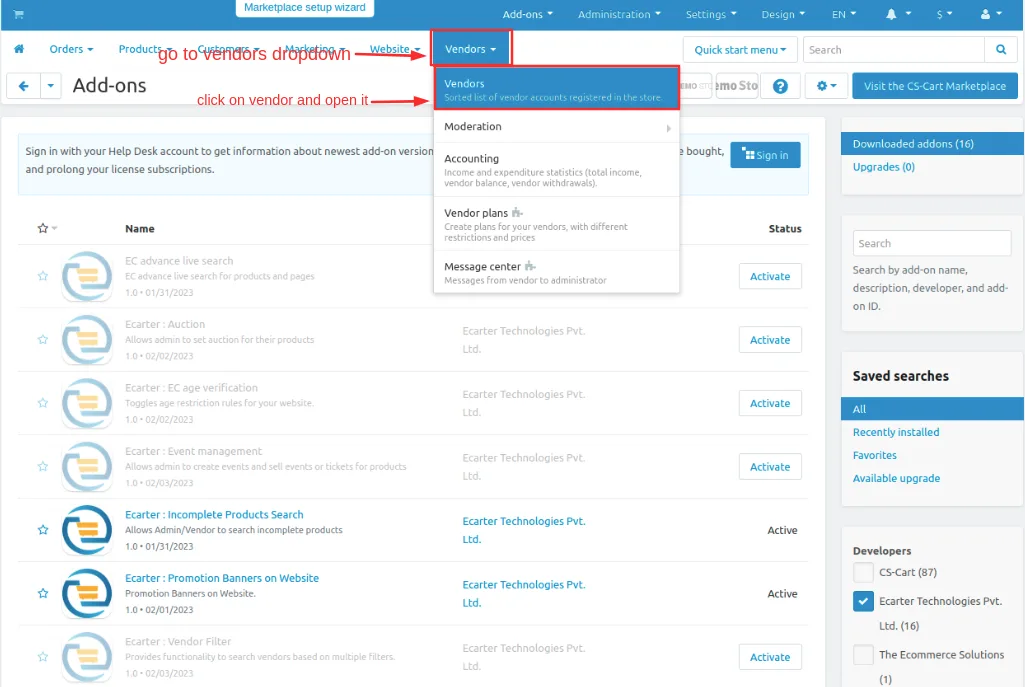
- Go to the vendors section and click on >> Vendors.
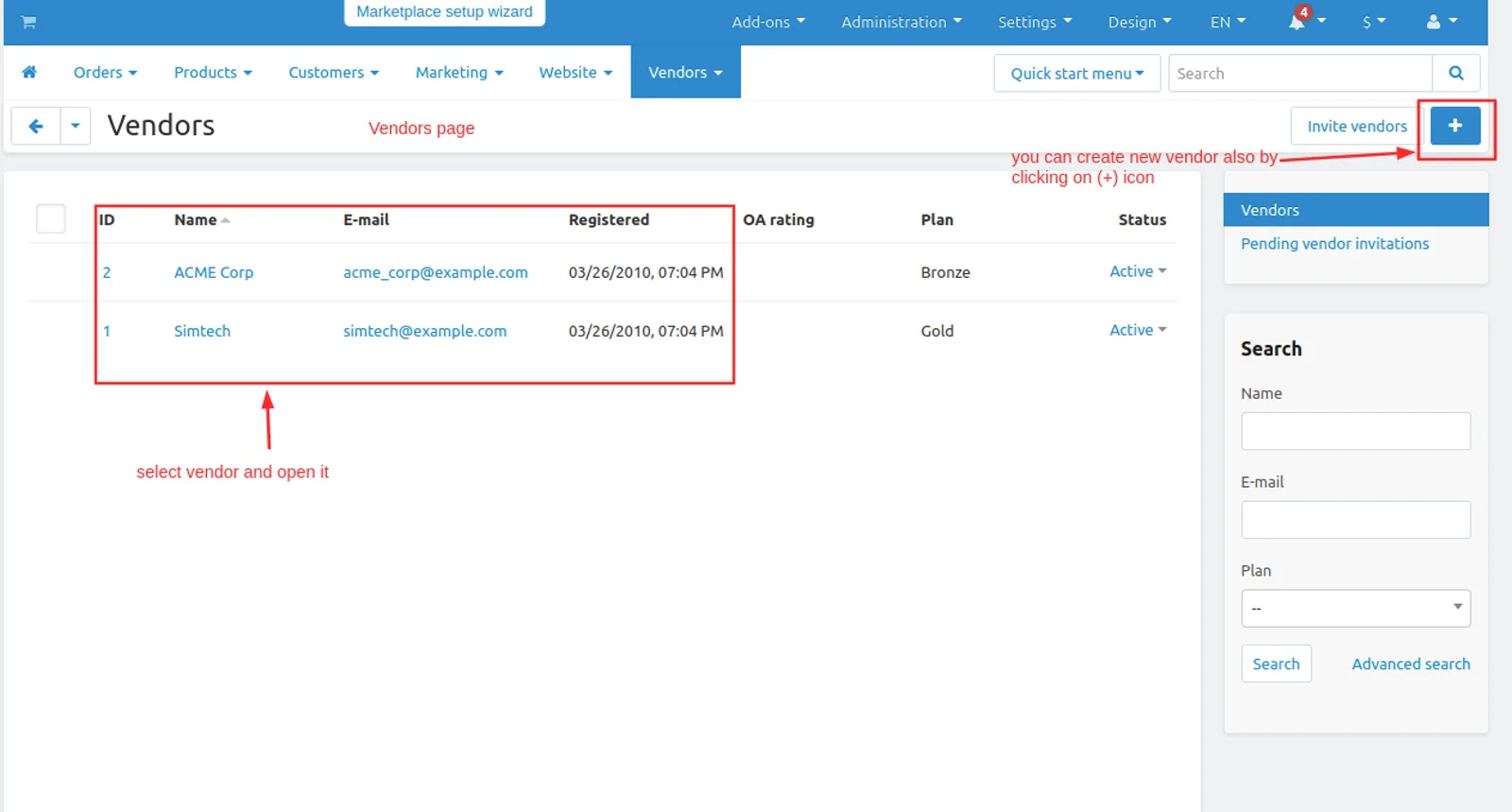
- Vendors page will be open you see the available vendors or admin an create new vendor by clicking on (+) icon.
- Now open click on >> any vendor and open it.
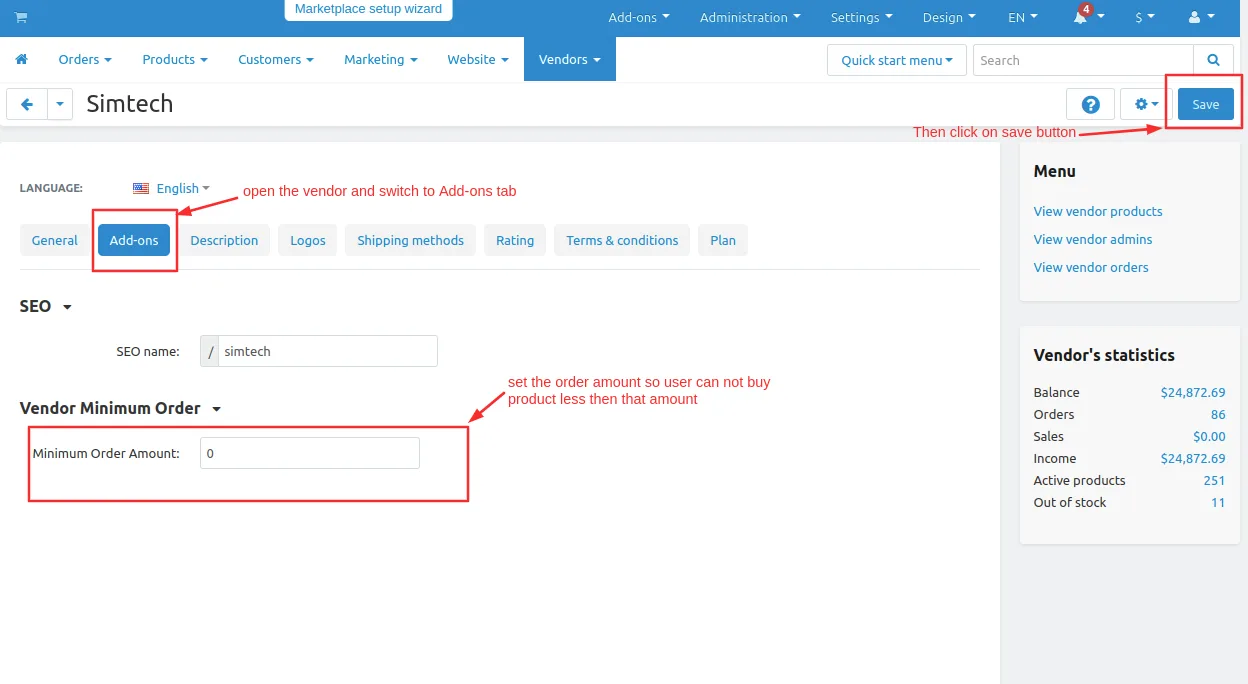
- Switch to Add-ons tab
- On the vendor minimum order input field and set the minimum order amount so the user can restrict to buying less than the minimum amount.
- And then click on >> save button.
Now we can set the minimum order amount by the multistore front from the admin panel.
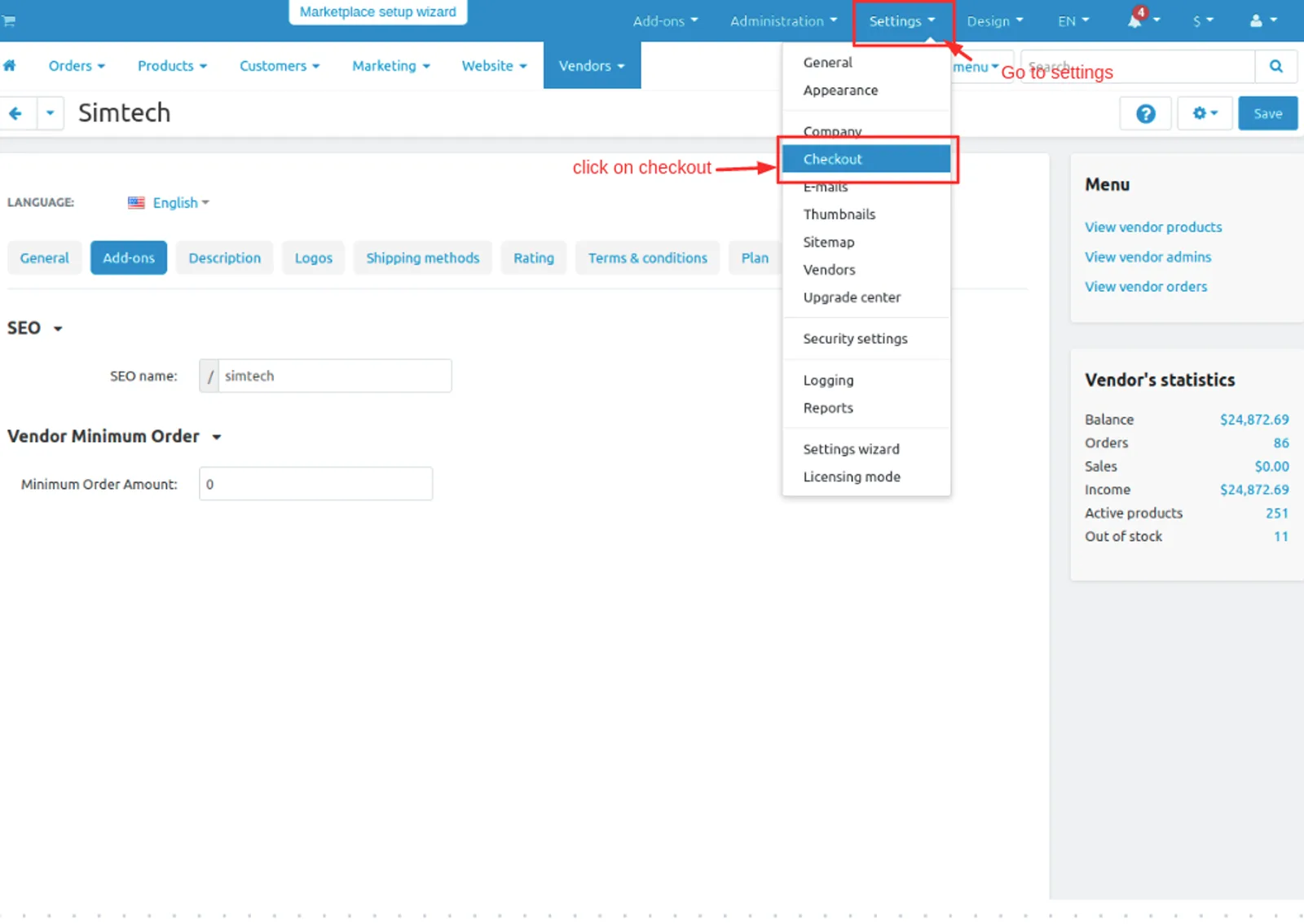
- Go to Settings on the title bar.
- Then click on >> checkout.
- Here you can select the multi-storefront, where the admin can set multi storefront vise minimum order amount.
- And then click on >> save button.
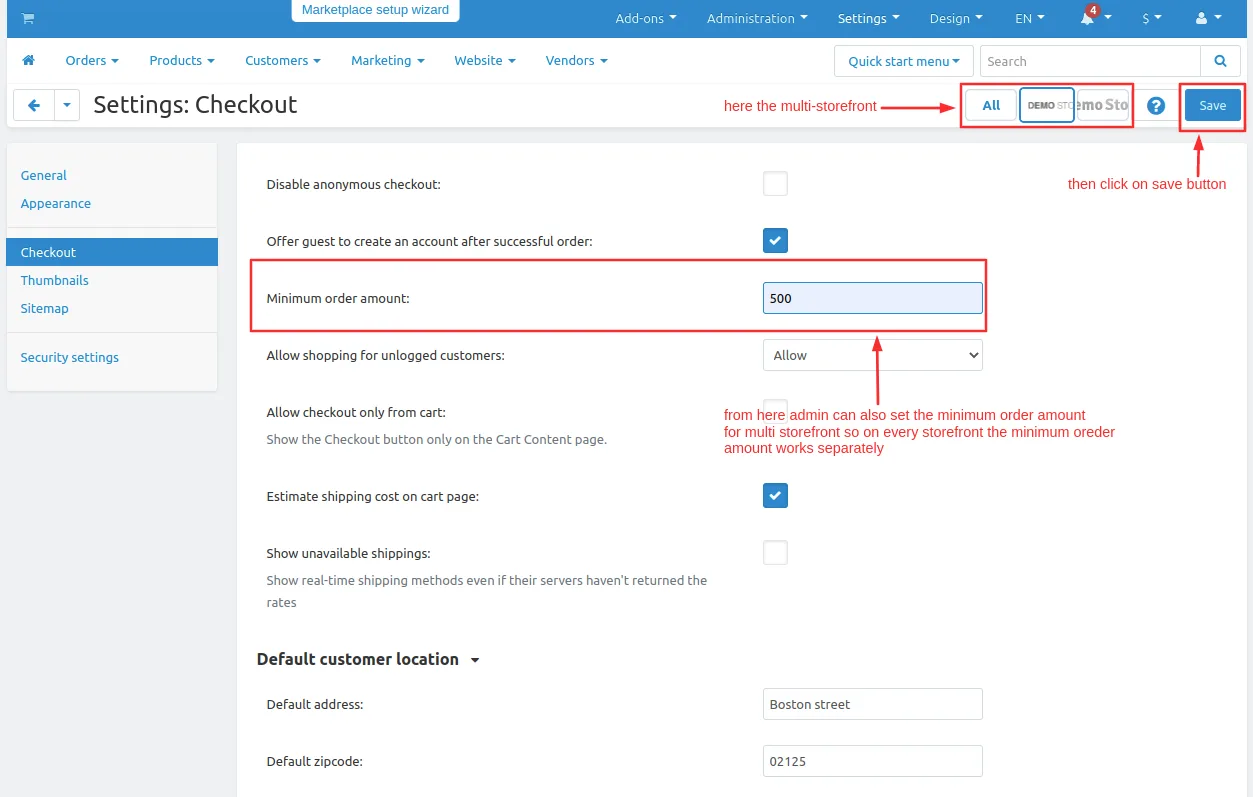
Now let see how the addon works on storefront.
- Open the storefront.
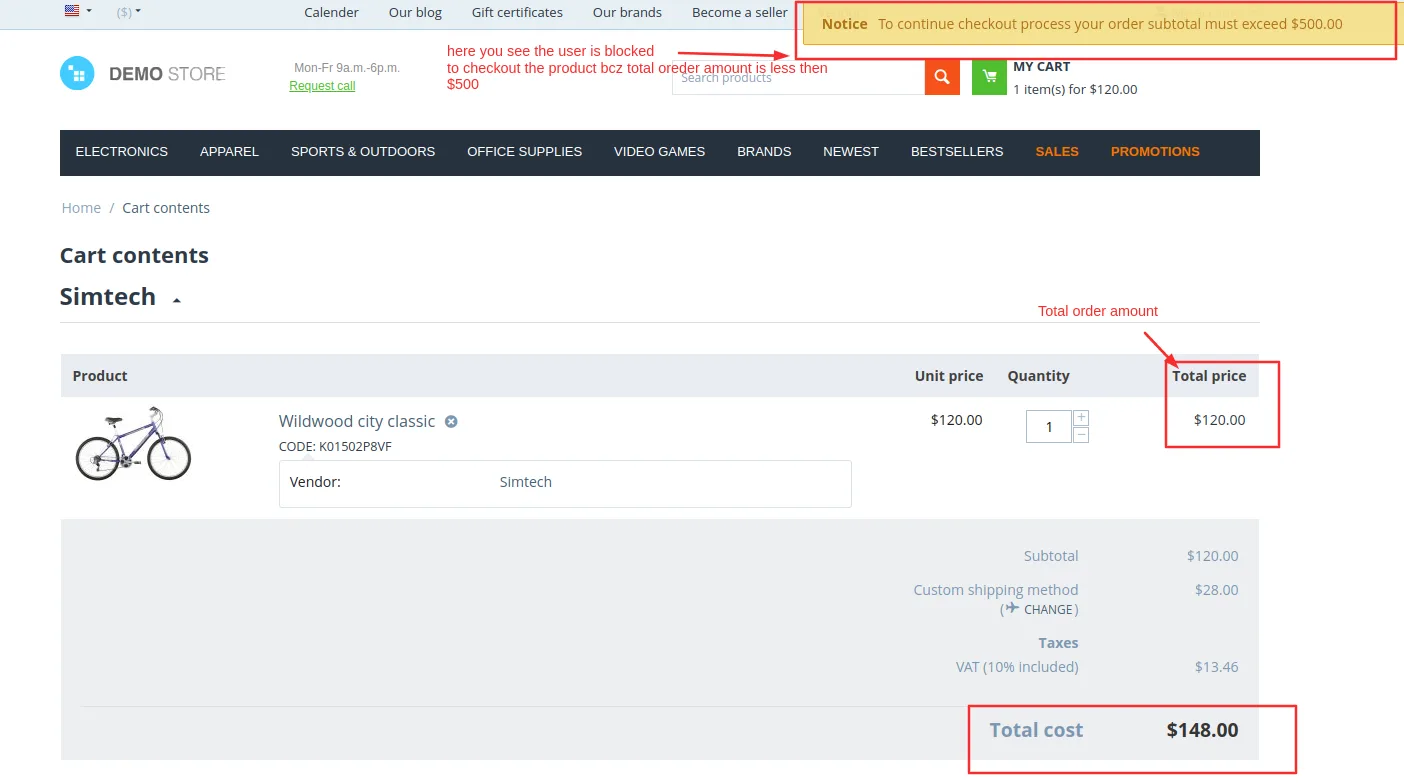
- on admin panel admin set $500 minimum order amount.
- Now order the product which have amount product is less then $500.
- open the product and then checkout.
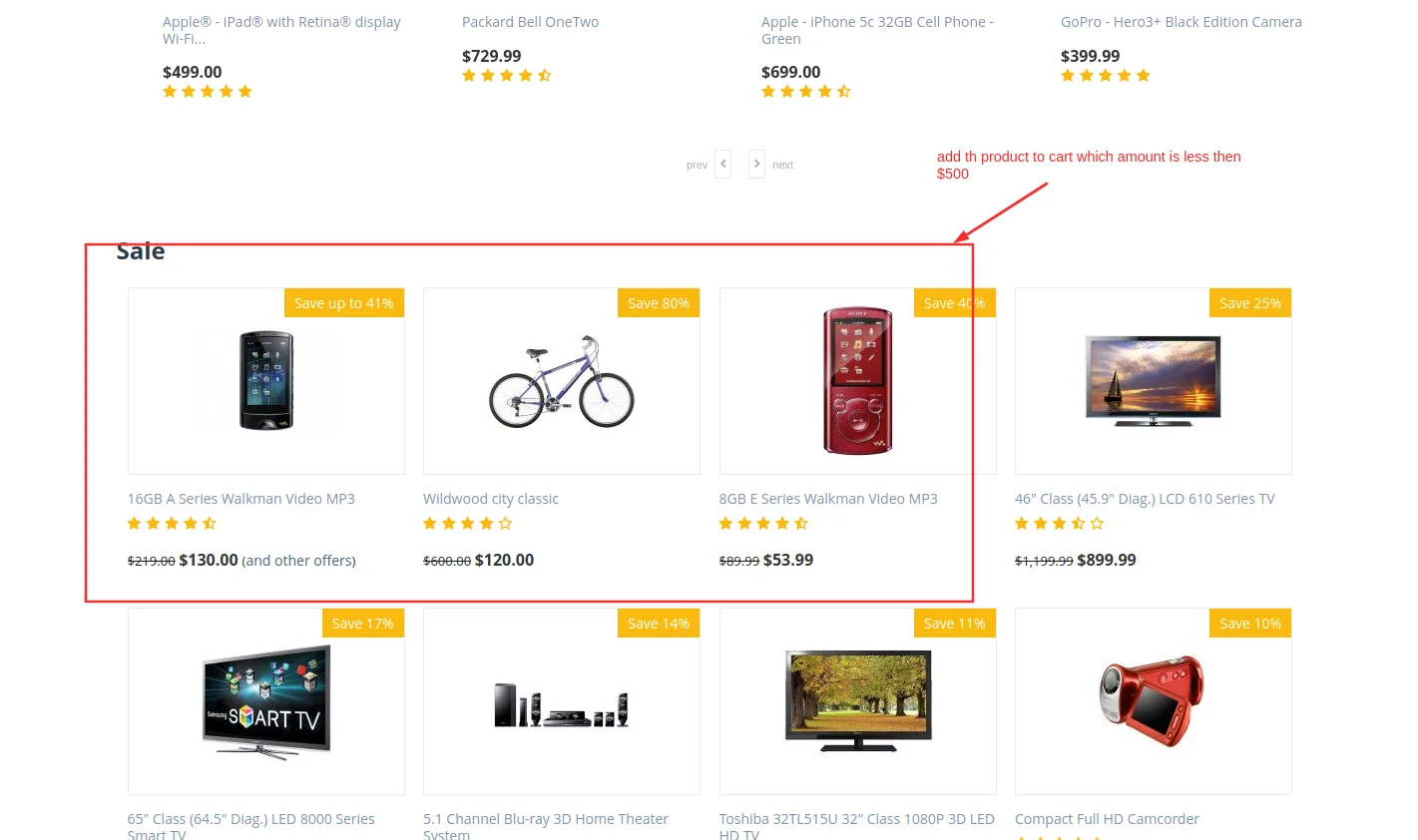
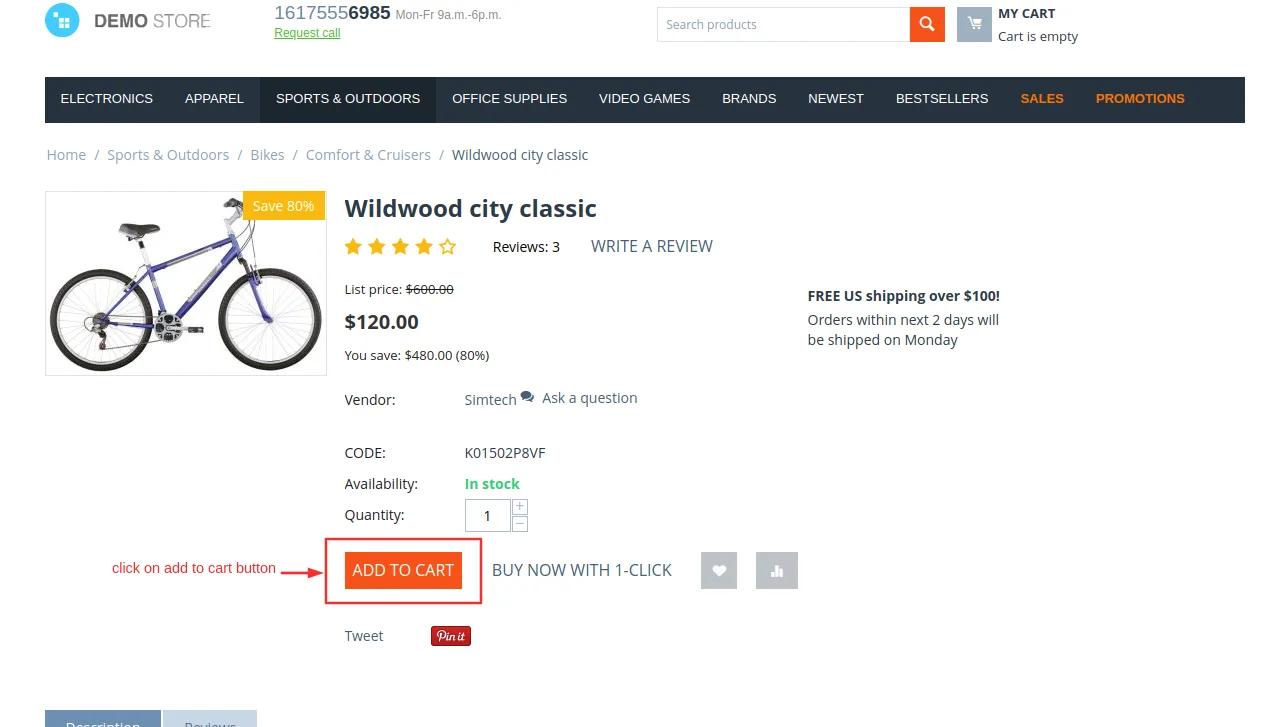
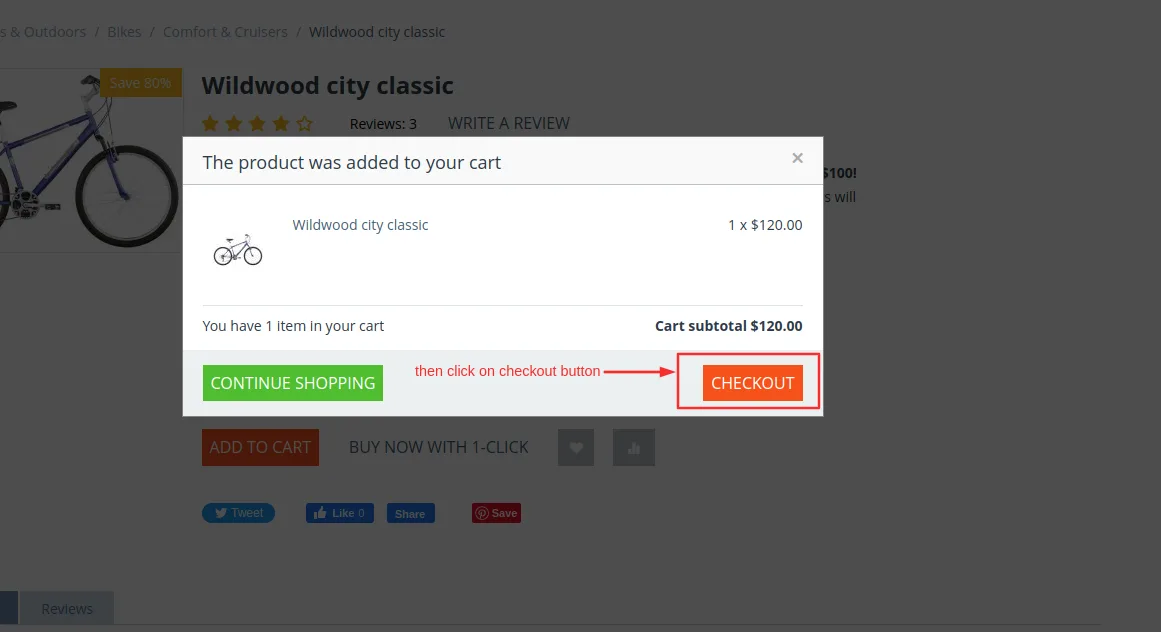
here you see when we order a product that is not equal to $500 the notification pop will show which is restrict the user from buying the user must order more than $500 to buy the product.
Note: It does not depend upon the total amount of order. It depends on the product price.
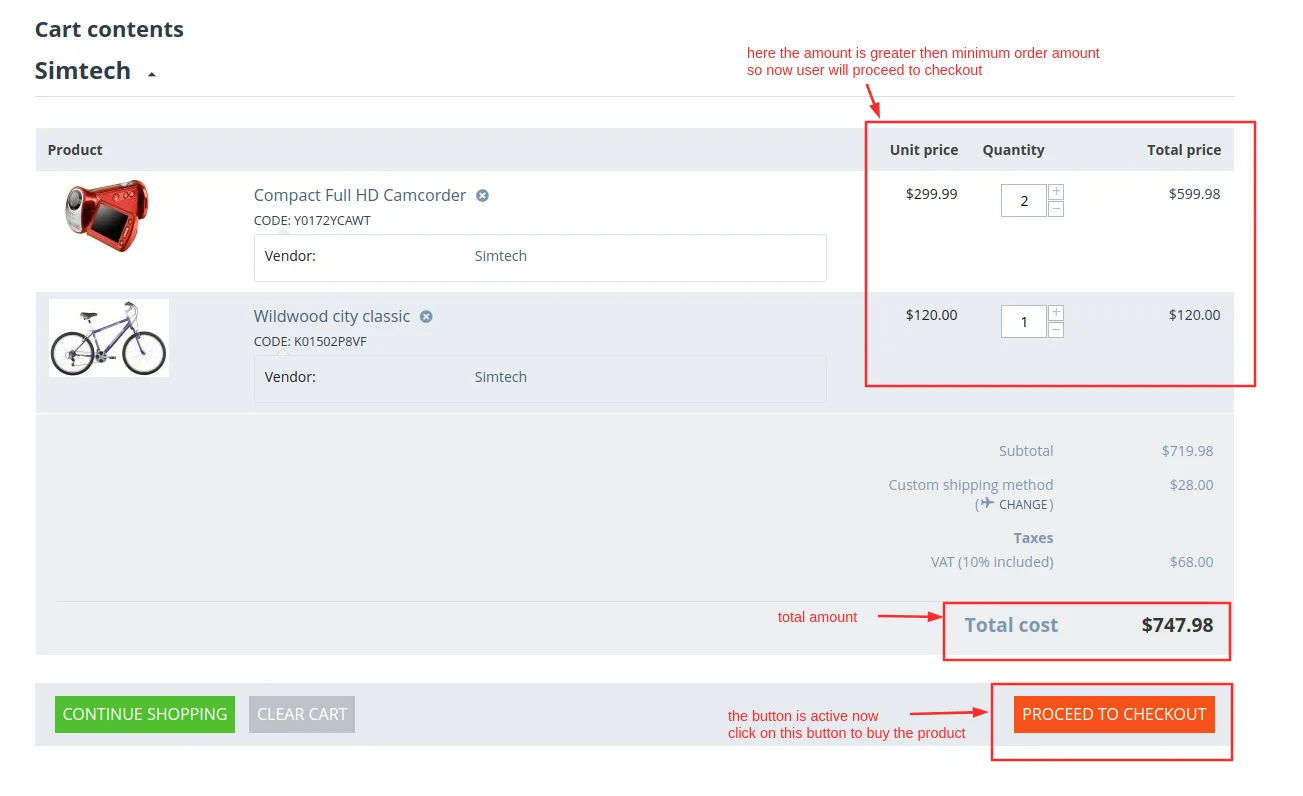
After the amount is exceeded then you see the proceed to checkout button is active to buy the product.
Addon-Version
Version-1.0.3
Supported Versions:
CS-Cart, CS-Cart Multivendor 4.8.x, 4.9.x,4.10x,4.11x,4.12,4.13x, 4.14x, 4.15x, 4.16x, 4.17x, 4.18x
Support:
This add-on is developed and published by Ecarter Technologies Pvt.Ltd., a CS-Cart developer. You are guaranteed a quality add-on supported by future versions. If you need help, please contact us via email at support@ecarter.co.
Frequently asked questions
What does the CS-Cart Minimum Order Value add-on do?
It lets the admin define a minimum order amount that a customer's cart must reach before checkout can proceed. For example, if the minimum is set to $30 and the cart total is $20, the customer is notified that the total must exceed $30 to continue.
When do customers see the minimum order message?
The minimum order amount message appears only when the cart total is below the set threshold. Once the cart meets or exceeds the minimum, the message no longer shows and the customer can proceed, which keeps the experience clear and unobtrusive.
Can the minimum amount be changed, and does it work with Multi-Vendor?
Yes. The admin can enter any desired minimum amount while configuring shipping or store settings, and the add-on is managed from the Vendors section, so it fits CS-Cart Multi-Vendor setups. Share your CS-Cart version and we will confirm compatibility.
How is the add-on installed?
It is installed like other CS-Cart add-ons. Follow the standard installation guide at https://store.ecarter.co/blogs/how-to-install-addon/, then configure the minimum amount in your store or shipping settings.
Nisha Gaur is a Technical Content Writer at Ecarter Technologies. She writes technical documentation, tutorials and buying guides covering CS-Cart, Magento, Shopify and eCommerce development.