
Multi-choice Product Option
The Multi-choice Product Option addon for CS-Cart improves your store. It allows customers to select multiple product options easily.
The Multi-choice Product Option add-on for CS-Cart lets customers select more than one product option on a single product page. Instead of picking just one value, shoppers can combine several choices such as colors, sizes, features, or extra services, and the total price updates automatically as each option is selected. Admins add these options through a simple interface and can attach price modifiers, set as either a fixed amount or a percentage, to each variant. It is aimed at CS-Cart store owners who sell products that need several add-on choices and want a clearer, more flexible way for customers to configure what they buy.
The Multi-choice Product Option addon for CS-Cart improves your store. It allows customers to select multiple product options easily. They can choose from different colors, sizes, features, or extra services right on the product page. This addon makes shopping easier and more personal.
The addon helps customers find exactly what they want. As they choose options, the total price of the product changes, so they know how much to pay. This can help sell more products because customers are more likely to buy when they see more options.
Features
- Multiple Options: Customers can choose more than one option for products which provide options like size, features, and any extra services.
- Easy Setup: Admins can quickly add options with variant options using a simple interface.
- Price Modifiers: Admins can set extra prices for each variant options. These can be fixed amounts or percentages.
- Real-time Price Updates: The total price changes automatically based on the selected options.
- Select Box Type: Choosing “Select Box” option type allows you to enable multiple selections for product options.
- Enable Multiple Selection: Allows users to select multiple options for products directly from the storefront.
- CS-Cart Support Info: The addon is well integrated with CS-Cart Multi-Vendor and can be used with its Standard, Plus, and Ultimate versions.
Installation:
How to Install Addon
https://store.ecarter.co/blogs/how-to-install-addon/
How Addon Works:
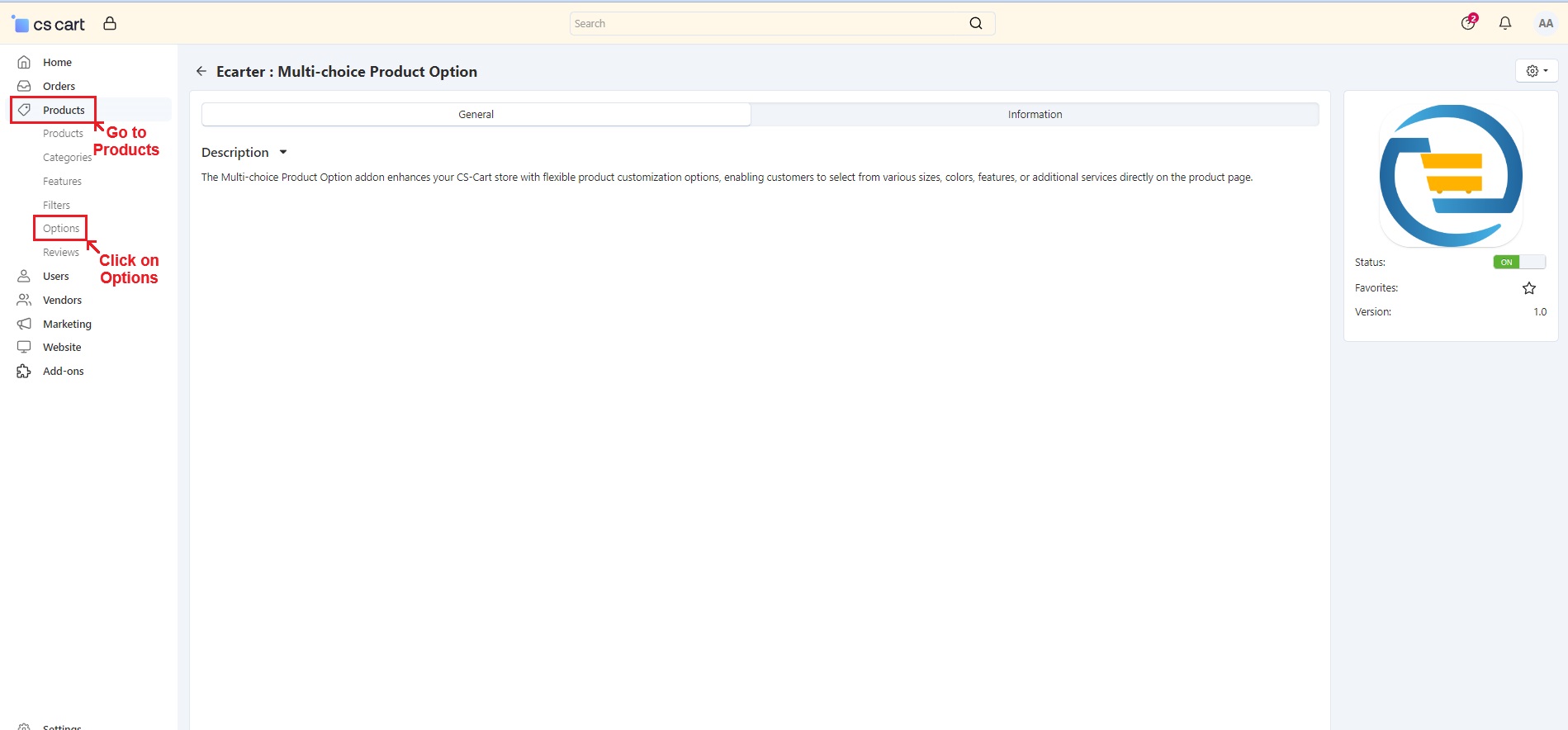
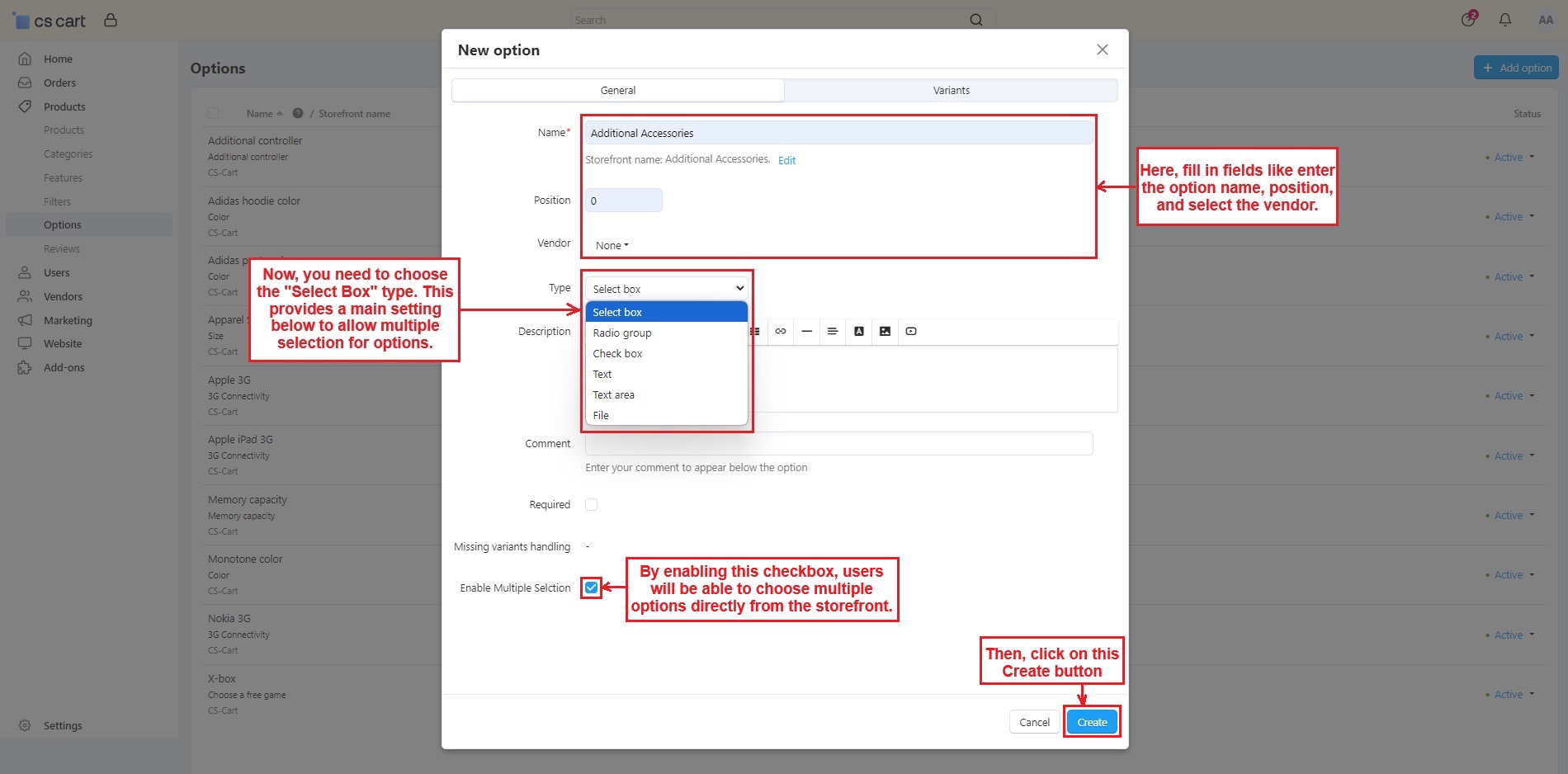
Go to Products-> Options-> and then use Add Option to create a new option.
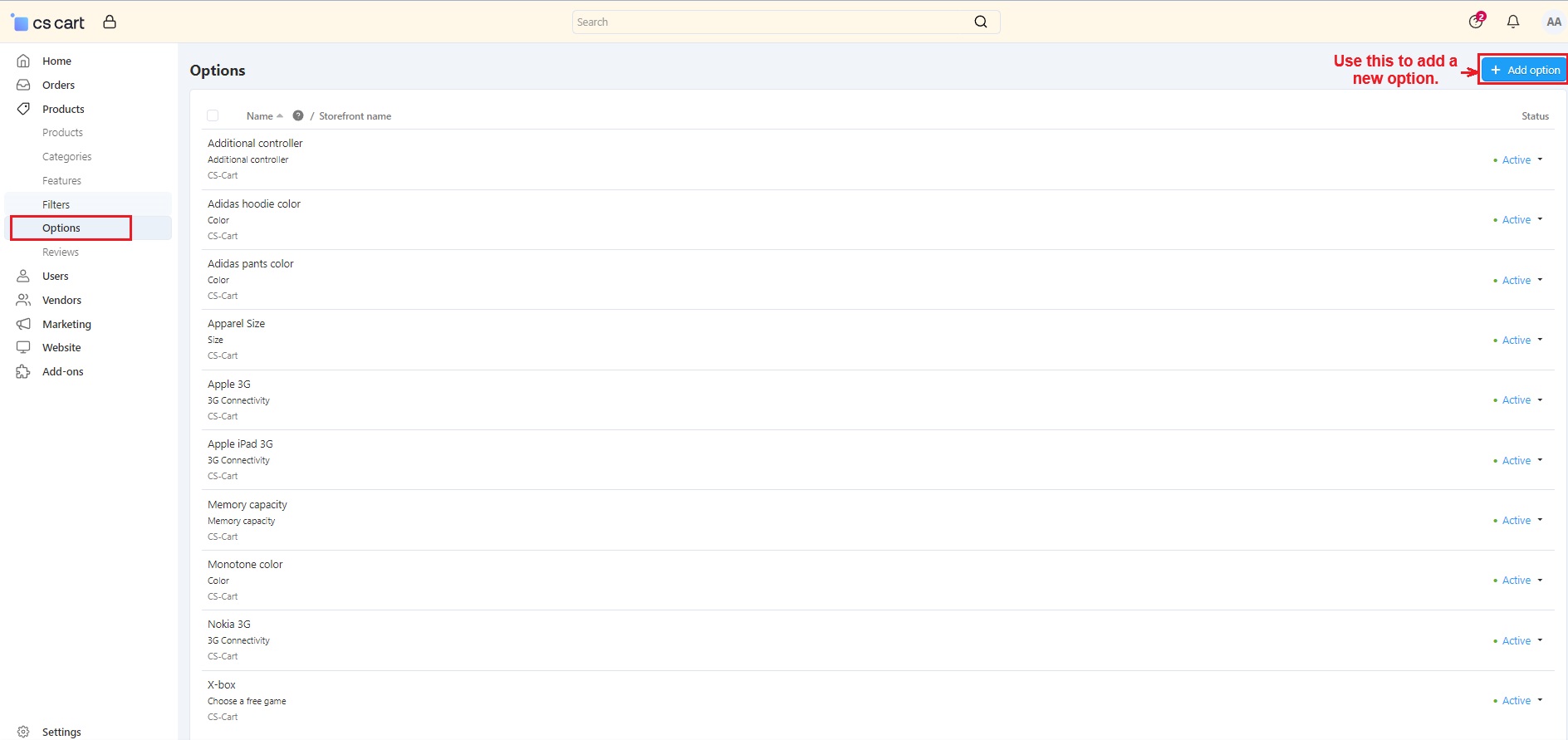
- Name, Position, and Vendor: In the General tab, fill in the necessary details such as option name, position, and select the vendor.
- Type: Next, you need to choose the “Select Box” type. Only this selection will provide a main setting below to allow multiple selections for options.
- Enable Multiple Selection: By enabling the “Multiple selection” checkbox, users can choose multiple options for individual products directly from the storefront.
- Then, click on >> Create button.
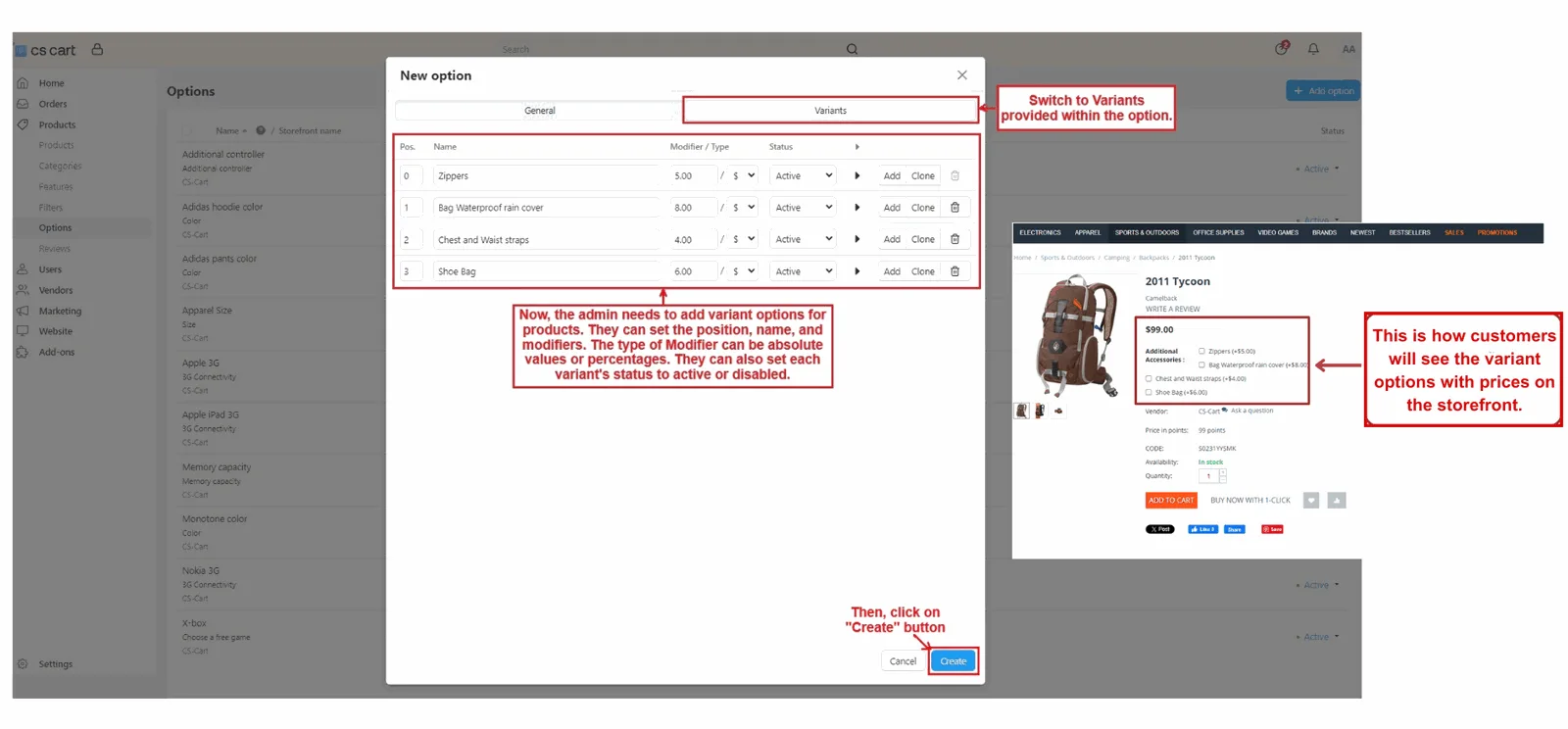
- Switch to >> Variants
- Next, the admin needs to add variant options for products. They can enter the position, name, and modifiers for prices. The type of modifier can be absolute values or percentages. They can also set each variant’s status to active or disabled.
- Then, click on >> “Create Button”
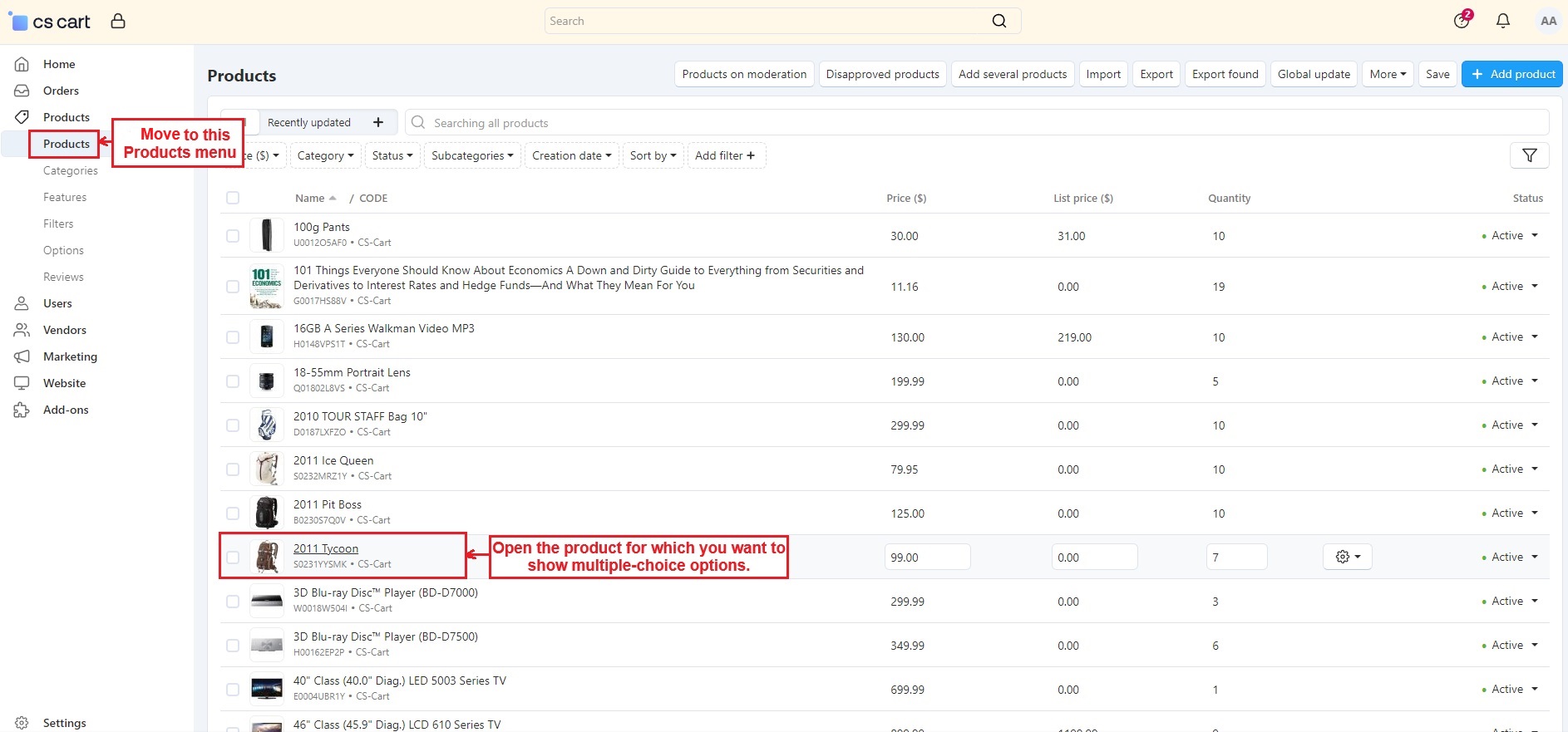
- Move to >> Products menu
- Open the product for which you want to show multiple-choice options.
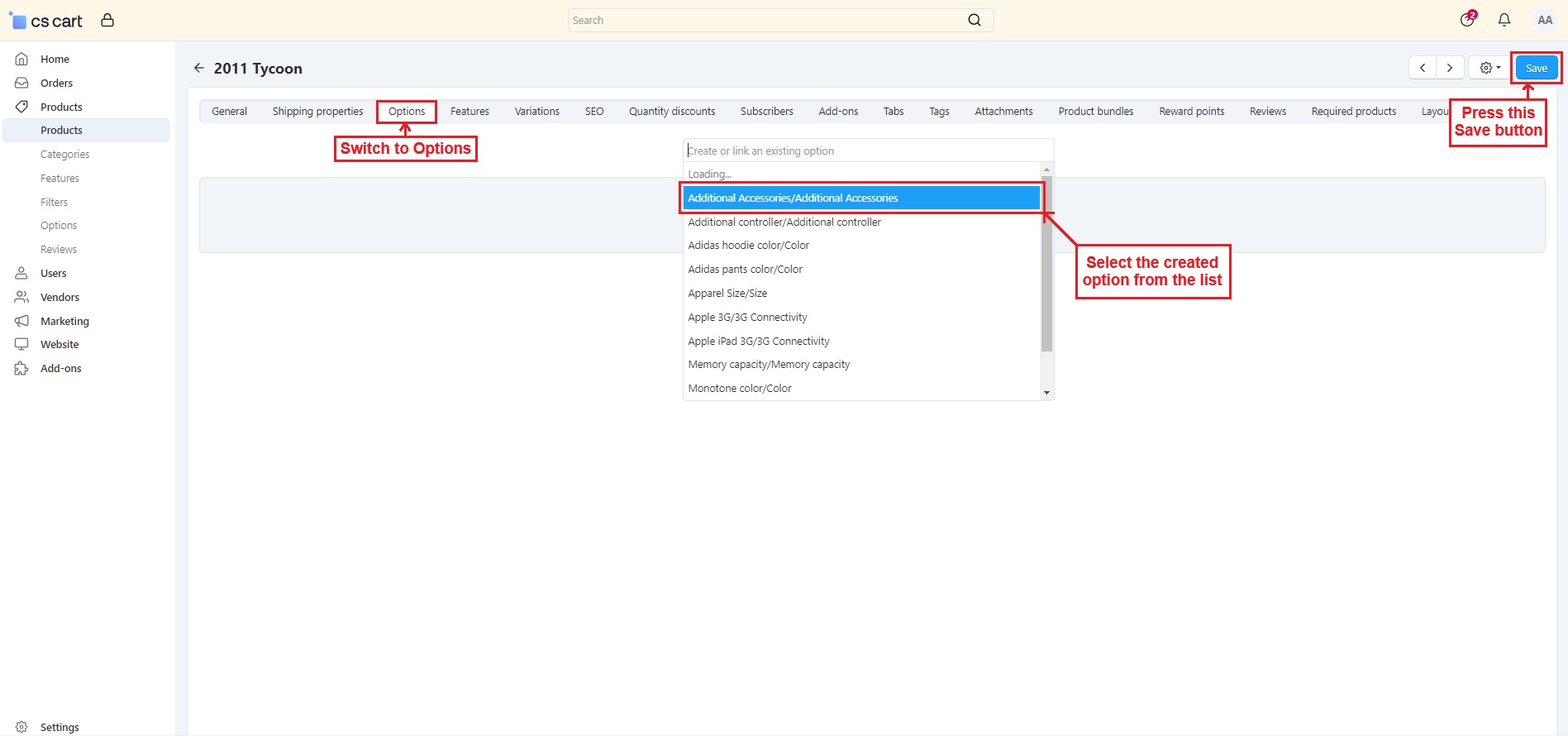
- Switch to >> Options
- Click on the field and select the Created option from the list.
- Then, Press the >> Save button.
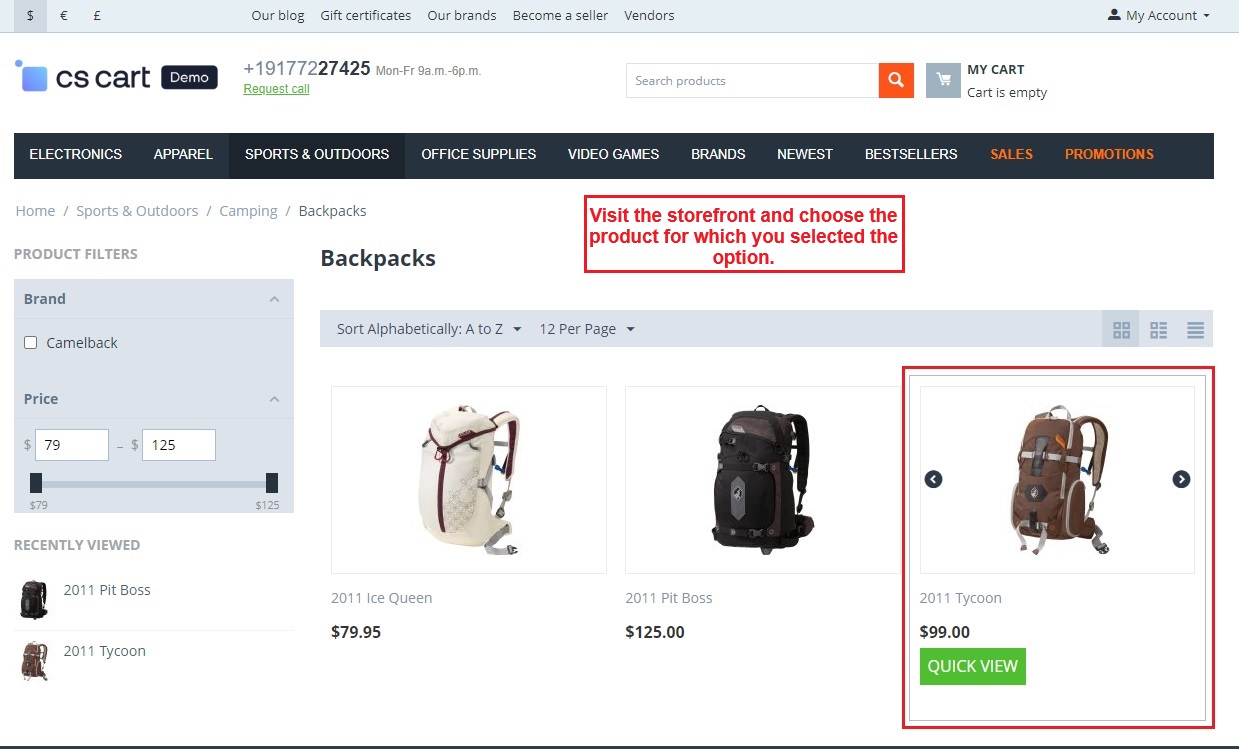
- Visit the storefront and choose the product for which you have selected the option.
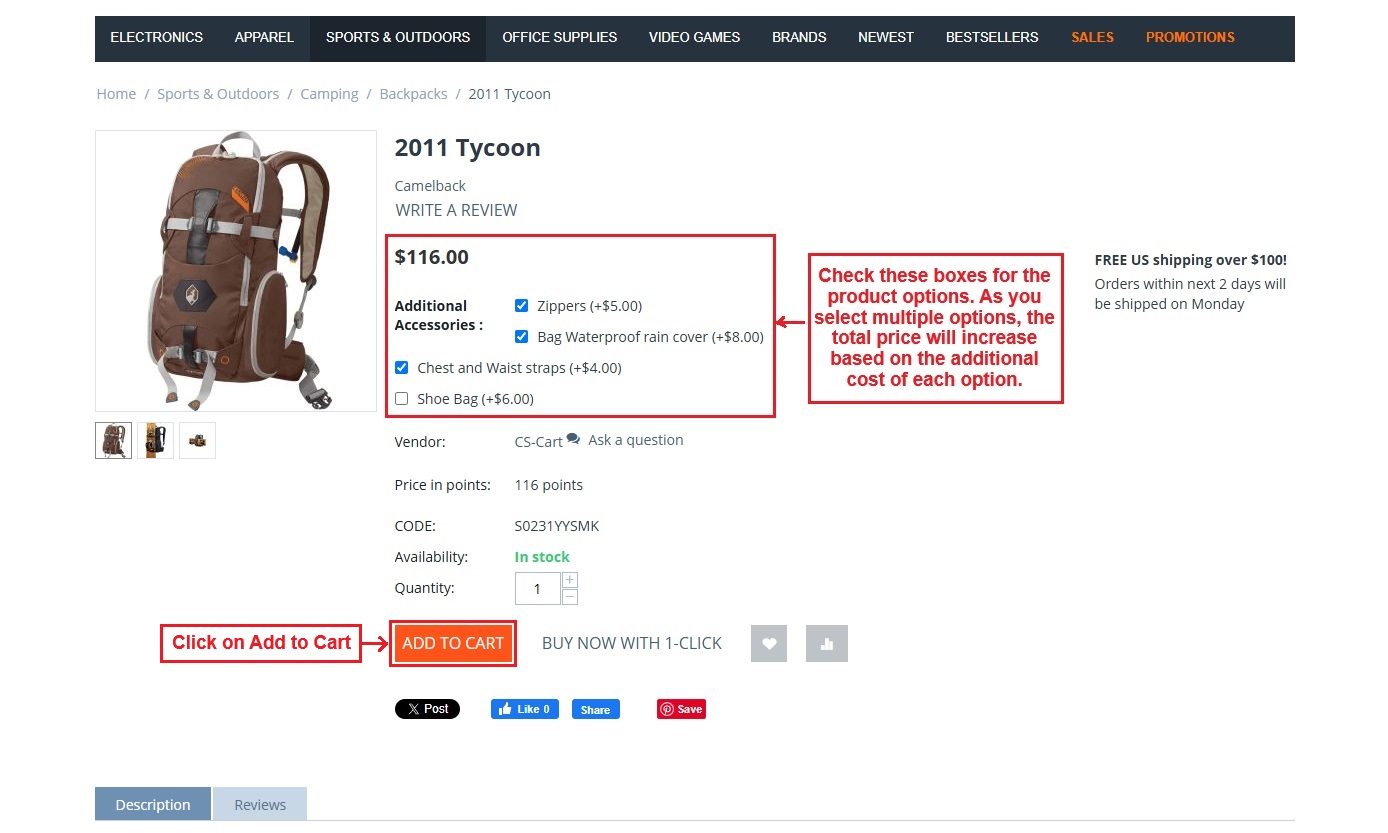
- Check the boxes for the product options. As you select multiple options, the total price will increase based on the additional cost of each option.
- Click the >> “Add to Cart”.
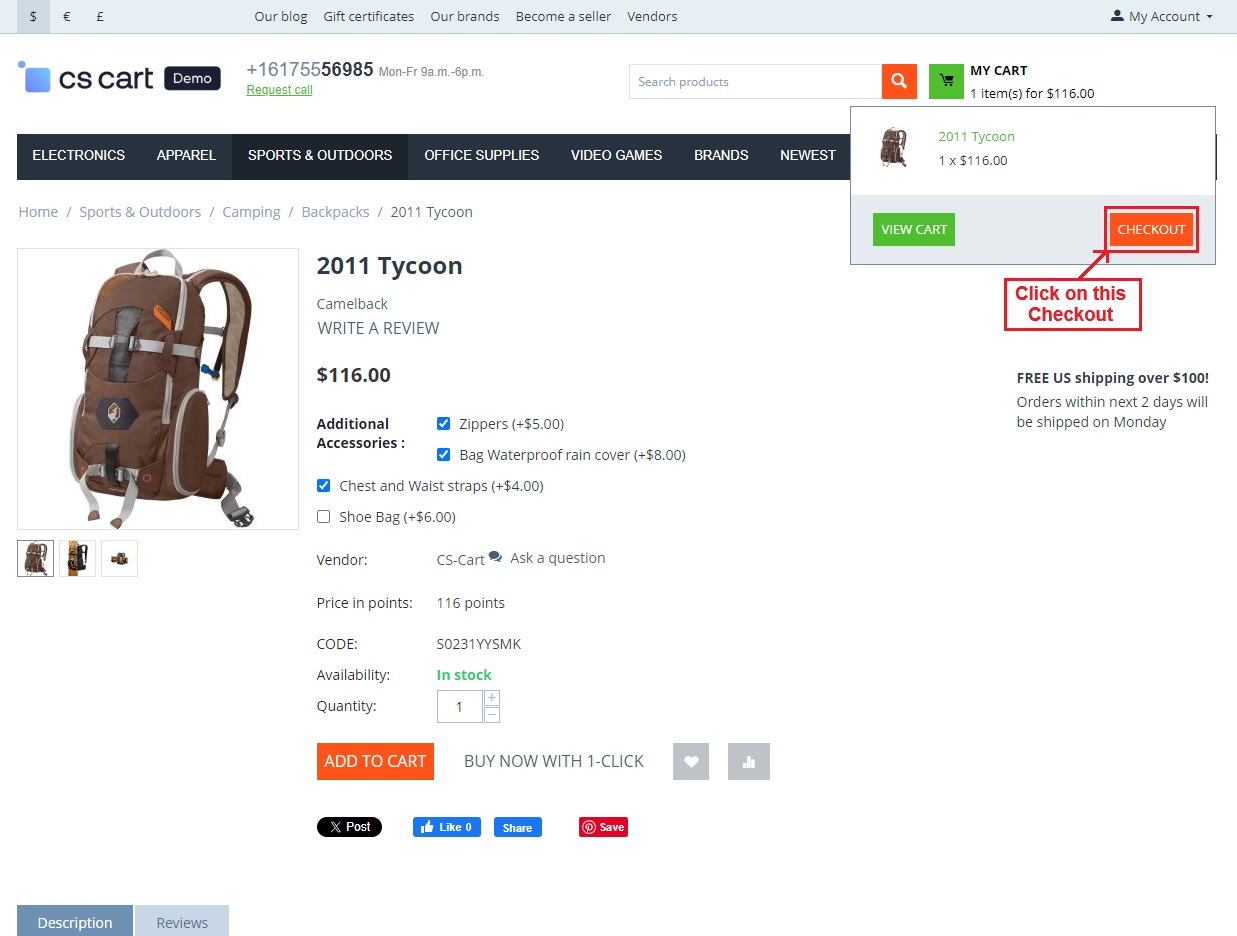
- Then, Press the >> “Checkout”.
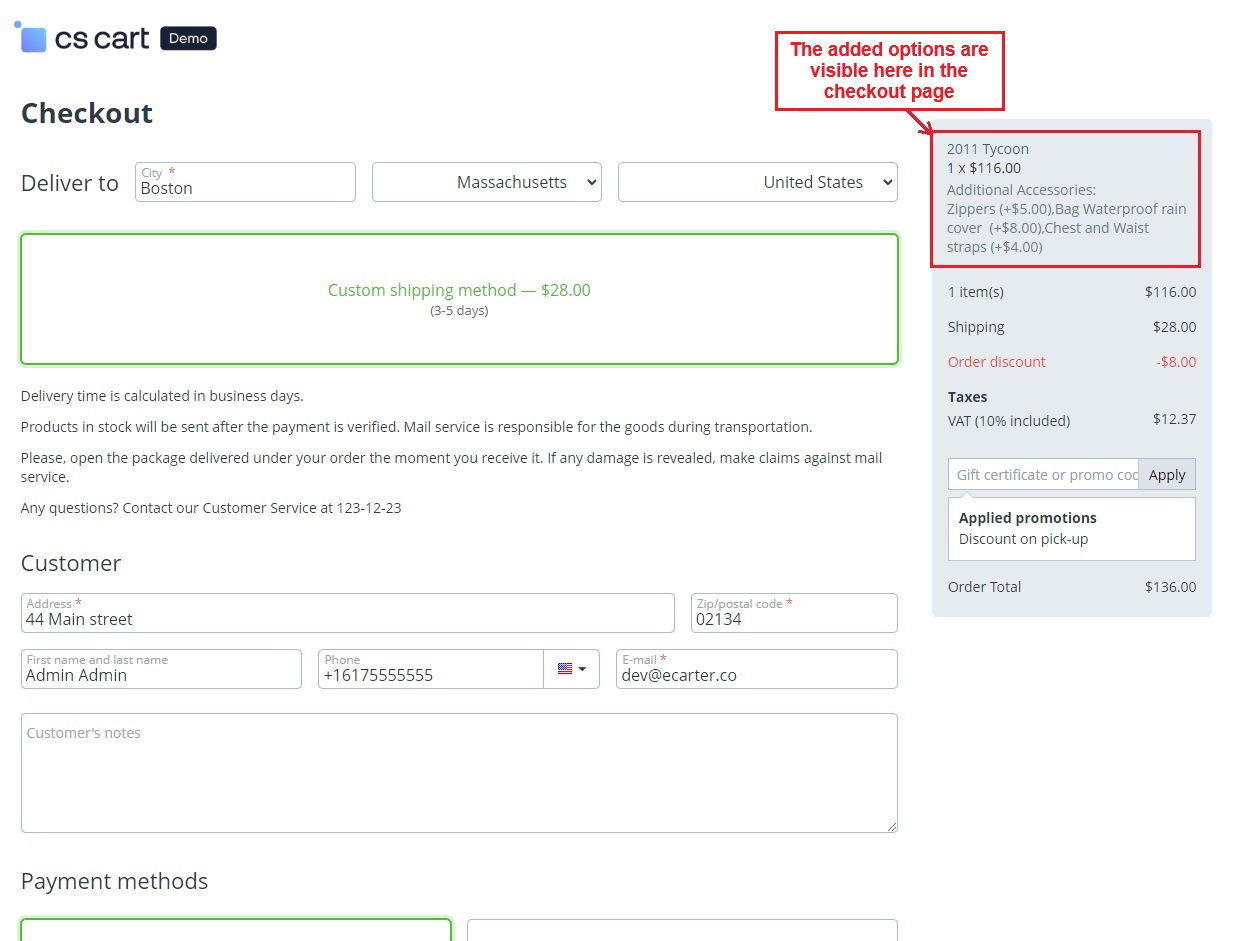
- The checkout page shows the selected options.
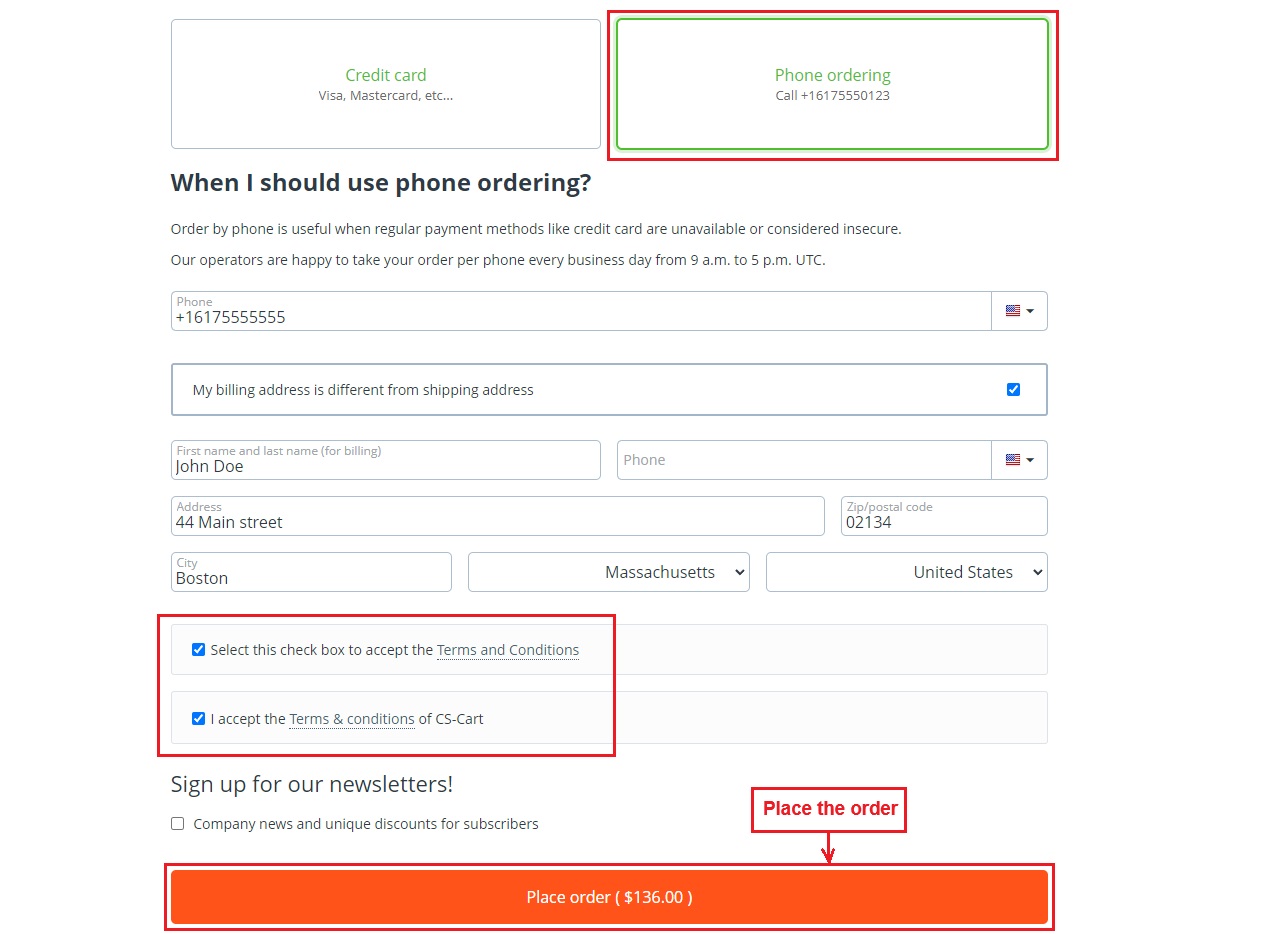
- Place the order by choosing a payment method and checking the terms and conditions box.
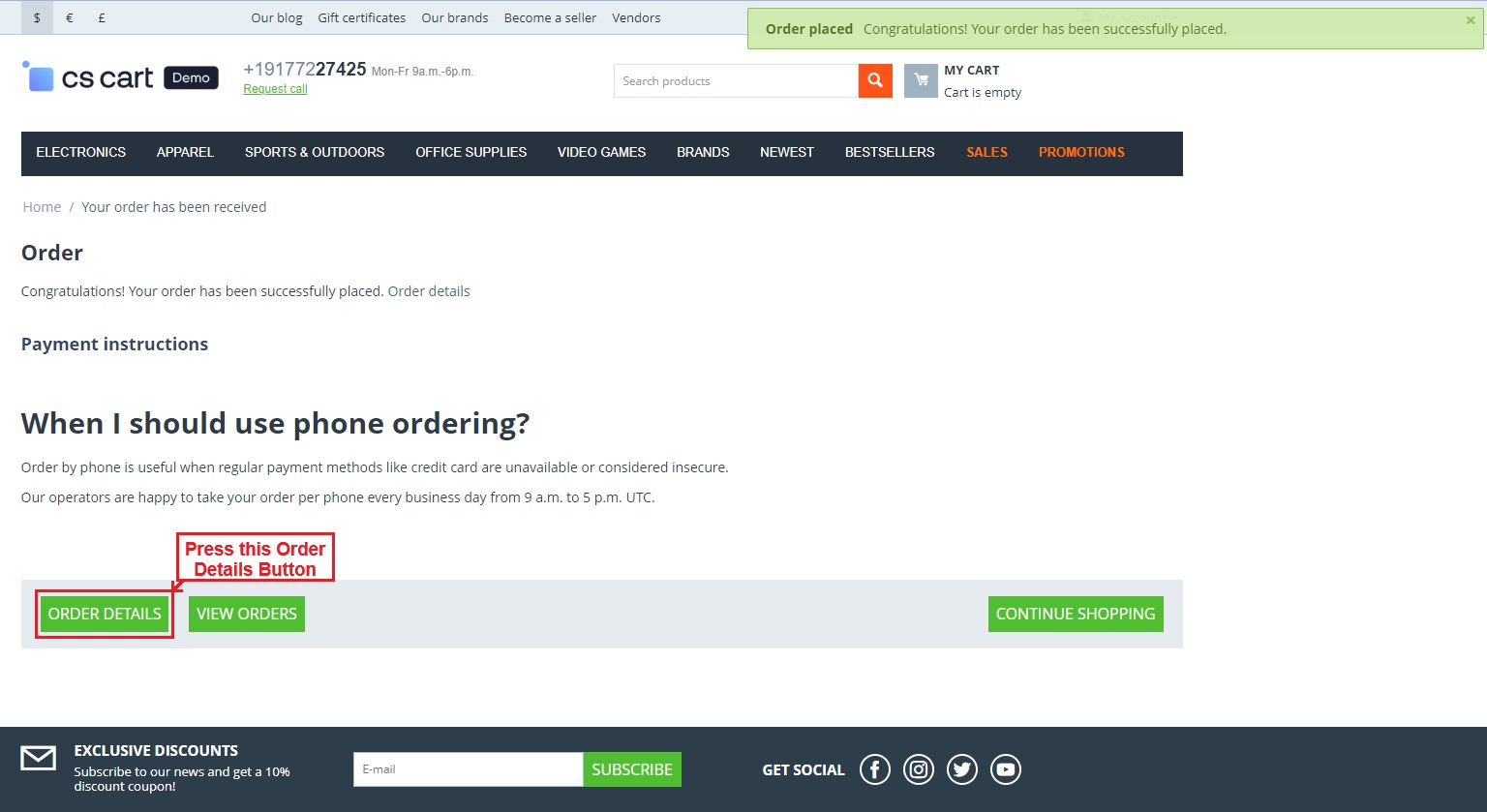
- Press the >> Order Details Button.
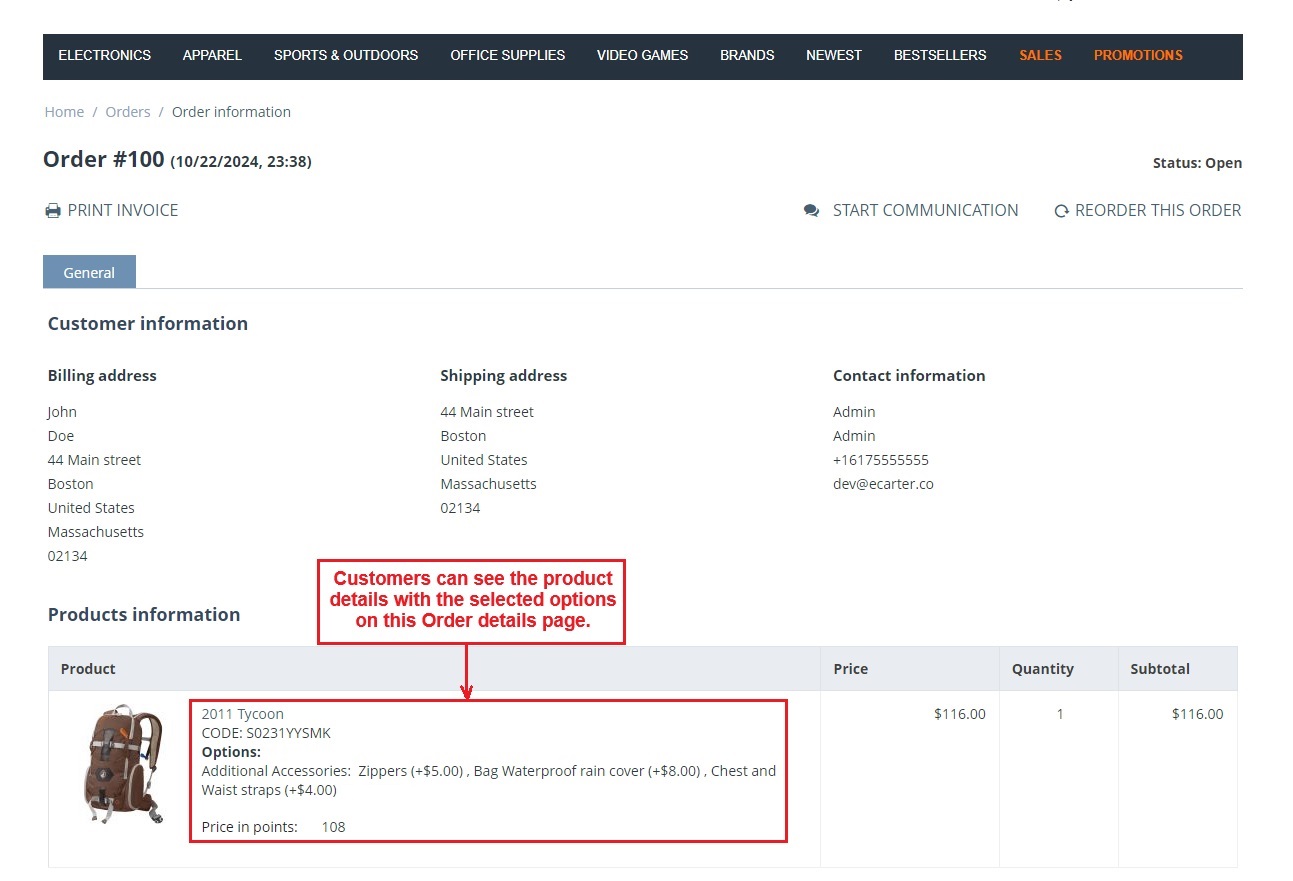
- Customers can see the product details with the selected options on this order details page.
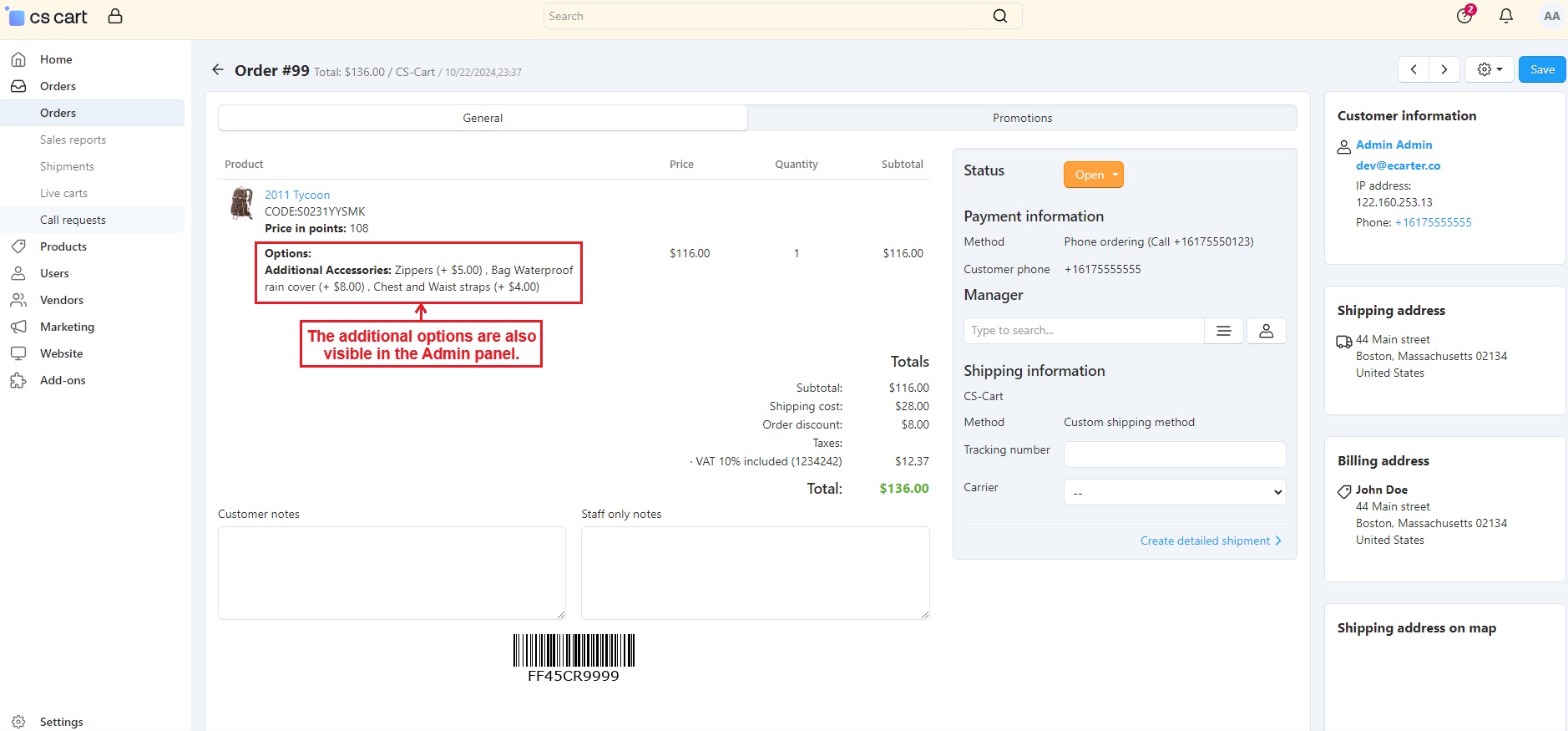
- Also, the admin can see the additional options in the Admin panel orders page.
Addon-Version:
Version-1.0
Supported Versions:
CS-Cart, CS-Cart Multivendor 4.8.x, 4.9.x,4.10x,4.11x,4.12,4.13x, 4.14x, 4.15x, 4.16x, 4.17x 4.18x
Support:
This app is developed and published by Ecarter Technologies Pvt. Ltd., a CS-Cart developer. You are guaranteed quality add-ons.
Frequently asked questions
How do customers select more than one option for a product?
You set the product option type to "Select Box" and enable multiple selection. Customers can then choose several options for that product directly from the storefront on the product page.
Does the total price change when a customer picks different options?
Yes. Each variant option can have a price modifier set by the admin, either a fixed amount or a percentage, and the product's total price updates in real time as options are selected.
Is this add-on compatible with CS-Cart Multi-Vendor and the different CS-Cart editions?
The add-on is integrated with CS-Cart Multi-Vendor and works with the Standard, Plus, and Ultimate versions.
How difficult is it to set up the options as an admin?
Admins can add options and their variant options quickly through a simple interface, including assigning price modifiers to each variant. If you need help with installation, share your CS-Cart version and we can confirm the steps.
Nisha Gaur is a Technical Content Writer at Ecarter Technologies. She writes technical documentation, tutorials and buying guides covering CS-Cart, Magento, Shopify and eCommerce development.