
CS-Cart Online Users Add-on: Live Visitors
Monitor active admins, vendors, customers, and guests in real time with the Online Users Add-on for CS-Cart. Track user activity through an auto-updating dashboard panel.
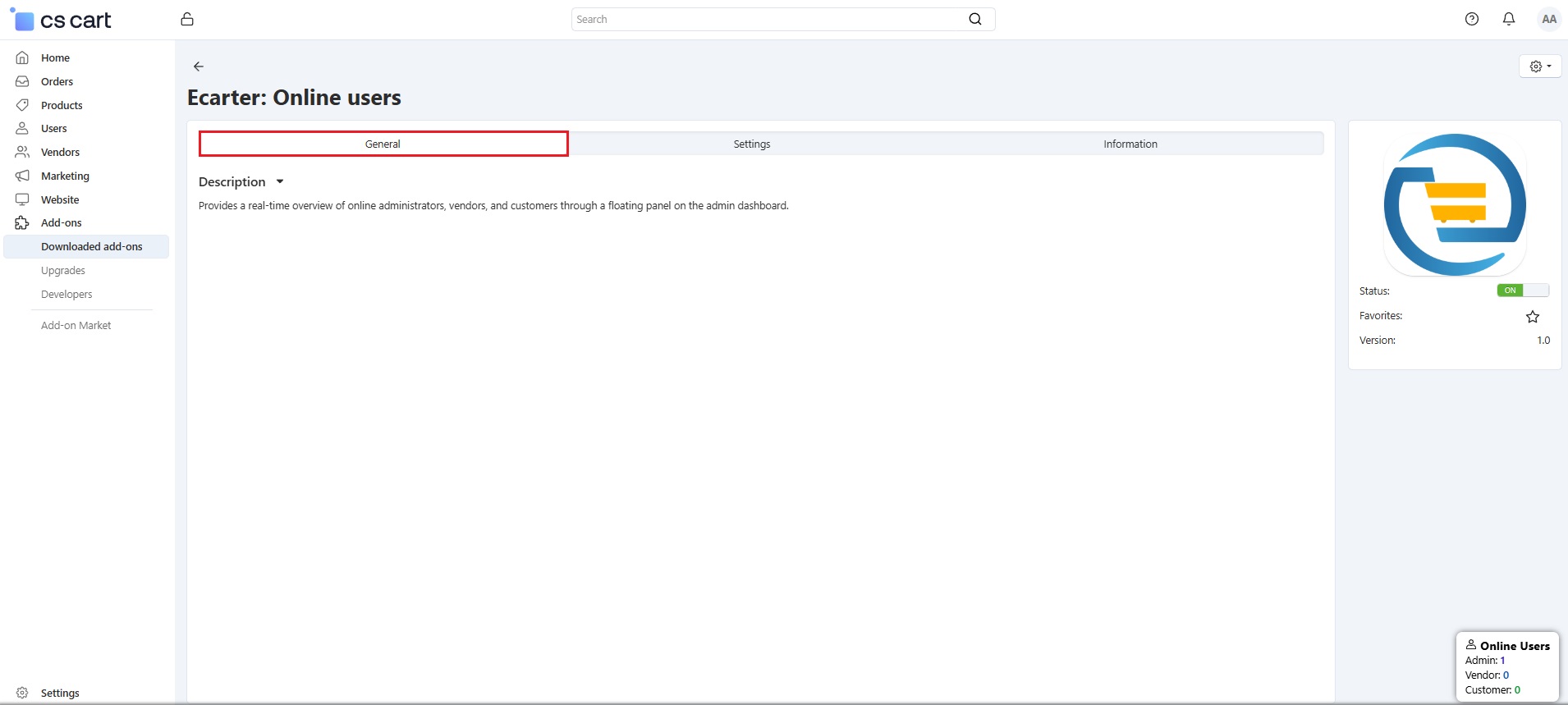
The Online Users Add-on for CS-Cart gives store administrators a real-time view of everyone active on the site, including admins, vendors, customers, and guests. It displays this information in a floating panel on the admin dashboard, and the user count updates automatically whenever someone logs in, opens a panel, or visits the store. A configurable inactivity timeout marks idle users offline so the list stays accurate, and admin, vendor, and customer types are clickable to open a filtered list of those users. It is aimed at store owners and administrators who want a simple, always-current picture of live activity across the storefront and back-end panels.

The Online Users Add-on for CS-Cart provides a real-time view of all active users, including admins, vendors, customers, and guests, through a floating panel on the admin dashboard. It helps the admin monitor who is currently online across different panels and the store. The user count updates automatically whenever someone logs in, opens a panel, or visits the store.
The add-on includes a timeout setting that marks users offline after a set period of inactivity, keeping the list accurate. The admin can turn the guest customer option on or off to show online guest users. Once enabled, it works the same as other user types. The three user types, such as admin, vendor, and customer, are clickable and open a page showing users of that type. The setup is simple, and the list updates automatically, making user tracking easy for the admin.
Features
Tracks Active Users: The add-on shows which Admins, Vendors, Customers, and Guests are currently online in real time.
Updates User Count Automatically: Whenever a user opens any panel or store, the online user count updates automatically in the admin panel.
User Timeout Setting: The admin can set a time limit in seconds. After this time, users who are inactive are marked offline automatically.
Show Online Guest Users: Enable this option to see guest users in the online users pop-up. It shows how many guests are currently active on the store.
Separate User Views: The Admin, Vendor, and Customer options are clickable. Each option opens a page showing users of that type.
CS-Cart Support info: The addon is well integrated with CS-Cart Multi-Vendor and can be used with its standard, Plus, and Ultimate Versions.
How to install Addon
https://store.ecarter.co/blogs...
How addon works
The add-on workflow is explained below. It shows how the admin tracks active users across different panels and stores, and how the user count updates in real time.
- Access the >> Addon
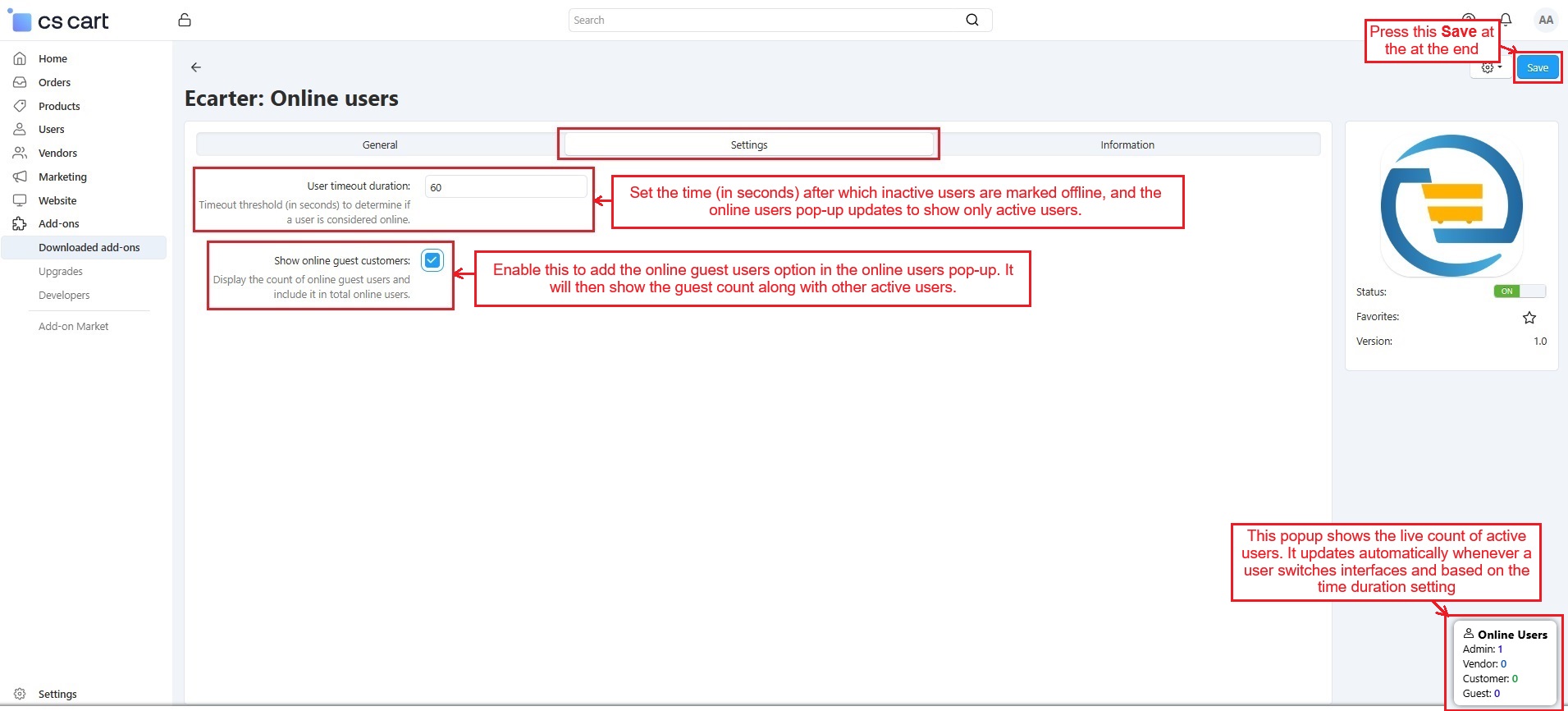
Switch to the Settings tab
- User Timeout Duration: Set the time (in seconds) after which a user is marked offline when they stop using any logged-in panel or store (admin, vendor, customer, or guest). Once the user switches to another panel or leaves the store, the timer starts. After the set time ends, the online users' pop-up updates automatically to show only active users. This setting applies to all users, including admins, vendors, customers, and guests.
- Show Online Guest Customers: Enable this to add the online guest users option in the online users pop-up. It will then show the guest count along with other active users.
Press the Save button at the end.
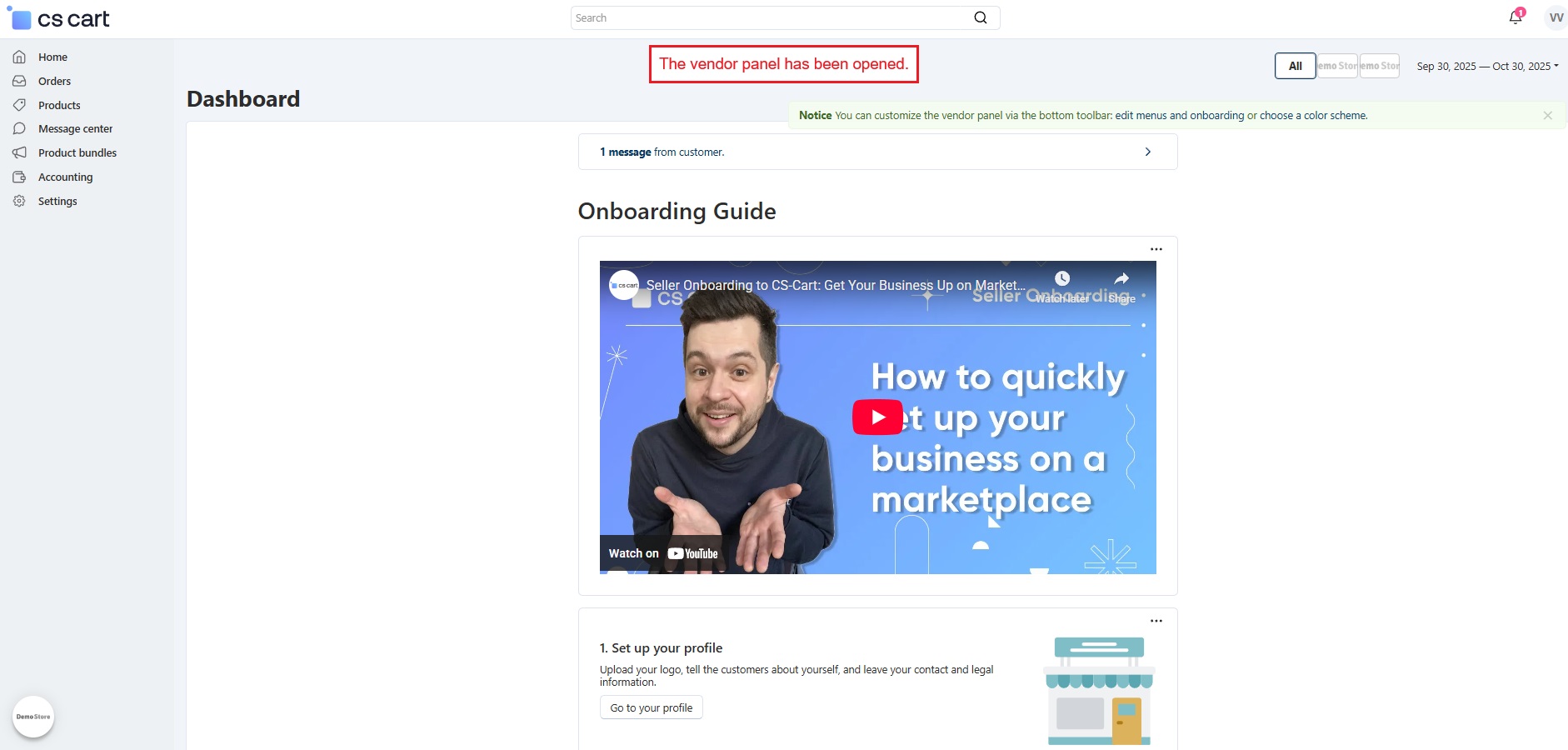
- Let’s sign in to the Vendor account.
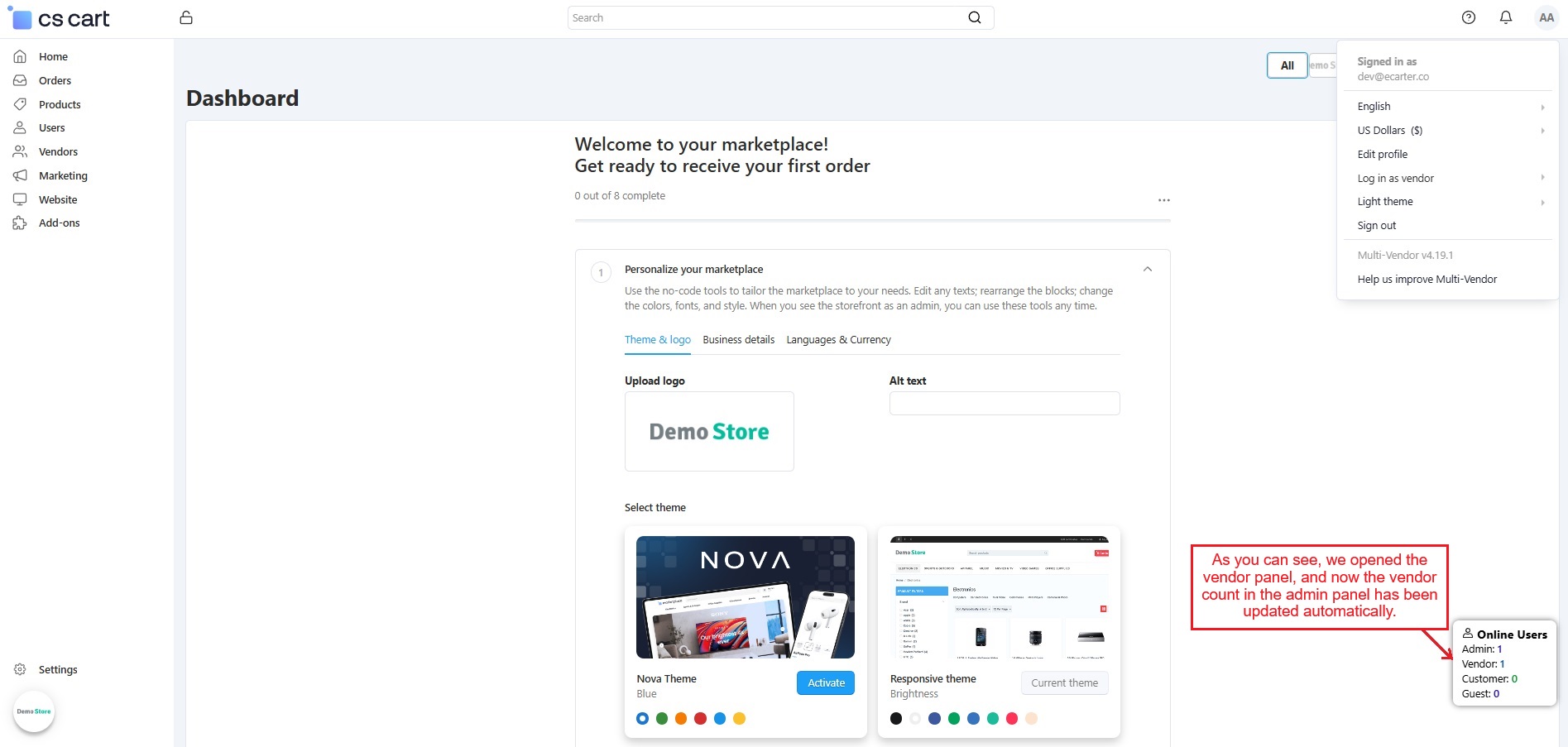
- As the vendor panel is opened, the vendor count in the admin panel’s online users pop-up is updated automatically.
Admin login count
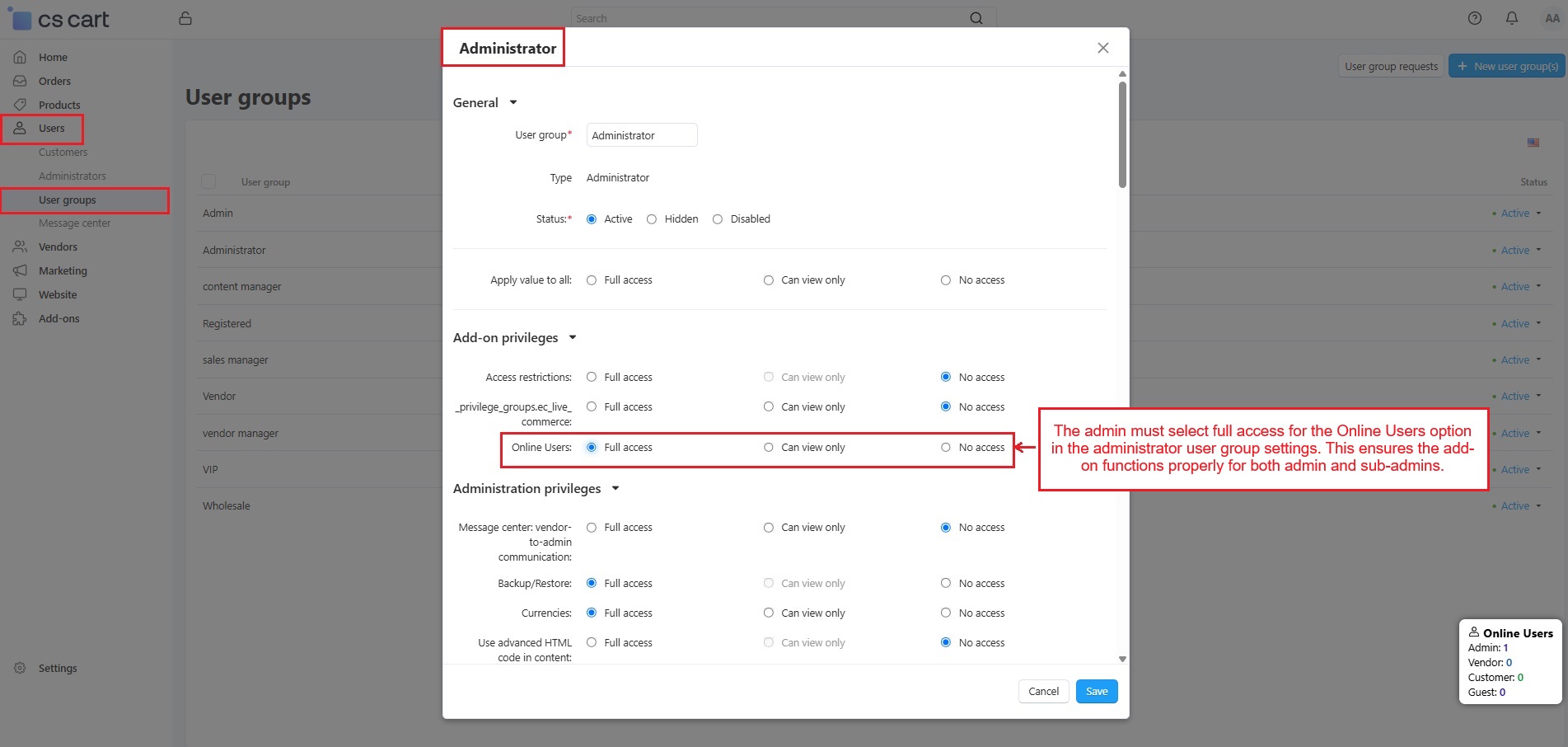
- To check how this add-on works for the admin and sub-admin, the admin must first give access in the User group settings.
- Go to Users → User groups → Administrator type, and set Full access for the Online Users option. This ensures the add-on works properly for administrators, and the admin count updates automatically when they come online.
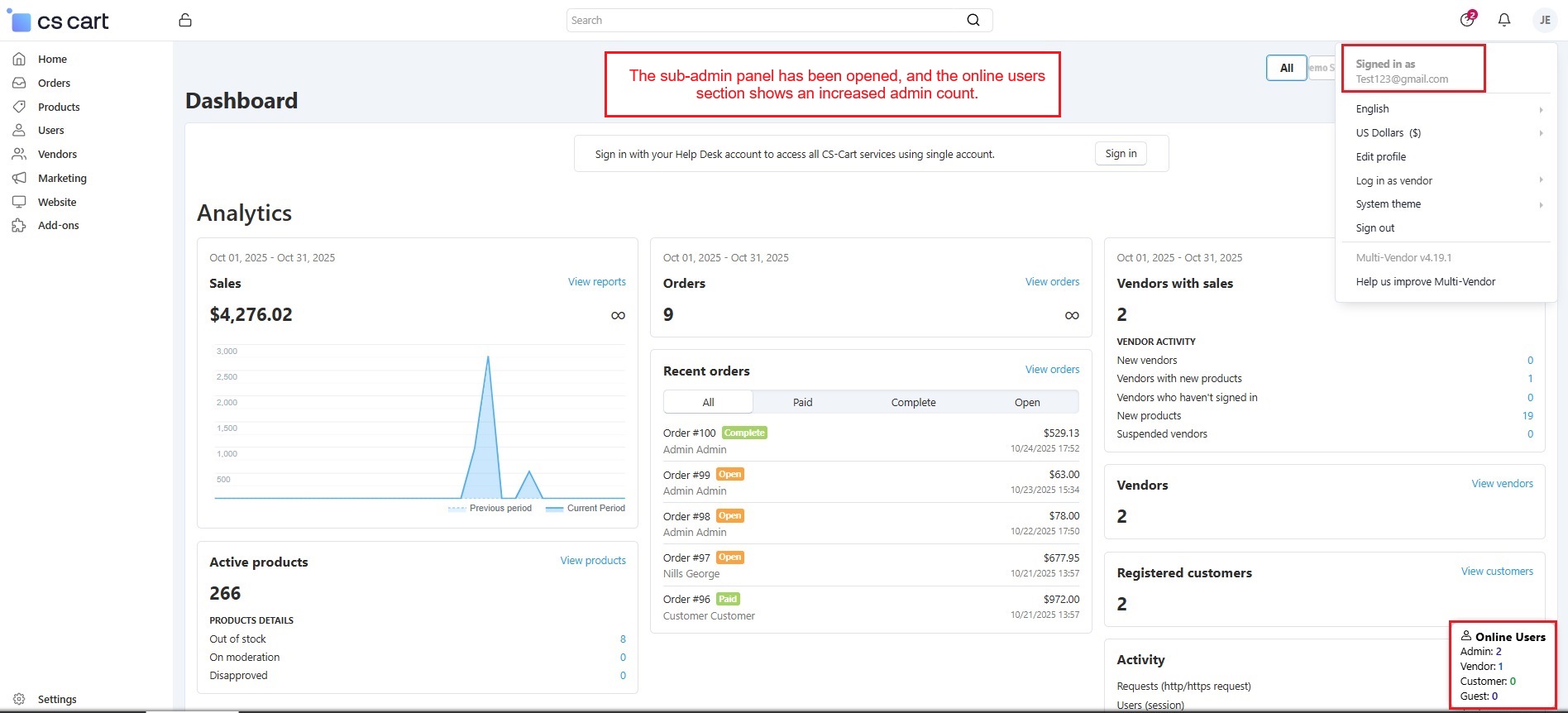
- The sub-admin panel has been opened, and the online users section shows an increased dmin count.
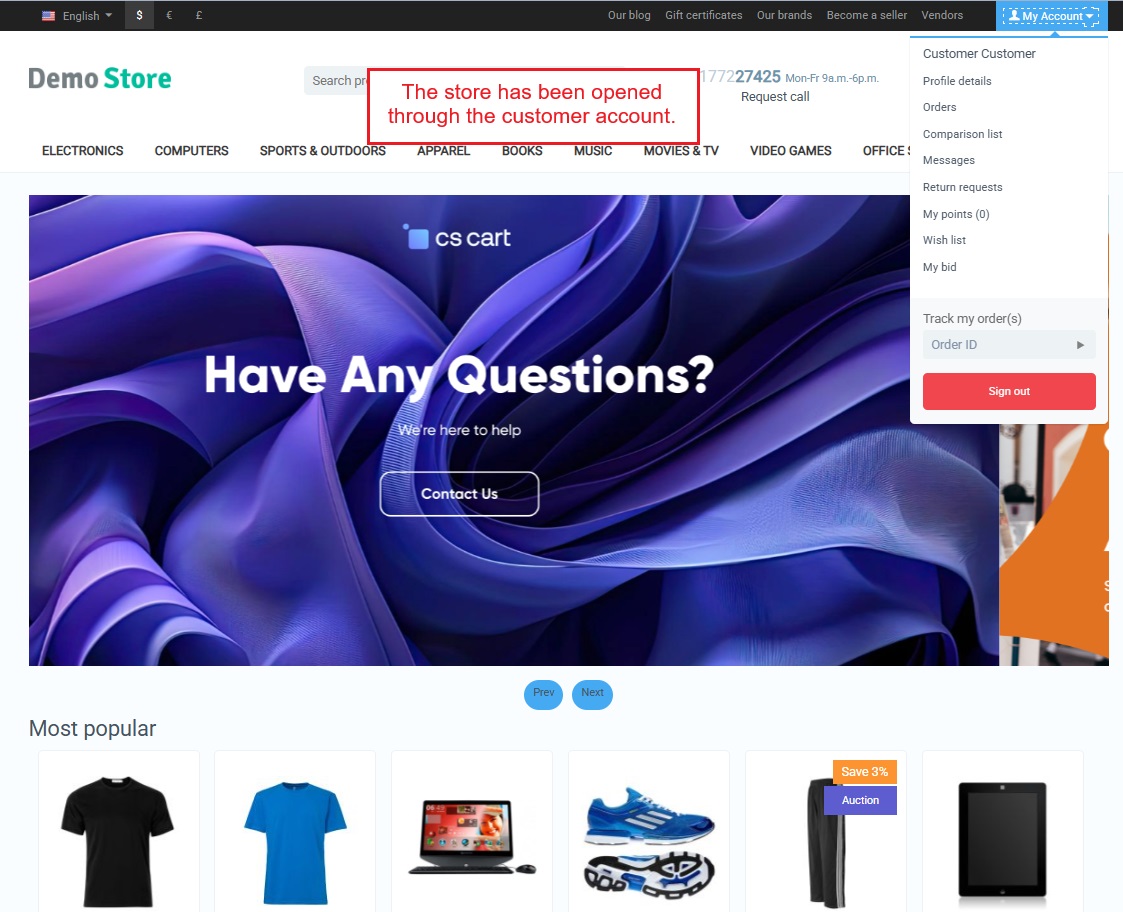
- The store is now open through the Customer account.
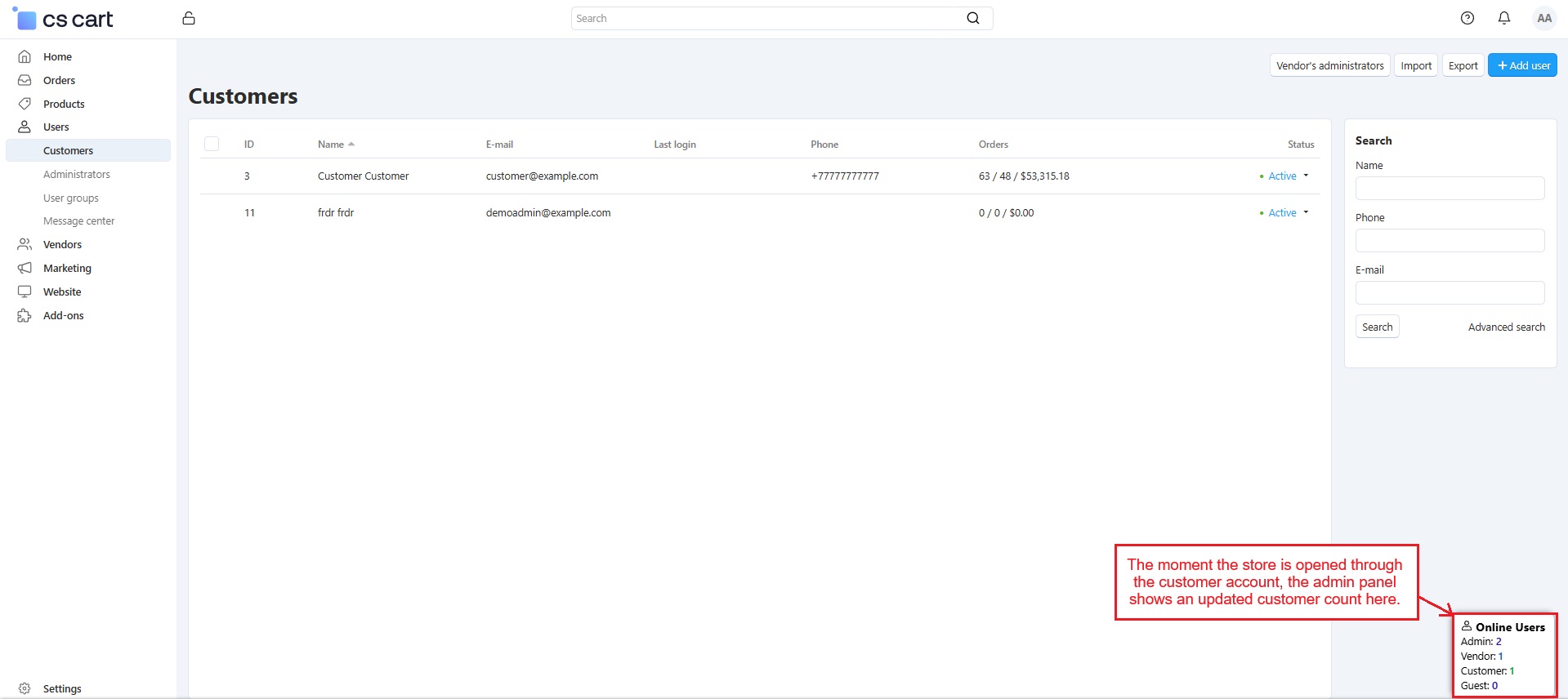
- The moment the store is opened, the admin panel shows an updated customer count in the online users pop-up.
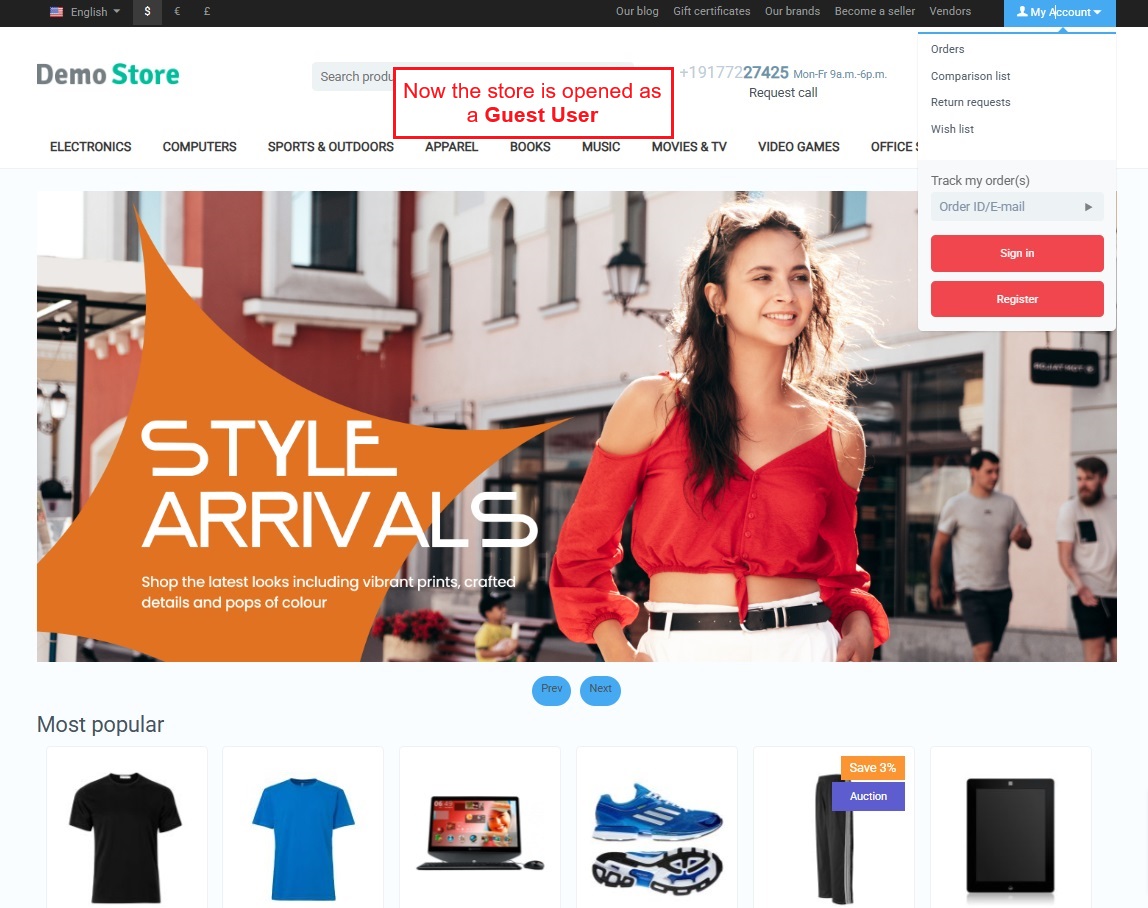
- The store has been opened as a Guest user.
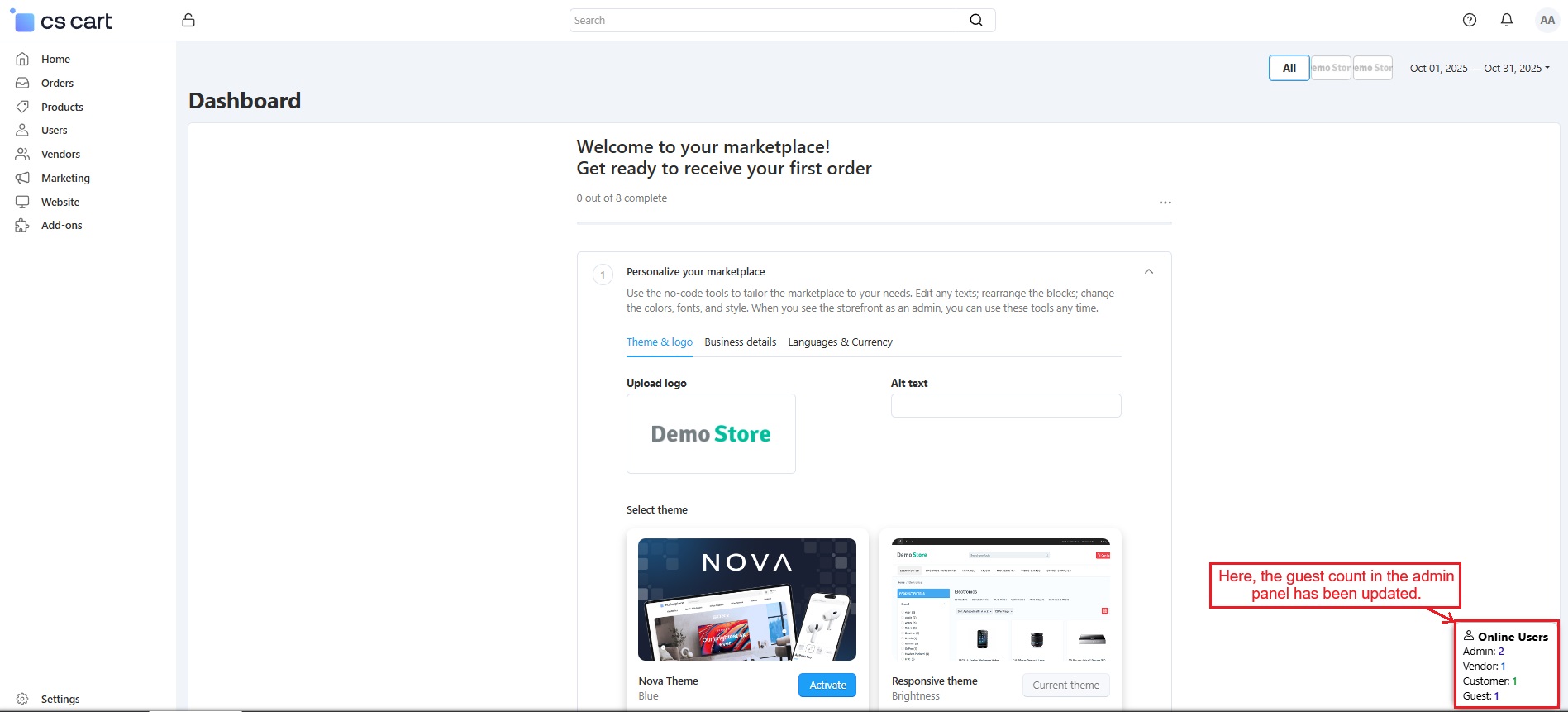
- Now, the guest count is updated automatically in the pop-up.
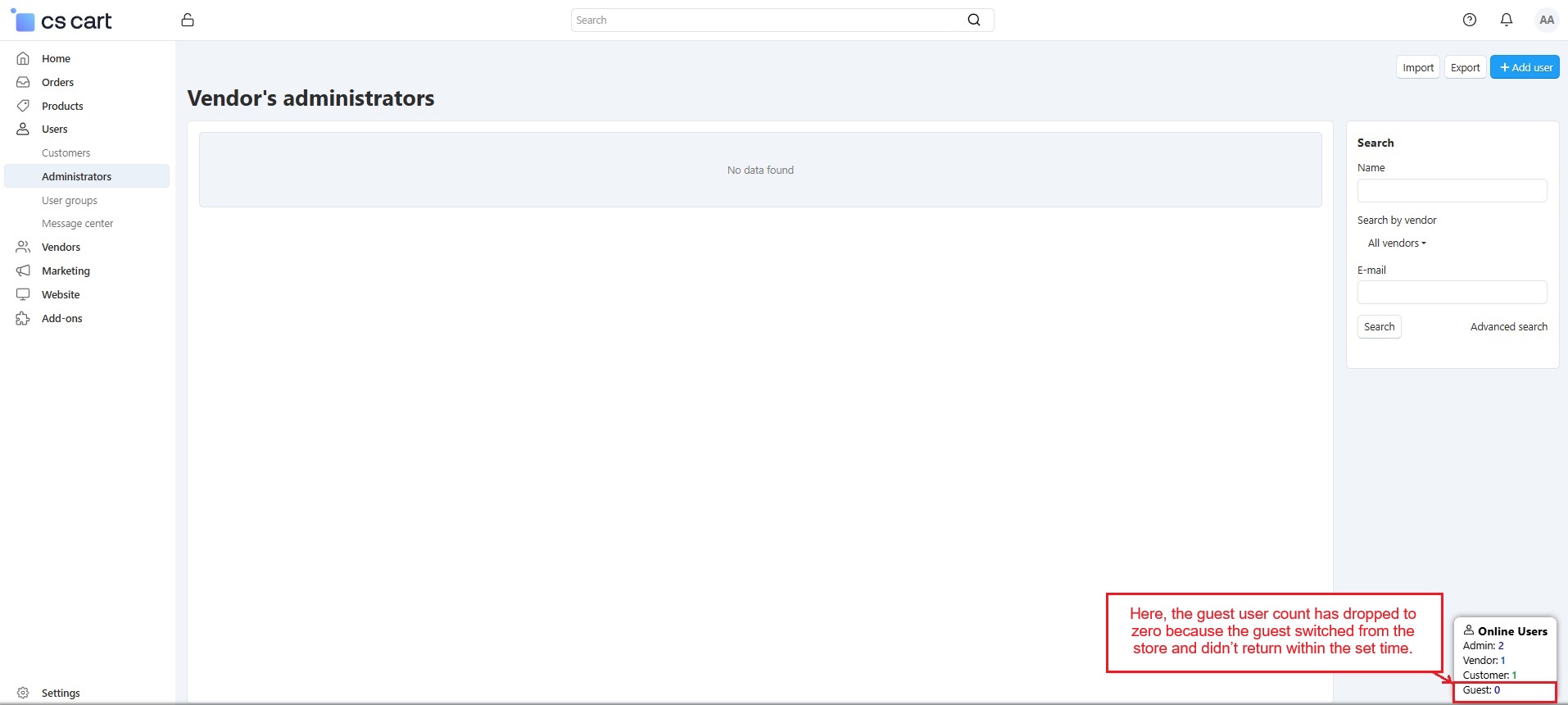
Note: When a user switches to another panel or store, the user timeout setting starts. After the set time ends, the user count in the online users pop-up decreases automatically.
Here, the guest user count has dropped to zero because the guest switched from the store and didn’t return within the set time.
Clickable Online User Options
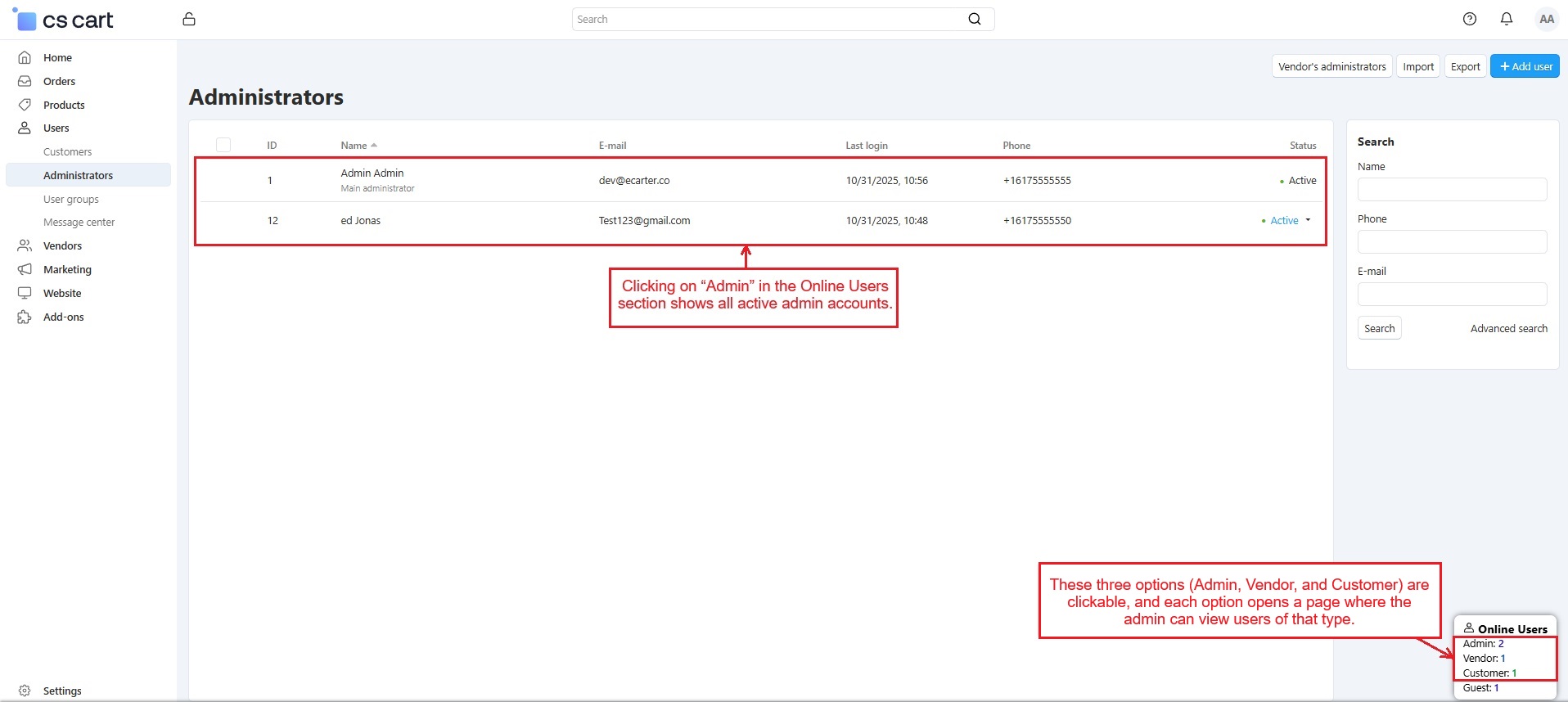
- The three Online Users options (Admin, Vendor, and Customer) are clickable, and each option opens a page where the admin can view users of that type.
- Below, clicking on “Admin” in the Online Users pop-up shows all active admin accounts.
Addon-Version
Version-1.0.3
Supported Versions:
CS-Cart, CS-Cart Multivendor 4.8.x, 4.9.x,4.10x,4.11x,4.12,4.13x, 4.14x, 4.15x, 4.16x, 4.17x, 4.18x
Support:
This add-on is developed and published by Ecarter Technologies Pvt.Ltd., a CS-Cart developer. You are guaranteed a quality add-on supported by future versions. If you need help, please contact us via email at support@ecarter.co.
Frequently asked questions
Which user types does the Online Users Add-on track?
It tracks admins, vendors, customers, and guests who are currently online in real time. The admin, vendor, and customer types are clickable and open a page listing the users of that type.
How does the add-on keep the online list accurate?
It includes a user timeout setting where you set a time limit in seconds. After that period of inactivity, users are automatically marked offline, so the list reflects who is genuinely active.
Can I include guest visitors in the online users count?
Yes. You can turn the guest customer option on or off, and when enabled it shows how many guests are currently active on the store, working the same way as the other user types.
Does it support CS-Cart Multi-Vendor and which versions?
The add-on tracks vendors as one of its user types, which fits a Multi-Vendor setup. For confirmation on your specific CS-Cart version, share the version you run and we will confirm compatibility.
Nisha Gaur is a Technical Content Writer at Ecarter Technologies. She writes technical documentation, tutorials and buying guides covering CS-Cart, Magento, Shopify and eCommerce development.