
Order Attachment
Order Attachment Addon allows store owners to upload and attach files to orders.
Order Attachment is a CS-Cart add-on that lets store owners upload and attach files to orders. Store administrators can add multiple files to any order, and customers can view and download those files directly from their order page in the storefront. It supports a range of file types, including documents, images, and PDFs, so sharing order-related paperwork is quick and simple. This is useful for merchants who need to send invoices, specifications, proofs, or other reference files to customers alongside their orders.

Order Attachment Addon for CS-Cart allows store owners to upload and attach files to orders. Store administrators can add multiple files to any order, and customers can easily view and download these files from their order page in the storefront, making file sharing quick and easy.
Features:
- Attach Multiple Files: Admins can upload and attach multiple files to any order.
- Easy Access for Customers: Customers can easily view and download the attached files from their order page.
- Supported File Types: Allows various types of files to be uploaded, such as documents, images, and PDFs.
- Quick Sharing: Makes sharing important files with customers simple and fast.
- Simple to Use: The interface is simple to navigate, making it easy to add, view, and download attachments for any order.
Installation:
How to install Addon:
https://store.ecarter.co/blogs/how-to-install-addon/
How Addon Works:
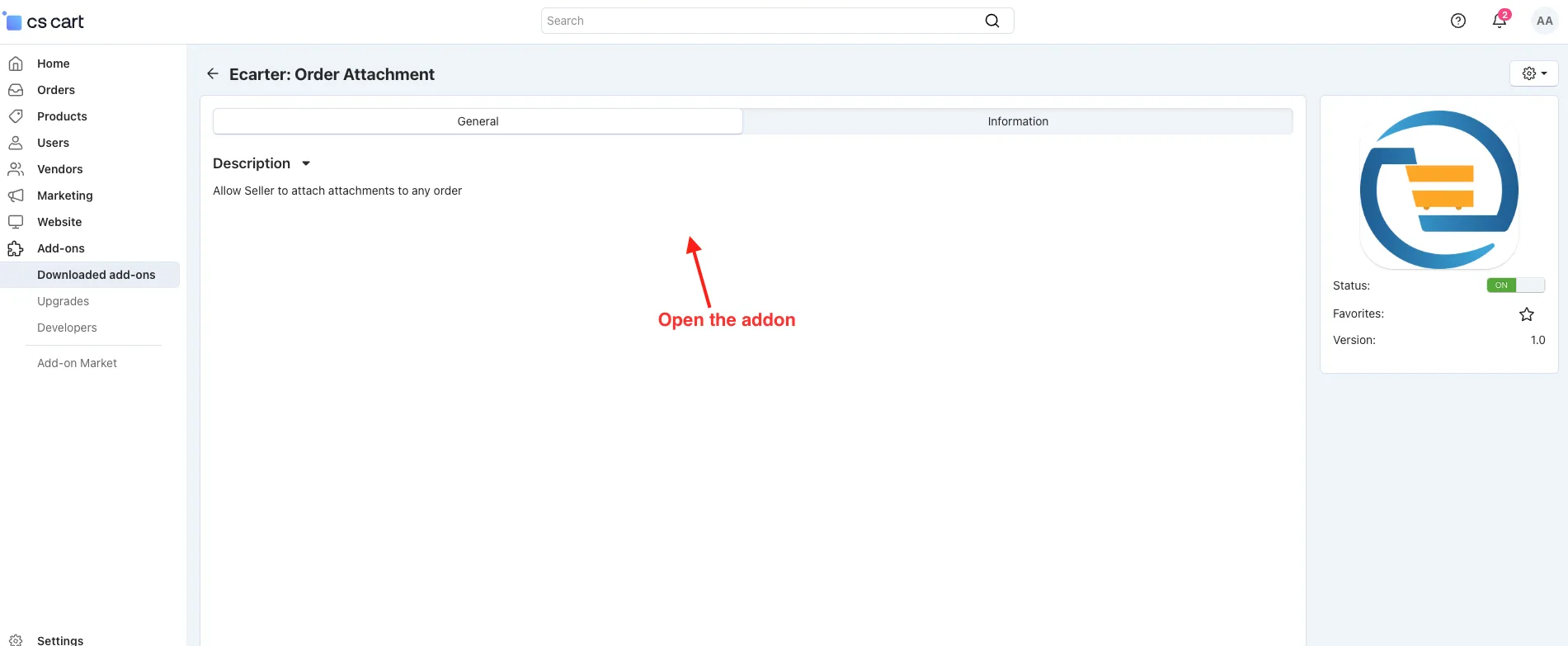
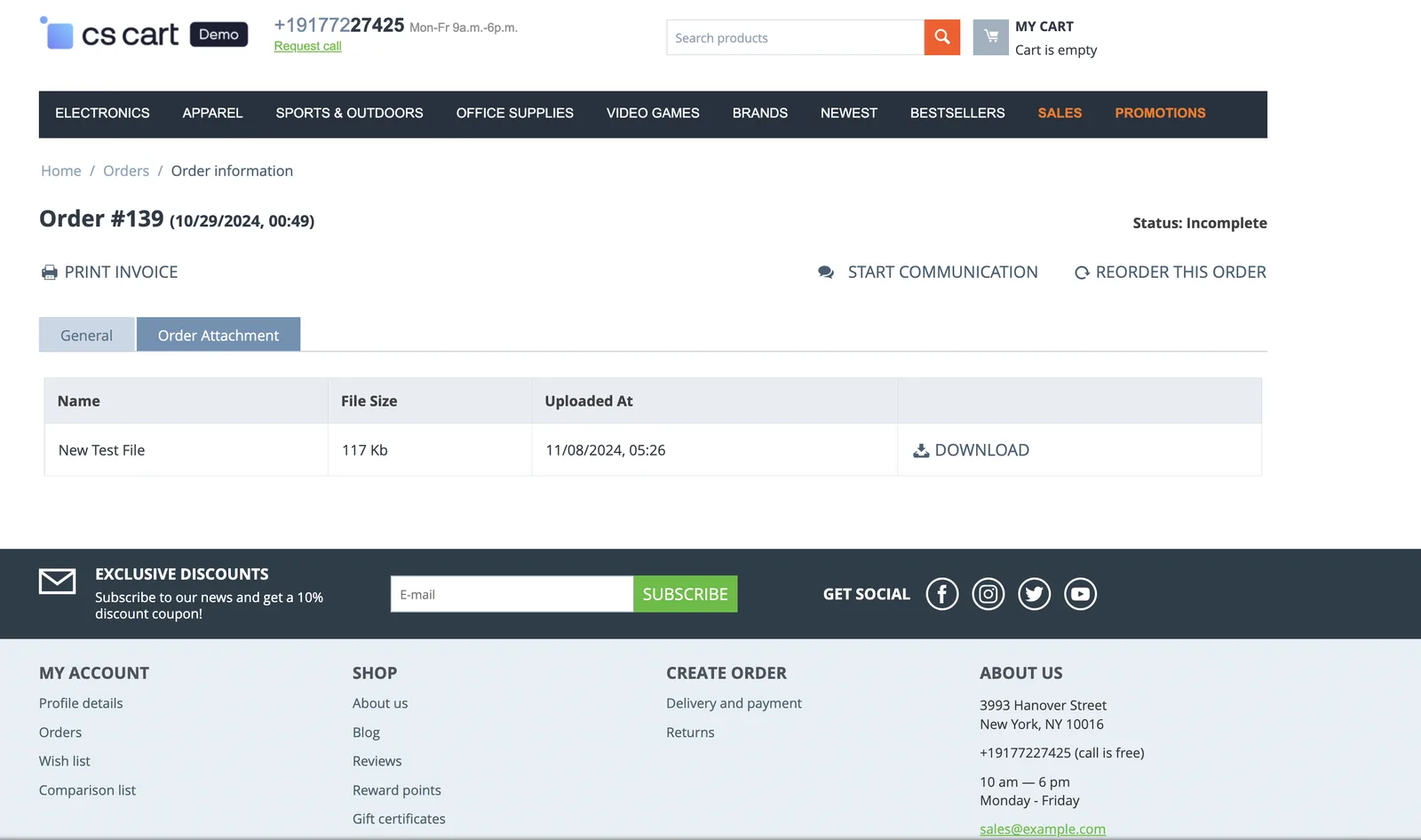
- Open the addon.
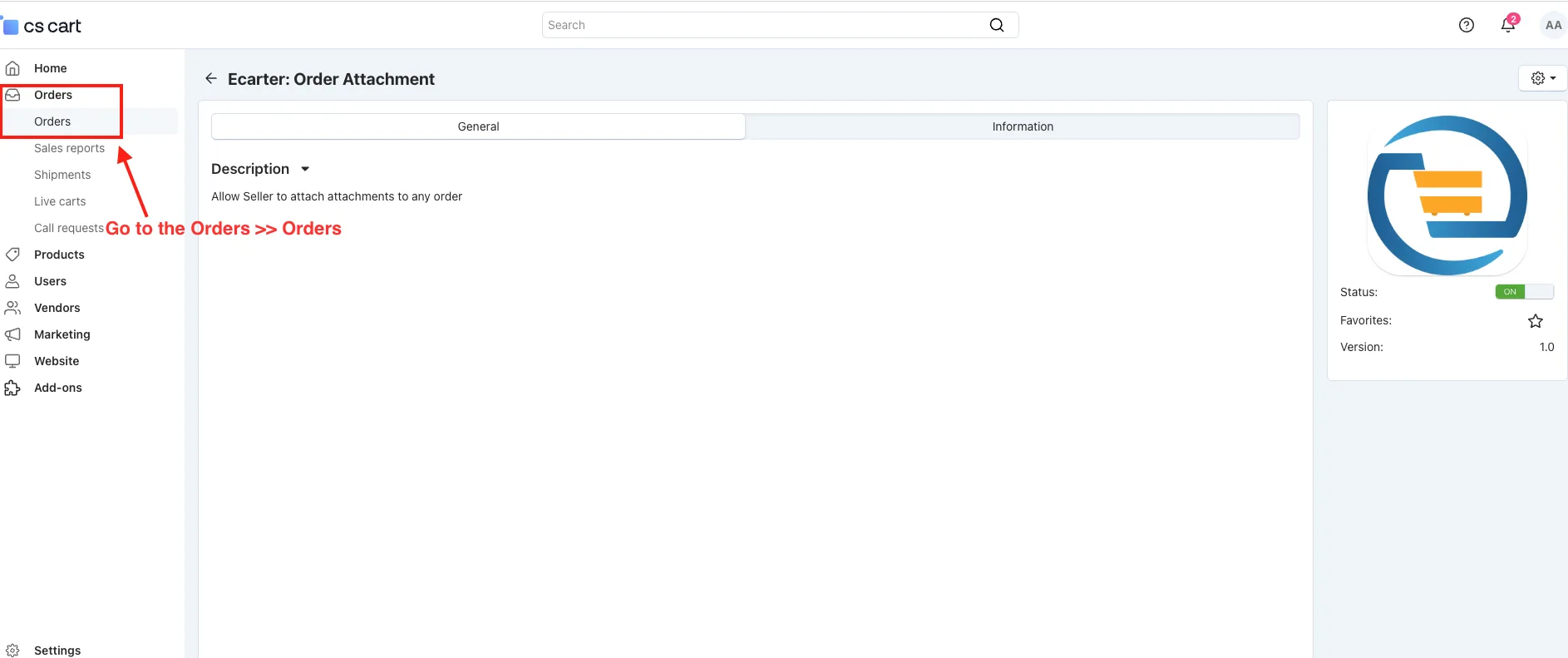
- Go to the Orders>>Orders.
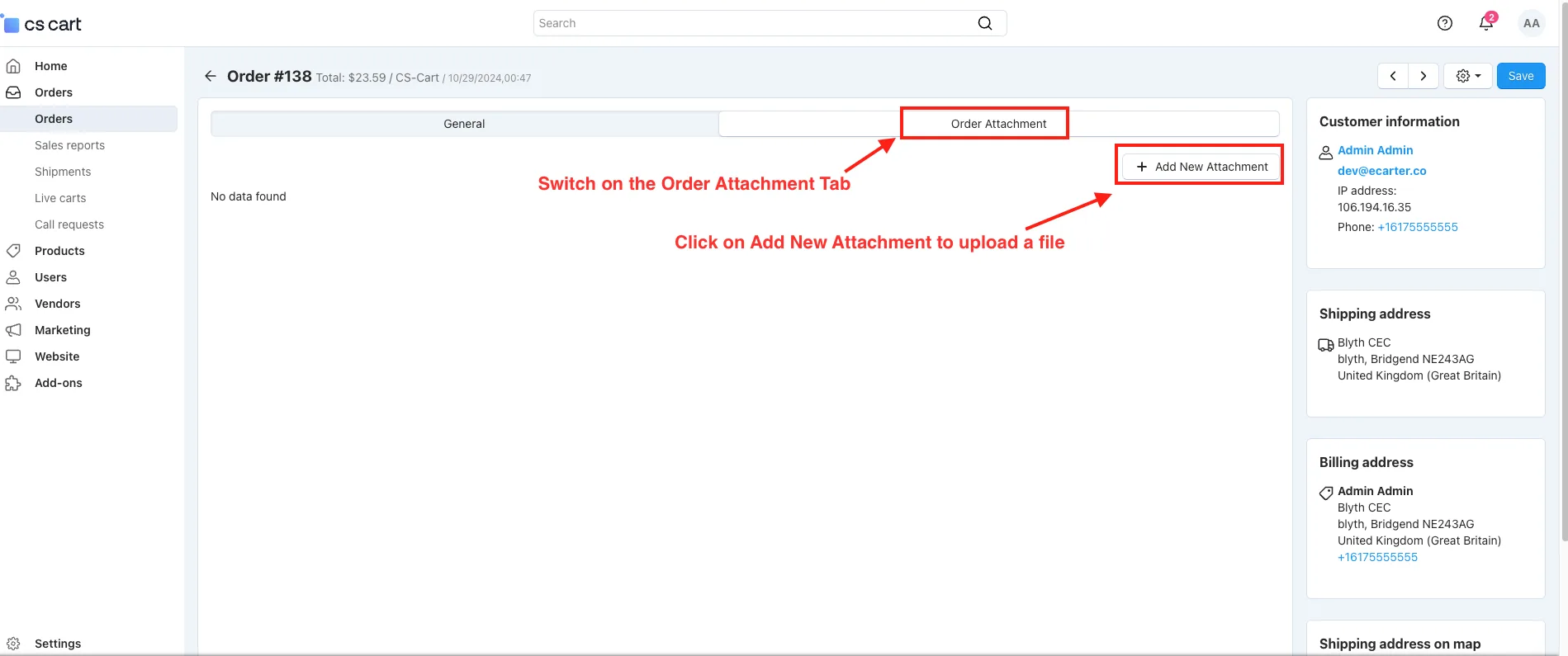
- Switch on the Order Attachment Tab.
- Click on Add New Attachment to upload a file.
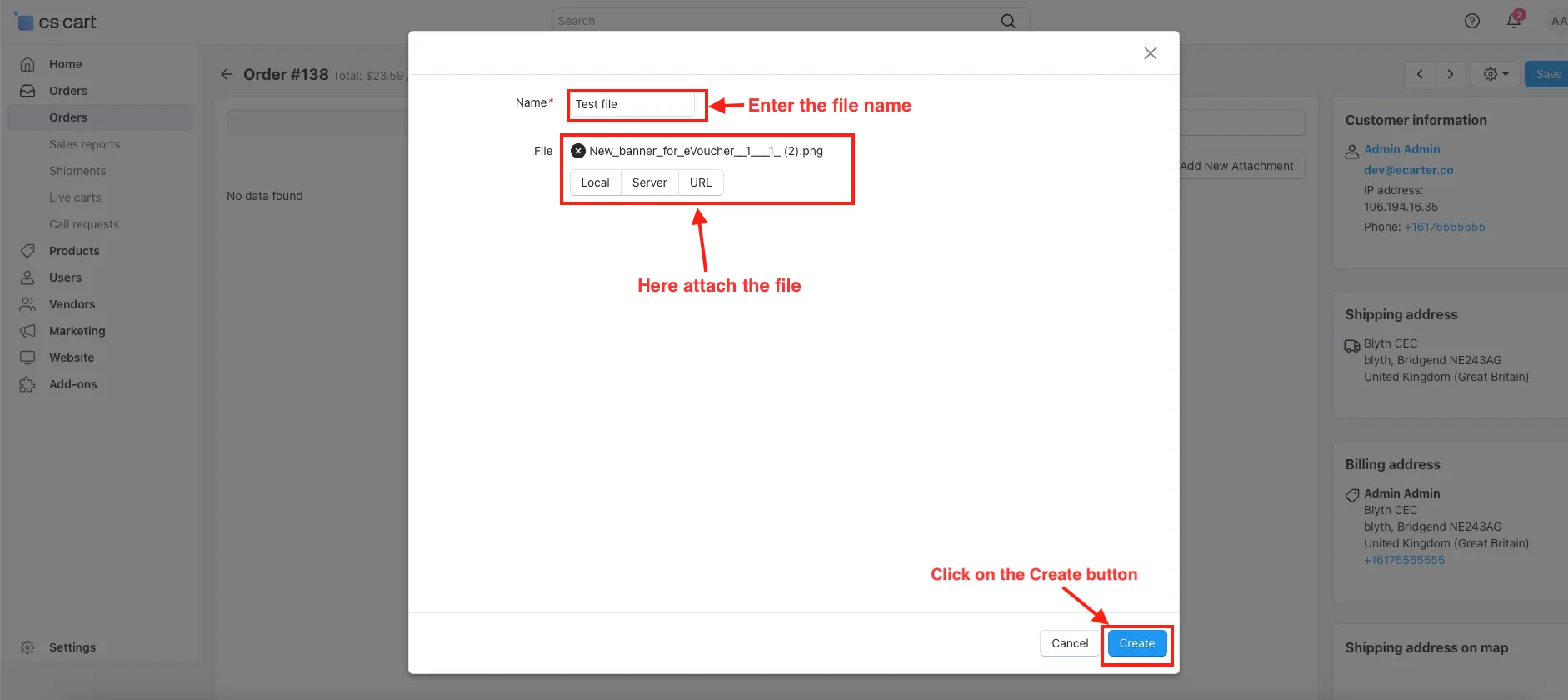
- Here, enter the file name and attach the file.
- Click On the Create button.
- Users can add multiple attachments and download each one as needed.
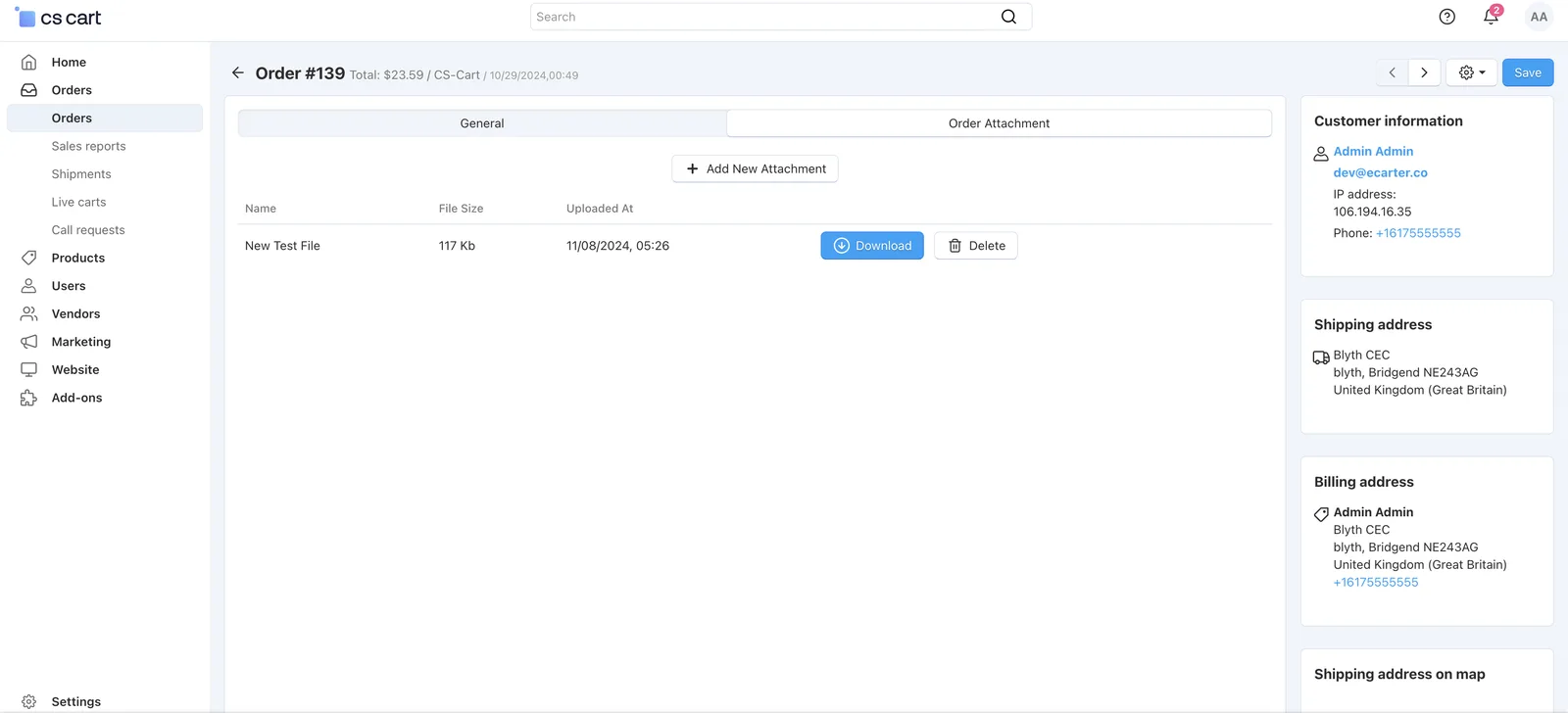
- Go to the Order in Storefront.
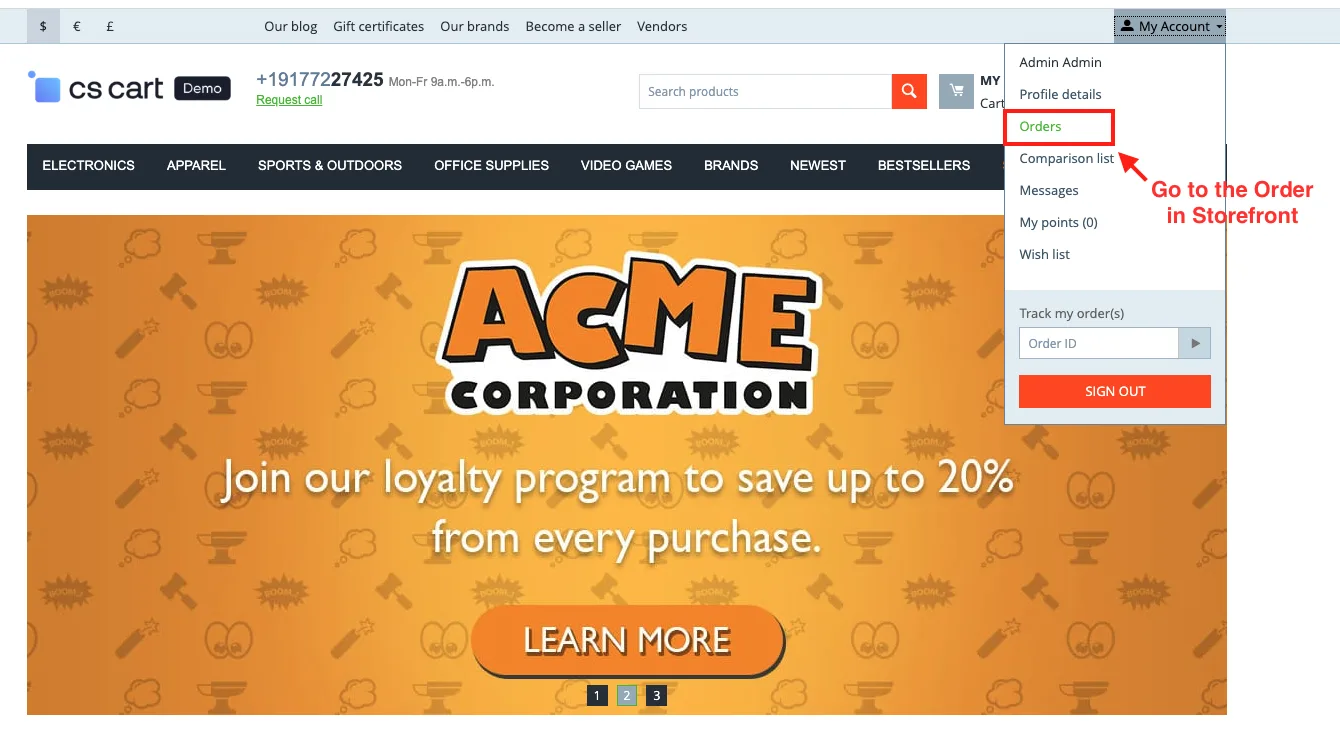
- Open the specific order.
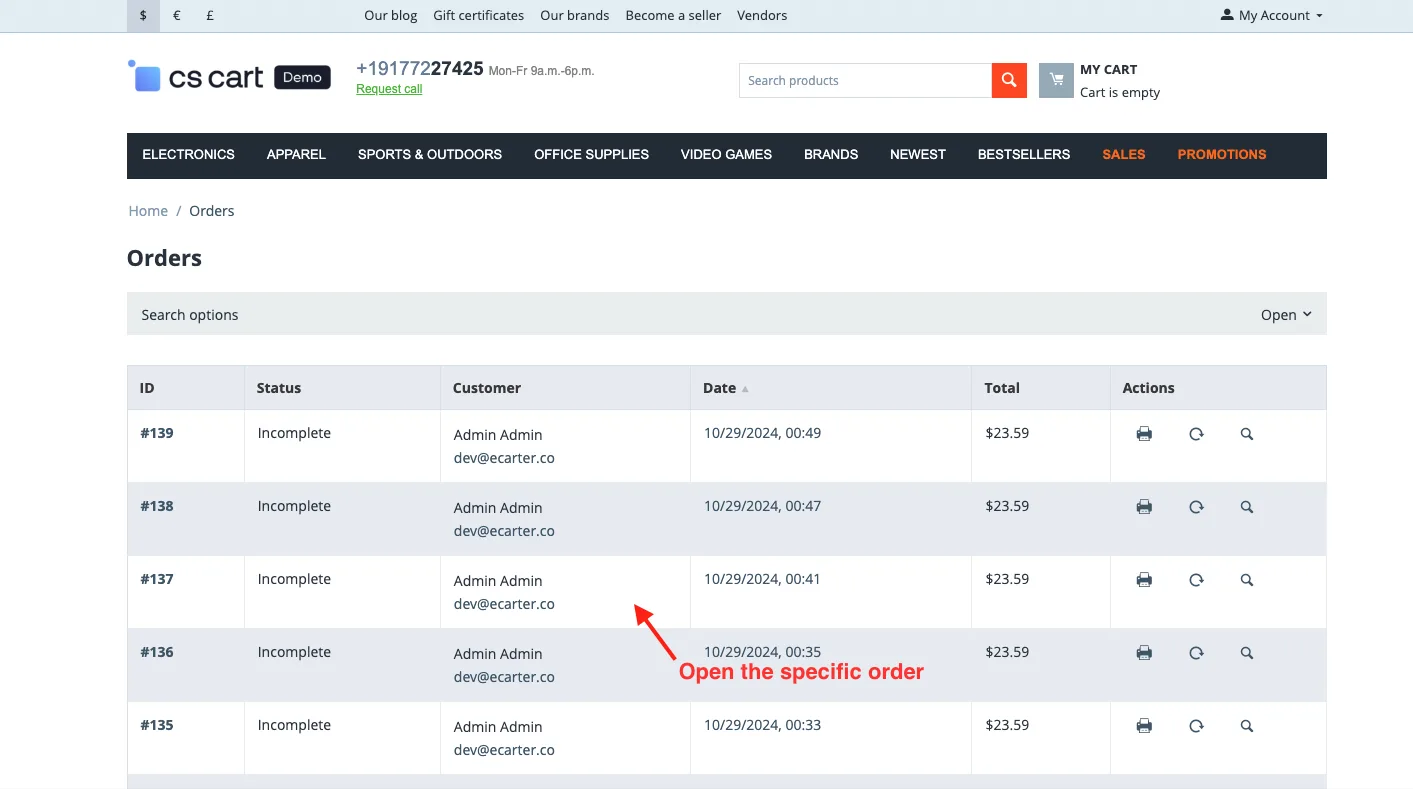
- Switch on the Order Attachment.
- Here you see the Attached file.
- Click on the download button and download the file.
Addon-Version:
Version-1.0
Supported Versions:
CS-Cart, CS-Cart Multivendor 4.8.x, 4.9.x,4.10x,4.11x,4.12,4.13x, 4.14x, 4.15x, 4.16x, 4.17x, 4.18x
Support:
This app is developed and published by Ecarter Technologies Pvt. Ltd., a CS-Cart developer. You are guaranteed quality add-ons.
Frequently asked questions
What files can I attach to an order with this add-on?
You can upload and attach multiple files to any order, including documents, images, and PDFs. Each attachment is given a file name and can be added or downloaded as needed.
How do customers access the attached files?
Customers open their specific order in the storefront and switch on the Order Attachment section, where the attached files appear. From there they can click the download button to save each file.
How do I add an attachment as an administrator?
In the admin panel, open the order, switch on the Order Attachment tab, and click Add New Attachment. Enter a file name, attach the file, and click Create; you can repeat this to add multiple attachments.
Which CS-Cart versions does the add-on support?
This is version 1.0 of the add-on and it supports CS-Cart and CS-Cart Multi-Vendor. If you need confirmation for your specific version, share it with us and we will check compatibility.
Kajal is a Technical Content Writer at Ecarter Technologies. She writes technical documentation and in-depth guides on eCommerce platforms, mobile commerce and AI in online retail.